
Color Me Outlines 2
Updated + Maintained version of Color Me Outlines as a resource pack that allows you to set a custom block highlighting/outline color
截图


介绍
Showcase
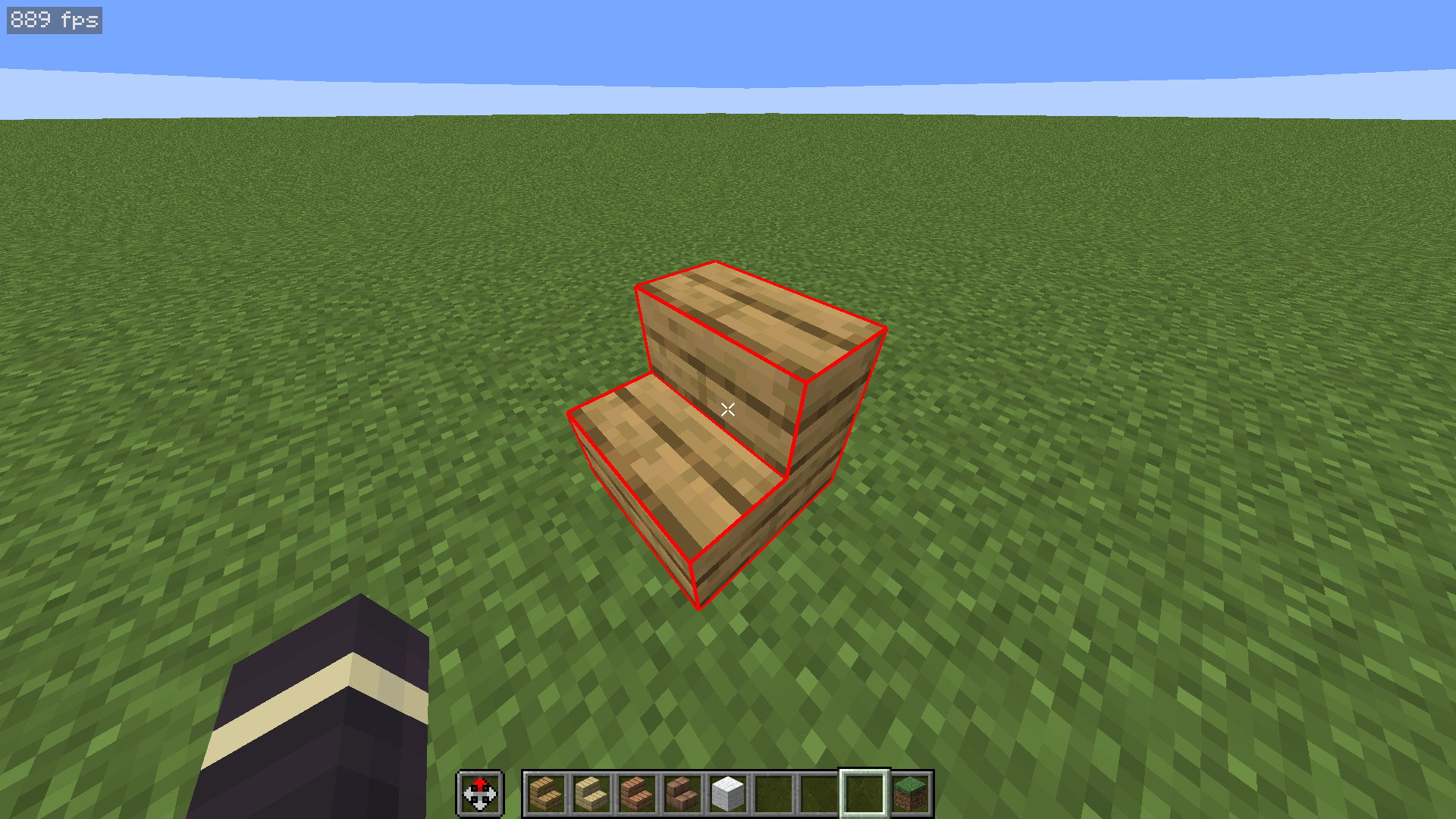
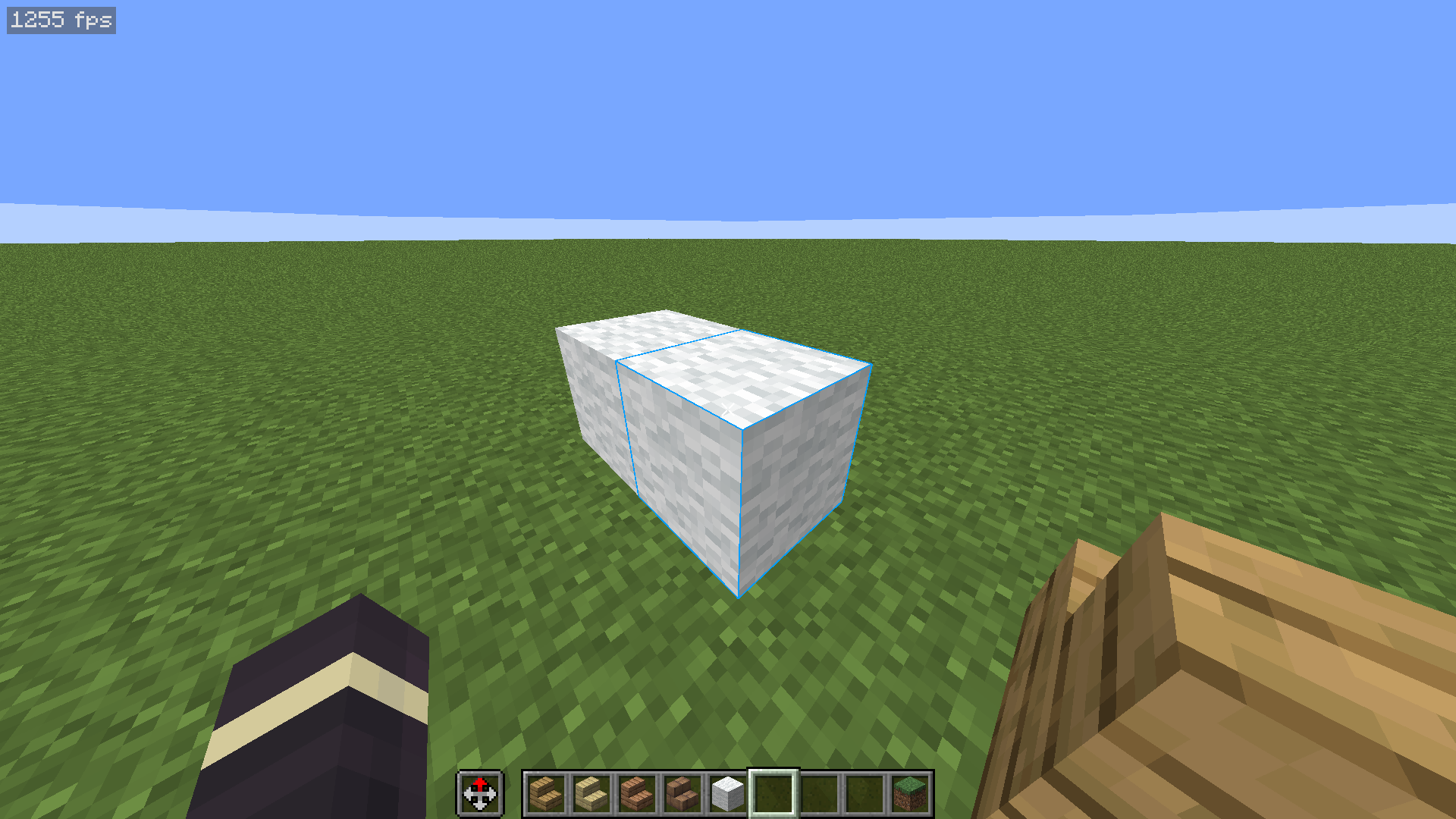
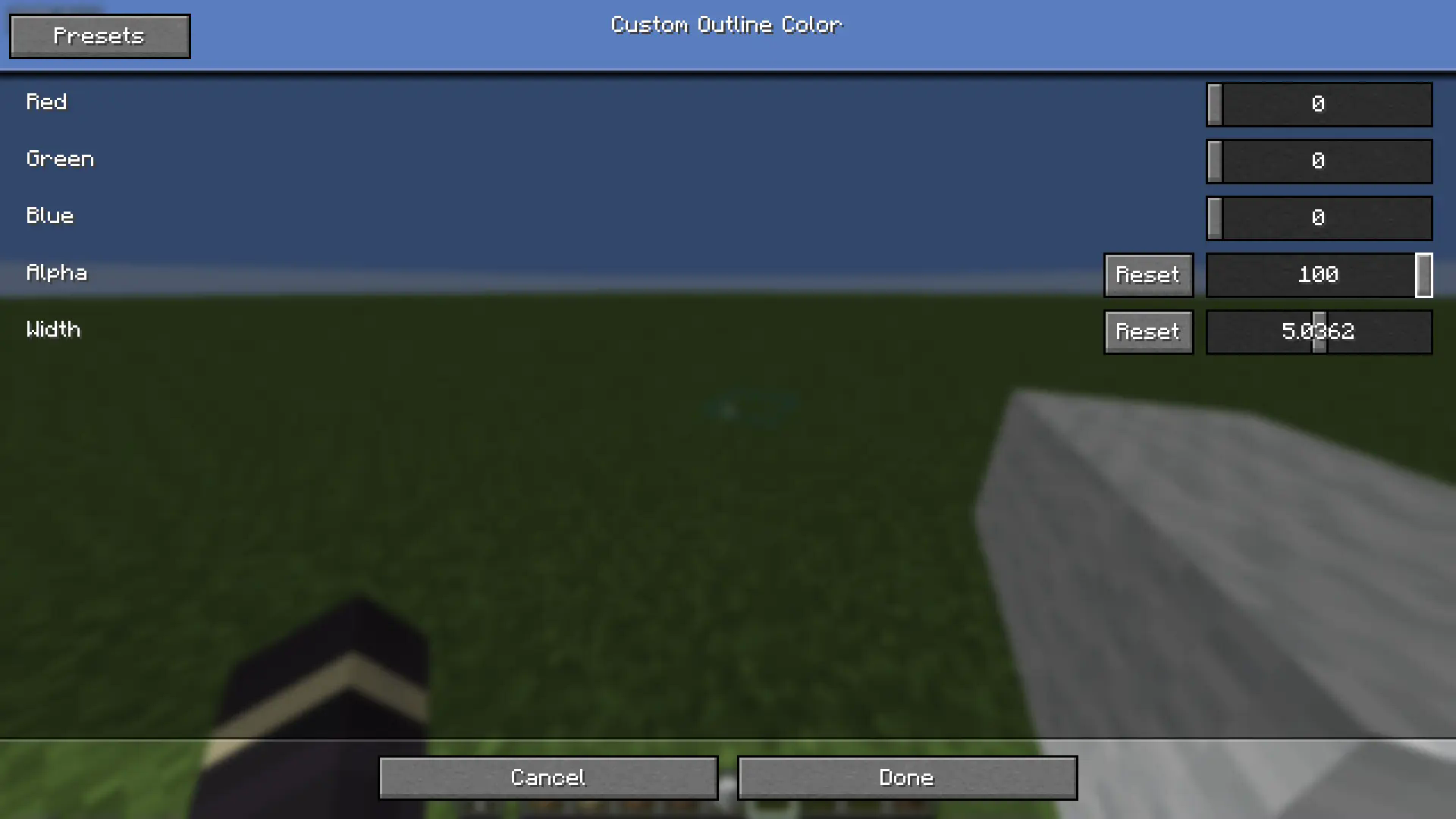
Description
If you ever wanted to customize the color of the outlines around blocks that you look at, then this is the right texture pack for you. It works completely in Vanilla Minecraft 1.21+ so you don’t need to worry about installing any other mods. You can also easily disable it by just taking the pack off!
Optionally, you can install a mod called respackopts that will allow you to have settings for the texture pack. This will allow you to easily customize how the outlines look on the fly. Alternatively, there’s a configuration file inside the texture pack itself that you can customize. You can find instructions on how to actually use the texture pack below.
How to Use
- Install and apply the texture pack
- (Optionally) for easier customization, install the respackopts mod
- If you did step 2, you will see a new settings button appear on the texture pack ingame. You can use these settings to customize the color, transparency, and width of the outlines
- If you skipped step 2, you can instead open the texture pack in your files, navigate to
assets/minecraft/shaders/includethen open thecustom_outlines.glslfile. You will find the options near the top of the file.
Support
If you want to suggest anything, report a bug, or vote on future packs, then join my discord
https://www.alphaleo.li/resourcepacks
常见问题
Color Me Outlines 2 支持哪些 Minecraft 版本?
Color Me Outlines 2 支持 Minecraft Java 版 1.19–26.2,共 28 个版本。下载时注意选择和你游戏版本一致的文件。
Color Me Outlines 2 怎么安装?
把下载的 .zip 文件(不用解压)放进游戏目录的 resourcepacks 文件夹,进游戏后在「选项 → 资源包」里把它移到右边启用。
AlphaLeoli 的其他作品
查看全部 →
Xray (Spectator X Ray)
X-Ray通过一个简单的按键激活:F3 + N 即可有效进入旁观模式,而这个资源包正是在该模式下生效的。
Subtly Glowing Ores
为矿石添加发光的彩色轮廓!兼容大多数资源包!

Glowing
使用OptiFine/ConnectedTextureMod/原版(CoreShaders)格式为原版内容制作发光或自发光效果。

GUI Revision
在保留原版 GUI 简洁风格的同时,带来全新的设计
评论
登录后评论和评分