
介绍
中文介绍正在准备中,下面暂时显示原文。

InventoryInspect
A barebones mod that allows server admins to view and manage the inventories and ender chests of other players.
Supports both online and offline players.
Main Command: /oinv
Requires operator status or vanilla permission level 2 (GAMEMASTERS).
Inventory Commands
/oinv inventory
Ender Chest Commands
/oinv enderchest
After entering the command, specify the target player’s username.
GUI Access
/oinv inventory [player] open
- Opens a chest-style GUI for viewing and editing the player’s inventory or ender chest.
The GUI is the recommended method, though several command-line subcommands are also available:
/oinv inventory [player] clear [slot]
- Clears the specified slot.
/oinv inventory [player] get [slot]
- Retrieves the item from the specified slot.
/oinv inventory [player] list
- Lists all inventory contents.
/oinv inventory [player] set [slot] [item]
- Sets an item in the specified slot.
Example Inventory GUI
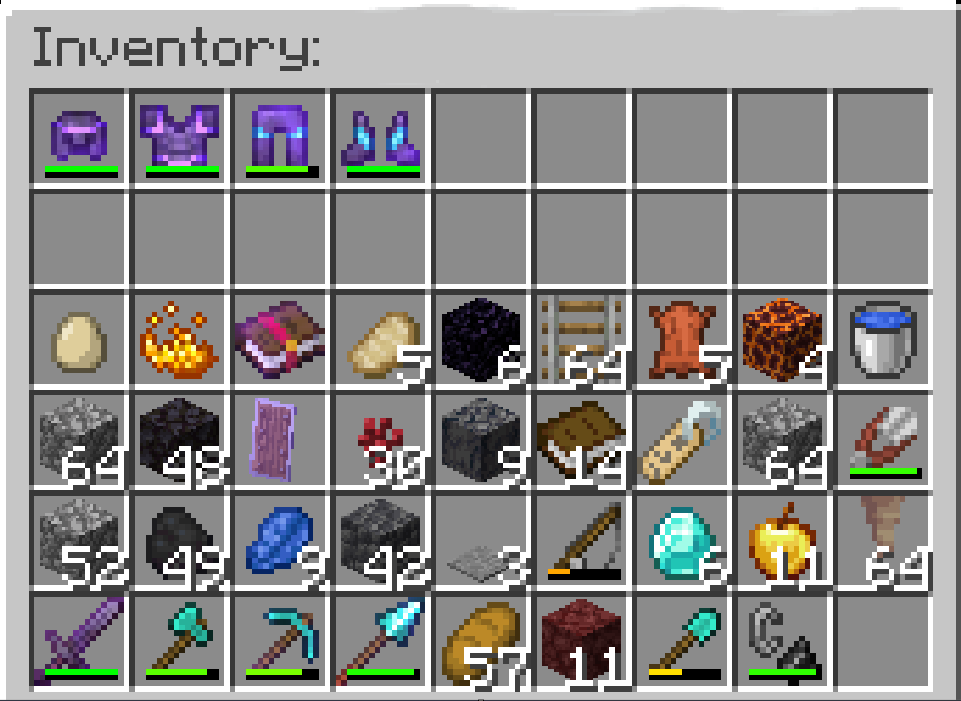
This works the same with ender chests.
常见问题
InventoryInspect 支持哪些 Minecraft 版本?
InventoryInspect 支持 Minecraft Java 版 1.21.11,可用的加载器:Fabric。下载时注意选择和你游戏版本一致的文件。
InventoryInspect 怎么安装?
先用 PCL2 或 HMCL 启动器安装对应版本的 Fabric,再把下载的 .jar 文件放进游戏目录的 mods 文件夹,重新启动游戏即可。开启了版本隔离的,mods 文件夹在 versions/版本名 下面。运行环境:仅服务端。
评论
登录后评论和评分