截图
介绍
📖 What’s this mod?
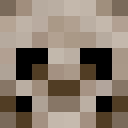
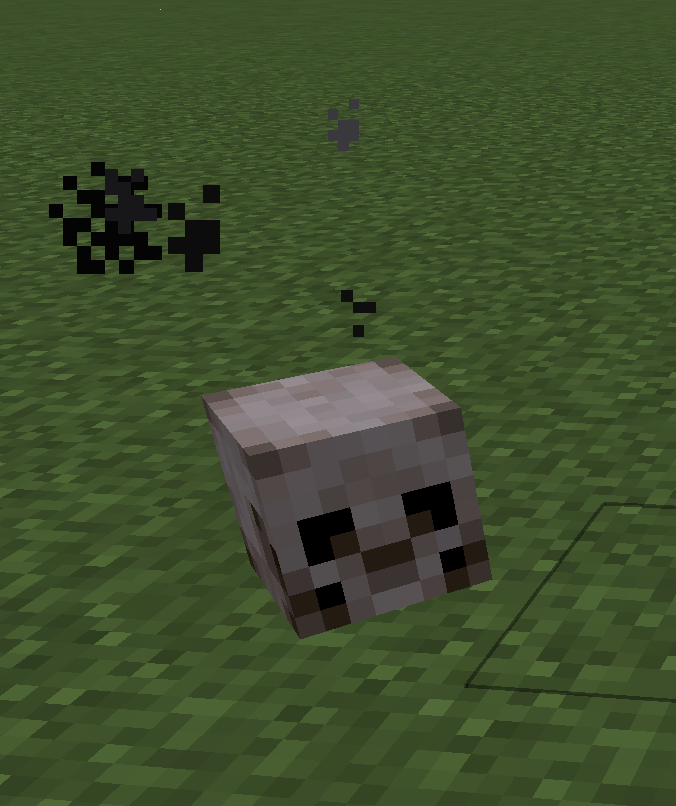
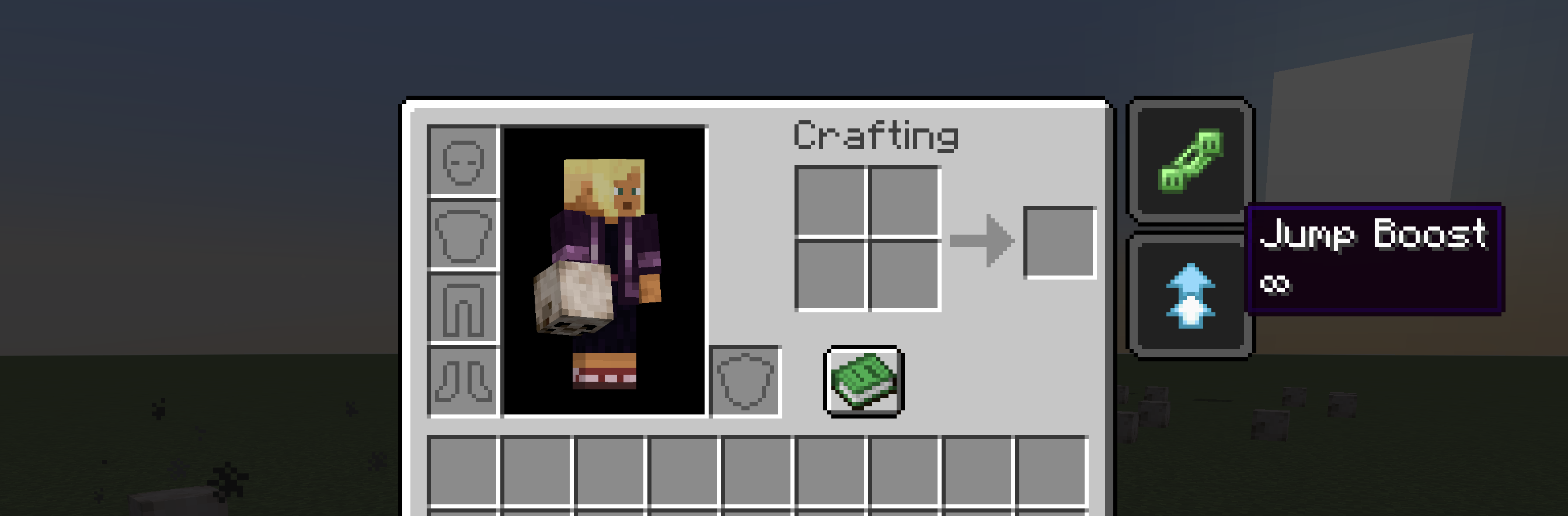
The Mischievous Skull mod introduces a new block into the game—a mysterious skull that offers a unique twist. Once destroyed, the skull grants the player a random Level 1 effect (such as Strength, Speed, Haste, etc.) with an infinite duration. This feature is perfect for adventure map creators looking to add an element of unpredictability and strategy, placing these skulls in key locations to enhance the gameplay experience.
The design of the skull is inspired by the Traits charms) from the game Hunt Showdown, adding a touch of mischievousness to your adventures. Whether you’re setting up a challenging quest or simply want to experiment with new gameplay dynamics, the Mischievous Skull mod is sure to add some fun surprises to your world.
Customizing effects
You can change which status effects the skull can roll, and how long each one lasts, by providing a data resource at:
data/mischievous-skull/skull_effects.json
That file can come from:
- A datapack under your world folder (for example
saves/<world>/datapacks/<your_pack>/data/mischievous-skull/skull_effects.json). - A resource pack that includes a
data/tree (the same path under the pack root).
The mod ships a default skull_effects.json inside the mod JAR. Packs with higher priority override lower ones, like other Minecraft data. On a dedicated server, run /reload after changing the file so server data is reloaded.
Format
effects: array of objects.id: status effect identifier (namespace:path), e.g. vanillaminecraft:strengthor another mod’s effectexamplemod:my_effect.duration(optional): duration in game ticks (20 ticks = 1 second). Omit the field or set it to0for infinite duration. Values greater than0apply a timed effect.
If the file is missing, invalid, or effects is empty, the mod falls back to its built-in list (the same nine positive effects as before). Unknown effect IDs are skipped with a warning in the log.
Example (vanilla + timed effect)
{
  "effects": [
    { "id": "minecraft:strength", "duration": 0 },
    { "id": "minecraft:speed", "duration": 200 }
  ]
}
Here, Strength can roll with infinite duration, and Speed with 200 ticks (10 seconds) when applied.
Example (effect from another mod)
Another mod must register that status effect and be loaded in your instance. Use that mod’s namespace and effect path (check its documentation or data).
{
  "effects": [
    { "id": "minecraft:regeneration", "duration": 0 },
    { "id": "examplemod:my_custom_effect", "duration": 600 }
  ]
}
If examplemod is not installed or does not register examplemod:my_custom_effect, that line is ignored at reload time and a warning is logged; the rest of the list still applies.
Screenshots
The Mischievous Skull
Random effect give by the skull
常见问题
Mischievous Skull 支持哪些 Minecraft 版本?
Mischievous Skull 支持 Minecraft Java 版 1.20.6–1.21.11,共 3 个版本,可用的加载器:Fabric。下载时注意选择和你游戏版本一致的文件。
Mischievous Skull 怎么安装?
先用 PCL2 或 HMCL 启动器安装对应版本的 Fabric,再把下载的 .jar 文件放进游戏目录的 mods 文件夹,重新启动游戏即可。开启了版本隔离的,mods 文件夹在 versions/版本名 下面。运行环境:客户端和服务端都要装。
cprodhomme 的其他作品
查看全部 →
Ninja armor
Add Ninja armor and weapons (Katana) with Fabric.

Roleplay chat
This mod allows players to communicate in a roleplay (RP) setting with different ranges for various types of messages.

Wolf Armor
Add Wolf armor and weapons with Fabric
Helmet overlay
This mod adds an overlay when a player wears a helmet, creating a visual effect that simulates the experience of actually wearing a helmet. This immersive feature enhances realism by displaying the helmet's perspective on the screen.
评论
登录后评论和评分