
Countdown (pretty timer)
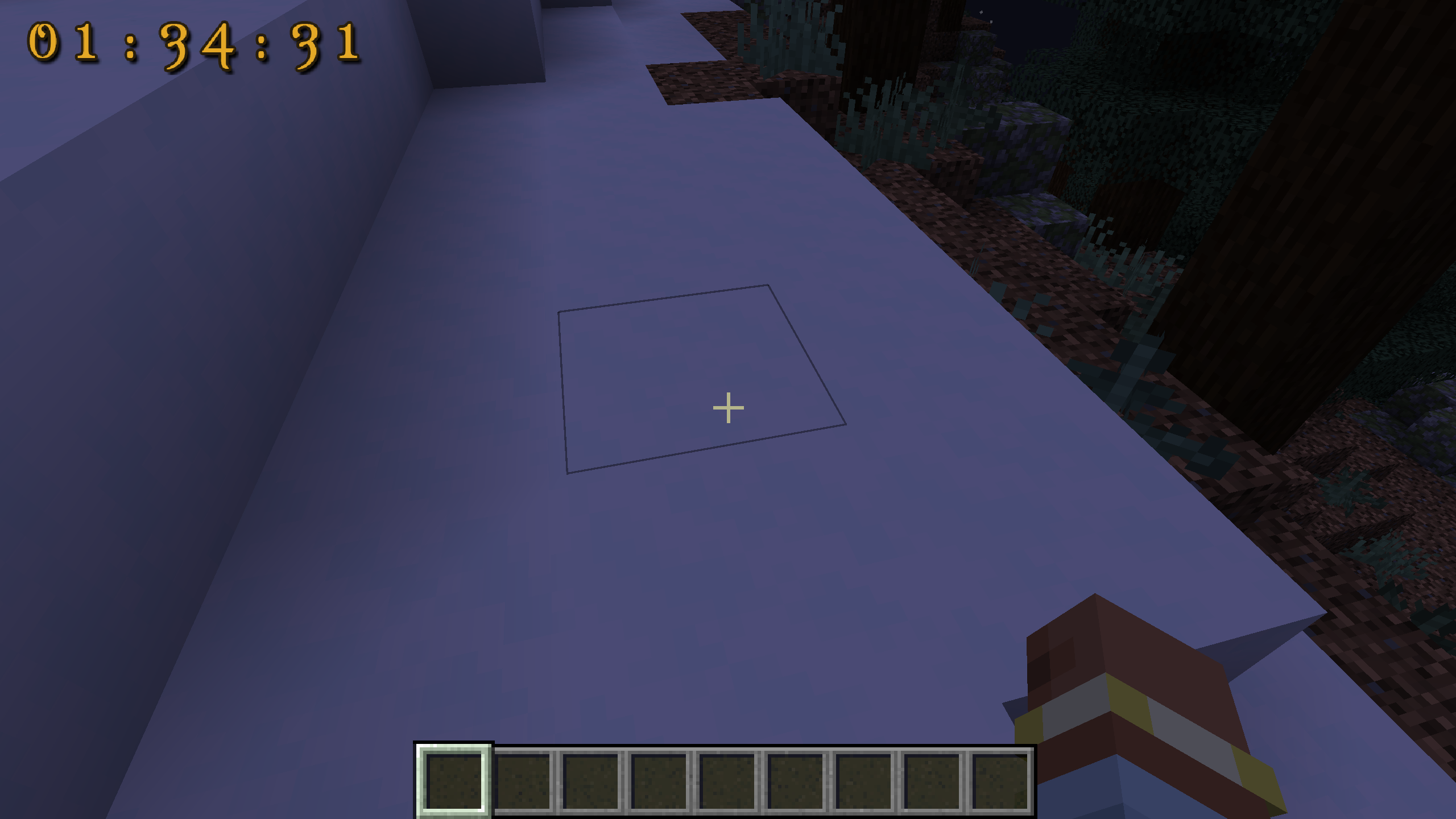
This mod allows one to set pretty-looking resource pack customizable countdown on Minecraft screen.
截图

介绍
This mod allows one to set pretty-looking resource pack customizable countdown on Minecraft screen. And plays scary sounds when an Hour passes, on last 30 minutes, last 10 minutes and when countdown is over.
Why? Well, if you’re a streamer and accepted a kind of challenge in Minecraft, you must be wanting to set some kind of countdown. Well, this is just one of possible applications. I’m mostly sure, you can come up with more 🙂
Usage:
Config file is named countdown-client.toml. It stores screen position and current value of timer.
Use the following commands in-game to set various properties:
/cd add [SECONDS|MINUTES|HOURS]
- adds a value to timer
/cd set
- sets timer to specified value in seconds
/cd start
- starts countdown
/cd stop
- stops countdown
/cd reset
- reset timer to zero
/cd setposition
- sets countdown position on screen. Use negative values to align countdown to bottom-right.
You can download a Photoshop template to customize how timer looks (or just create a 256×256 transparent image and align digits from 1, 2 … 9, 0, semicolon (:) in 64×80 pattern)
Your suggestions are welcome!
常见问题
Countdown (pretty timer) 支持哪些 Minecraft 版本?
Countdown (pretty timer) 支持 Minecraft Java 版 1.19.2–1.20.2,共 2 个版本,可用的加载器:Forge。下载时注意选择和你游戏版本一致的文件。
Countdown (pretty timer) 怎么安装?
先用 PCL2 或 HMCL 启动器安装对应版本的 Forge,再把下载的 .jar 文件放进游戏目录的 mods 文件夹,重新启动游戏即可。开启了版本隔离的,mods 文件夹在 versions/版本名 下面。运行环境:仅客户端。
ZigTheHedge 的其他作品
查看全部 →
No Nether Portal
这个模组只是禁用下界传送门的创建。供整合包作者使用。

Just Enough Resources Profiler (JEARGH)
Adds a long gone profile command to JER

Trovogration
Trovo integration mod - 7 days to die style!

I don’t feel safe!
A mod which makes your routine everyday jobs harder
评论
登录后评论和评分