
Media Controls
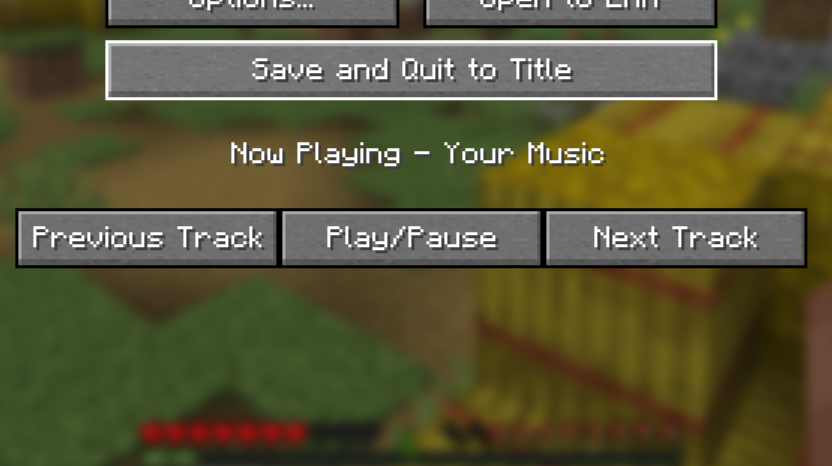
A simple mod that adds controls to the pause menu to control media that is playing on your computer. Also adds a now playing label to the pause menu to see what is playing all within Minecraft.
截图
介绍
Control your media from within Minecraft
Main feature
This is a simple mod that adds buttons to the pause screen to control media being played on your computer, and also adds a Now Playing label to the pause menu for you to see what is currently playing.

Now playing toast
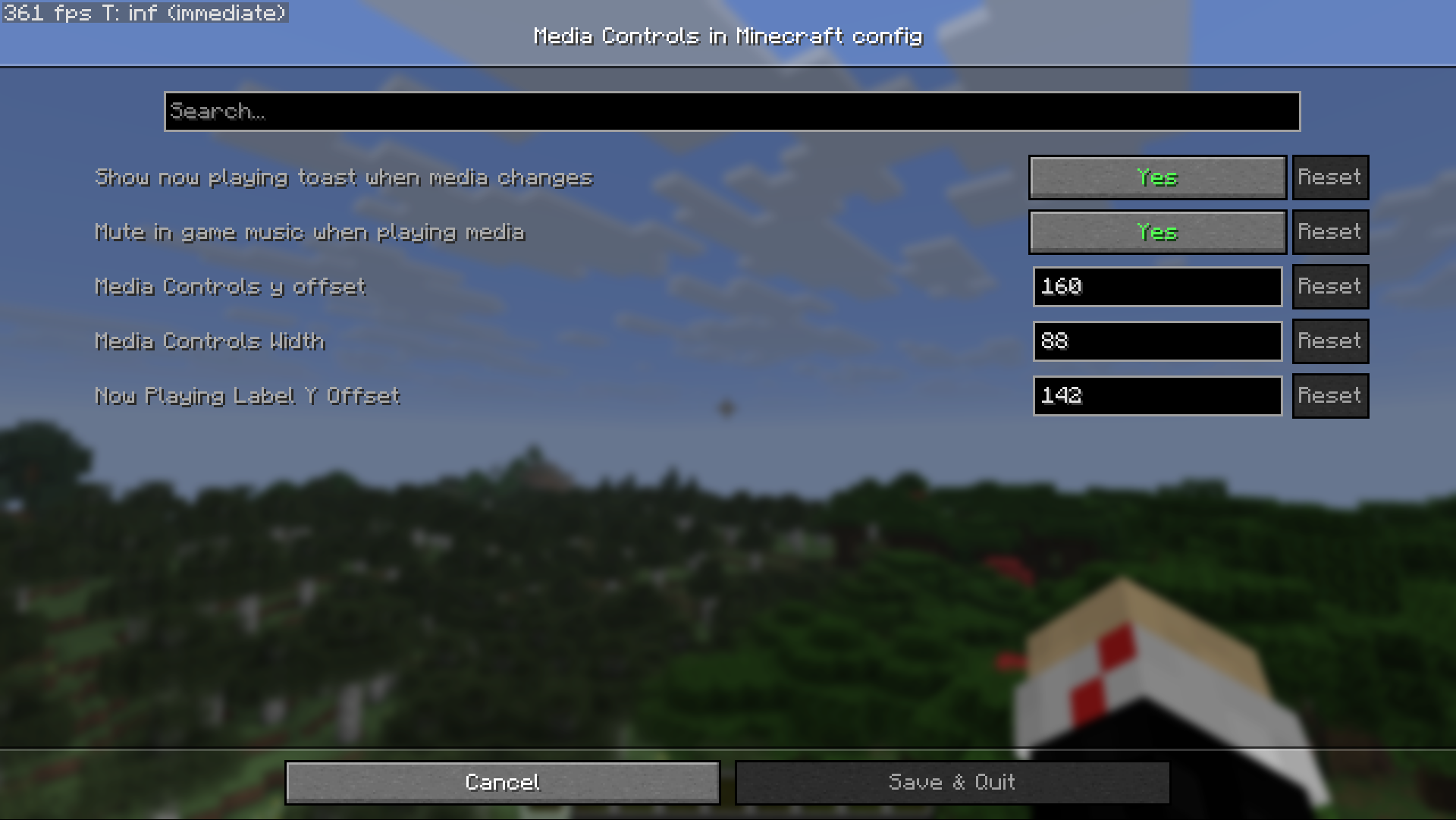
Also adds an option to show a toast when ever the media changes, this can be toggled on and off with ModMenu.

Customize where the interface is
Allows you to control where the interface is using ModMenu.

Other features
- Can mute in game music when media is playing
- Works without any additional set up, on Windows
- Will also work with YouTube videos allowing you to play and pause the video from the main interface
This mod will work with most modern media player apps
Verified apps that this mod will work with
- Windows Media Player, not Windows Media Player legacy
- Spotify
- YouTube and YouTube Music
- Amazon Music
- Apple Music
- Google Chrome
Disclaimers
- Will not work on macOS
- People using Linux might have to do some additional set up for this mod to work, go here for more information.
- Might not be able to get the author of the track from web browsers like google chrome. So it is recommended to use the desktop version of the web site, for example use Spotify desktop app instead of the Spotify web page
常见问题
Media Controls 支持哪些 Minecraft 版本?
Media Controls 支持 Minecraft Java 版 1.21.11–26.3,共 3 个版本,可用的加载器:Fabric / Quilt。下载时注意选择和你游戏版本一致的文件。
Media Controls 怎么安装?
先用 PCL2 或 HMCL 启动器安装对应版本的 Fabric / Quilt,再把下载的 .jar 文件放进游戏目录的 mods 文件夹,重新启动游戏即可。开启了版本隔离的,mods 文件夹在 versions/版本名 下面。运行环境:仅客户端。
评论
登录后评论和评分