
截图


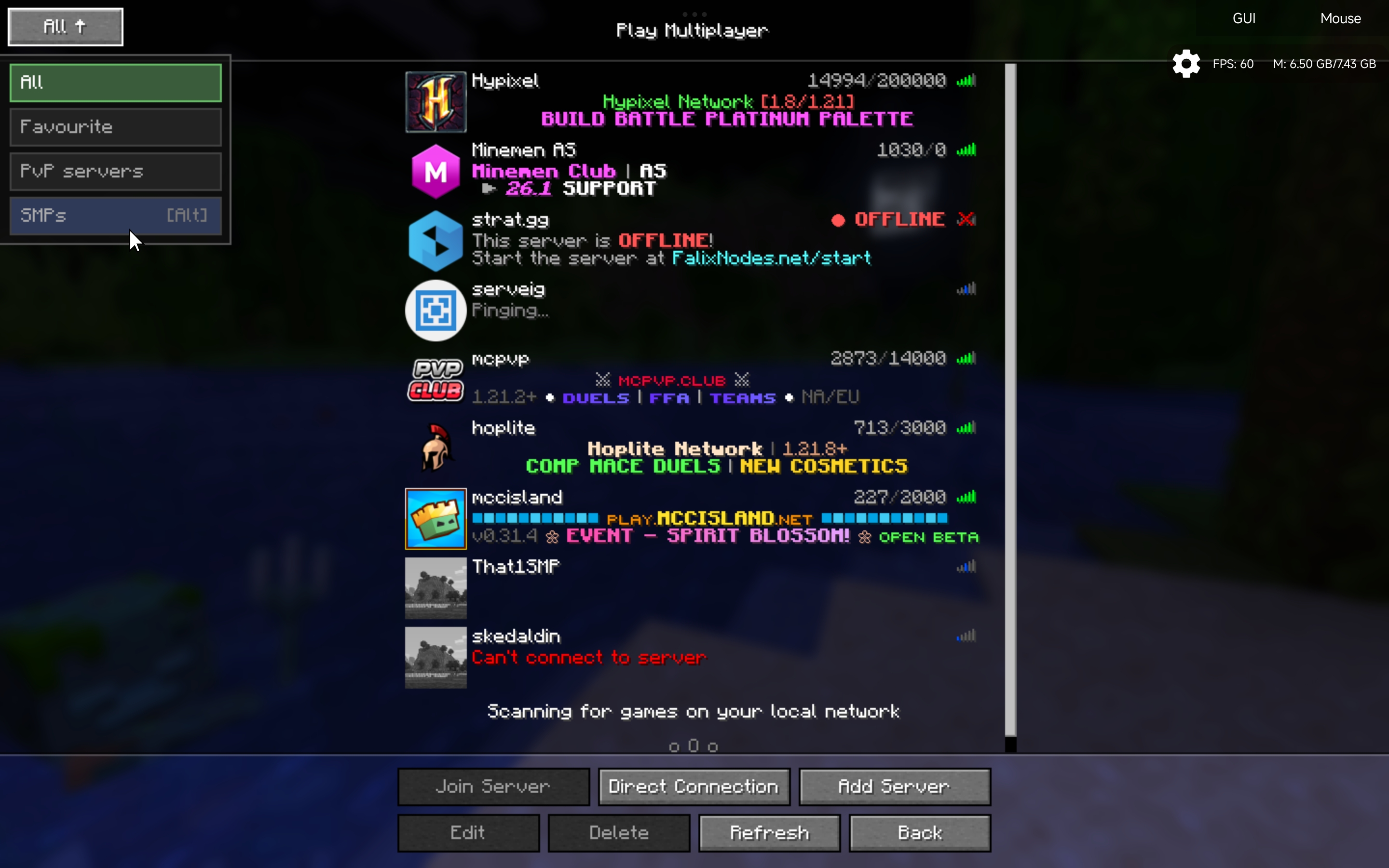
介绍
Servertabs
Too many flippin servers?
Tired of scrolling to the bottom for finding a server?
Organize your servers & worlds easily
Requires Fabric API
Multiplayer
Settings!

Custom Server Groups:
Create custom tabs to categorize your favorite SMPs, Minigame hubs, and Creative servers.
Quick Organization:
Hold ALT + Click on a tab to instantly move servers from the “All” list to your specific category.
Fast Navigation:
Cycle through your tabs instantly using ALT + W/S directly from the multiplayer menu, no clicking required.
Minecraftish UI:
Designed to feel like a native part of the Minecraft interface
WorldTabs
Made like a billion test worlds and now you cant find that one survival world? Well this will help with that too!
Why did i make this?
- Just wanted to created a mod to organize my servers in my style.
- And add anything i want so thats a win.
Tell me an bugs you face during your use of the mod in the github
常见问题
ServerTabs (TMFS) 支持哪些 Minecraft 版本?
ServerTabs (TMFS) 支持 Minecraft Java 版 1.21.11–26.2,共 5 个版本,可用的加载器:Fabric。下载时注意选择和你游戏版本一致的文件。
ServerTabs (TMFS) 怎么安装?
先用 PCL2 或 HMCL 启动器安装对应版本的 Fabric,再把下载的 .jar 文件放进游戏目录的 mods 文件夹,重新启动游戏即可。开启了版本隔离的,mods 文件夹在 versions/版本名 下面。运行环境:仅客户端。

评论
登录后评论和评分