截图
介绍
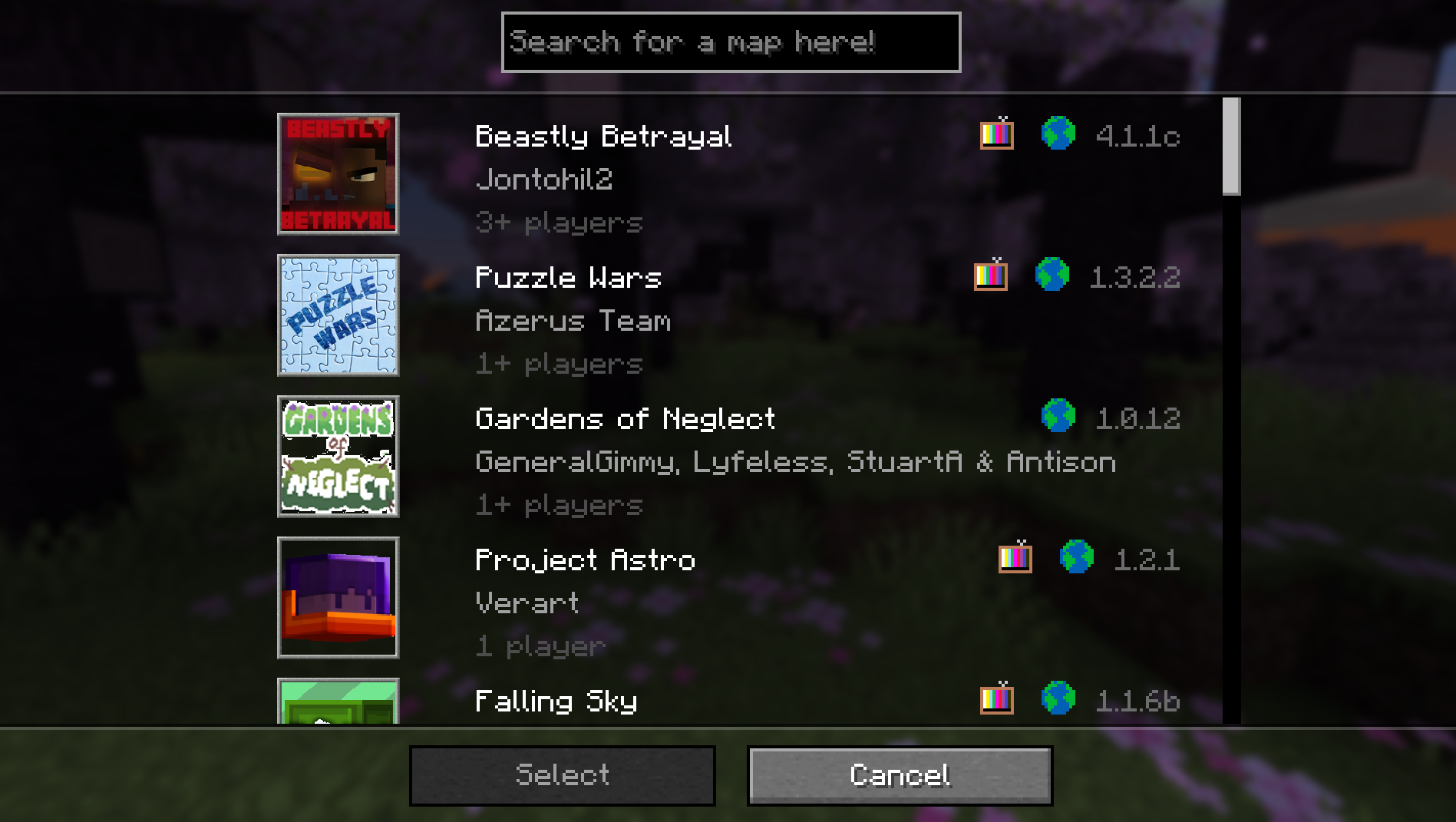
Adds a search bar into the Realms Minigame selection screen.
Usage:
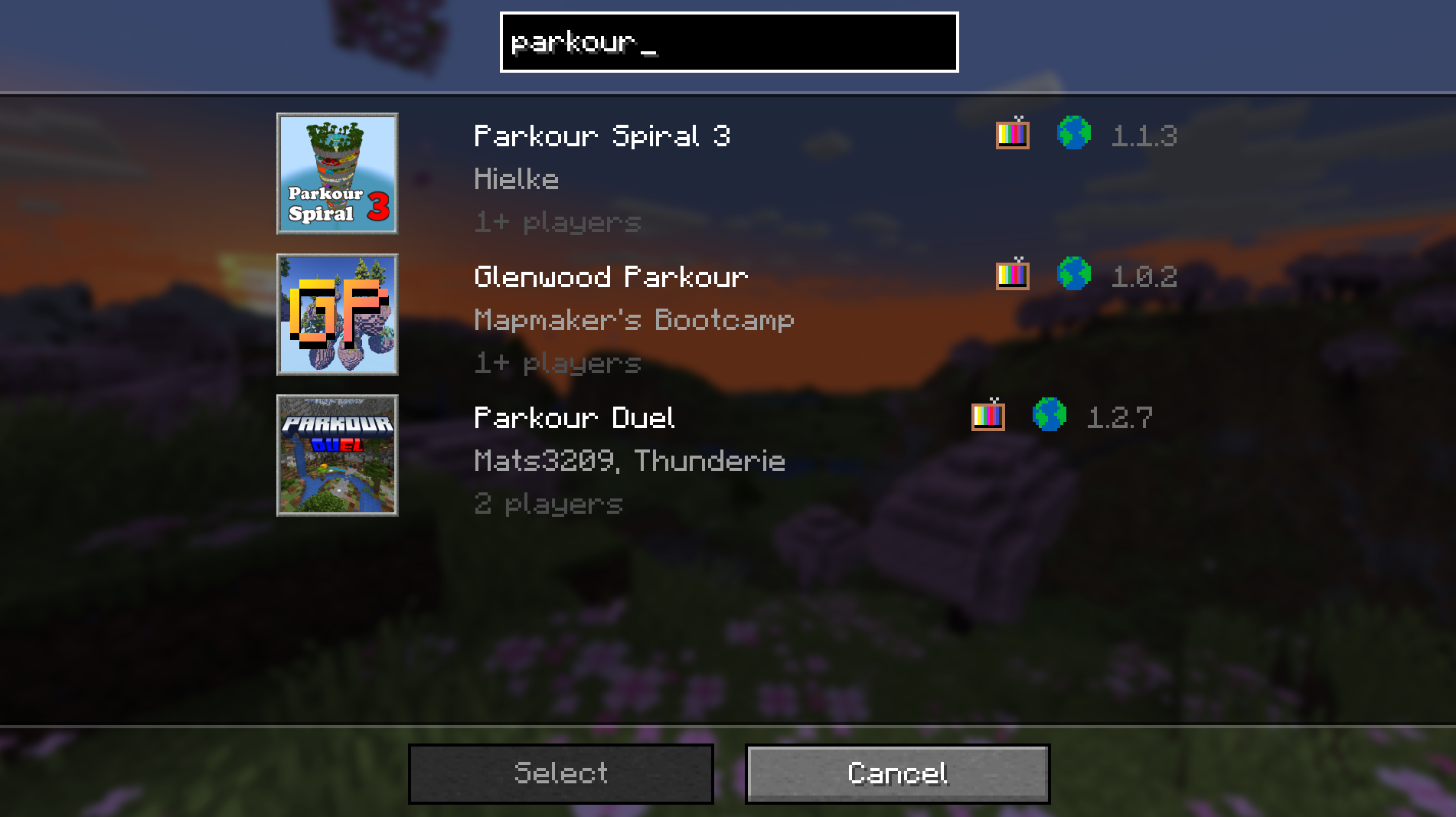
Just type in your search into the search bar and the realms minigame selection screen will only show the maps that fit your search criteria.
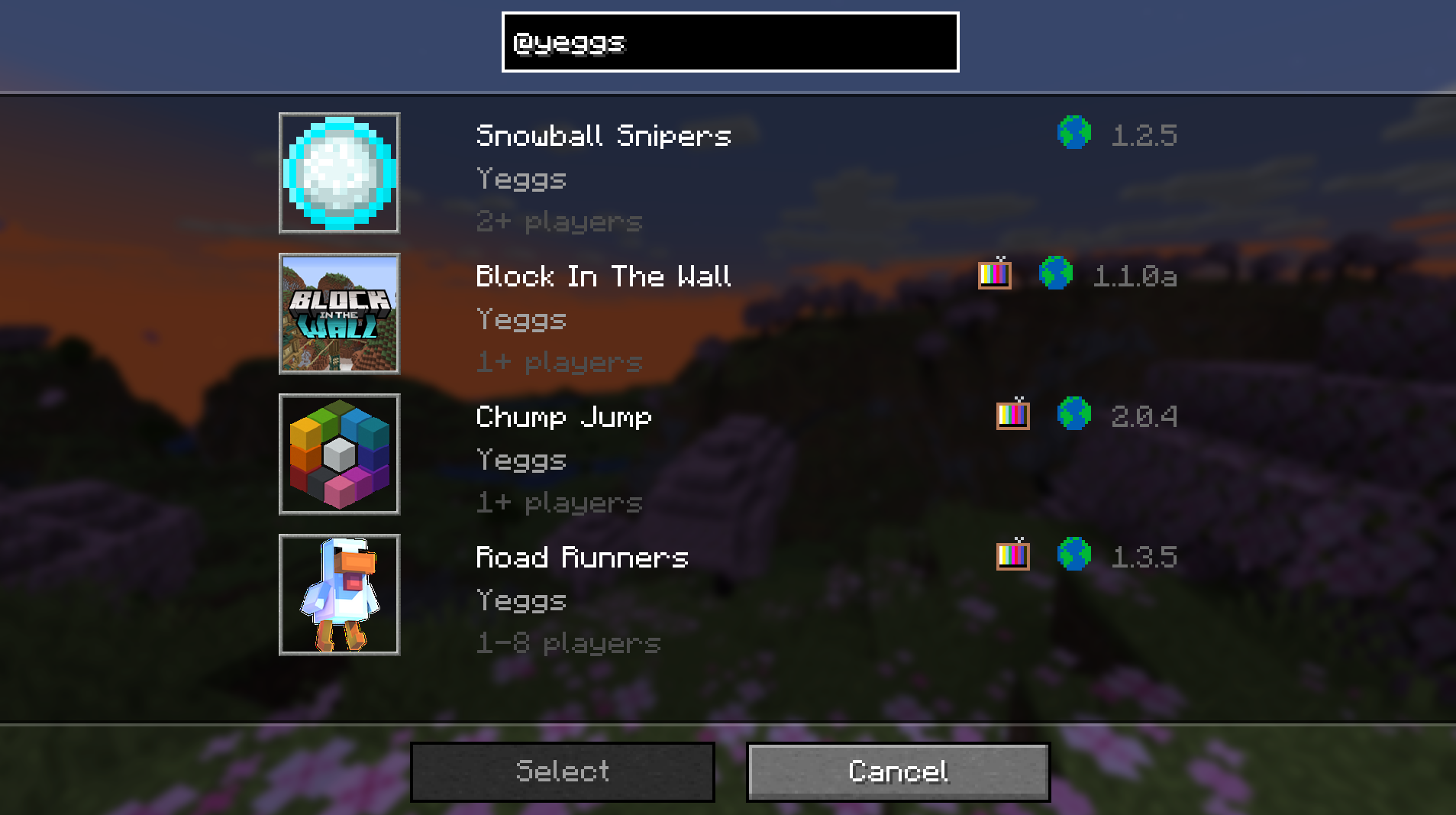
With a normal search (Example: “parkour”) the search will be done by title, and it will show all the maps that contain those characters, additionally if you add a ‘@’ at the start of your search (Example: “@yeggs”) the search will instead be done by the minigame’s creator name.
If you find any bugs or have some feedback, feel free to message me at [email protected]_ or on Discord _sac11221_.
You can find the source code here.
常见问题
Realms Minigame Search 支持哪些 Minecraft 版本?
Realms Minigame Search 支持 Minecraft Java 版 1.19–1.20.5,共 6 个版本,可用的加载器:Fabric。下载时注意选择和你游戏版本一致的文件。
Realms Minigame Search 怎么安装?
先用 PCL2 或 HMCL 启动器安装对应版本的 Fabric,再把下载的 .jar 文件放进游戏目录的 mods 文件夹,重新启动游戏即可。开启了版本隔离的,mods 文件夹在 versions/版本名 下面。运行环境:仅客户端。
评论
登录后评论和评分