
截图
介绍
📓 QuickNoteMax
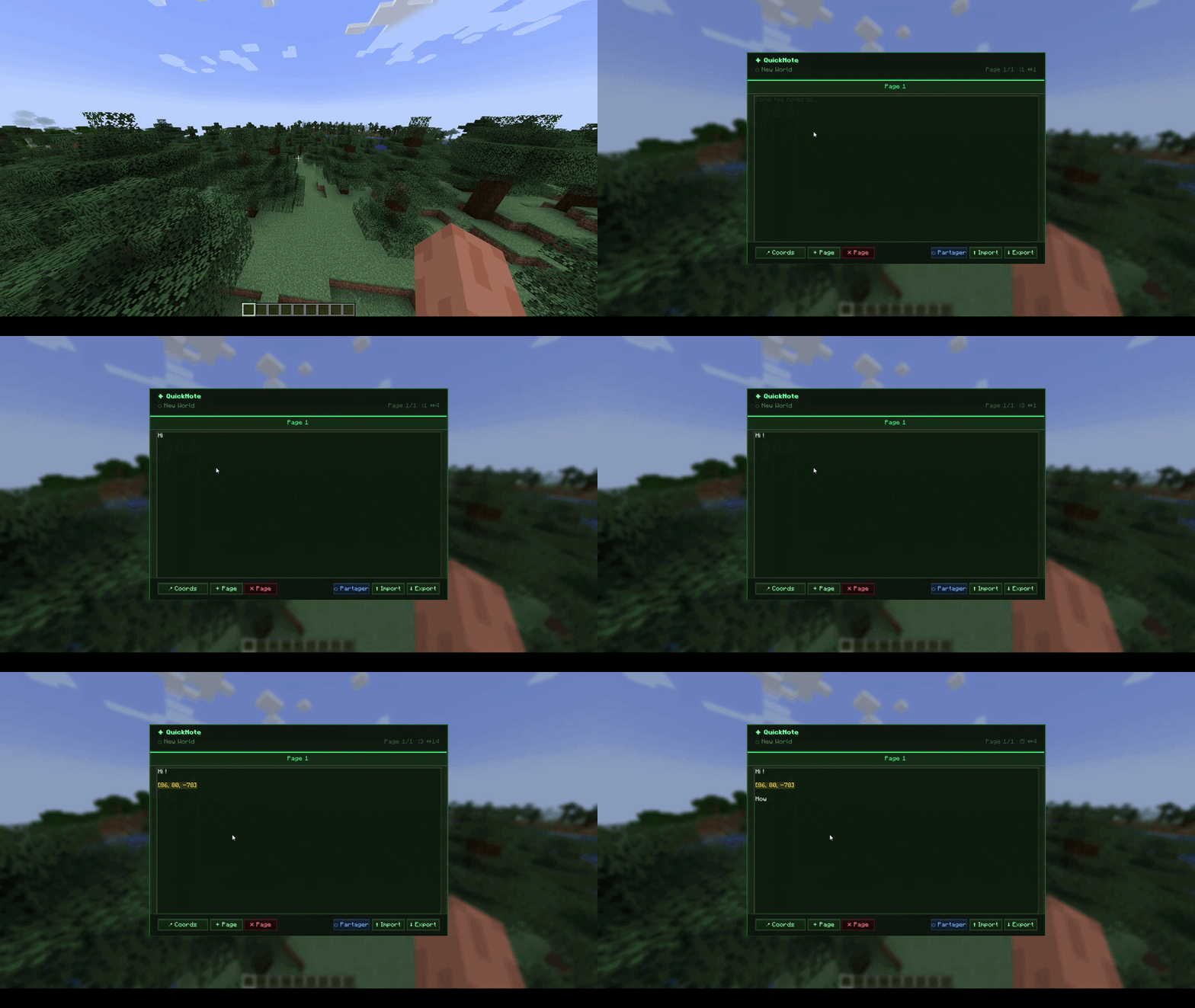
Never lose your coords again. QuickNoteMax is an in-game notepad — press N and start writing. Share your notes with other players in real time.
✨ Features
- Multi-page notepad — up to 8 pages with tabs
- 📍 Coords button — inserts your current X Y Z highlighted in gold
- Saved per world — notes are separate for each world and server
- Global pages — mark a page as global so it stays the same across all worlds and servers
- Export / Import .txt — saves to your Desktop, reimport anytime
- Auto-backup — notes are automatically backed up every 10 saves (last 5 kept)
- Full text editor — mouse selection, Home/End, Page Up/Down, word jump (Ctrl+Left/Right)
- Keyboard shortcuts — Ctrl+A, C, V, X, Z, Y — configurable in Options → Controls
- Undo / Redo — Ctrl+Z / Ctrl+Y, per page, up to 50 states
- Ctrl+F search — find text in your notes, highlighted in real time
- Color text — start a line with
/red,/green,/blue,/yellow… to color it - Page rename — double-click a tab to rename it
- Pin pages — pin a page to keep it at the front (gold block icon)
- Drag tabs — drag and drop to reorder your pages
- Real-time sharing — share a page with specific players on the server, they see your edits live
- Share notification — get a toast when someone shares a page with you
- Adaptive GUI — scales to your window size
- Does not pause the game when open
🎮 How to use
| Action | Result |
|—|—|
| Press N | Open QuickNote |
| Enter | New line |
| 📍 Coords | Insert current coordinates (shown in gold) |
| + Page / ✕ Page | Add / delete page |
| Double-click tab | Rename page |
| Drag tab | Reorder pages |
| Gold block button | Pin / unpin page |
| Lapis block button | Toggle global page |
| ⬡ Share | Share current page with online players |
| ⬆ Import / ⬇ Export | Load or save .txt on Desktop |
| Ctrl+Z / Y | Undo / Redo |
| Ctrl+F | Search in current page |
| Ctrl+A | Select all (configurable key) |
| Ctrl+C / V / X | Copy / Paste / Cut |
| Click & drag | Select text with mouse |
| /red (start of line) | Color that line red |
💾 Where are notes saved?
.minecraft/quicknote/<world_name>/notes.json
Global pages are saved in .minecraft/quicknote/global/notes.json
Backups are stored in .minecraft/quicknote/<world_name>/backups/
Each world and server has its own separate notes file.
🌐 Multiplayer sharing
The sharing feature requires both players to have the mod installed. It also requires the mod to be installed on the server if you’re on a dedicated server (the server doesn’t need to be modded otherwise — just Fabric with the mod in the mods folder).
常见问题
QuickNoteMax 支持哪些 Minecraft 版本?
QuickNoteMax 支持 Minecraft Java 版 1.16.5–1.21.10,共 17 个版本,可用的加载器:Fabric。下载时注意选择和你游戏版本一致的文件。
QuickNoteMax 怎么安装?
先用 PCL2 或 HMCL 启动器安装对应版本的 Fabric,再把下载的 .jar 文件放进游戏目录的 mods 文件夹,重新启动游戏即可。开启了版本隔离的,mods 文件夹在 versions/版本名 下面。运行环境:仅客户端。

评论
登录后评论和评分