截图

介绍
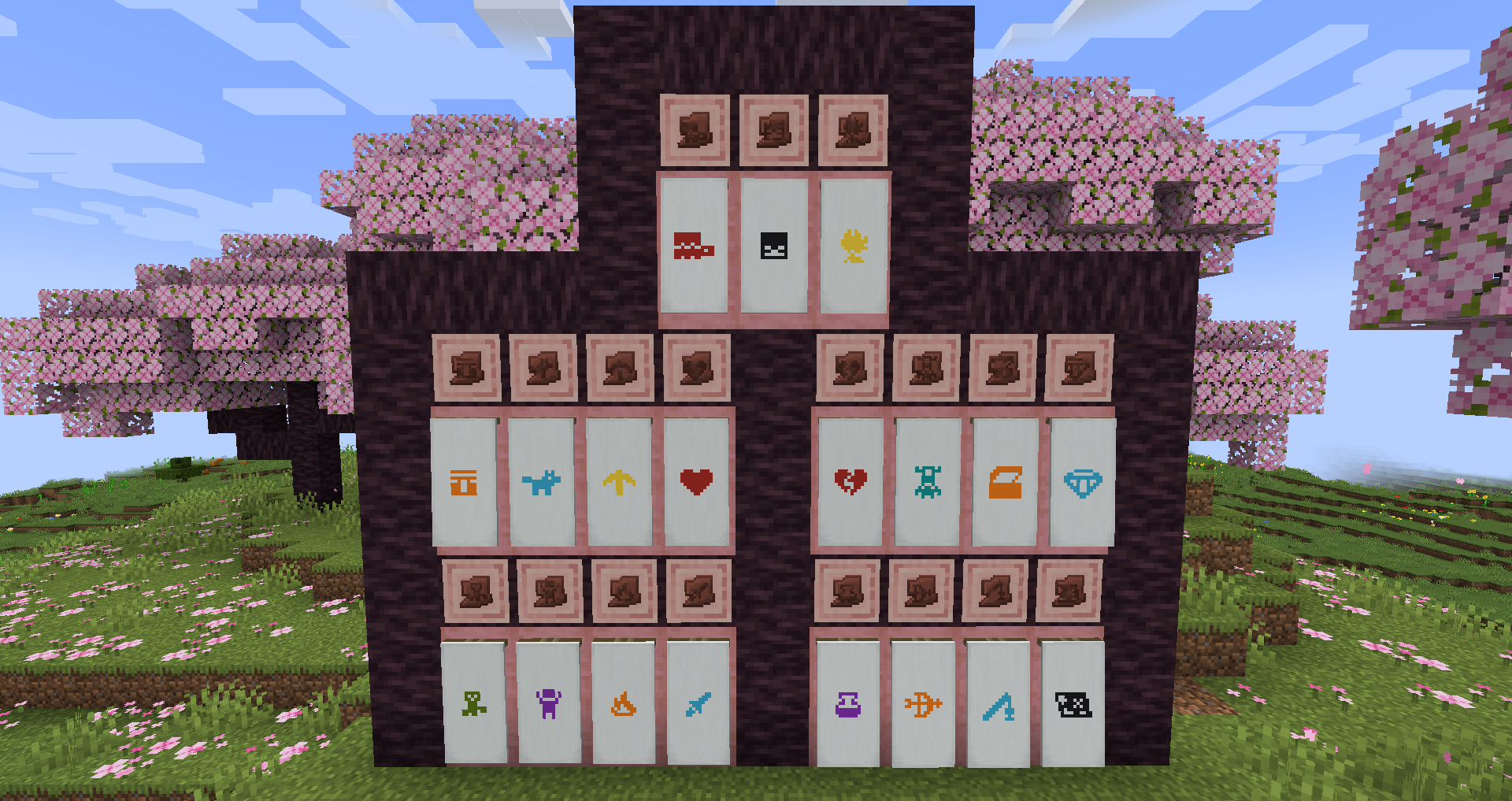
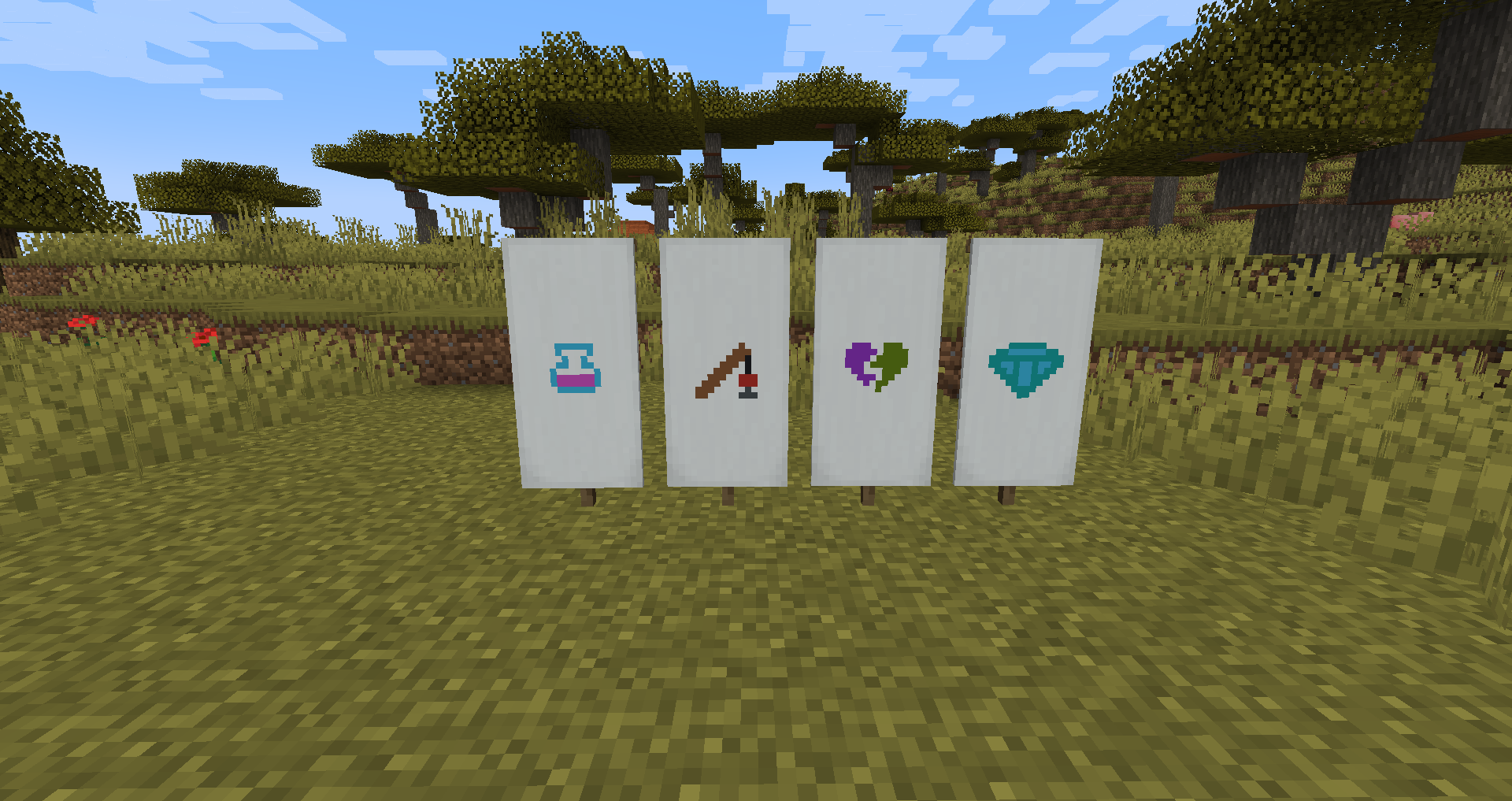
The Archaeology Banners mod adds 20 new banner patterns based on the pottery sherds added in the Trails and Tales update. These banner patterns are crafted using a pottery sherd and paper together in a crafting table. The wandering traders may occasionally trade a pattern with you as well. These new patterns work exactly the same as vanilla patterns, simply put them in the loom with a banner and some dye.
FaQ
How can I use the mod on older Minecraft versions that don’t have pottery sherds?
While pottery sherds are not available on older versions of the game I still wanted to make the patterns available for players who may not be able to update. On these older versions you can obtain the patterns by trading with the wandering trader.
Can I configure the wandering trader trades?
Yes, using the archaeologybanners.json file in your config folder you can configure the new trades added by the mod. The config will allow you to disable specific trades or change their cost and other related properties. You will need to restart the game for these changes to take effect. You need to run the game with the mod installed at least once for the config file to be generated.
How do I apply multicolour patterns?
Certain patterns like the sniffer pattern will present you with multiple options in the loom. Each option is a different part of the base texture which you can colour individually. For example you can colour the body, shell, and nose of the sniffer different colours. Each subvariant is treated as an independent and optional layer to the pattern. Every pattern also includes a default single colour pattern which will be the first pattern displayed in the loom.
Credits & Contact
Like the mod and want to support me?

This project is sponsored by Nodecraft. Use code DARKHAX for 30% off your first month of service!
常见问题
Archaeology Banners 支持哪些 Minecraft 版本?
Archaeology Banners 支持 Minecraft Java 版 1.19.2–26.3,共 13 个版本,可用的加载器:Fabric / Forge / NeoForge / Quilt。下载时注意选择和你游戏版本一致的文件。
Archaeology Banners 怎么安装?
先用 PCL2 或 HMCL 启动器安装对应版本的 Fabric / Forge / NeoForge / Quilt,再把下载的 .jar 文件放进游戏目录的 mods 文件夹,重新启动游戏即可。开启了版本隔离的,mods 文件夹在 versions/版本名 下面。运行环境:客户端和服务端都要装。
Darkhax 的其他作品
查看全部 →
Bookshelf
一个供其他模组使用的开源前置库!

Enchantment Descriptions
提供了一种从附魔书中获取附魔描述的方法。

AttributeFix
移除 Minecraft 属性系统上的任意限制。修复大量模组!

Tips
这个模组会在加载界面显示提示,还支持整合包和模组添加自定义提示!
评论
登录后评论和评分