
Vivecraft Theater Mode
Brings back Bedrock VR theater mode to Minecraft: Java Edition, powered by Vivecraft!
截图
介绍
Vivecraft Theater Mode
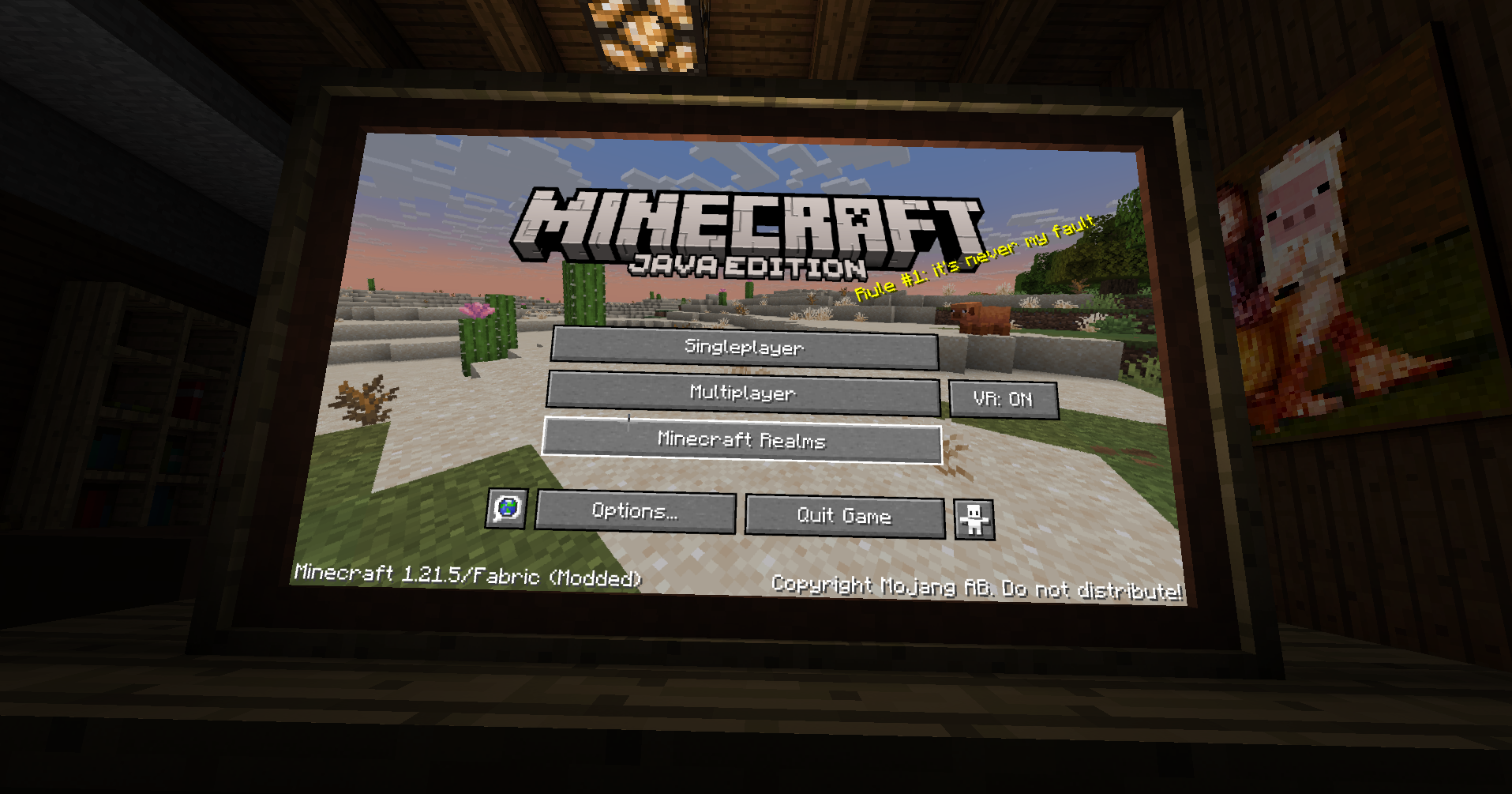
Vivecraft Theater Mode brings back the GearVR Editions-style Theater view for Vivecraft.
Instead of floating menus and a standard VR layout, it recreates a more cinematic panel
in front of you, closer to the Theater mode shown in the GearVR editions era:
This mod is made for players who want Vivecraft to feel more like a flat, front-facing
cinema screen while still keeping VR support and Vivecraft’s normal menu flow.
What It Does
- Adds a Theater play mode to Vivecraft
- Renders the game on a large front-facing screen
- Keeps the view comfortable and centered for seated-style play
- Preserves normal gameplay and menu interaction
- Includes controller-friendly GUI support
Controller Mod Support
This mod is tested with Controlify, so you can navigate
Theater menus with a controller—not just mouse and keyboard.
Other controller mods may work too, but Controlify is the one I have tested against.
Requirements
- Minecraft
1.21.5 - Fabric Loader
- Fabric API
- Vivecraft
How To Use
- Install the mod alongside Vivecraft.
- Start the game and open Vivecraft’s VR settings.
- Use the play mode button until it reaches Theater.
- Play normally in VR with the Theater view enabled.
The selected play mode is saved between launches.
Notes
- This mod is a compatibility/add-on mod for Vivecraft, not a standalone VR replacement.
- If you use Controlify, make sure it is configured and actively controlling input when you want controller cursor behavior in Theater screens.
常见问题
Vivecraft Theater Mode 支持哪些 Minecraft 版本?
Vivecraft Theater Mode 支持 Minecraft Java 版 1.21.5,可用的加载器:Fabric。下载时注意选择和你游戏版本一致的文件。
Vivecraft Theater Mode 怎么安装?
先用 PCL2 或 HMCL 启动器安装对应版本的 Fabric,再把下载的 .jar 文件放进游戏目录的 mods 文件夹,重新启动游戏即可。开启了版本隔离的,mods 文件夹在 versions/版本名 下面。运行环境:仅客户端。
Feli 的其他作品
查看全部 →
Create: Towed
Tether animals and mobs to Simulated (Create Aeronautics) contraptions using physics-simulated ropes

Vivecraft TB Compat
This mod adds compatibility to open Backpacks from Traveler's Backpack to Vivecraft/QuestCraft!

Quest: Rebound
A modern keybinding helper for QuestCraft (and eventually Vivecraft)
Quest: Rebound
A modern keybinding helper for QuestCraft (and eventually Vivecraft)
评论
登录后评论和评分