
3×3 Customizable Hotbar
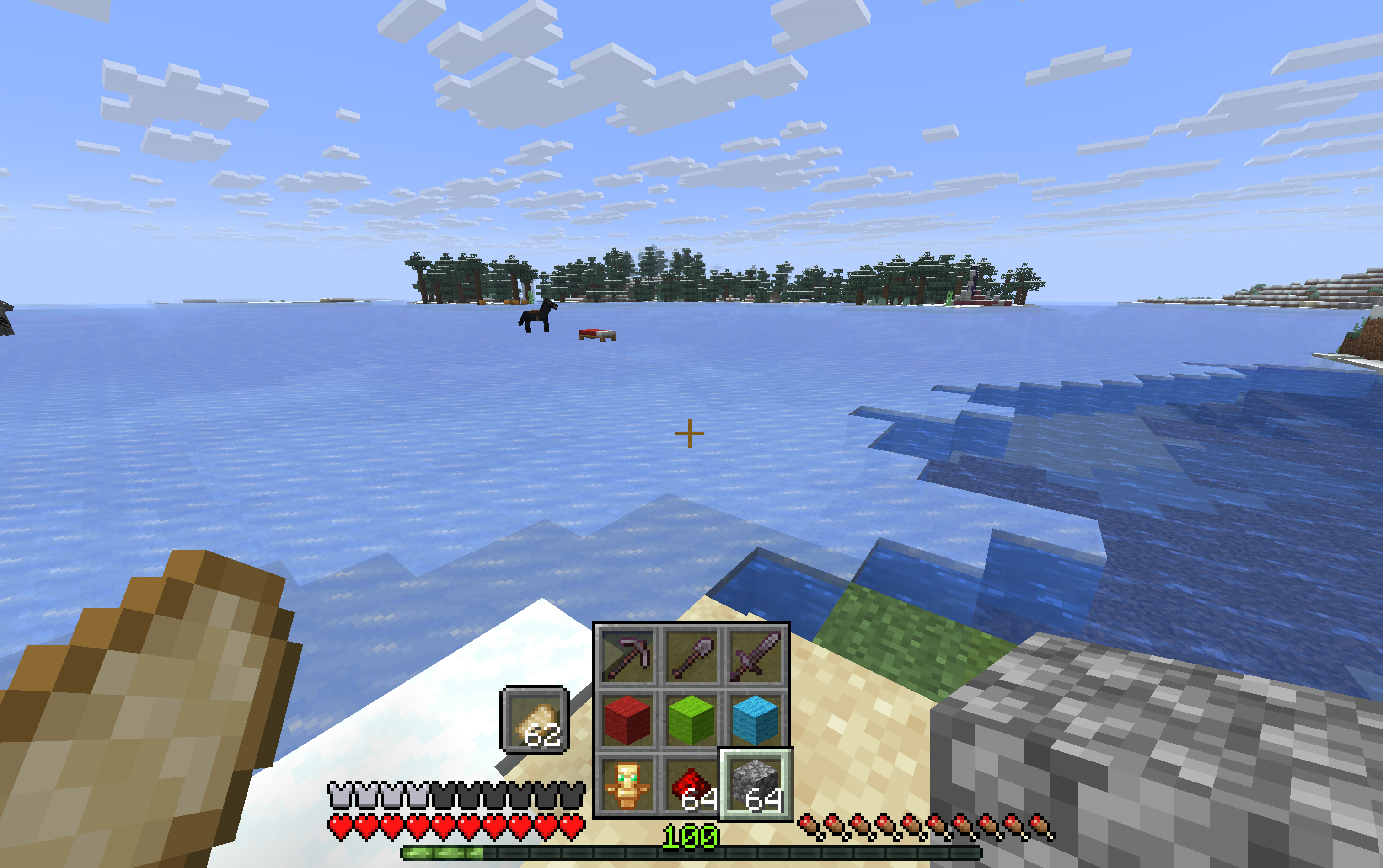
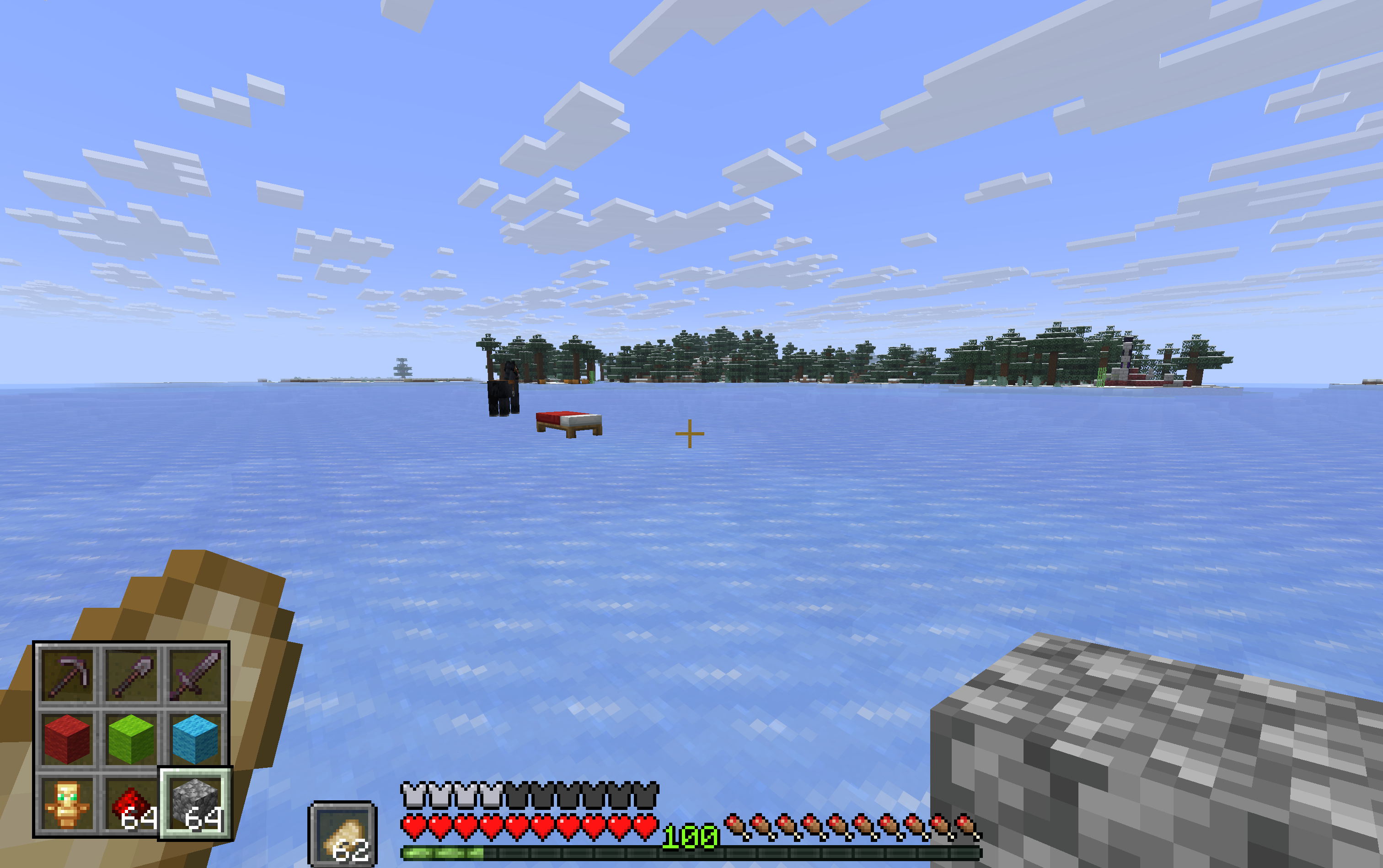
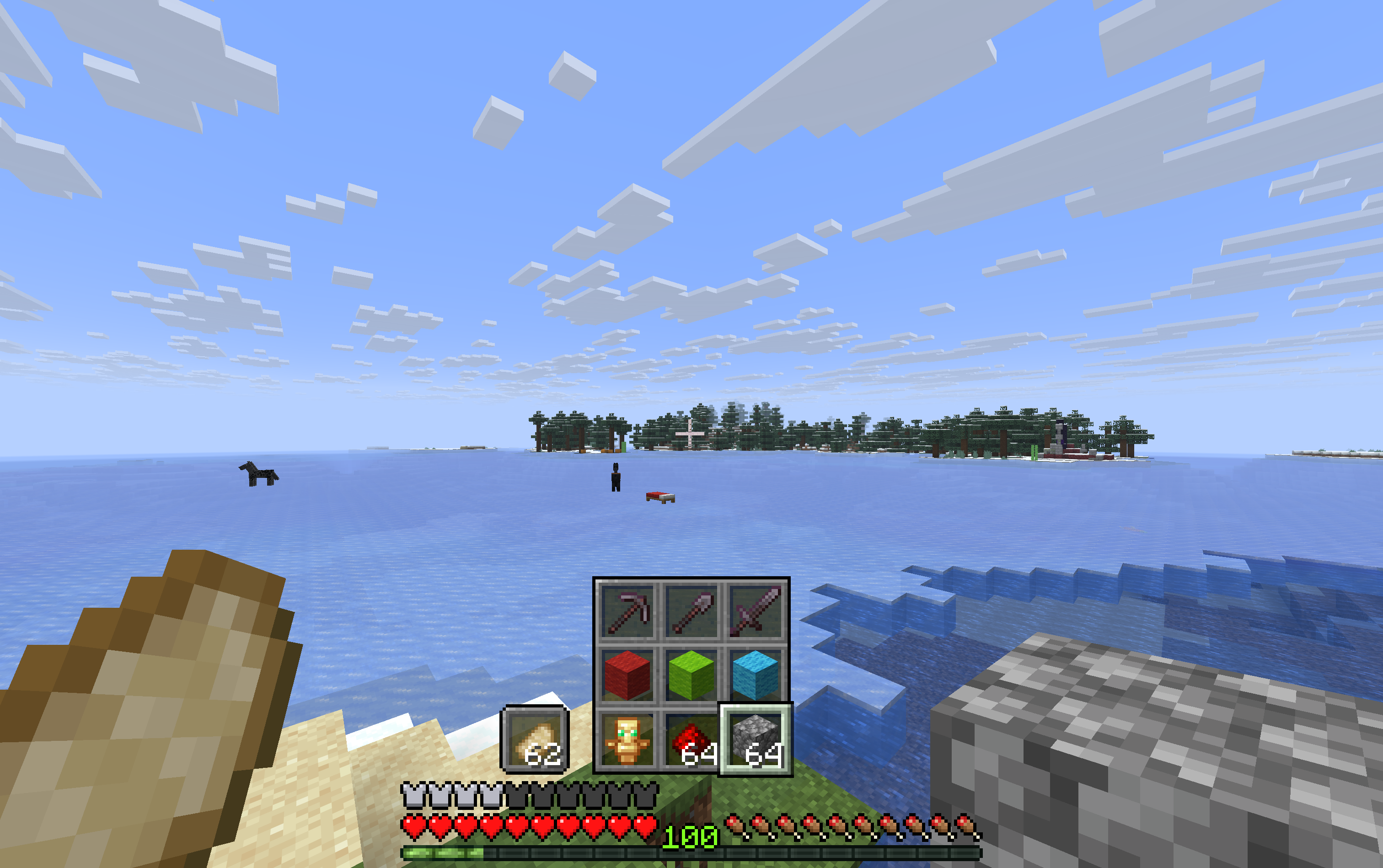
This projects changes your hotbar to be in a 3x3 grid, making it easier to figure out the correct hotkey button on an mmo mouse
截图
介绍
3×3 Customizable hotbar
This mod adds a 3×3 customizable hotbar to the game. This is for people using an mmo mouse in minecraft as it makes it far easier to see which button corresponds to which slot on the hotbar.
Dependencies
This mod requires the following mods to be installed
- Fabric (Modloader)
- Fabric API (For modding support)
- Cloth Config API (For configurable options)
- ModMenu (So you can actually change those options)
Options:
Hotbar Mode:
- Vanilla: The how the hotbar usually looks in minecraft
- 3×3: 3×3 hotbar, but the slots up to down, then left to right
- 3×3 (sequential): 3×3, with the slots going left to right before up to down.
Hotbar Position:
There are hotbar positions like bottom left that will place the hotbar on any of the corners of your screen. In addition, there are the following positions:
- Bottom Middle: Experience Bar is positioned further down while the hotbar will stick above it
- Bottom Middle (Compact): Health and Hunger bar are moved to the side to allow to come a bit further down.
Move UI elements to the bottom:
Only used for the corner positions. Moved the remaining elements above the hotbar down to the edge of the screen
Horizontal and Vertical Offset:
Only used while hotbar position is on one of the corners. Give the hotbar a few pixel offset from the corner of the screen.
License
This project is licensed under the CC BY-NC-SA 4.0 license.
常见问题
3×3 Customizable Hotbar 支持哪些 Minecraft 版本?
3×3 Customizable Hotbar 支持 Minecraft Java 版 1.21.3–26.3,共 9 个版本,可用的加载器:Fabric。下载时注意选择和你游戏版本一致的文件。
3×3 Customizable Hotbar 怎么安装?
先用 PCL2 或 HMCL 启动器安装对应版本的 Fabric,再把下载的 .jar 文件放进游戏目录的 mods 文件夹,重新启动游戏即可。开启了版本隔离的,mods 文件夹在 versions/版本名 下面。运行环境:仅客户端。
评论
登录后评论和评分