
截图

介绍


Make waterloggable blocks also be able to be lavalogged!
🤔 What is Lavalogged?
Lavalogged allows all vanilla Blocks that can be waterlogged to also be lavalogged, meaning that Lava can be put inside a Block just like Water for Waterloggable Blocks!
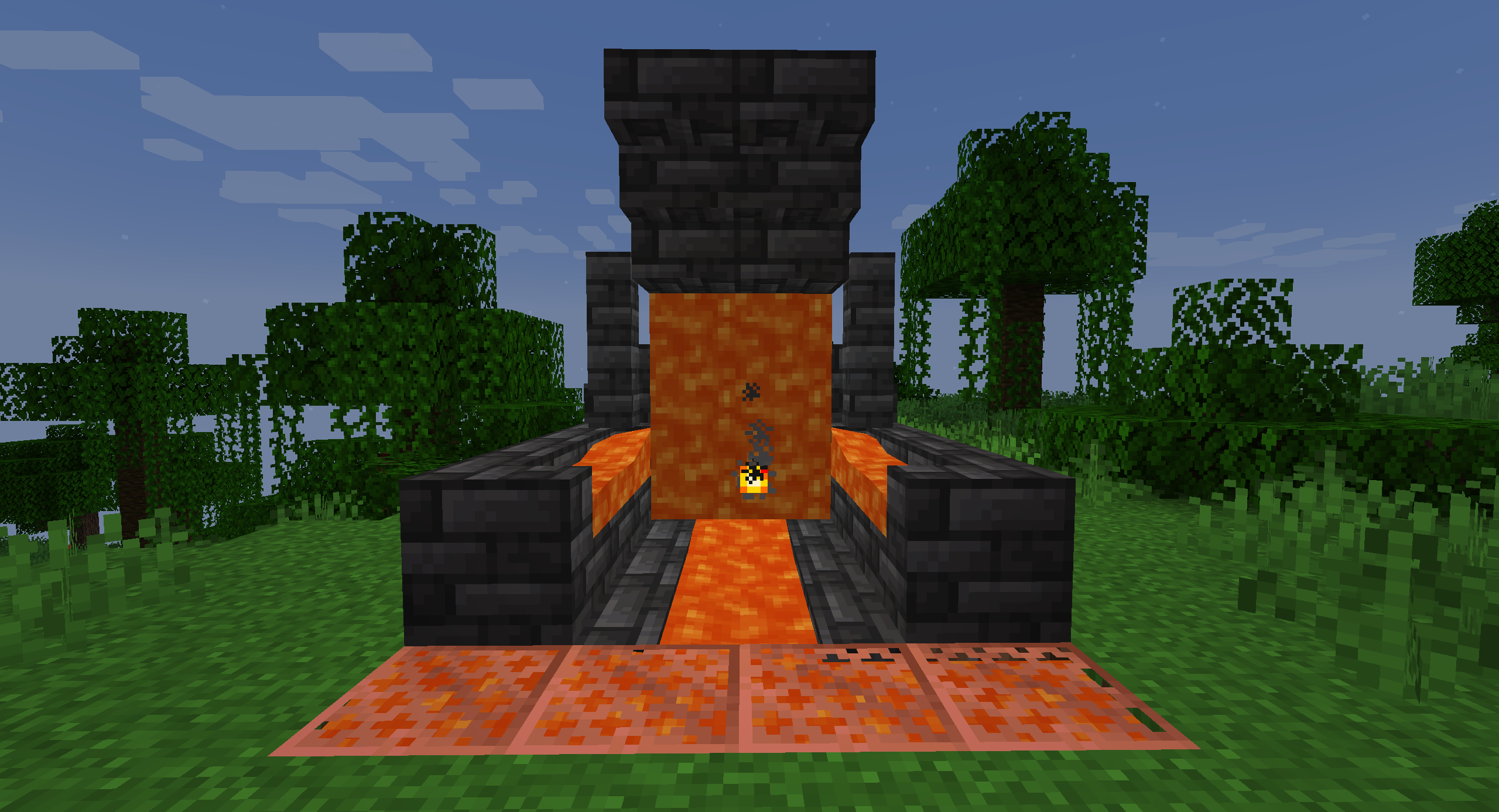
Just put the Block inside a Lava source or use a Lava Bucket on it to put Lava inside!
👨🏼💻 How to contribute
Anyone can contribute to Lavalogged, suggesting their ideas using the Feature Request module
⚙ Requirements
Lavalogged requires the Statement API Library Mod to work.
This is a necessary requirement for adding custom properties to existing Blocks, and is also the reason why
the mod has not been update to 1.21.1 yet.
📜 Future Updates
Future Updates may include, but not guaranteed:
- Removal of the Statement API Library Mod dependency
- Update to Minecraft 1.21.1
- Support for modded Blocks
- Support for Forge and NeoForge
🍺 Support the project
Developing and maintaining Lavalogged requires a lot of time and effort,
but after all I really enjoy doing this ❤
Lavalogged is, and always will be, FREE TO USE.
If someone asked you some money to download Lavalogged, I am afraid to tell you that you got scammed! 😥
But if you really want to financially support the project (or just buy me some beer to produce more code), these are the only ways:


Any other website asking you money for this project is a scam, and you should immediately report it to your local authorities as well! 😡
🙏🏼 Credits
This mod was inspired by the More Waterlogging Mod. Check out this awesome mod too! 😁
😁 Conclusion
Lavalogging is a feature that many players dreams to be part of the game someday. With Lavalogged you can have this feature right now in your game!
I hope you enjoy Lavalogged as much as I enjoy develop new ideas and content for it,
and let me know if there are any issues on the issue tracker.
Have a nice day! 😁
常见问题
Lavalogged Blocks 支持哪些 Minecraft 版本?
Lavalogged Blocks 支持 Minecraft Java 版 1.20.4,可用的加载器:Fabric。下载时注意选择和你游戏版本一致的文件。
Lavalogged Blocks 怎么安装?
先用 PCL2 或 HMCL 启动器安装对应版本的 Fabric,再把下载的 .jar 文件放进游戏目录的 mods 文件夹,重新启动游戏即可。开启了版本隔离的,mods 文件夹在 versions/版本名 下面。运行环境:客户端和服务端都要装。
Minehendrix 的其他作品
查看全部 →
Bundles!
收拾好行囊,用全新的收纳袋开启冒险吧!

coEBLmon
The modpack needed to play the "cobblemon" mode in ErenBlaze's Minecraft server.

Mine World Mod
Mine World Mod

Minepedia
Bring the Bedrock edition Encyclopedia to Minecraft: Java Edition
评论
登录后评论和评分