
Create: Schematic Void
作者:VerdeLake
A block that allows the Schematicannon to print air gaps without temporary blocks.
截图
介绍
中文介绍正在准备中,下面暂时显示原文。

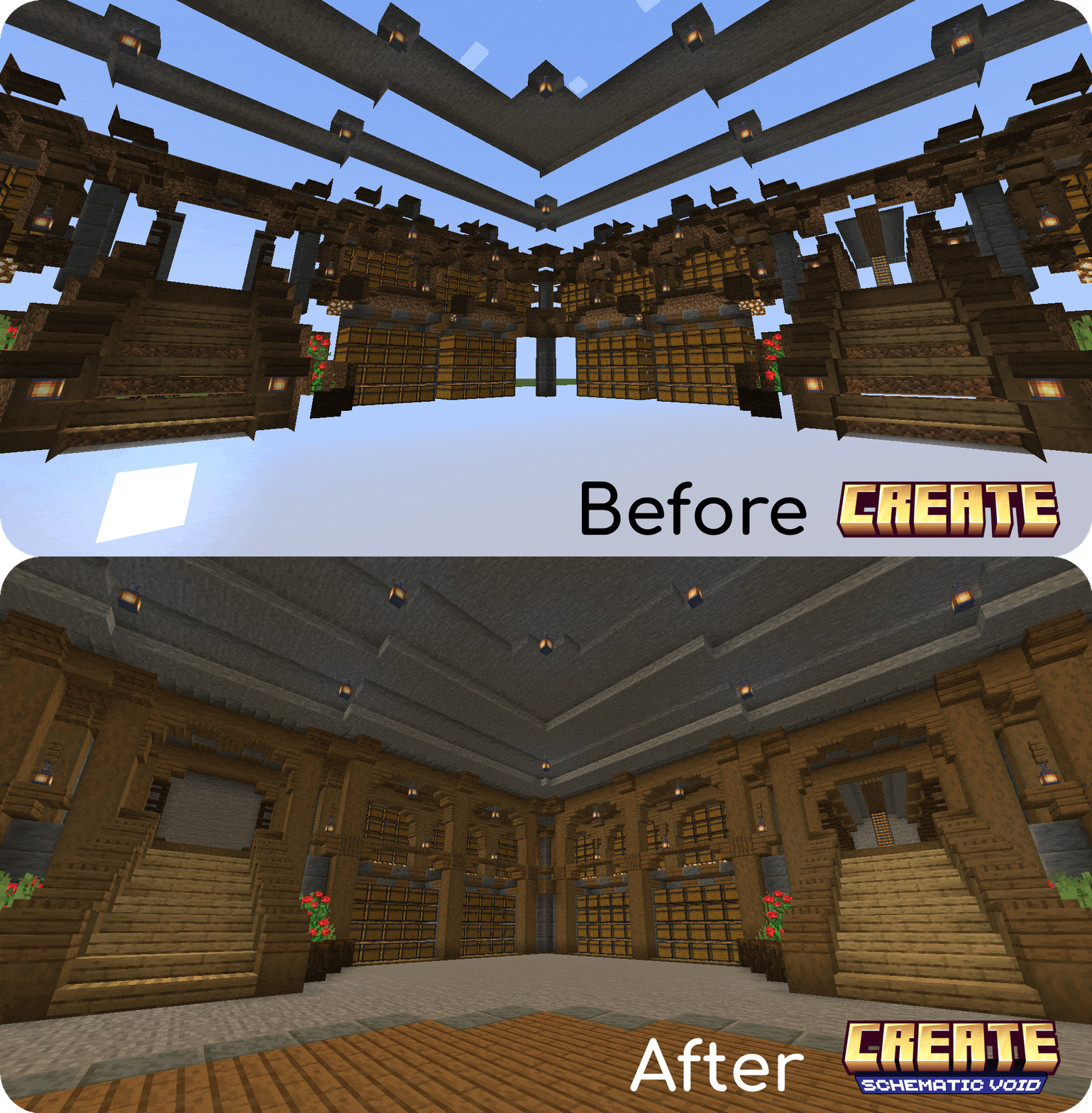
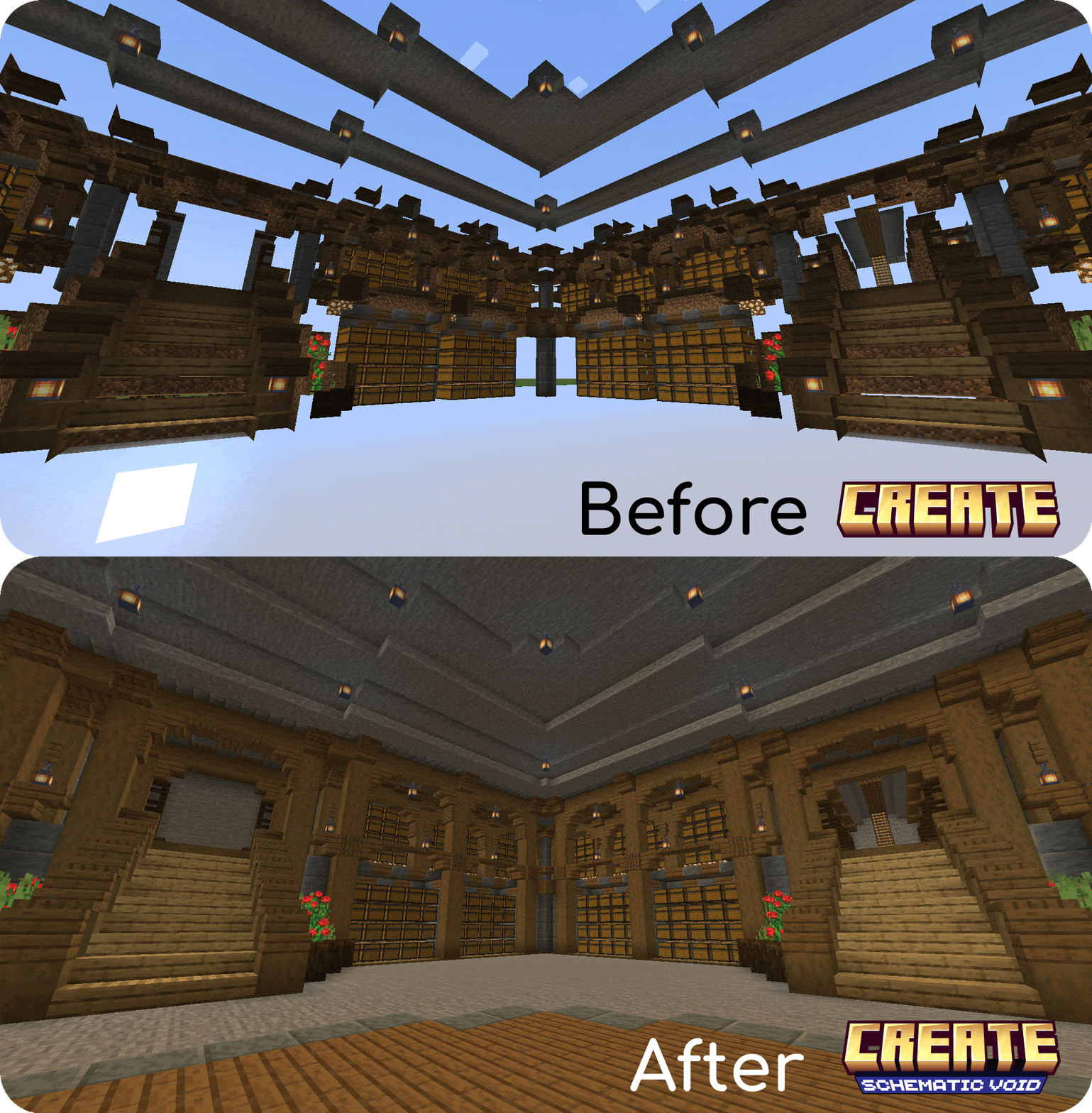
Have you ever tried to use the Schematicannon to print a schematic containing a lot of air blocks (such as an underground base or a custom cave), only to have to go back and dig out all of the temporary blocks you’ve placed?
Create: Schematic Void solves these issues by allowing you to craft a technical block that causes the Schematicannon to print Air exactly where you want it.
Features
- Hollow Structures: It allows you to print hollow structures or underground spaces directly, without needing to use temporary blocks that you have to break later.
- Multi-language Support: Create: Schematic Void has been translated into English (en_us) and Spanish (es_es).
- Automatic Air Replacement: The Schematicannon will replace Schematic Voids with clean air automatically.
- Smart Material Requirements: The Schematicannon won’t ask you to put Schematic Voids inside its inventory to build the schematic.
- Barrier-like Appearance: To keep your schematics clean, Schematic Voids are invisible and will only show their texture when you hold one in your hand.
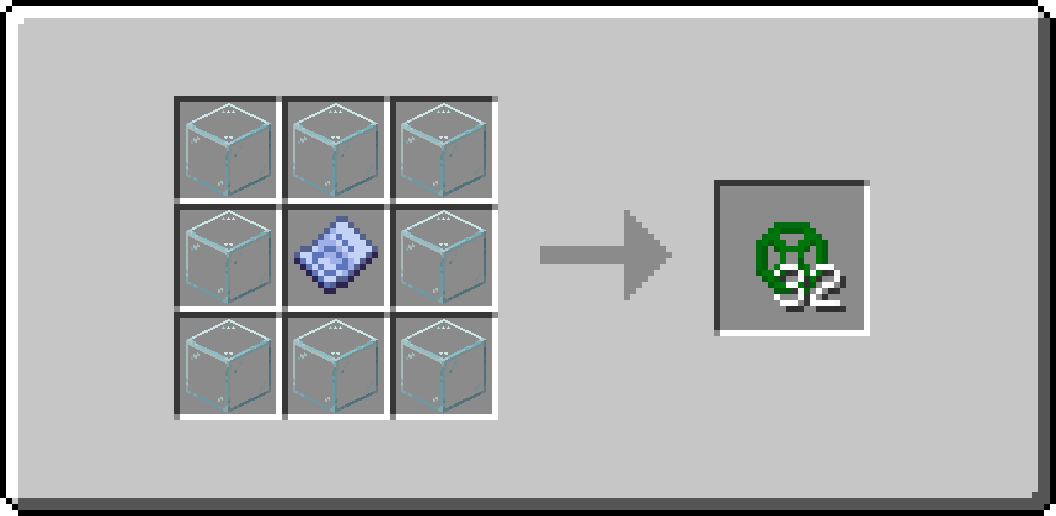
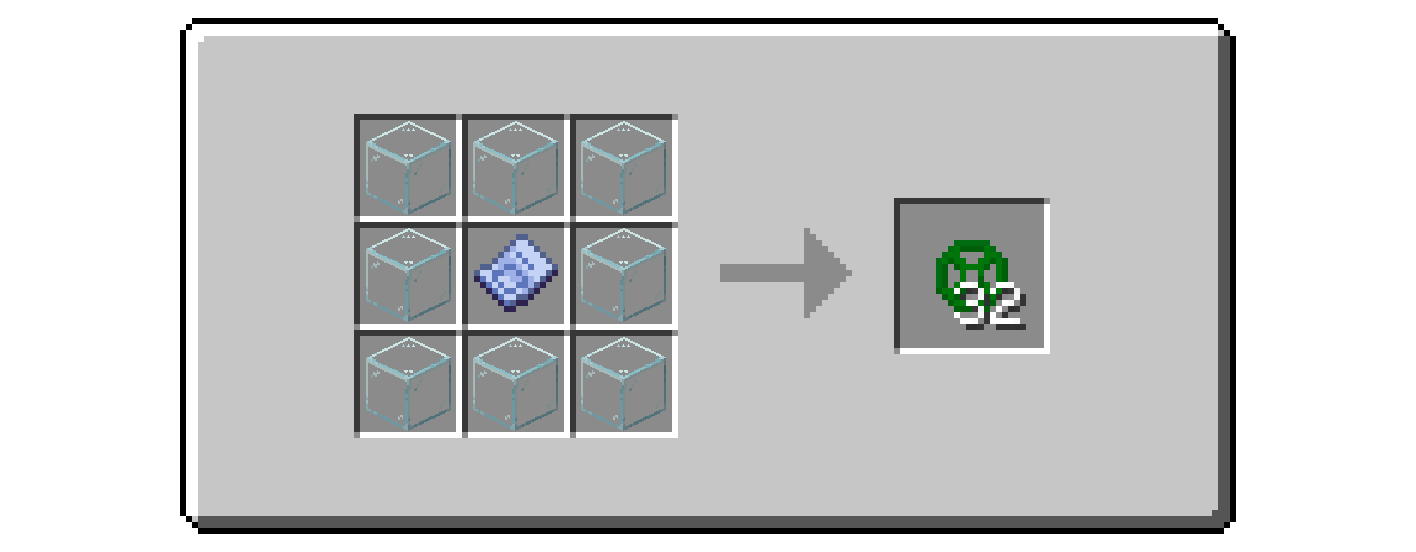
- Survival Friendly: The block is fully craftable in survival mode with this recipe:
How to Use
- Design your build and place the Schematic Void blocks in the areas you want to keep as Air.
- Save your Schematic.
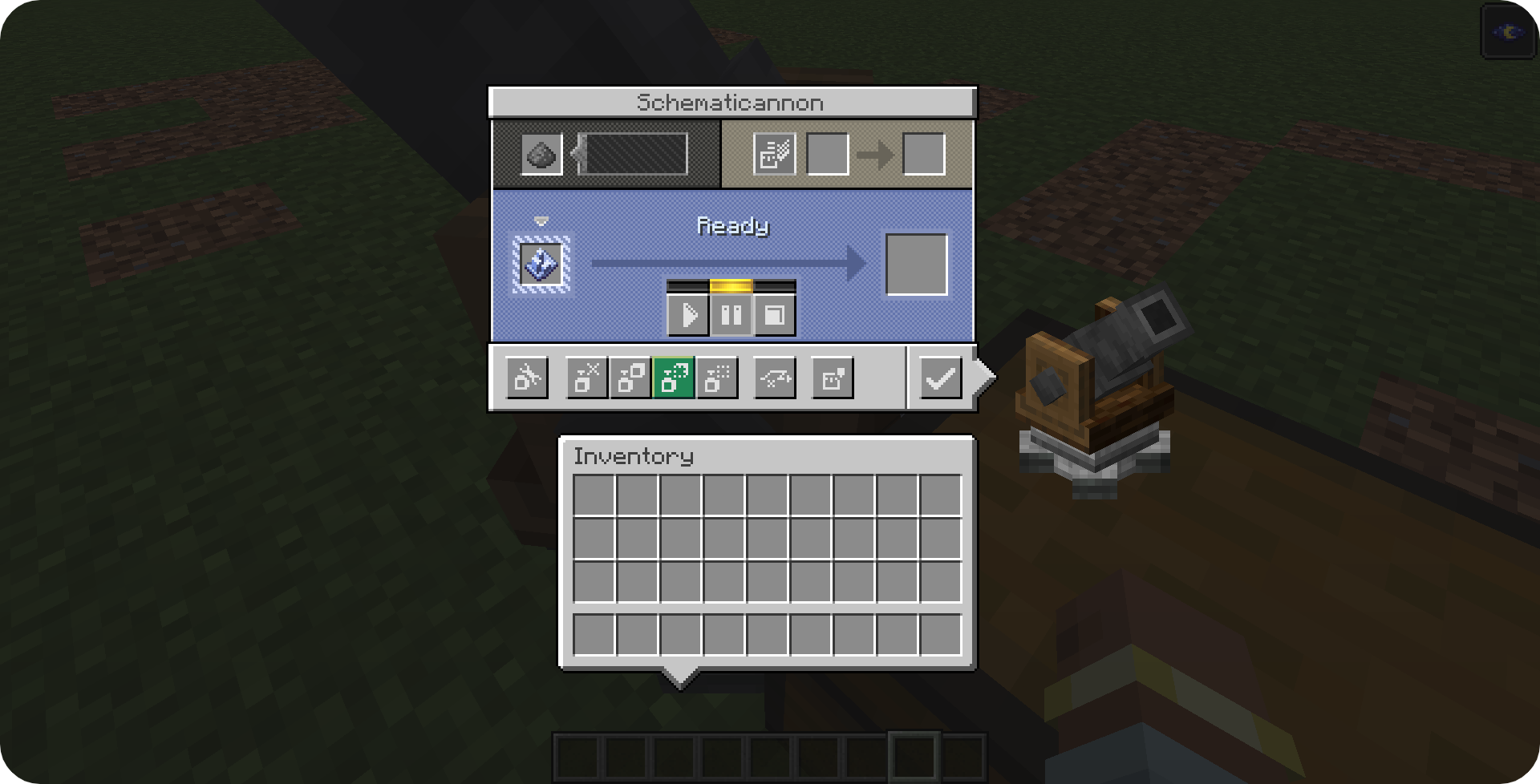
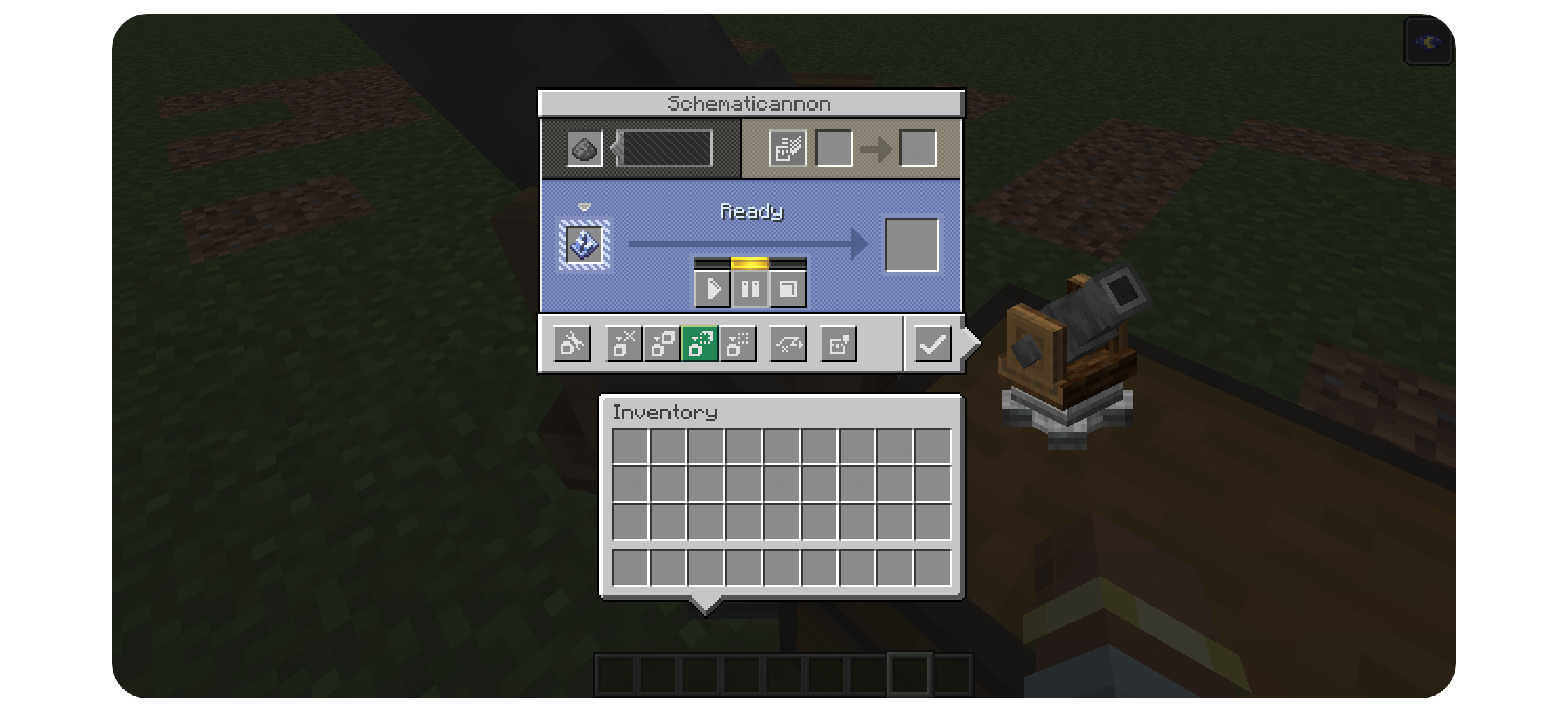
- Place the Schematicannon and ensure that you change the mode to “Replace Solid Blocks With Any”:
- Fire away! All of the Schematic Void blocks will be replaced with Air allowing you to create exact copies of your building.
常见问题
Create: Schematic Void 支持哪些 Minecraft 版本?
Create: Schematic Void 支持 Minecraft Java 版 1.21.1,可用的加载器:NeoForge。下载时注意选择和你游戏版本一致的文件。
Create: Schematic Void 怎么安装?
先用 PCL2 或 HMCL 启动器安装对应版本的 NeoForge,再把下载的 .jar 文件放进游戏目录的 mods 文件夹,重新启动游戏即可。开启了版本隔离的,mods 文件夹在 versions/版本名 下面。运行环境:客户端和服务端都要装。

评论
登录后评论和评分