
截图



介绍
Mononym
—
Mononym seeks to improve name tags and make their usage much simpler and cheaper than it is in vanilla:
Naming:
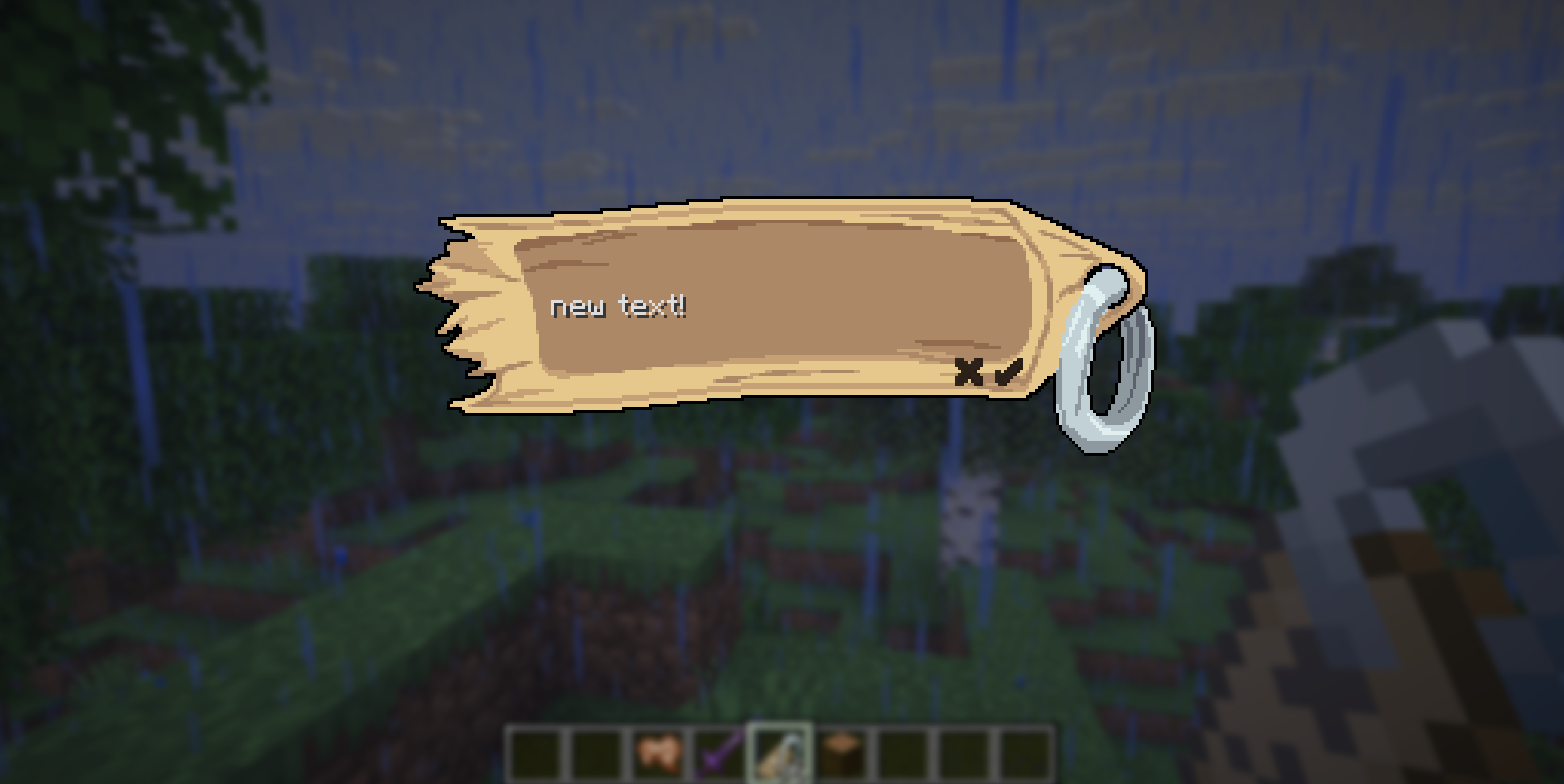
Name tags are no longer named at the anvil. Instead, using a name tag will open a new renaming screen! Clicking the apply button or pressing the enter key will close the screen and update the name tag’s name, while clicking the cancel button or pressing the esc key will close the screen without changing the name tag’s name. Naming with a name tag does not cost experience, and can be done to your heart’s content. Go wild! You can even leave the field blank to revert the nametag back to an unnamed state.

Renaming items:
Renaming an item will update the name and use up 1 name tag from the stack.
Items can be renamed in two ways:
- In the inventory: By right-clicking on an item with a named name tag held by the cursor

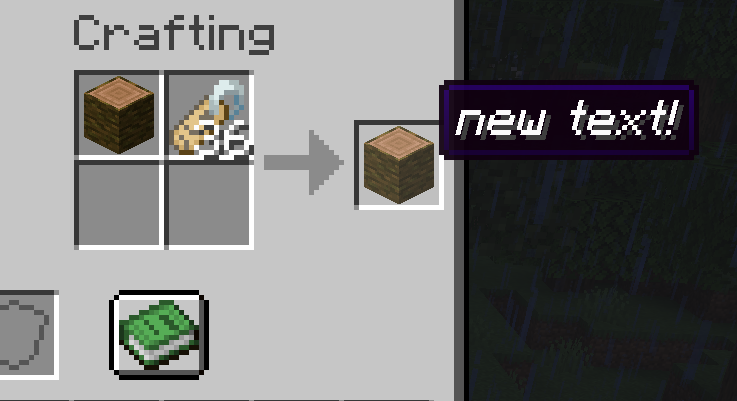
- In the crafting grid: By crafting an item and a name tag together

Happy naming! 😀
常见问题
Mononym 支持哪些 Minecraft 版本?
Mononym 支持 Minecraft Java 版 1.21.11,可用的加载器:Fabric。下载时注意选择和你游戏版本一致的文件。
Mononym 怎么安装?
先用 PCL2 或 HMCL 启动器安装对应版本的 Fabric,再把下载的 .jar 文件放进游戏目录的 mods 文件夹,重新启动游戏即可。开启了版本隔离的,mods 文件夹在 versions/版本名 下面。运行环境:客户端和服务端都要装。
TheTrueYak 的其他作品
查看全部 →
Bundled
Reduces the size of unstackable items in bundles. Also adds a crafting recipe and tags for bundle manipulation.

Raccoons & Rabies
Adding Raccoons and a way to weaponise them!

TacCorp’s Trinkets!
A mod for all your crystalline, decorative or damage-dealing needs!
Sculk Bundle
Adds the sculk latch and other connected concepts by blockixel.
评论
登录后评论和评分