
Durability Alerts
Customizable durability warnings with sounds and dynamic alerts for Fabric.
截图


介绍
🛡️ Durability Alerts
Durability Alerts is a lightweight client-side mod that warns you before a tool,
weapon or armor piece breaks — with your own message, your own sound, and a compact
HUD that tells you how you are doing at a glance.
Built for Survival, Hardcore and PvP players who would rather not find out their
pickaxe is gone by the sound of it snapping.
It runs entirely on the client, so it works on any server, vanilla included.
Nothing to install server-side.
📥 Which file do I download?
| Your Minecraft | File |
|—|—|
| 1.21.6 – 1.21.8 | durability-warning-1.5.3.jar |
| 1.21.9 – 1.21.11 | durability-warning-1.21.11-1.5.3.jar |
Same mod, same features. They are separate builds because Minecraft changed the key
binding API in 1.21.9.
✨ Features
- 🔔 Custom alerts at the exact number of hits you choose
- 🎽 Watches your armor and offhand, not just the tool in your hand
- 🖥️ Corner HUD showing what is about to break, with a durability bar
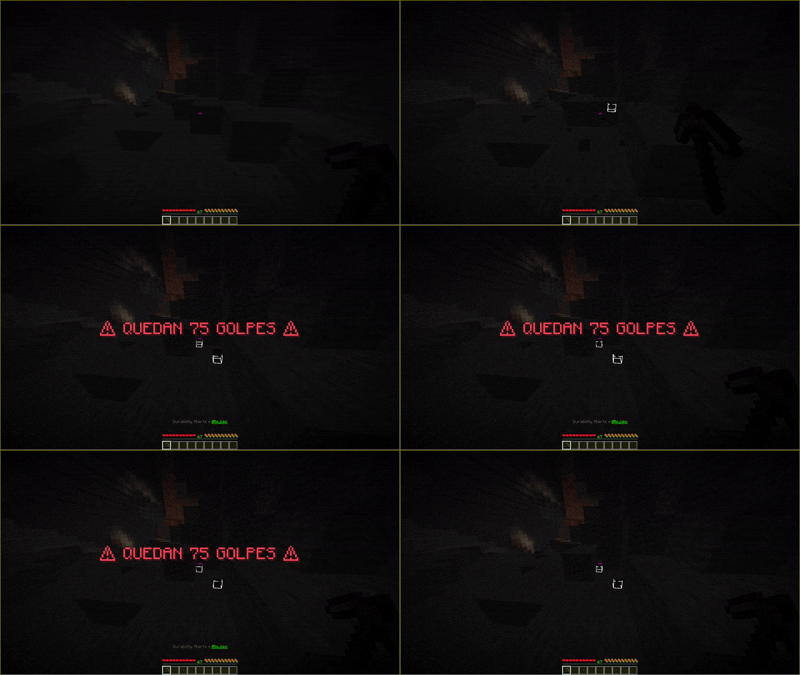
- 📢 Big on-screen alert with configurable size, position, duration and a dark backdrop
- 🎵 Any Minecraft sound, picked from a list with instant preview
- 🎨 Colors and formatting from a menu — no need to memorize codes
- ⚙️ AutoSwitch to a healthy tool before the current one snaps
- 🌍 English and Spanish
- 💾 Saves itself automatically, and never overwrites a broken config without a backup
- ⚡ Client-side, no dependencies beyond Fabric API
⚙️ How it works
The mod watches six slots: your main hand, offhand and four armor pieces.
When any of them crosses one of your thresholds:
- the big alert appears with your message and the item’s name
- your sound plays
- the corner HUD keeps showing it until you fix or replace it
No setup needed to start. It ships with three alerts and you can change everything
from the menu.
🖥️ The corner HUD
Shows up to three items that are running low, worst first, each with a bar that goes
green → amber → red.
It only appears when an item is **below your highest threshold and under half its
life**, so a freshly crafted wooden shovel does not sit on your screen all day.
Position is configurable: any of the four corners, or off.
📢 The alert
Drawn by the mod, not by the vanilla title system, which means you can actually tune it:
- Size from 2× to 6×
- Position: top, upper, center or lower
- Duration: 2, 3, 5 or 8 seconds
- Backdrop: a dark panel behind the text, so it stays readable over grass at noon
There is a Test alert button in Settings so you can get it right without breaking
a tool to see it.
🔧 AutoSwitch
When your tool drops to its last 5 hits (configurable), the mod switches you to
something else, in this order:
- the same tool, in good shape
- any other healthy tool
- something that cannot break (blocks, food)
- an empty slot, only as a last resort
If everything in your hotbar is nearly broken, it does not switch — moving you to a
worse tool would not help.
Off by default. Turn it on in Settings or with /durability autoswitch on.
🎛️ The menu
Press K to open it. From there you can:
- create, edit and delete alerts
- pick a sound from a named list and hear it before choosing
- apply colors and formatting from a menu, with a live preview of your message
- toggle everything: HUD, alert, armor, offhand, AutoSwitch
- set the HUD corner, alert size, position and duration
- force the language if auto-detection gets it wrong
🧩 Commands
The command is /durability. The old /golpes still works as an alias.
📋 List your alerts
/durability list➕ Create an alert
/durability create <hits> <sound> <message>Example:
/durability create 75 anvil &c⚠ {item} has {hits} hits left ⚠❌ Remove an alert
/durability destroy <hits>🔁 Toggles
/durability autoswitch on|off
/durability hud on|off
/durability titles on|off
/durability armor on|off
/durability offhand on|off
🎨 Colors and formatting
/durability colors❓ Help and status
/durability help
/durability status
🔤 Message placeholders
| Placeholder | Becomes |
|—|—|
| {hits} | hits left |
| {item} | the item’s name |
Colors and formatting use &:
&c red      &a green     &e yellow    &b aqua
&l bold     &o italic    &n underline &r reset
🔊 Sounds
Four shortcuts for the classics:
orb anvil levelup beacon…and any Minecraft sound ID works too:
minecraft:block.bell.use
minecraft:entity.villager.no
minecraft:block.note_block.pling
The menu has 26 of them with readable names and a preview button, so you don’t have to
go looking for IDs.
💾 Configuration
Everything is saved to .minecraft/config/durability-alerts.json and can be edited by
hand. If that file ever ends up unreadable, the mod backs it up as
durability-alerts.json.broken-<date> before falling back to defaults — your alerts
are never lost silently.
👨💻 Developed by
iRojas
Discord: 0800rojas
常见问题
Durability Alerts 支持哪些 Minecraft 版本?
Durability Alerts 支持 Minecraft Java 版 1.21.6–26.1,共 7 个版本,可用的加载器:Fabric。下载时注意选择和你游戏版本一致的文件。
Durability Alerts 怎么安装?
先用 PCL2 或 HMCL 启动器安装对应版本的 Fabric,再把下载的 .jar 文件放进游戏目录的 mods 文件夹,重新启动游戏即可。开启了版本隔离的,mods 文件夹在 versions/版本名 下面。运行环境:仅客户端。

评论
登录后评论和评分