
截图
介绍
VoxelClient
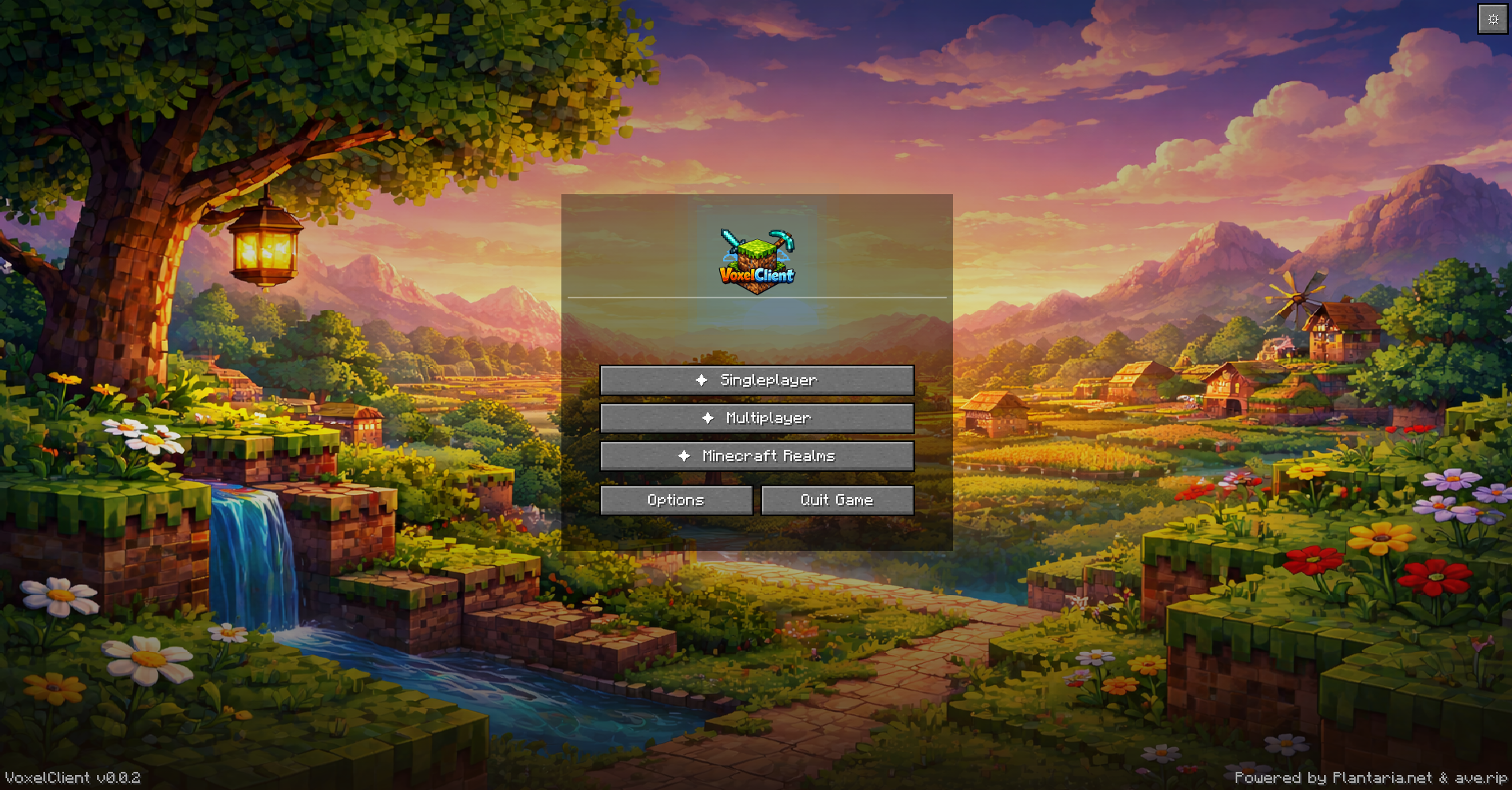
A Fabric client mod for Minecraft 1.21.4 with a custom HUD, zoom, freelook, cosmetics, utility features, and many quality-of-life improvements.
📥 Installation
Automatic (recommended)
- Download the installer → Releases
- Run
voxelclient-installer.exe - Select your desired
mods/folder (detected automatically) - Click “Install Now”
- Launch Minecraft with the Fabric Launcher
The installer automatically downloads the latest version and the required Fabric API.
Manual
- Install Fabric Loader ≥ 0.16
- Download Fabric API
- Download the latest
voxelclient-x.x.x.jarfrom Releases - Place both
.jarfiles in.minecraft/mods/ - Launch Minecraft 1.21.4
✦ Features
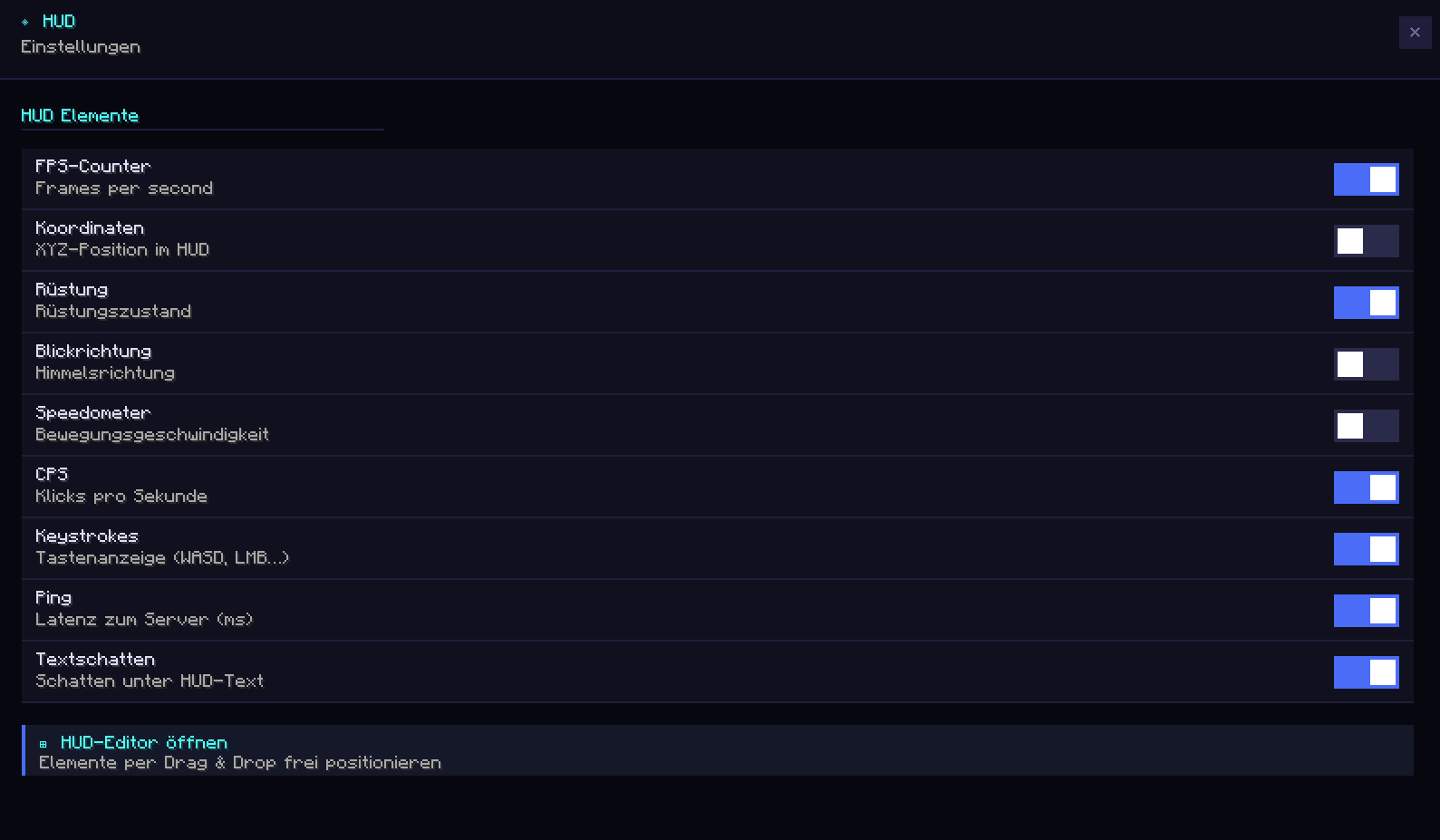
📊 Custom HUD
A clean, customizable in-game display:
- FPS Counter
- XYZ Coordinates
- Facing Direction
- Armor Display
- Speedometer
- Ping Display (color-coded)
- CPS Counter (LMB / RMB)
- Keystrokes Overlay (WASD, SPACE, LMB, RMB)
All HUD elements can be freely repositioned.
🖱️ HUD Editor
Under Settings → UI → HUD Editor you can:
- Drag and drop all HUD elements
- Save positions permanently
- Customize the layout individually
Saved to: `voxelclient/hud_position.json`
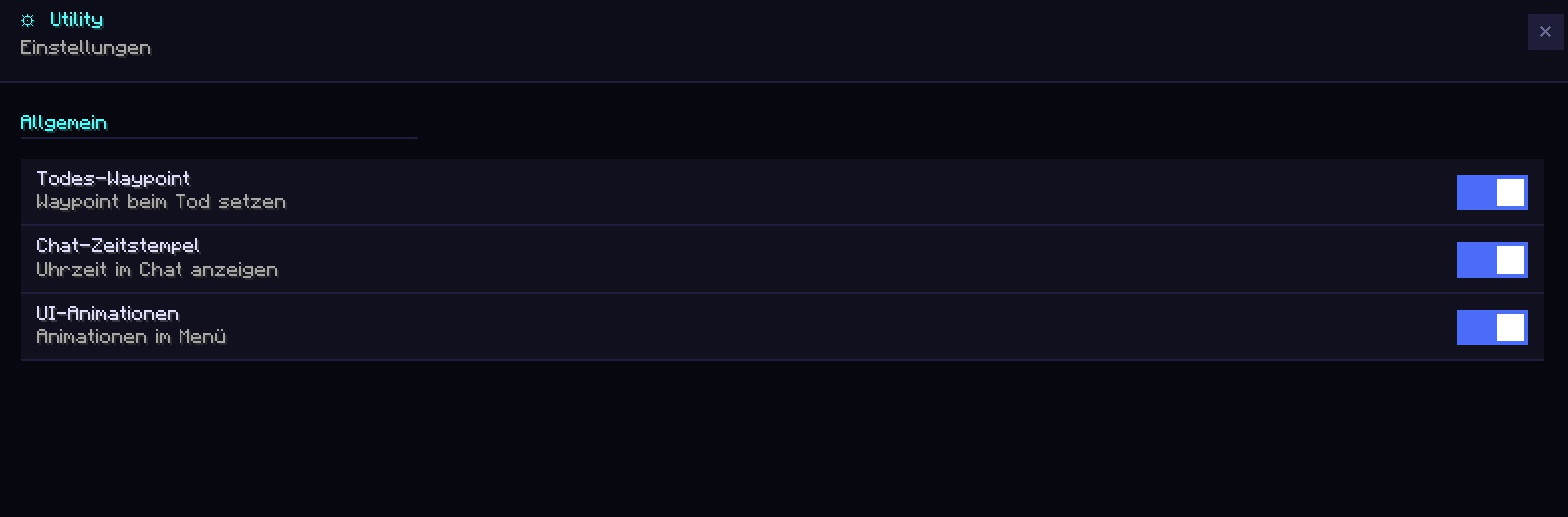
All UI screens also feature a modern Fade + Slide Animation (250ms, easeOutCubic).
🎮 Gameplay Features
🏃 Toggle Sprint
Keep sprint permanently active (default: R).
Disables automatically when stopping.
🕵️ Toggle Sneak
Keep sneak permanently active (key configurable).
🧭 Snap Look
Snaps your camera to the nearest 45° angle:
N, NE, E, SE, S, SW, W, NW
(Key configurable)
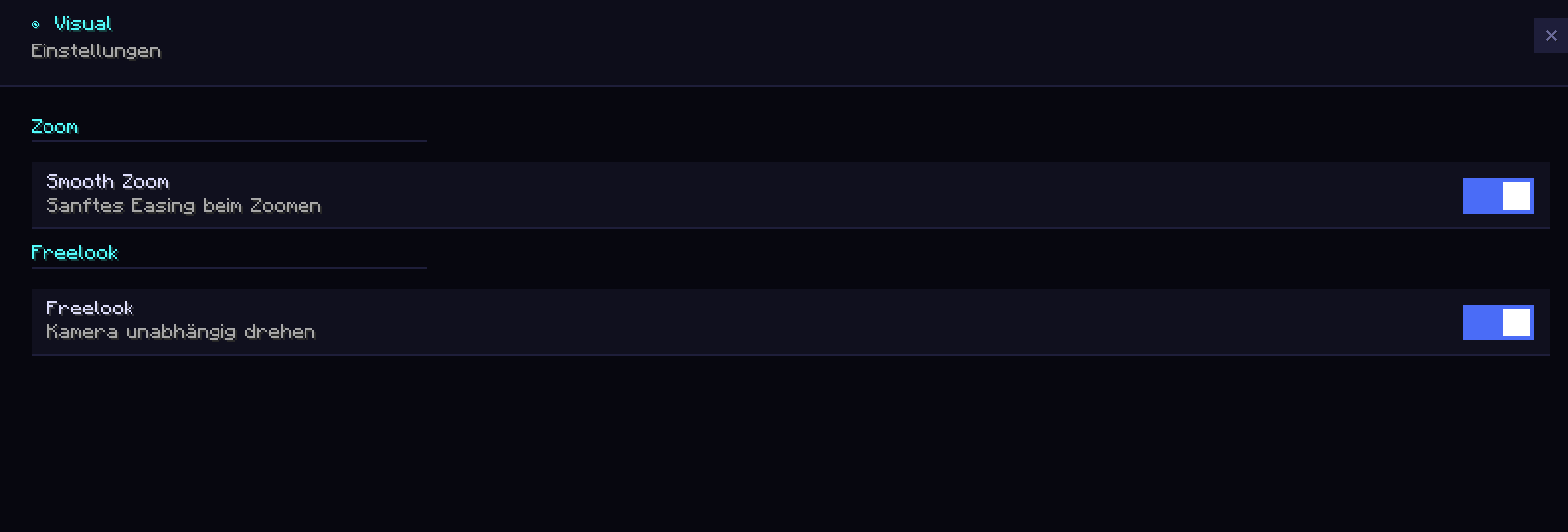
🔍 Smooth Zoom
Smooth zoom-in with a cinematic easing effect.
Fine-tune zoom strength with the scroll wheel.
Default key: C
👁️ Freelook
Rotate the camera independently of the player model — ideal for PvP, exploration, and cinematics.
Default key: Left Alt
📍 Waypoint System
Save and manage waypoints directly in-game.
- Create & delete waypoints
- Direction indicator on screen edge
- Manage under Settings → Utility → Waypoints
Saved to: `voxelclient/waypoints.json`
☠ Death Waypoint
A waypoint is automatically created upon death:
- Saves coordinates + timestamp
- Up to 10 death waypoints stored
🛡️ Armor Durability Warning
- Shows durability of all armor pieces
- 🟠 Orange below 50%
- 🔴 Red below 20%
📊 CPS Counter
Shows clicks per second for:
- LMB
- RMB
Based on a 1-second sliding window.
🌐 Ping Display
Shows current server ping:
- 🟢 Green < 50ms
- 🟡 Medium
- 🔴 Red > 300ms
⌨️ Keystrokes Overlay
Animated display of:
- W, A, S, D
- SPACE
- LMB
- RMB
Default position: bottom right
Freely movable in the HUD Editor.
💬 Chat Timestamps
Automatically prepends a timestamp to every message: `[HH:mm] Message`
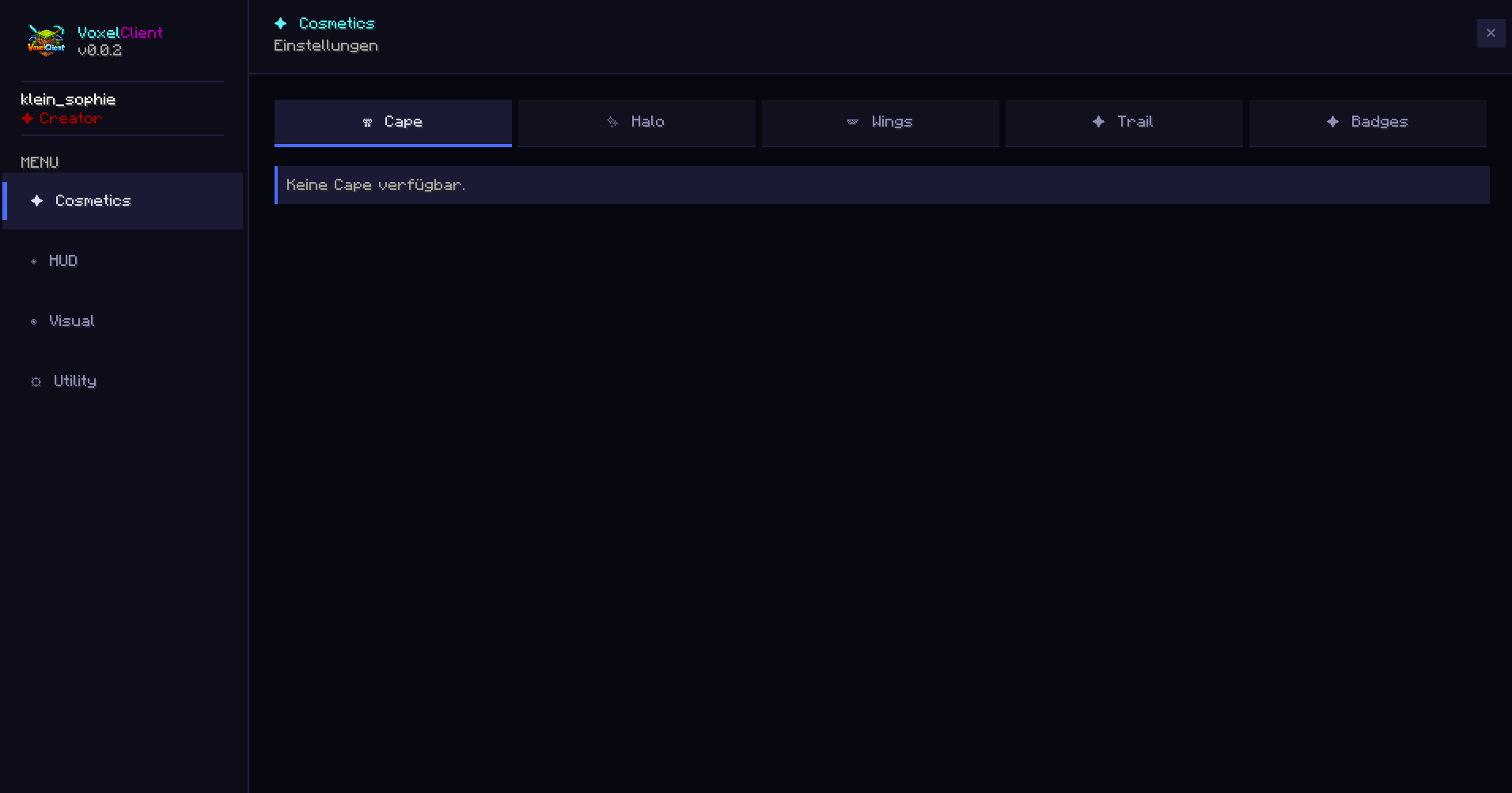
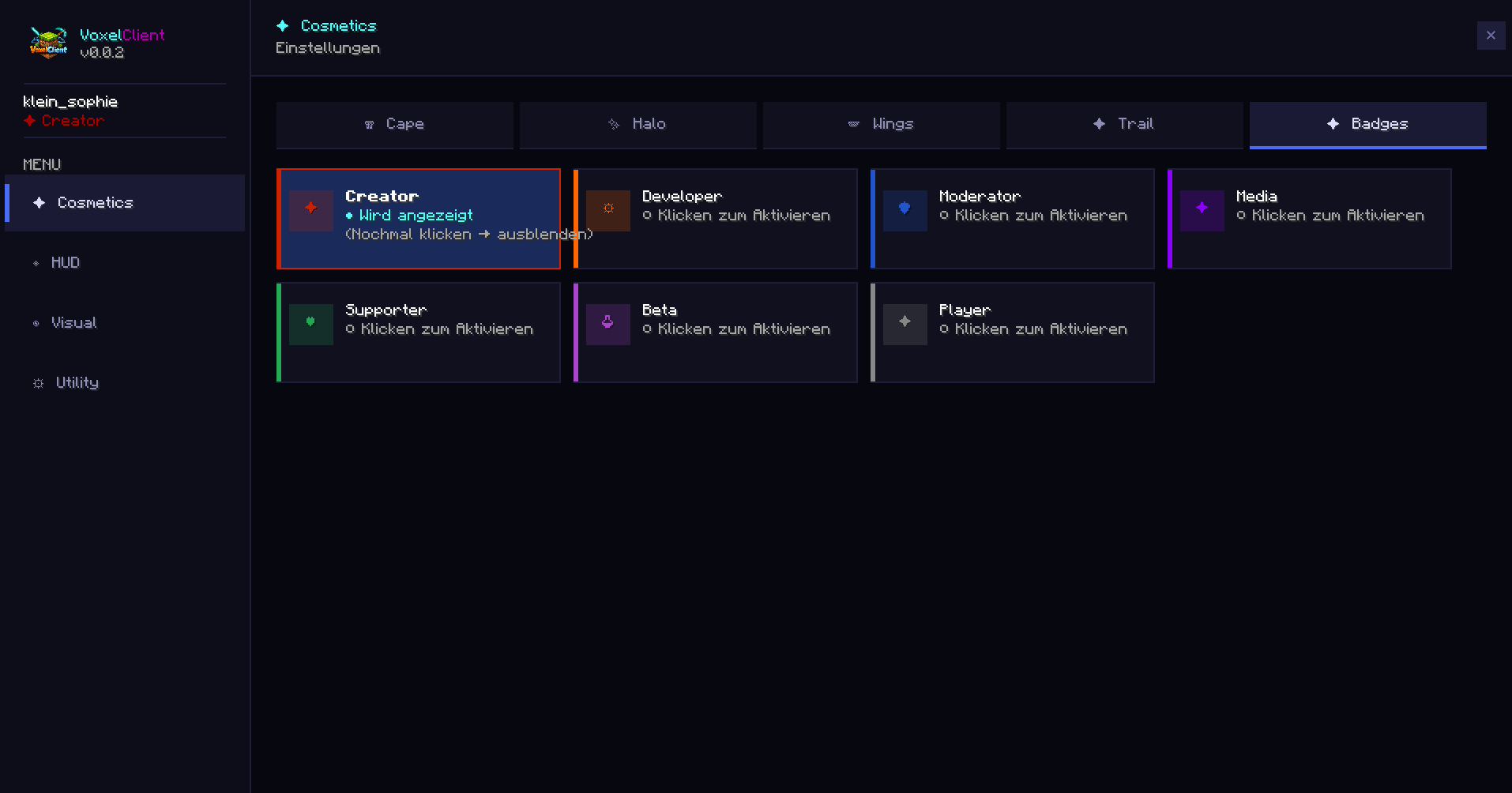
🎭 Cosmetics
Load your own cape via any PNG URL.
The cape is loaded asynchronously without delaying game startup.
✦ Player Badges
A badge appears before every player name:
- Gray
✦→ regular player - Dark Red
✦→ VoxelClient Creator
Visible in:
- The tab list
- Above the player’s head
⚙️ Settings GUI
A modern in-game menu with tab navigation.
- All features configurable
- JSON-based storage
- Utility, UI, and Gameplay sections
Default key: Right Shift
🔔 Auto-Updater
Automatically checks for a new version on startup.
- Golden banner on the main menu
- Direct link to the download page
- Press
Uto open the update page
🎮 Discord Rich Presence
Shows your current status in Discord:
- Main Menu
- Singleplayer
- Multiplayer
- Realms
Server logos are displayed automatically.
⌨️ Keybinds (Default)
| Function | Key |
|———-|—–|
| Open Settings | Right Shift |
| Zoom | C (hold) |
| Freelook | Left Alt (hold) |
| Toggle Sprint | R |
| Open Update Page | U |
| Snap Look | configurable |
| Toggle Sneak | configurable |
All keys can be freely remapped under
Minecraft → Options → Controls → VoxelClient
📋 Requirements
| What | Version |
|——|———|
| Minecraft | 1.21.4 |
| Fabric Loader | ≥ 0.16 |
| Fabric API | 1.21.4 |
| Java | 21+ |
🏗️ Build It Yourself
git clone https://github.com/VoxelLabs-Minecraft/voxelclient.git
cd voxelclient
./gradlew build
# → build/libs/voxelclient-x.x.x.jar
Run the client directly:
./gradlew runClient📄 License
MIT License — see
https://github.com/VoxelLabs-Minecraft/voxelclient/blob/main/LICENSE.txt
Made with ♥ by
常见问题
VoxelClient 支持哪些 Minecraft 版本?
VoxelClient 支持 Minecraft Java 版 1.21.4–1.21.11,共 8 个版本,可用的加载器:Fabric。下载时注意选择和你游戏版本一致的文件。
VoxelClient 怎么安装?
先用 PCL2 或 HMCL 启动器安装对应版本的 Fabric,再把下载的 .jar 文件放进游戏目录的 mods 文件夹,重新启动游戏即可。开启了版本隔离的,mods 文件夹在 versions/版本名 下面。运行环境:仅客户端。
评论
登录后评论和评分