
HC Autopsy
Capture Hardcore wipes, player stat snapshots, leaderboards, and lifetime run history on Fabric servers.
截图
介绍
HC Autopsy is a lightweight Fabric server mod that turns Hardcore wipes into
durable run history, lifetime totals, and in-game postmortem tools.
Minecraft normally treats a Hardcore death as the end of the story. Servers get
reset, stat files move around, chat scrolls away, and the details of the run can
disappear. HC Autopsy keeps a separate server-side record in a fixed Tempest
Studios app-data folder, so each wipe leaves behind the death context, vanilla
stat snapshots, run totals, cached player names, and lifetime player and server
history.
It works server-side on dedicated Fabric servers. Players do not need to install
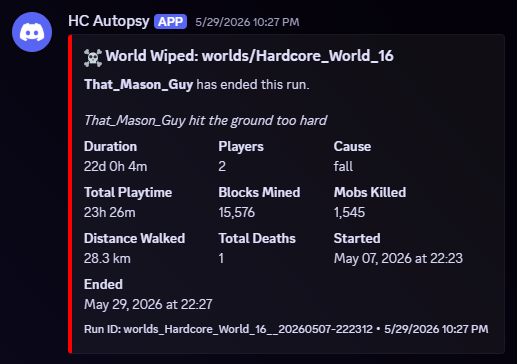
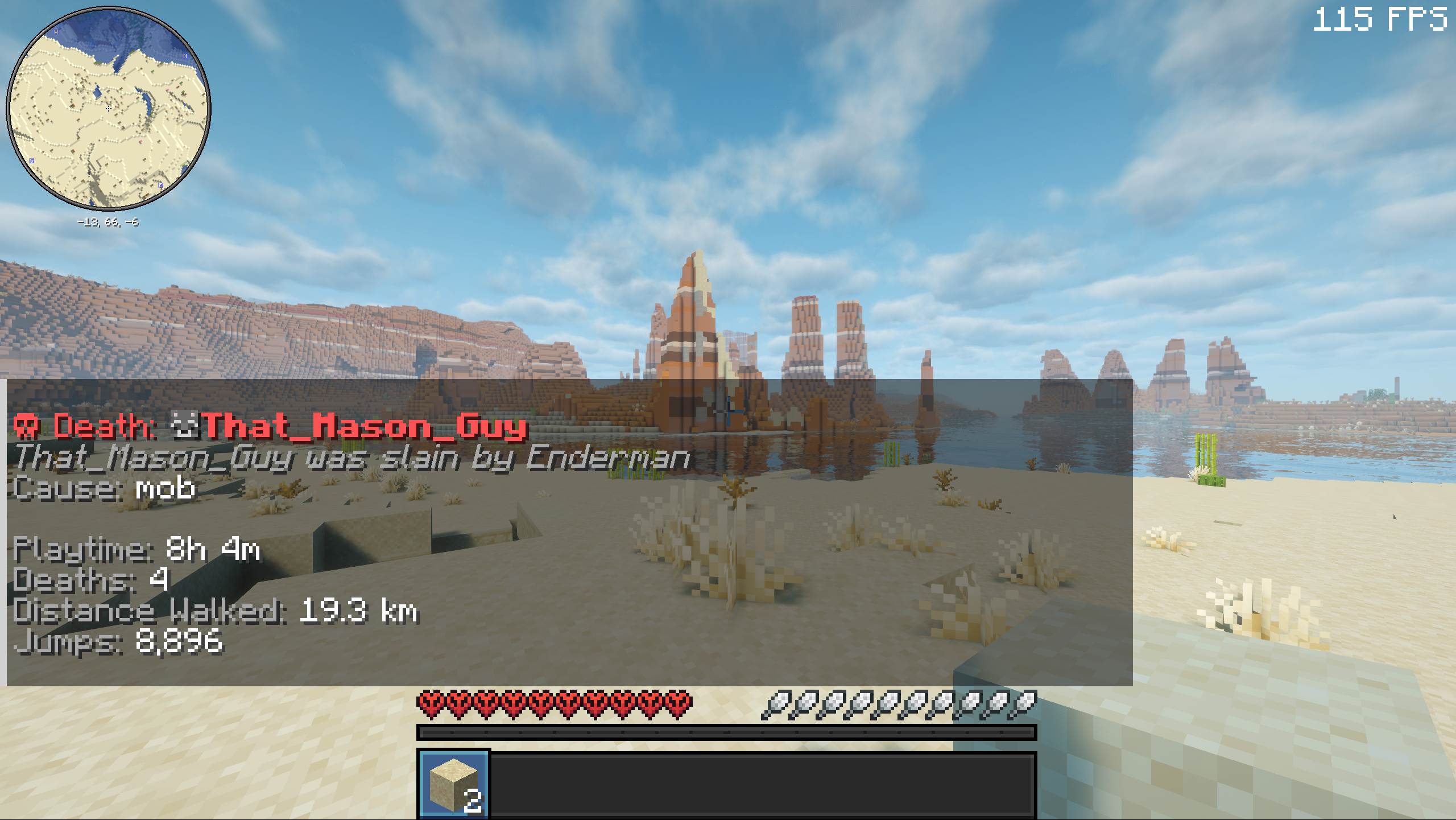
the mod. When the first player dies in a run, HC Autopsy records the wipe,
snapshots every player’s vanilla stat JSON, aggregates the run, updates lifetime
totals, broadcasts an in-game wipe summary, and can optionally send a Discord
webhook summary. It now also posts readable, category-colored run leaderboards
after the wipe summary, including playtime, blocks broken, damage taken,
damage dealt, and diamond ore mined.
Features
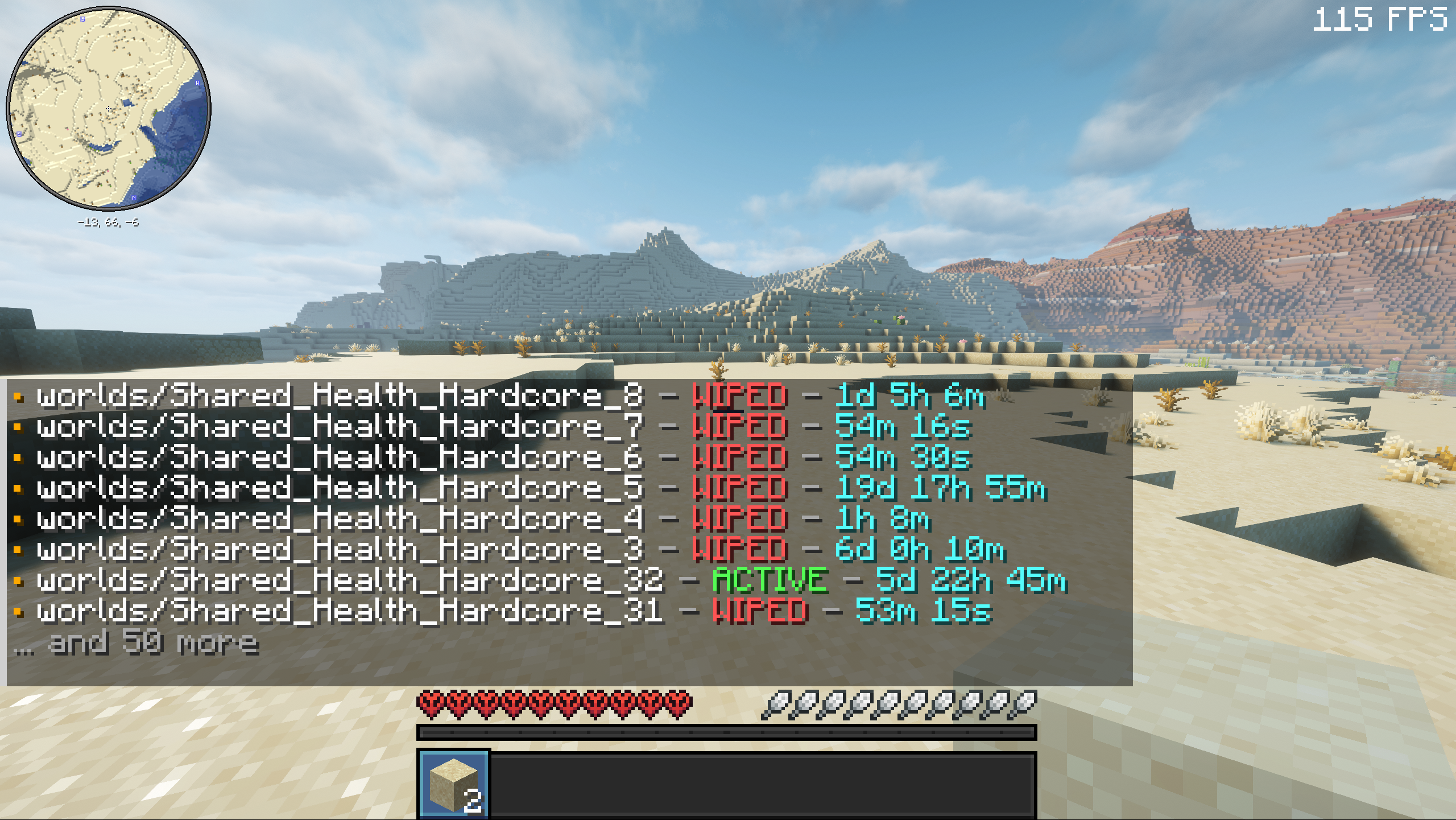
- Persistent Hardcore wipe history across server resets
- First-death wipe detection for active runs
- Death message, damage source, attacker, player, and world metadata
- Raw vanilla player stat snapshots for complete stat fidelity
- Stores per-run metadata, per-player snapshots, aggregated run totals, and cached player names
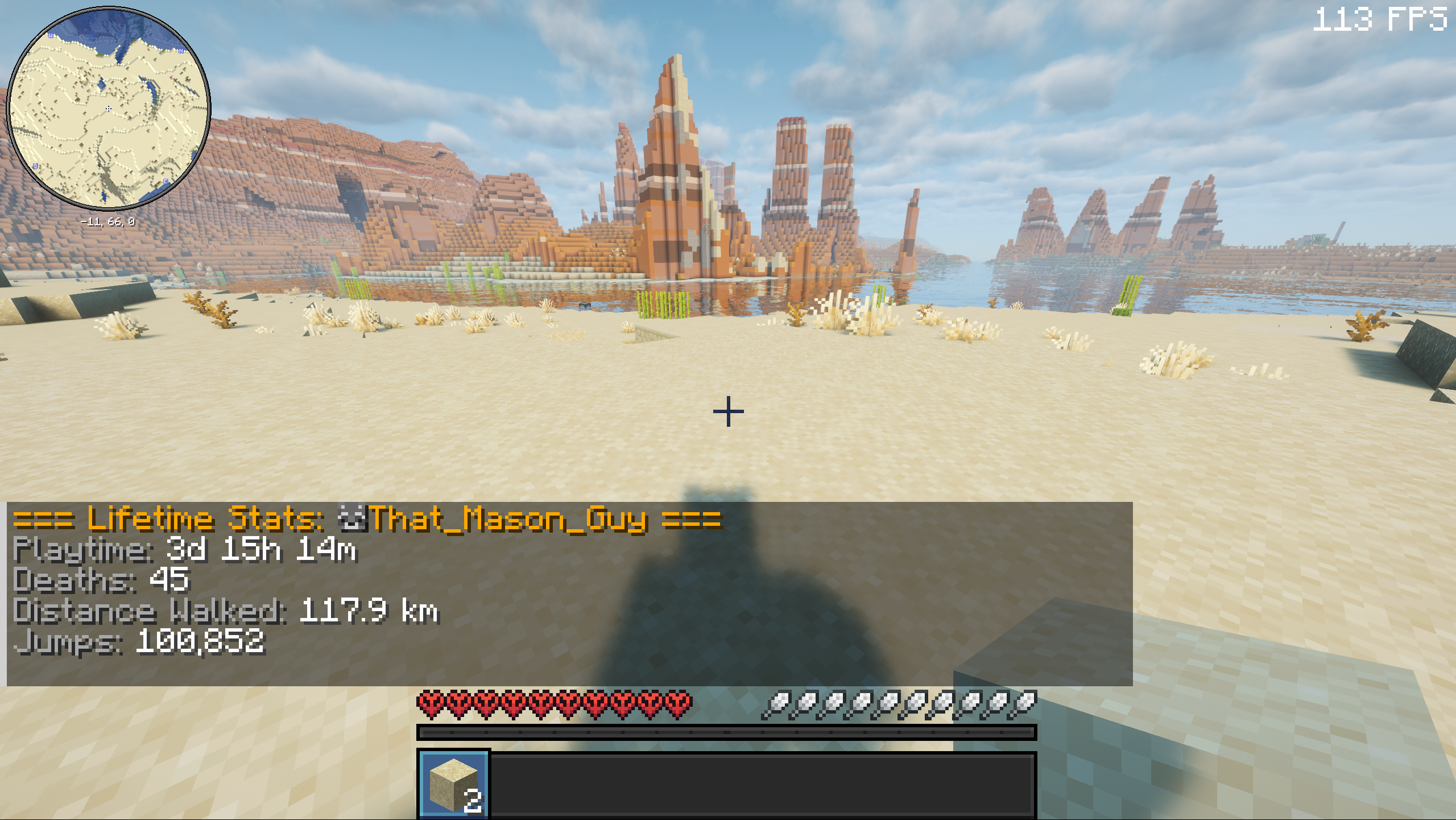
- Maintains lifetime player and server totals across wiped runs
- In-game wipe summary and post-wipe stat leaderboard after stat capture completes
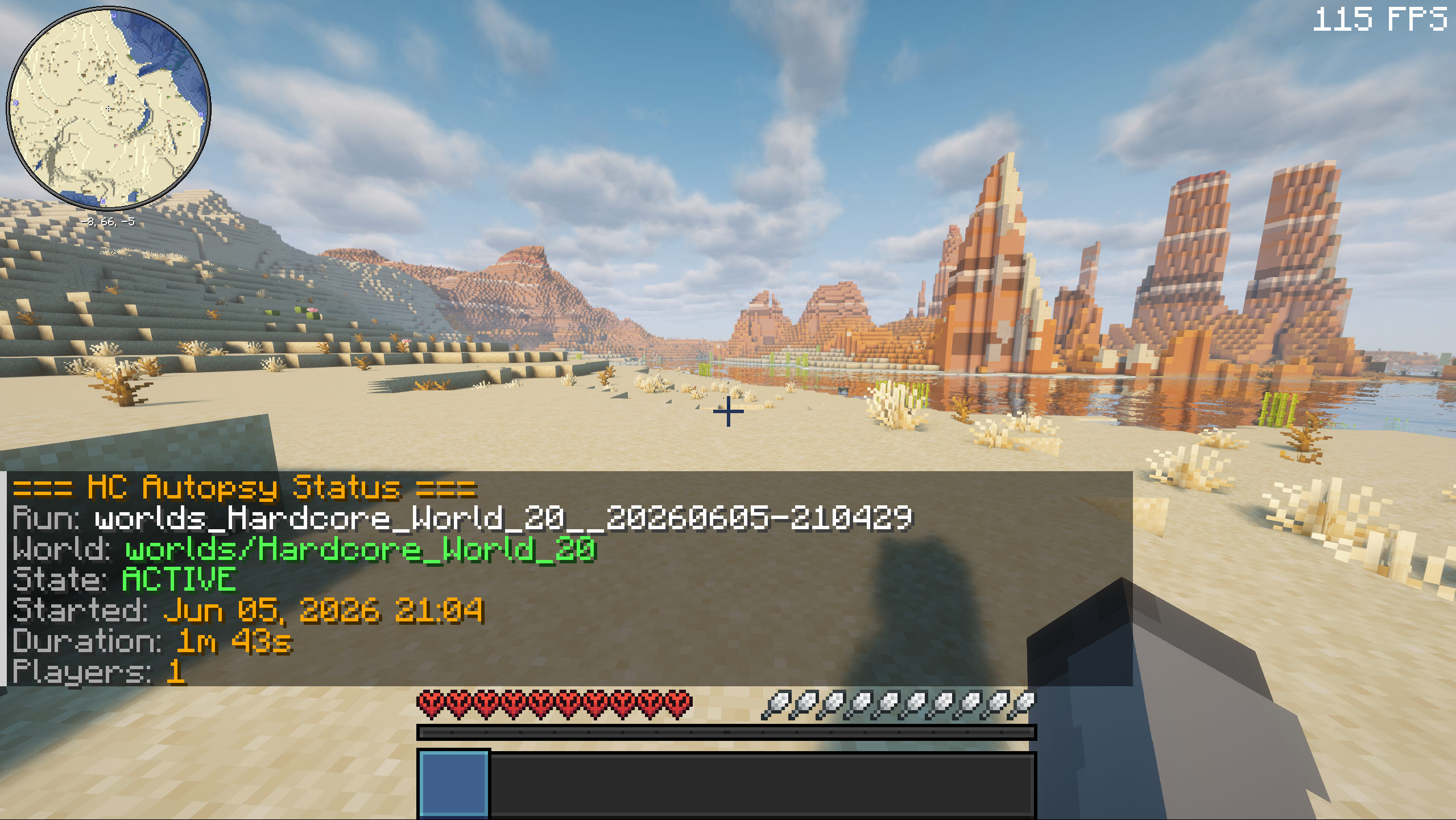
/hcautopsycommands for status, run history, cached players, player totals, server totals, and lifetime leaderboards- Operator/console-safe tools for continuing a wiped run, recalculating lifetime totals, reloading config, broadcasting full post-wipe leaderboards, and testing Discord webhooks
- Optional Discord webhook notifications for wipe summaries and category-colored post-wipe leaderboards
- Automatic post-wipe awards for playtime, blocks broken, damage taken, damage dealt, and diamonds mined
- Launcher-agnostic app-data storage with first-launch migration from the old
config/hc-autopsy/folder - Defensive config/data loading and atomic writes for persisted HC Autopsy data
- Server-only install; no client mod required
Good for
- Hardcore Fabric servers
- Challenge and limited-life runs
- Community worlds with seasonal resets
- Post-wipe stat review
- Comparing lifetime playtime, deaths, distance walked, and jumps
- Calling out the run’s biggest post-wipe stat winners
- Rebroadcasting full post-wipe rankings to game chat and Discord
- Long-term server history
- Discord communities that want automatic wipe summaries
- Players who want the receipts after a run goes wrong
Install note
Install Fabric Loader, Fabric API, and the HC Autopsy jar that matches your
Minecraft version.
HC Autopsy is designed for server-side use. Install it in the dedicated Fabric
server mods folder. It does not need to be installed on players’ clients.
Choose the compatibility-group jar that matches your server:
1.20-1.21.1126.1-26.3-snapshot-1
HC Autopsy stores config and run history outside launcher-local .minecraft
folders:
- Windows:
%APPDATA%\TempestStudios\HC-Autopsy\ - macOS:
~/Library/Application Support/TempestStudios/HC-Autopsy/ - Linux:
$XDG_DATA_HOME/tempest-studios/hc-autopsy/or~/.local/share/tempest-studios/hc-autopsy/
On first launch, existing config/hc-autopsy/ data is copied to the new
app-data folder when the new folder is empty. Old files stay in place as a
backup.
常见问题
HC Autopsy 支持哪些 Minecraft 版本?
HC Autopsy 支持 Minecraft Java 版 1.20–26.2,共 23 个版本,可用的加载器:Fabric。下载时注意选择和你游戏版本一致的文件。
HC Autopsy 怎么安装?
先用 PCL2 或 HMCL 启动器安装对应版本的 Fabric,再把下载的 .jar 文件放进游戏目录的 mods 文件夹,重新启动游戏即可。开启了版本隔离的,mods 文件夹在 versions/版本名 下面。运行环境:仅服务端。
ThatMasonGuy 的其他作品
查看全部 →
Bigger Boats
Let up to four players ride in one vanilla boat. Server-side first, optional client polish.

Lifetime Stat Tracker
Track lifetime Minecraft stats across worlds, saves, Realms, servers, and resets.

InvSort
Quickly sort Minecraft inventories and containers into a clean, predictable order.

InvSearch
Find items across your inventory and known storage locations with a clean in-game search.
评论
登录后评论和评分