
截图
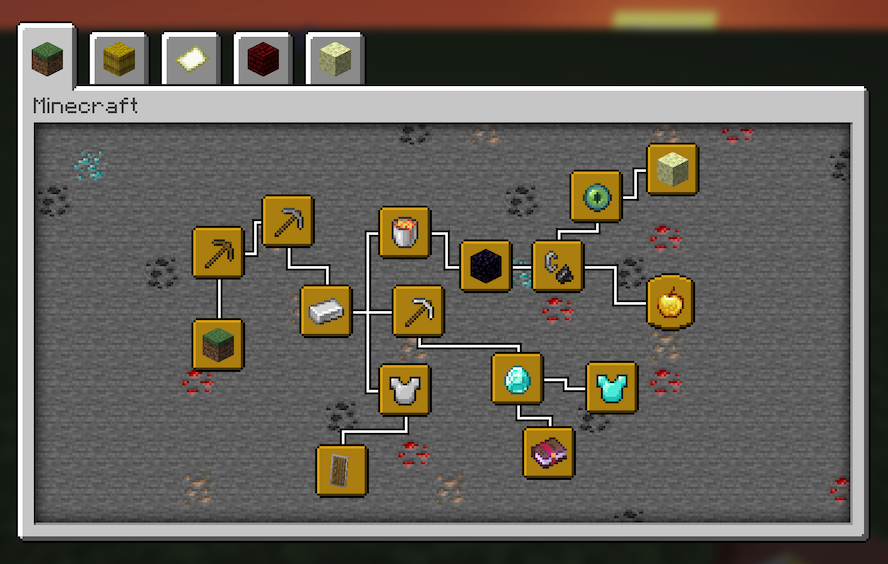
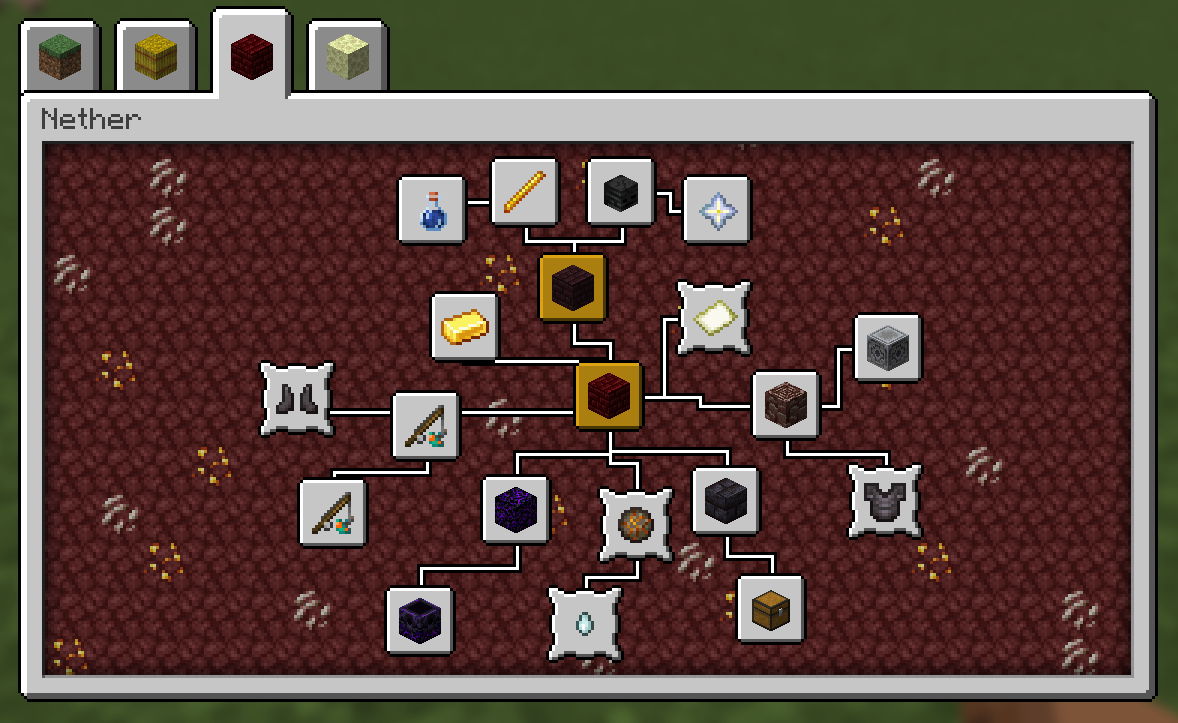
介绍
Features:
- Advancements can be clicked and dragged to freely change their position
- Set a fixed order for the advancement tabs to sort into
- Adjust the window size of the advancements screen
- Add fancy backgrounds with random variation to the tiling blocks
Details:
- Edit Mode for rearranging advancements can be toggled in the config. Make sure not to disable it while the advancements screen is still open, or any changes won’t be saved.
- While rearranging advancements, hold shift for position snapping
- To render a resizable window, the vanilla gui texture (at minecraft:textures/gui/advancements/window) is tiled using 9-slice scaling, with a configurable slice margin
Persistent data (advancement positions, fancy backgrounds) is stored per-instance at /minecraft/advancements_arranged.json
An example such file, providing the vanilla advancement tabs with custom layouts and fancy backgrounds, can be found [[here]](https://github.com/Seraphaestus/AdvancementsArranged/blob/main/advancements_arranged.json).
Likely not compatible with other mods which overhaul the advancements screen, as they tend to re-implement it with their own custom gui, whereas this works by modifying the vanilla gui directly.
常见问题
Advancements Arranged 支持哪些 Minecraft 版本?
Advancements Arranged 支持 Minecraft Java 版 1.21.1,可用的加载器:NeoForge。下载时注意选择和你游戏版本一致的文件。
Advancements Arranged 怎么安装?
先用 PCL2 或 HMCL 启动器安装对应版本的 NeoForge,再把下载的 .jar 文件放进游戏目录的 mods 文件夹,重新启动游戏即可。开启了版本隔离的,mods 文件夹在 versions/版本名 下面。运行环境:仅客户端。
Seraphaestus 的其他作品
查看全部 →
Botania: Window Box
一个可以挂在房屋侧面的迷你花箱,属于 Botania 的附属模组。

Get Creative
机械动力附属模组:提供配置选项,鼓励玩家发挥创意打造机械装置,并添加了一些新内容
Get Creative
Create Addon: Configuration to force players to get creative making contraptions, plus some new content

Aero Science Program
Sable & Create Addon: Adds research experiments inspired by Kerbal Space Program
评论
登录后评论和评分