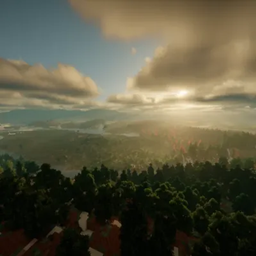
LucidToggle
LucidToggle lets you flip Minecraft shaders on/off instantly with one keypress. No more digging through menus—get cinematic visuals for the view and high FPS for the action. Compatible with Iris and OptiFine. Fast, light, and seamless.
介绍
LucidToggle is a lightweight utility mod designed for players who want high-fidelity visuals without the permanent performance cost. This mod allows you to bridge the gap between cinematic beauty and competitive performance by providing a seamless way to toggle complex shader packs on or off with a single keystroke.
Core Features
-
Instant Shader Switching: Eliminate the need to dig through deep setting menus. Toggle your active shader pack instantly while remaining in the game world.
-
Custom Keybindings: Map the toggle function to any key or mouse button for quick access during gameplay.
-
Profile Management: Save specific configurations—use “Cinematic Mode” for exploration and screenshots, then switch to “Performance Mode” (Shaders Off) for intense combat or high-speed movement.
-
Low Overhead: Built on a streamlined codebase to ensure the mod itself doesn’t impact your frame rates.
-
Visual Feedback: A brief, customizable on-screen notification confirms when shaders are enabled or disabled.
Why Use LucidToggle?
Minecraft shaders transform the world with realistic lighting, waving foliage, and water reflections, but they can be taxing on hardware—especially in demanding areas like dense jungles or massive player-built cities.
LucidToggle provides the flexibility to enjoy the view when you’re building and switch to a high-FPS environment when you need precision and speed.
Technical Compatibility
-
Engine Support: Compatible with Iris and OptiFine (the two primary shader engines).
-
Modloaders: Available for both Fabric and Forge.
-
Version Support: Regularly updated for the latest Minecraft releases.
常见问题
LucidToggle 支持哪些 Minecraft 版本?
LucidToggle 支持 Minecraft Java 版 26.1.2,可用的加载器:Iris / OptiFine。下载时注意选择和你游戏版本一致的文件。
LucidToggle 怎么安装?
光影需要先装 Iris / OptiFine。把下载的 .zip 文件(不用解压)放进游戏目录的 shaderpacks 文件夹,进游戏后在「选项 → 视频设置 → 光影包」里选中它。光影对显卡要求较高,卡顿可以调低光影设置或渲染距离。
评论
登录后评论和评分