
截图
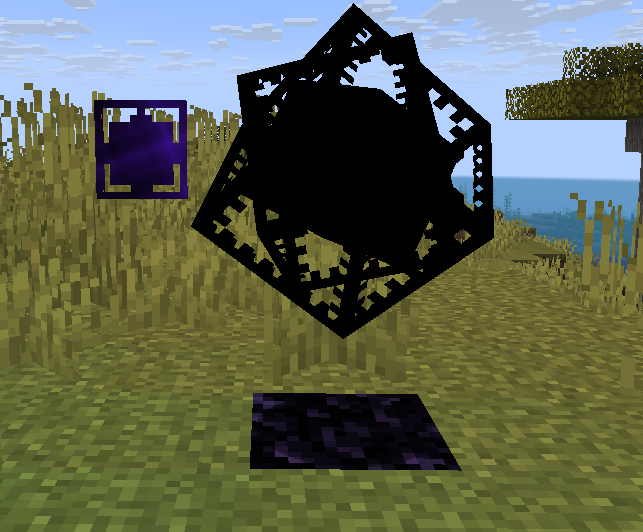

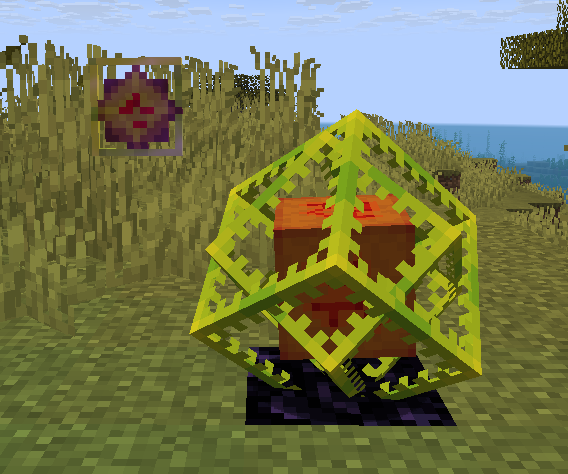
介绍
Crystal Recolor
Customize the colors of End Crystals to your liking!
Crystal Recolor is a lightweight, client-side Fabric mod that lets you change the appearance of End Crystals with fully customizable colors. Pick separate colors for the center cube (core) and the outer rotating frames, and watch your crystals transform — both in the world and in your inventory.
Features
Separate Core & Frame Colors — Choose independent colors for the inner cube and the outer glass frames
Item Tinting — The End Crystal item in your inventory and hotbar reflects your chosen colors
Easy Configuration — Color picker GUI via Mod Menu + Cloth Config
Client-Side Only — No server installation needed, works on any server
Config Persistence — Your colors are saved and restored between sessions
Requirements
Minecraft 1.21.10+
Fabric Loader 0.18.4+Fabric APICloth ConfigMod Menu (optional, for config screen access)Configuration
Install Mod Menu
Open the Mods screen and find Crystal Recolor
Click the config button
Use the color pickers to set your Core Color and Frame Color
Save — changes apply immediately!
Config is stored in .minecraft/config/crystalrecolor.json and can also be edited manually.
常见问题
Crystal Recolorer 支持哪些 Minecraft 版本?
Crystal Recolorer 支持 Minecraft Java 版 1.21.10–1.21.11,共 2 个版本,可用的加载器:Fabric。下载时注意选择和你游戏版本一致的文件。
Crystal Recolorer 怎么安装?
先用 PCL2 或 HMCL 启动器安装对应版本的 Fabric,再把下载的 .jar 文件放进游戏目录的 mods 文件夹,重新启动游戏即可。开启了版本隔离的,mods 文件夹在 versions/版本名 下面。运行环境:仅客户端。


评论
登录后评论和评分