
截图
介绍
Crop Farming Helper

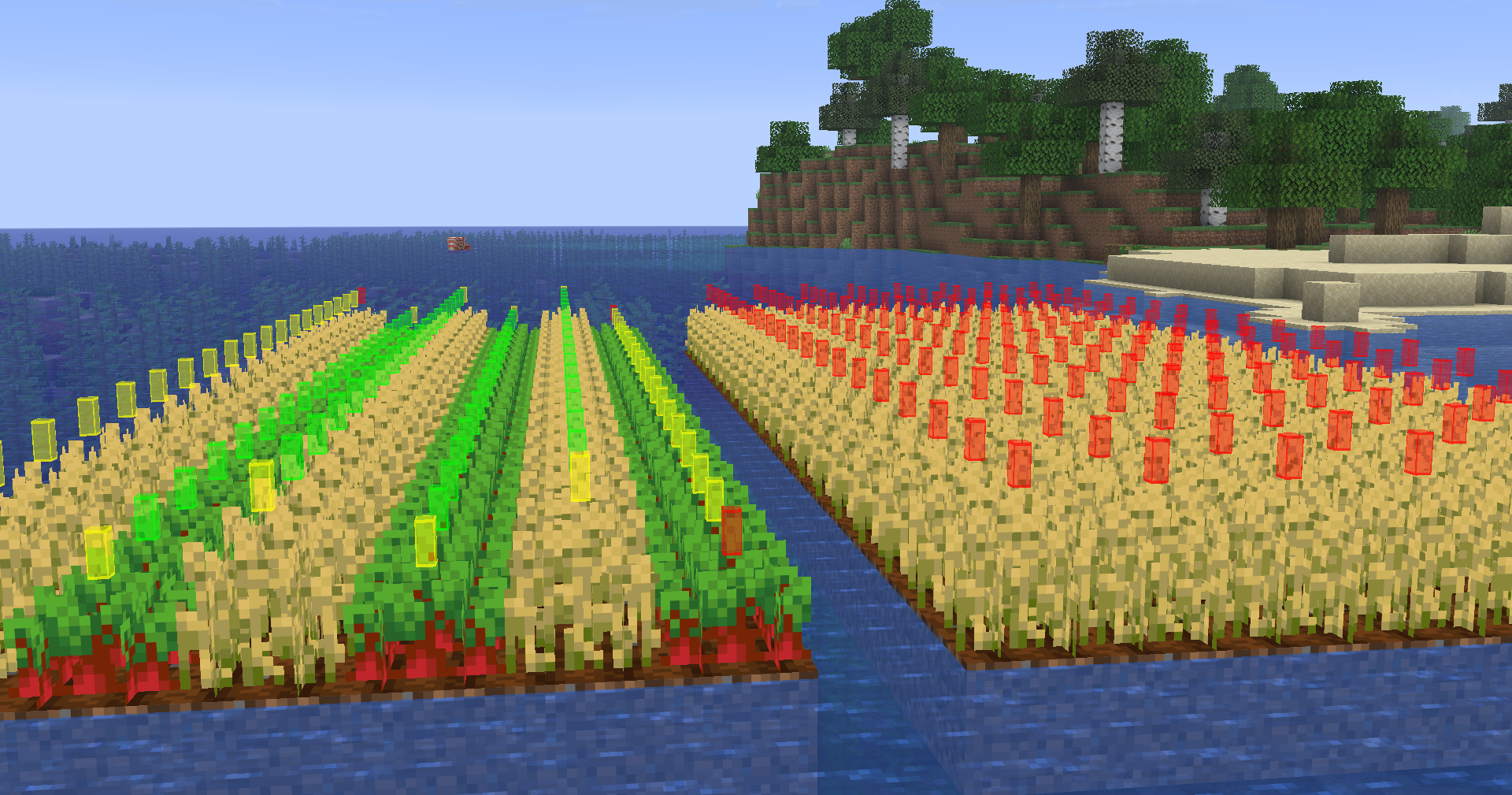
This mod adds a configurable, fully client-side Overlay to the game, showing you if your crop farm is optimal.
|Color|Meaning|
|—|—|
|🟢Green|Perfect conditions! Grows in ~30 minutes|
|🟡Yellow|Good conditions, but could do better. Grows in ~40 minutes|
|🔴Red|Bad conditions. Crops grow _very slowly_|
(All growing speeds still depend on randomness aswell)
How to optimize:
- Use alternating rows of crops. A crop surrounded by the same type grows very slowly!
- Hydrate your farmland
- Farmland on the edge grows slower, there’s nothing you can do about it except placing empty farmland next to it
Usage
Use the keybind (F8 by default) or /cropfarminghelper to toggle the Helper.
Configuration
Use Mod Menu or /cropfarminghelper config to enter the config.
Feature Requests & Bug Reports
Feature Requests / Bug Reports are always welcome!
To create one, you can simply open an issue.
常见问题
Crop Farming Helper 支持哪些 Minecraft 版本?
Crop Farming Helper 支持 Minecraft Java 版 26.2–26.3,共 2 个版本,可用的加载器:Fabric。下载时注意选择和你游戏版本一致的文件。
Crop Farming Helper 怎么安装?
先用 PCL2 或 HMCL 启动器安装对应版本的 Fabric,再把下载的 .jar 文件放进游戏目录的 mods 文件夹,重新启动游戏即可。开启了版本隔离的,mods 文件夹在 versions/版本名 下面。运行环境:仅客户端。

评论
登录后评论和评分