
截图

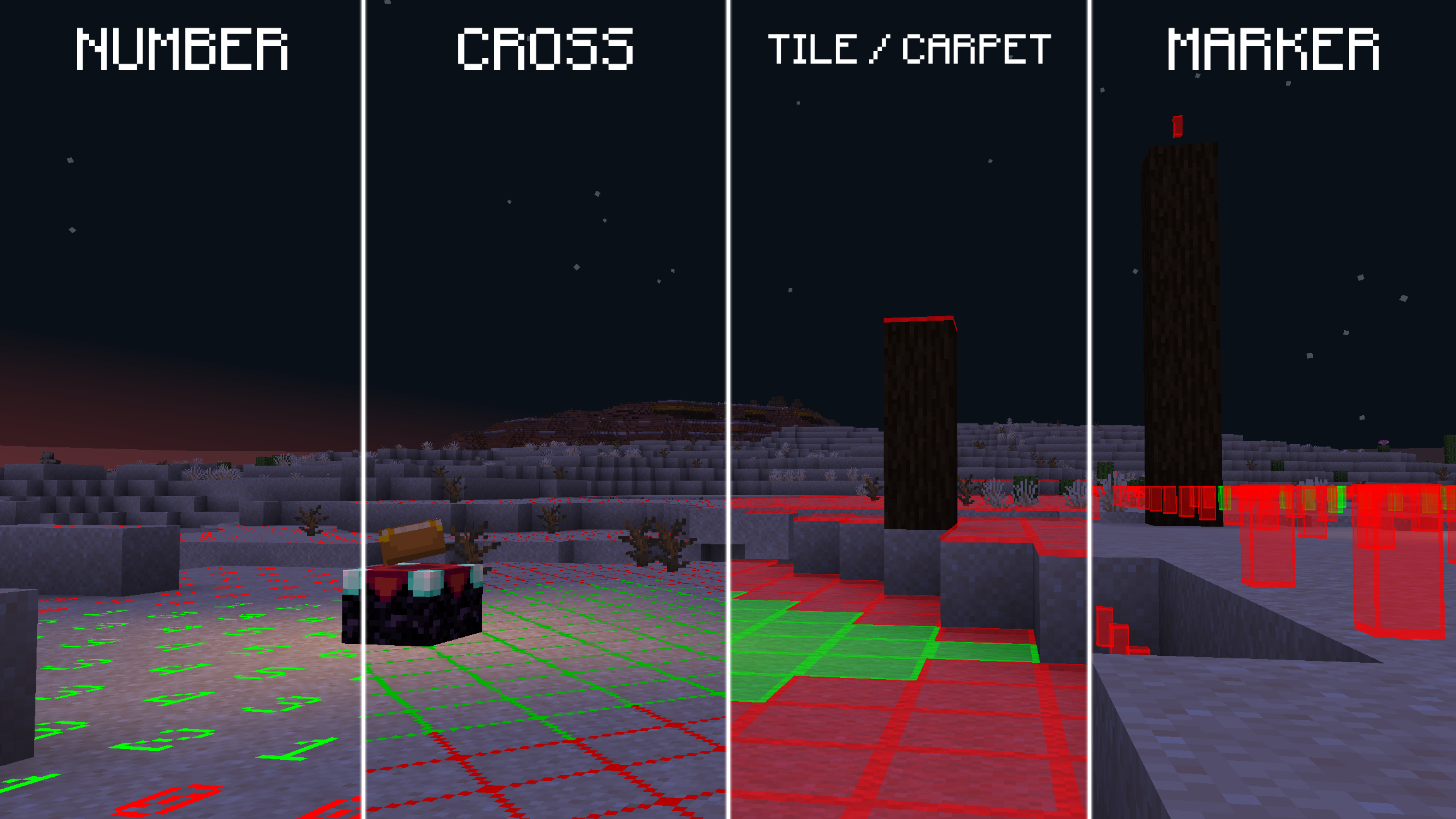


介绍
A Light Overlay Mod that’s efficient and powerful.


This mod adds a configurable, fully client-side Light Overlay to the game, showing you where mobs can spawn at night. Very useful for spawn-proofing.
Feature Requests & Bug Reports
Feature Requests / Bug Reports are always welcome and they typically get implemented in less than 2 days!
To create one, you can simply open an issue and I’ll look at it.
Translate Light Overlay to your language!
How to help: Guide
⚠️: Needs Update ✅: 100% translated
| Language | Translators ♥️ |
|———-|————–|
|✅ German|Kolpixx, Lugo_Sieben|
|⚠️ Chinese (Simplified)|edeipici, OoxO0OxoO|
|⚠️ Spanish|UnPanMuySaS|
|⚠️ Hungarian|BigM|
|⚠️ Japanese|sho-green|
|⚠️ French|florianorineveu|
|⚠️ Portuguese|renanclaudio0|
|✅ Italian|heytittino|
Configuration
Use Mod Menu or /lightoverlay config to enter the config.
Usage
Use the keybind (F9 by default) or /lightoverlay to toggle the Light Overlay.
常见问题
Light Overlay 支持哪些 Minecraft 版本?
Light Overlay 支持 Minecraft Java 版 1.21.6–26.3,共 11 个版本,可用的加载器:Fabric。下载时注意选择和你游戏版本一致的文件。
Light Overlay 怎么安装?
先用 PCL2 或 HMCL 启动器安装对应版本的 Fabric,再把下载的 .jar 文件放进游戏目录的 mods 文件夹,重新启动游戏即可。开启了版本隔离的,mods 文件夹在 versions/版本名 下面。运行环境:仅客户端。
lugosieben 的其他作品
查看全部 →
OverlayLib
Library for rendering live info-overlays

UTools
Client-side all in one - Fullbright, Zoom etc.
UTools
Client-side all in one - Fullbright, Zoom etc.

Anything in Sulfur Cubes
Make every block absorbable by the Sulfur Cube with its own properties!
评论
登录后评论和评分