
截图
介绍
Model Tools
A tool to preview and apply custom models from resource packs.
Usage
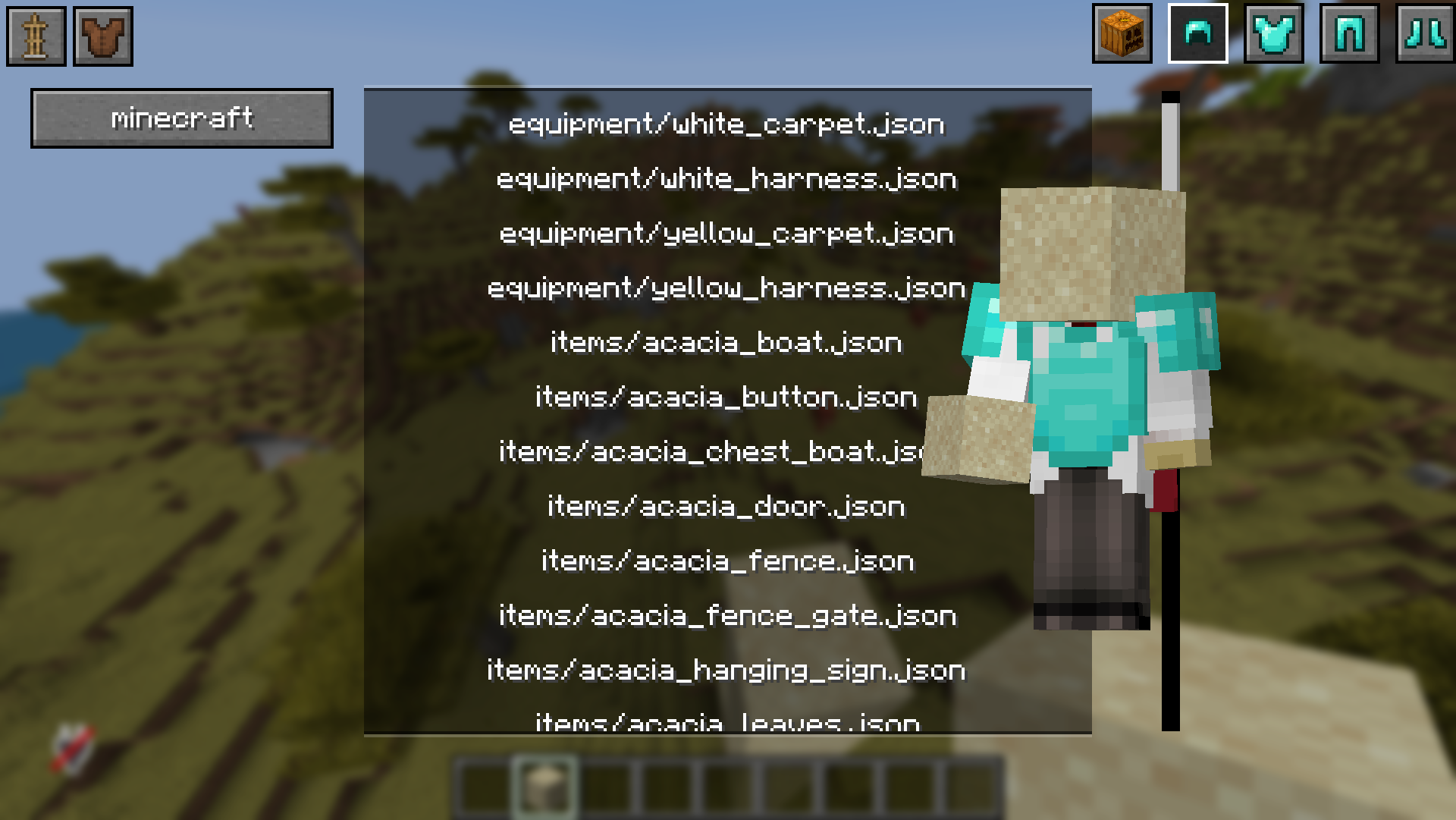
- Hold an item in hand, and press open viewer keybind (J by default).
- Select the namespace of the resource pack you want to view
- Select a model from the list:
- Ones beginning with equipment are for armor and similar models
- Ones beginning with item are for item models
- Choose your display type in the top right (Item, Helmet, Etc)
Setup information
When installed on just the client side, you can preview all models currently enabled by active resource packs
When installed on both Server and Client sides, you can then modify your held item by applying the model to the held item either as a texture model, or an equipment asset.
常见问题
Model Tools 支持哪些 Minecraft 版本?
Model Tools 支持 Minecraft Java 版 1.21.10–1.21.11,共 2 个版本,可用的加载器:Fabric。下载时注意选择和你游戏版本一致的文件。
Model Tools 怎么安装?
先用 PCL2 或 HMCL 启动器安装对应版本的 Fabric,再把下载的 .jar 文件放进游戏目录的 mods 文件夹,重新启动游戏即可。开启了版本隔离的,mods 文件夹在 versions/版本名 下面。运行环境:客户端 / 服务端。
robotmonkey1000 的其他作品
查看全部 →
Runtime Hash Updater
Update your resource pack hash for server resource packs while the server is running.

ArchCreatia
A magic based industry mod.

Predicate Custom Models
Allows resource packs to change how models look in the world based on conditions.

Predicate Custom Models Example
An example resource pack for use with the Predicate custom models mod that has the option for Mjolnir, and a no-face mask.
评论
登录后评论和评分