
PolyHitbox (Custom Hitboxes)
Improves performance of hitbox rendering and adds per-hover and per-damaged (i-frame) colors. By Polyfrost, best with OneClient.
截图


介绍
PolyHitbox


PolyHitbox replaces Minecraft’s hitboxes with ones you can style, down to which entities get one.
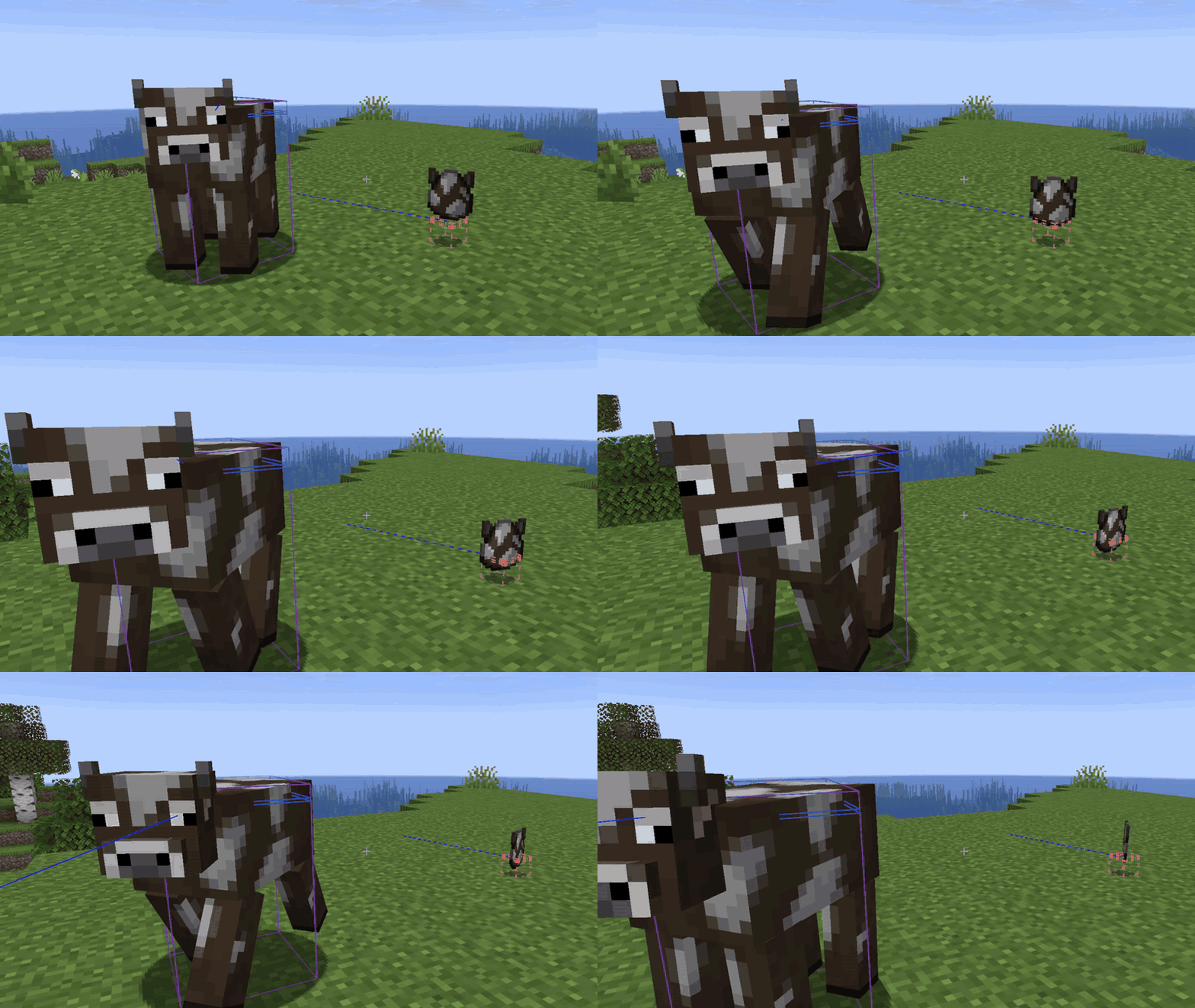
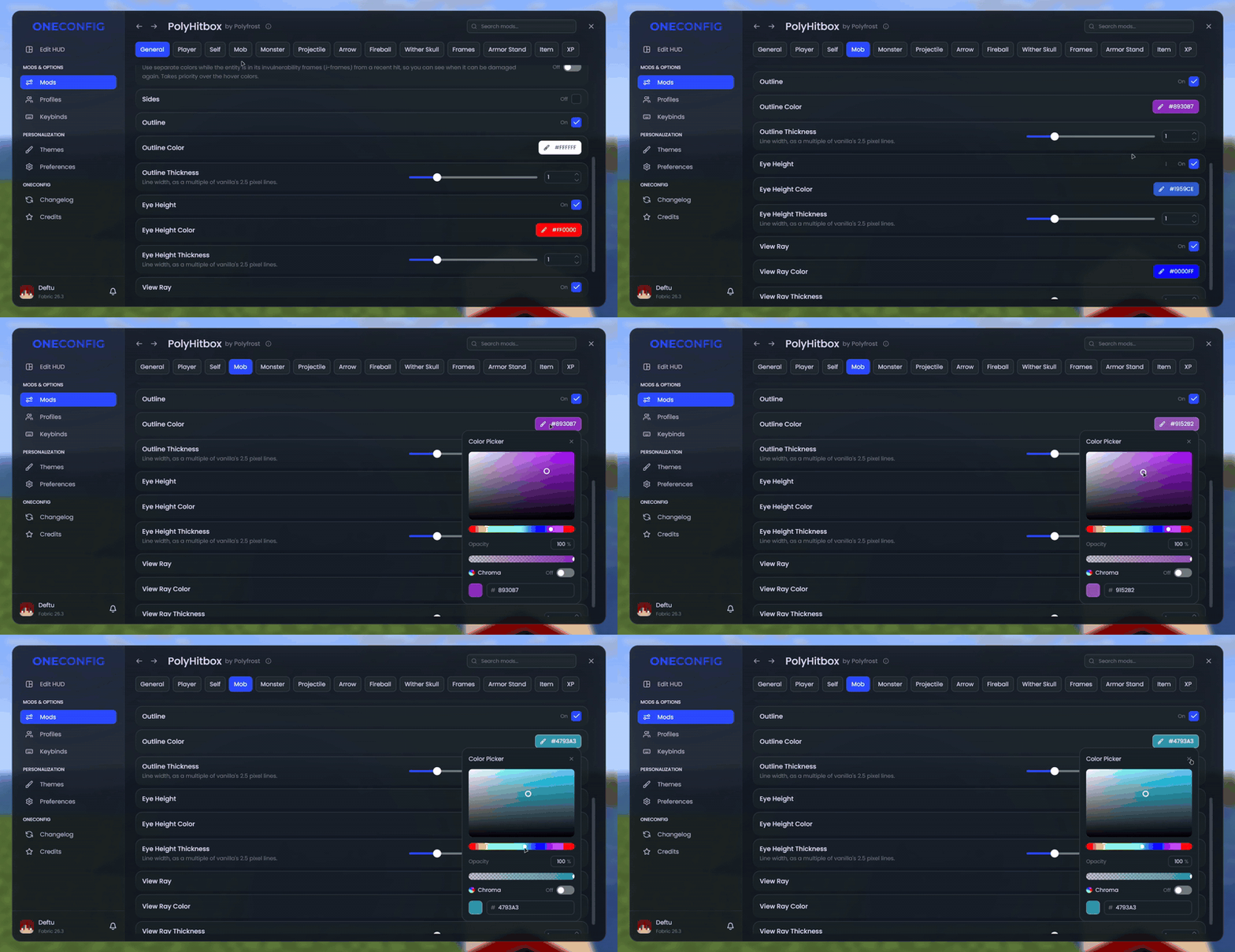
What you can change
- Toggle the outline, filled sides, eye height ring and view ray separately
- Custom color and line thickness for each of them
- Solid or dashed lines
- A different color for the entity you are looking at
- A different color while an entity is in i-frames, so you can see when it can be hit again
- Draw hitboxes on top of their entity
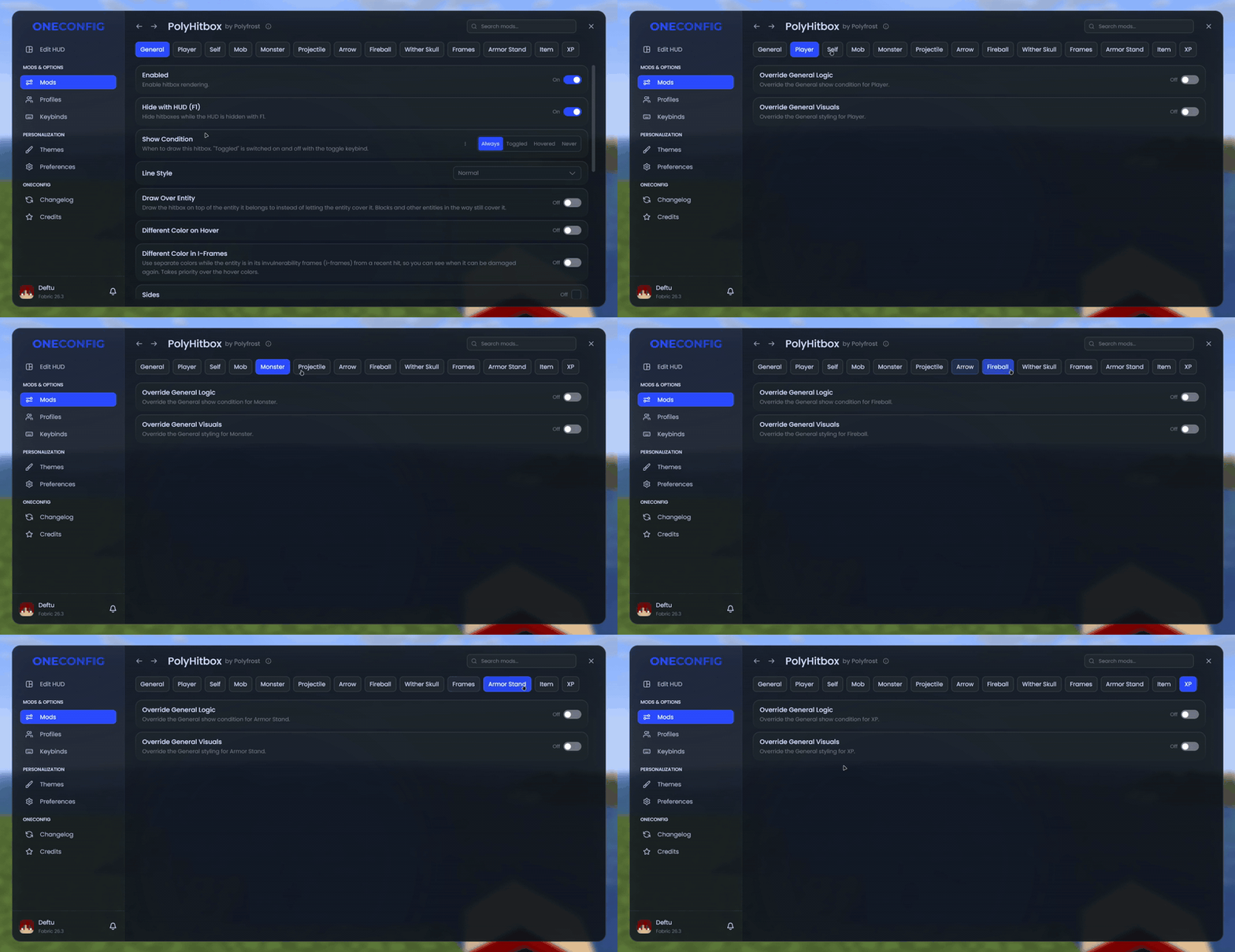
When they show
- Always, only for the entity under your crosshair, or toggled with a keybind
- Hidden together with the HUD when you press F1
- Hide the hitboxes of arrows stuck in blocks
Per entity type
All of the above can be set differently for players, yourself, mobs, monsters, projectiles, arrows, fireballs, wither skulls, item frames, armor stands, items and XP orbs.
On 1.8.9, “Accurate Hitboxes” draws each hitbox at the size attacks register against.
Compatibility
PolyHitbox doesn’t work together with Combat Hitboxes.
Supported versions
- Minecraft 1.8.9 on Ornithe.
- Minecraft 1.21.1-26.3 on Fabric.
PolyHitbox needs OneConfig and Fabric Language Kotlin.
Support
- Report bugs and ask questions on the Polyfrost Discord.
- Check Polyfrost Status if a Polyfrost service is down.
常见问题
PolyHitbox (Custom Hitboxes) 支持哪些 Minecraft 版本?
PolyHitbox (Custom Hitboxes) 支持 Minecraft Java 版 1.8.9–26.3,共 12 个版本,可用的加载器:Fabric / Forge。下载时注意选择和你游戏版本一致的文件。
PolyHitbox (Custom Hitboxes) 怎么安装?
先用 PCL2 或 HMCL 启动器安装对应版本的 Fabric / Forge,再把下载的 .jar 文件放进游戏目录的 mods 文件夹,重新启动游戏即可。开启了版本隔离的,mods 文件夹在 versions/版本名 下面。运行环境:仅客户端。
Polyfrost 的其他作品
查看全部 →
Chatting (Chat Animations + More)
Chatting 是一款聊天模组,提供高度可自定义的聊天标签页、聊天快捷键、聊天截图和消息复制等实用功能。作者:Polyfrost,搭配 OneClient 使用效果更佳。

VanillaHUD (Scoreboard / Hotbar / More)
一个修改多种原版 HUD 元素的模组,例如 Boss 血条、动作栏、侧边栏/计分板、快捷栏、标题/副标题等。作者 Polyfrost,搭配 OneClient 使用效果最佳。

PolySprint (Toggle Sprint / Sneak)
冲刺与潜行切换模组。作者:Polyfrost,搭配 OneClient 使用效果最佳。

Hytils Reborn
专注于 Hypixel 的便捷性模组。
评论
登录后评论和评分