
Cobblemon: Pokopia Habitats!
Pokemon Pokopia-style habitat spawn mechanics for Cobblemon!
截图
介绍

Cobblemon Pokopia Habitats
Pokemon Pokopia-style habitat spawn mechanics for Cobblemon.
(This is mostly an experiment, hope you find use in it!)
Build a Habitat Scanner and search for habitats for pokemon to live in! Each habitat has its required blocks present to form!
You can craft a Habitat Scanner by using a Sapling, a Pokedex and a Wide Lens
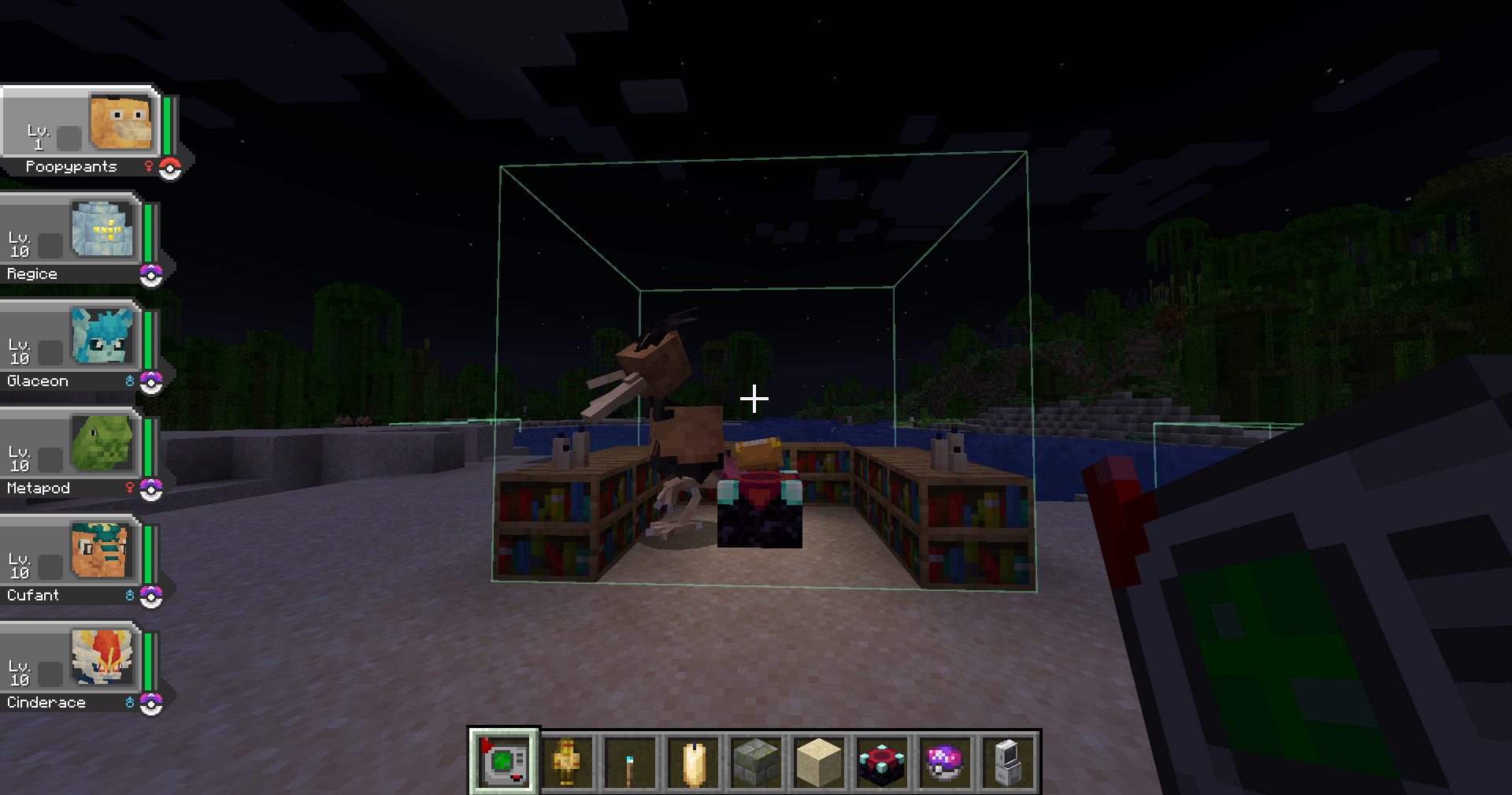
- Up to 3 pokemon can spawn in a detected habitat.
- Habitat boundaries can be seen by holding the Habitat Scanner.
- Habitats can be destroyed by hitting a solid block in the habitat with the scanner.
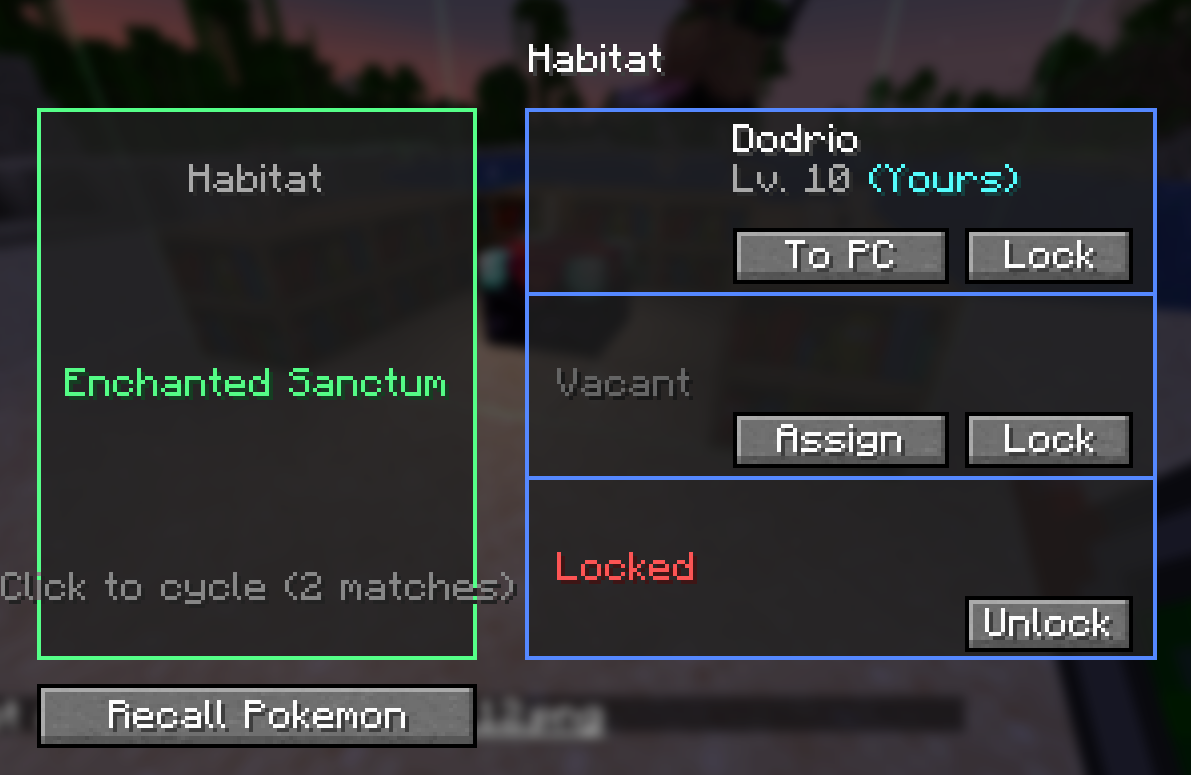
- Right click a solid block in the habitat with the Habitat Scanner to open the habitat menu.
- You can lock habitat pokemon slots to limit the spawns.
- You can assign your own pokemon to the habitats.
- If multiple habitats meet the requirements, you may cycle through them by clicking the habitat button.
In the config, original cobblemon spawn mechanics can be disabled, and automatic scanning of habitats can be enabled (each as a separate config) but i wouldnt recommend it as this mod only has a handfull of habitats and do not cover every existing pokemon.
If you want to add more habitats, fork and send a pull request!
Ill eventually add compatibility with handcrafted to have more furniture/themed habitats.
Additional habitats can be added via datapack and jar files, so any pokemon expansion mod may add their own habitat compatibility.
Not only that, but current habitats can be edited without overriding them to add more pokemon or required items to them. Referr to the json guide in the github.
If anyone comes up with a better scanner sprite let me know lol.
Multiplayer or Servers not tested yet.
常见问题
Cobblemon: Pokopia Habitats! 支持哪些 Minecraft 版本?
Cobblemon: Pokopia Habitats! 支持 Minecraft Java 版 1.21.1,可用的加载器:Fabric / NeoForge。下载时注意选择和你游戏版本一致的文件。
Cobblemon: Pokopia Habitats! 怎么安装?
先用 PCL2 或 HMCL 启动器安装对应版本的 Fabric / NeoForge,再把下载的 .jar 文件放进游戏目录的 mods 文件夹,重新启动游戏即可。开启了版本隔离的,mods 文件夹在 versions/版本名 下面。运行环境:客户端和服务端都要装。
KharrlozGM 的其他作品
查看全部 →
Cobblemon: Mediamon Addon
一款宝可梦同人模组,为你带来以热门作品为灵感设计的宝可梦!

Cobblemon: Missingno!
一种只会出现在不该出现之处的虚构宝可梦,还能通过 TM/HM 学会任意招式!

Antique Atlas: Create Train Networks
为你的地图册添加地铁图风格的图标,连接你所有的站点。还包括列车追踪!

Better Forever
一系列为 Minecraft 体验增添新鲜感的模组。探索地牢、结构和太空,同时遭遇大量怪物和惊喜!
评论
登录后评论和评分