
Hurt Tint
Customizable colored vignette on damage with adjustable color, thickness, and opacity.
截图
介绍
Hurt Tint – Custom Damage Vignette
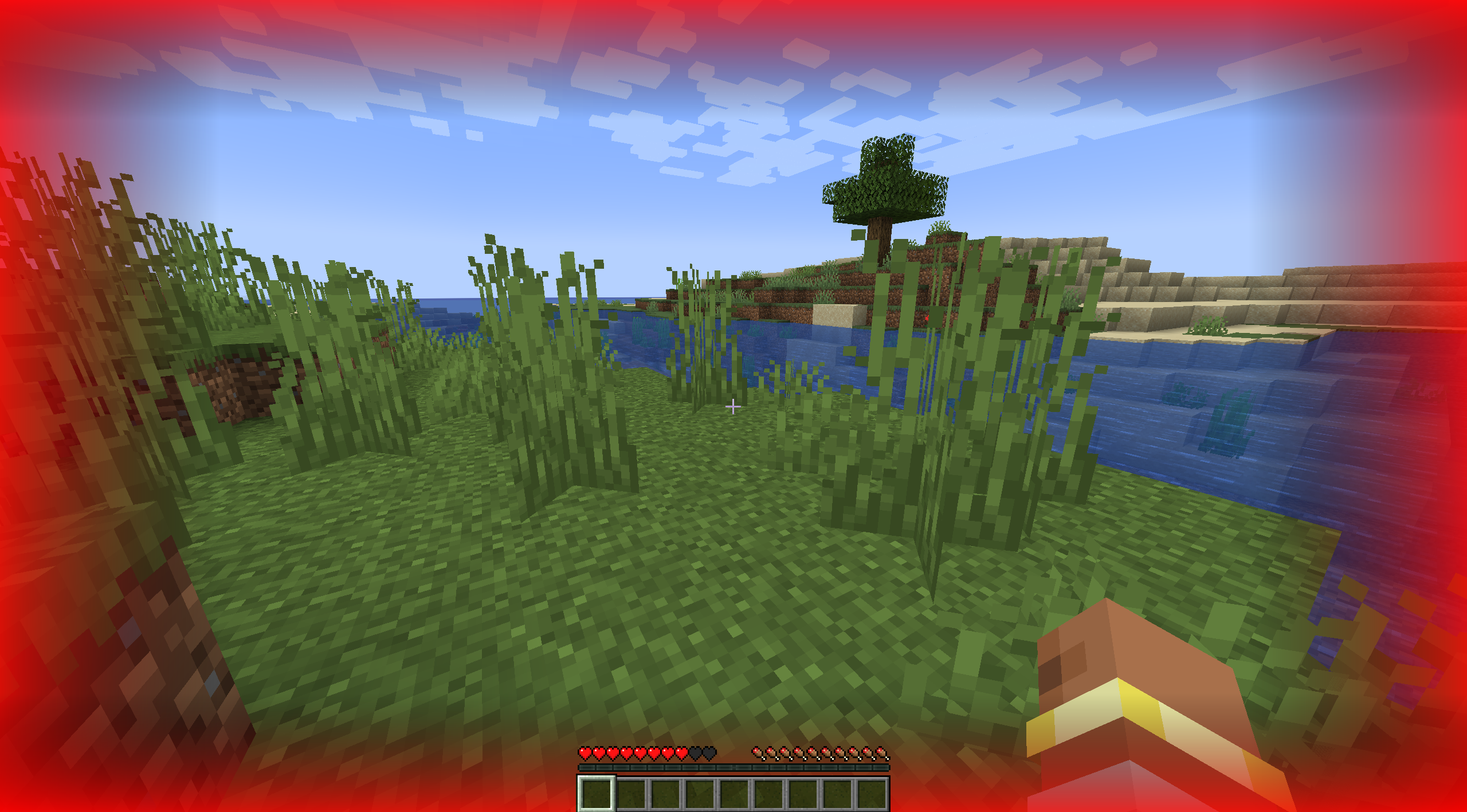
Hurt Tint adds a colored vignette at the edges of the screen whenever your player takes damage. The vignette appears on top of Minecraft’s default hurt effect, giving you a clear and customizable visual cue that fits your personal style.
✨ Features
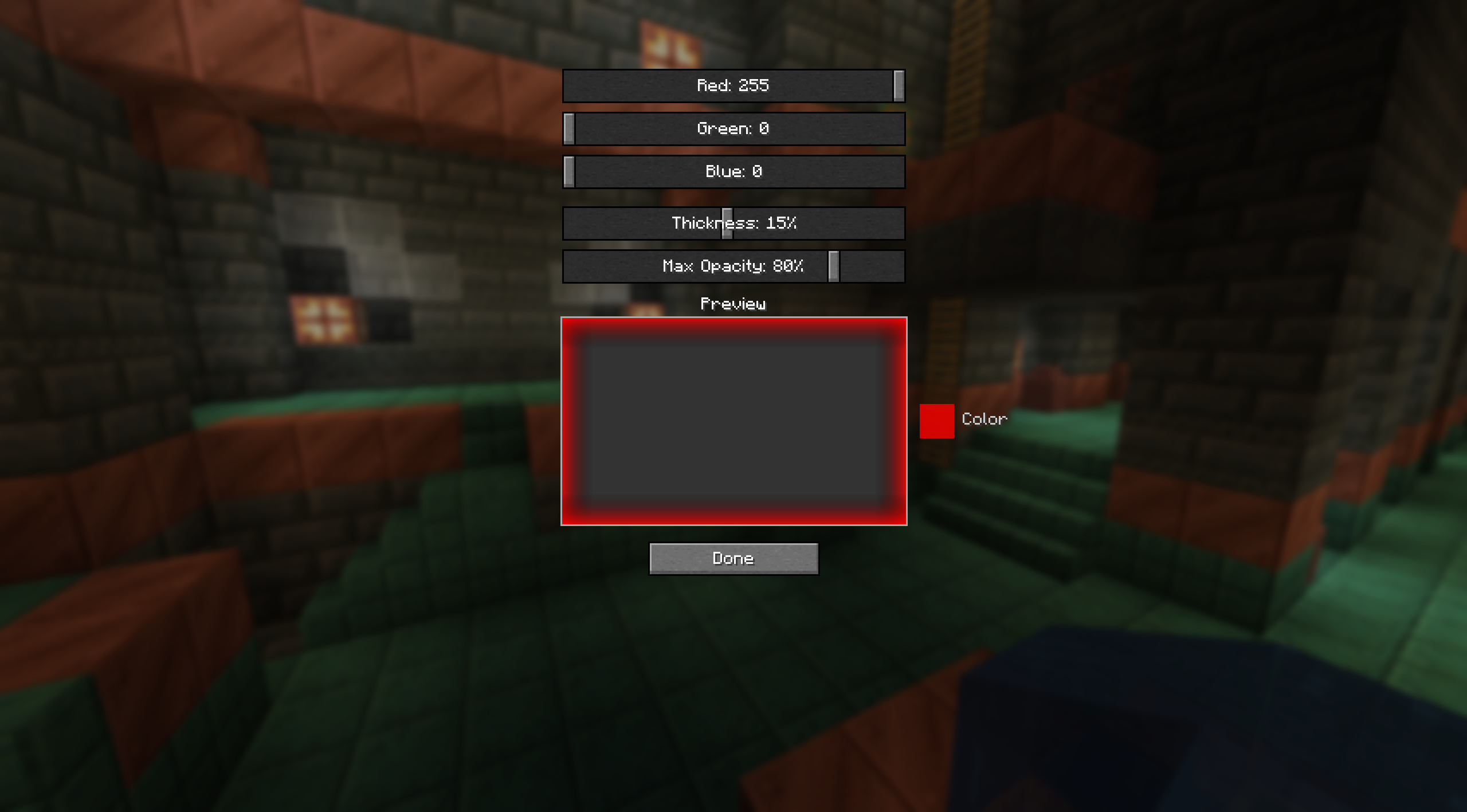
Adjustable color – RGB sliders for any vignette tint (red, blue, green, etc.).
Thickness control – from barely visible to a wide border.
Brightness control – set the vignette’s starting opacity from subtle to intense.
Smooth fade – appears instantly on damage and fades out over 2 seconds.
🎮 How to configure
Open the Mods menu → select Hurt Tint.
Click the Config button.
Adjust the Red, Green, Blue, Thickness, and Max Opacity sliders — changes take effect immediately.
Press «Done» — your settings are saved for the next session.
You can also edit config/hurt_tint-client.toml manually.
常见问题
Hurt Tint 支持哪些 Minecraft 版本?
Hurt Tint 支持 Minecraft Java 版 1.21.1,可用的加载器:NeoForge。下载时注意选择和你游戏版本一致的文件。
Hurt Tint 怎么安装?
先用 PCL2 或 HMCL 启动器安装对应版本的 NeoForge,再把下载的 .jar 文件放进游戏目录的 mods 文件夹,重新启动游戏即可。开启了版本隔离的,mods 文件夹在 versions/版本名 下面。运行环境:仅客户端。
okuyama 的其他作品
查看全部 →
Party System
A lightweight NeoForge mod that adds a fully-featured party system with a customizable HUD, group chat, and friendly-fire protection. Keep track of your teammates' health and active effects!
Party System
A lightweight NeoForge mod that adds a fully-featured party system with a customizable HUD, group chat, and friendly-fire protection. Keep track of your teammates' health and active effects!
评论
登录后评论和评分