
LiteVision
Instant, flicker-free night vision for Paper and Fabric — lightweight, configurable, and built for modern servers and clients.
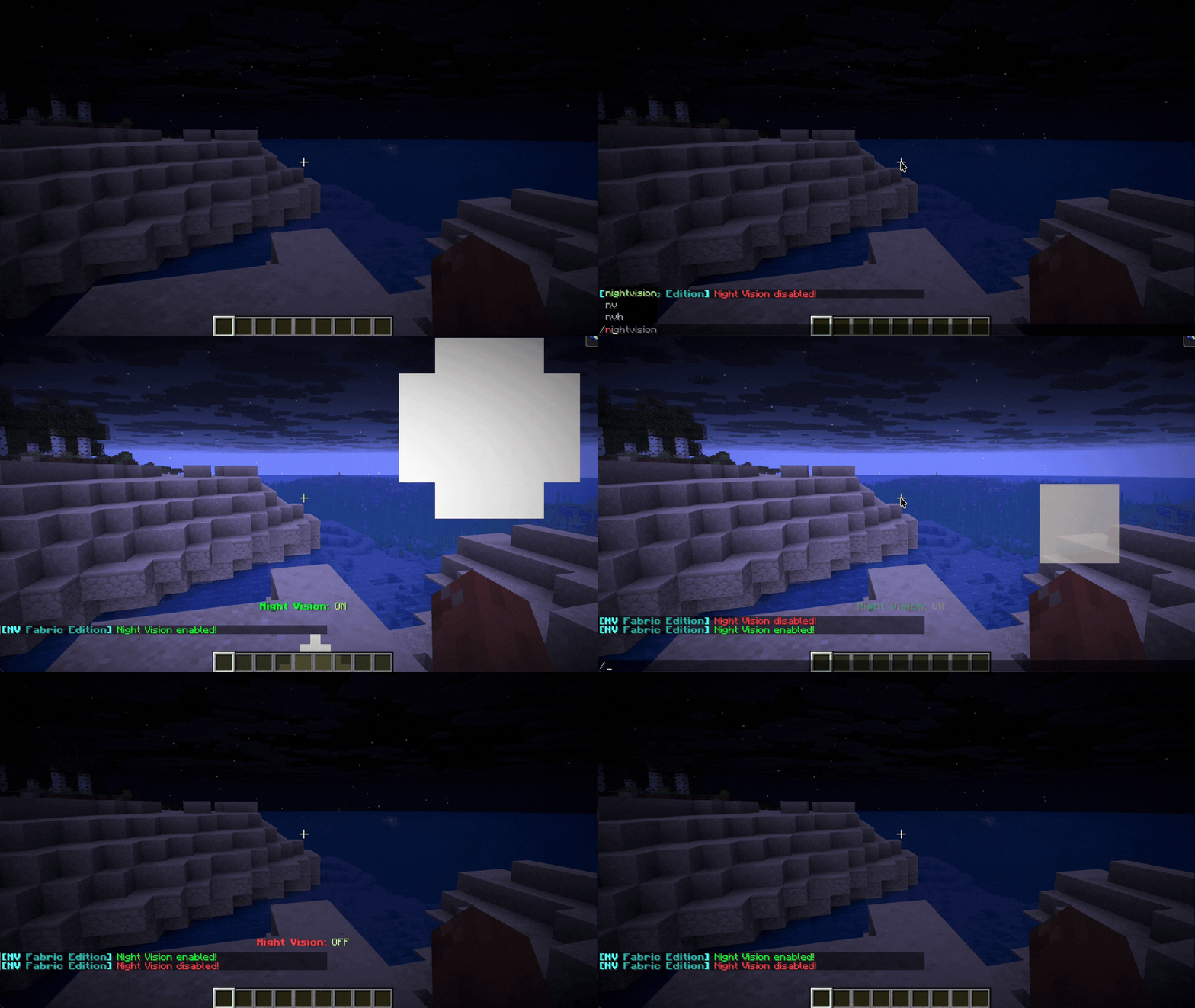
截图


介绍
🌙 LiteVision – Instant, Flicker-Free Night Vision(NEW)
A lightweight night vision solution for Paper (and forks) and Fabric.
Potion spam. Command abuse. Unnecessary overhead.
Just clean, reliable night vision with full control for servers and players.
🎯 Why LiteVision?
- Instant toggle – No delay or flicker
- Clean visuals – No clunky potion reapplication
- Persistent state – Remembers your setting after relog/restart
- Per-world control – Enable or restrict by dimension
- Works client-side or server-side
Designed to be simple, stable, and efficient.

✨ Features
🔥 Smart Hotkey (Paper Exclusive)
Hold a torch in either hand and press F to toggle night vision instantly.
💡 Native Implementation
Uses Minecraft’s built-in systems for stable and glitch-free rendering.
🌫 Optional Transitions
Configurable fade-in / fade-out effects for smoother visual switching.
🎨 Optional Visual & Audio Feedback
- Action bar notifications
- Optional particles (Glow / Smoke)
- Custom toggle sounds
All effects are fully configurable or can be disabled.
.gif)
⚙️ Server Controls
- 🌍 World / Dimension whitelist & blacklist
- ☀️ Auto-disable in bright areas
- 🛡 Anti-spam cooldown protection
- 🛠 Fully configurable behavior via config file
Built to avoid unnecessary load and keep TPS stable.
📋 Commands & Permissions
| Command | Description | Permission |
|———-|————|————|
| /nv | Toggle night vision | nightvision.use |
| /nv reload | Reload configuration | nightvision.reload |
| /nv help | Show help menu | nightvision.use |
🧠 Technical Notes
- Modular manager system (Config, NightVision, PlayerData)
- Event-driven design
- Lightweight footprint
- Designed for long-term stability on modern Paper & Fabric versions
🚀 Installation
- Download the correct version for your platform (Fabric or Paper) and Minecraft version. Use fabric loader
0.18.4only if using fabric. - Place the file in your
mods(Fabric) orplugins(Paper) folder. - Restart your server or game.
- Edit the generated config file if customization is needed (server-side).
常见问题
LiteVision 支持哪些 Minecraft 版本?
LiteVision 支持 Minecraft Java 版 1.16–1.21.11,共 35 个版本,可用的加载器:Fabric / Folia / Paper / Purpur。下载时注意选择和你游戏版本一致的文件。
LiteVision 怎么安装?
先用 PCL2 或 HMCL 启动器安装对应版本的 Fabric / Folia / Paper / Purpur,再把下载的 .jar 文件放进游戏目录的 mods 文件夹,重新启动游戏即可。开启了版本隔离的,mods 文件夹在 versions/版本名 下面。运行环境:客户端 / 服务端。
Ghost 的其他作品
查看全部 →
Samurai Dynasty
这个模组灵感来源于日本民间传说和武士,将为游戏添加新的3D盔甲和武器。

Harvestable Flowers
可采集花朵让你能通过对花朵使用骨粉来获取花朵。

Epic Knights’n’Mages – Forge
This is an Ars Nouveau addon, focused on adding new armors and Source Gem's to the game.

Regions Unexplored: Expansion
Remodels vanilla biomes to match the look of Regions Unexplored biomes
评论
登录后评论和评分