
Twitch Chat Control
Twitch Chat Control allows your Twitch audience to interact with your Minecraft game by voting on various events, from helpful items to chaotic disasters. Engage your viewers with real-time polls that directly influence your gameplay! 🔥
截图
介绍
Twitch Chat Control
Twitch Chat Control is an interactive Minecraft mod that empowers your Twitch viewers to directly influence your gameplay in real-time! Turn your stream into a collaborative (or chaotic) experience where chat decides your fate.

📚 Documentation & Wiki
Detailed guides, commands, and event lists are available on our official Wiki:
View the Wiki
🎮 How It Works
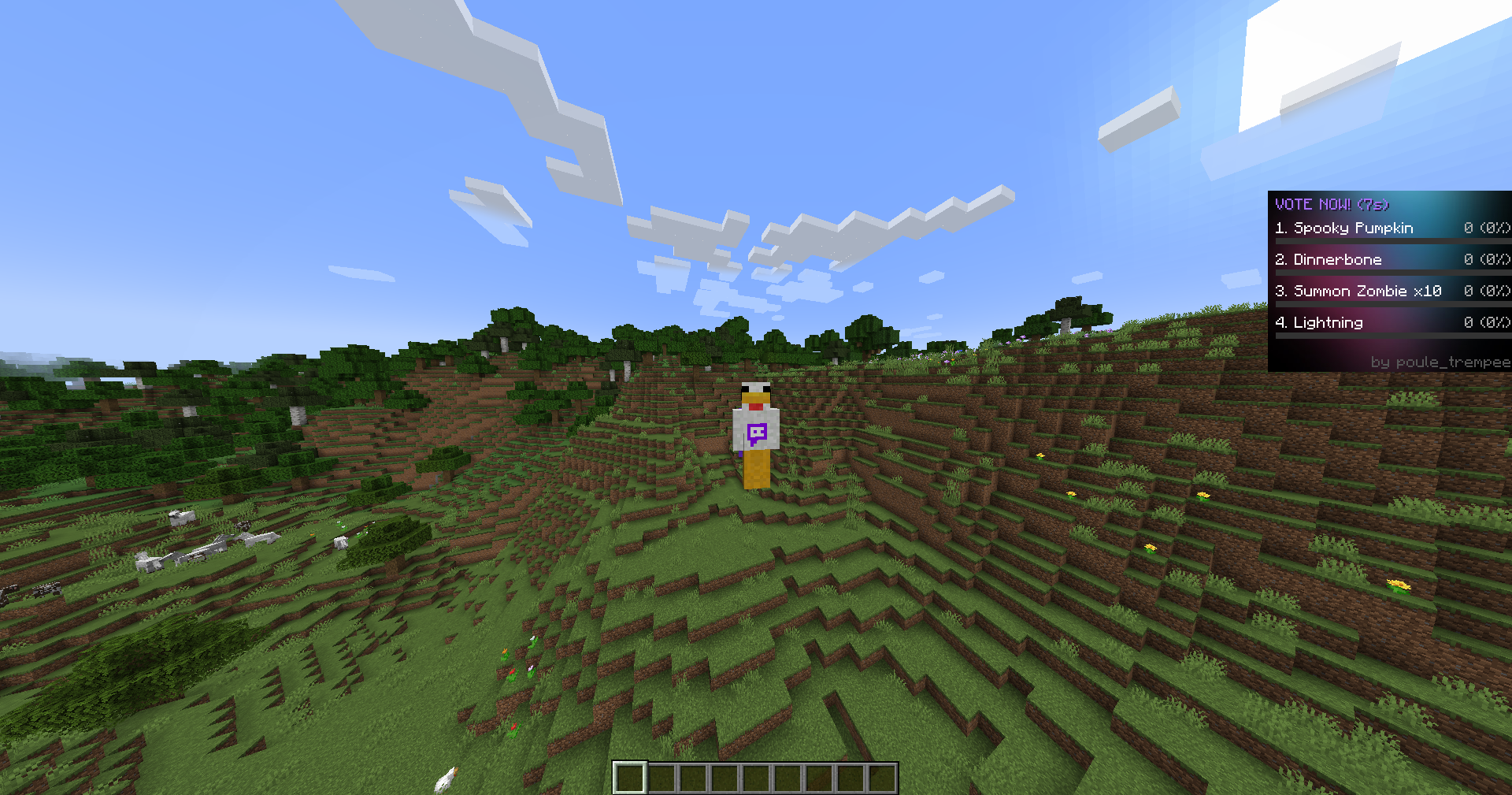
Once connected to your Twitch channel, a voting overlay appears on your screen. Viewers can type 1, 2, 3, or 4 in the chat to vote for the next event. When the timer runs out, the event with the most votes is executed instantly!
✨ Key Features
- Real-Time Voting: seamless integration with Twitch chat.
- A Lot Of Unique Events: A balanced mix of helpful, harmful, and hilarious effects.
- Helpful: Heal, Feed, Give Items, Fly, Midas Touch.
- Harmful: Summon Zombies, Lightning Strike, Drop Inventory, Lava Floor.
- Fun/Chaos: Shuffle Inventory, Rename Items to Viewer Names, Random Enchants.
- Interactive Overlay: Clean, unobtrusive UI showing active votes and timer.
- Configurable: Adjust timers and settings to fit your stream pace.
🚀 Getting Started
- Install the mod (Requires Minecraft Forge 1.20.1).
- Connect in-game:
/chatcontrol twitch connect <your_channel_name> - Start the fun:
/chatcontrol start
🔗 Commands
/chatcontrol start– Begins the voting cycle./chatcontrol stop– Pauses the voting./chatcontrol twitch connect <channel>– Links to your chat.
Engage your community like never before with Twitch Chat Control!
常见问题
Twitch Chat Control 支持哪些 Minecraft 版本?
Twitch Chat Control 支持 Minecraft Java 版 1.20.1–1.20.6,共 6 个版本,可用的加载器:Forge。下载时注意选择和你游戏版本一致的文件。
Twitch Chat Control 怎么安装?
先用 PCL2 或 HMCL 启动器安装对应版本的 Forge,再把下载的 .jar 文件放进游戏目录的 mods 文件夹,重新启动游戏即可。开启了版本隔离的,mods 文件夹在 versions/版本名 下面。运行环境:客户端和服务端都要装。
LenyOS 的其他作品
查看全部 →
Twitch Chat In Game
A client-side mod that integrates Twitch chat directly into Minecraft. Messages merge seamlessly with the native game chat while preserving original Twitch username colors.

ChunkCore
You spawn trapped in a single chunk. Survive the night, earn a Heart of the Chunk every morning, and slowly expand your world one chunk at a time!

Possessor
To slip into a player's skin—not merely to take control, but to absorb their very essence and let yourself be consumed by their personality.
评论
登录后评论和评分