
NSEW Compass HUD
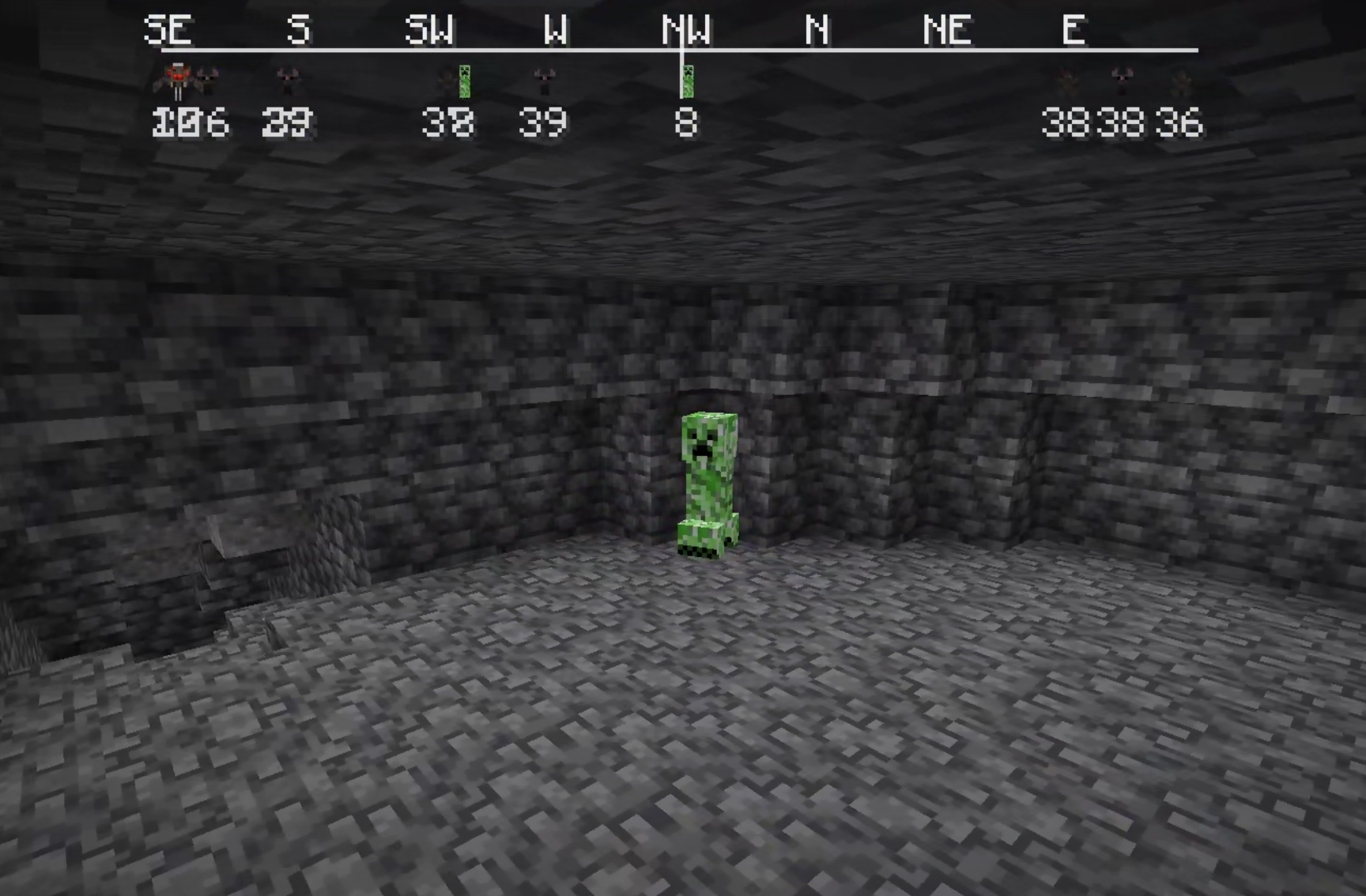
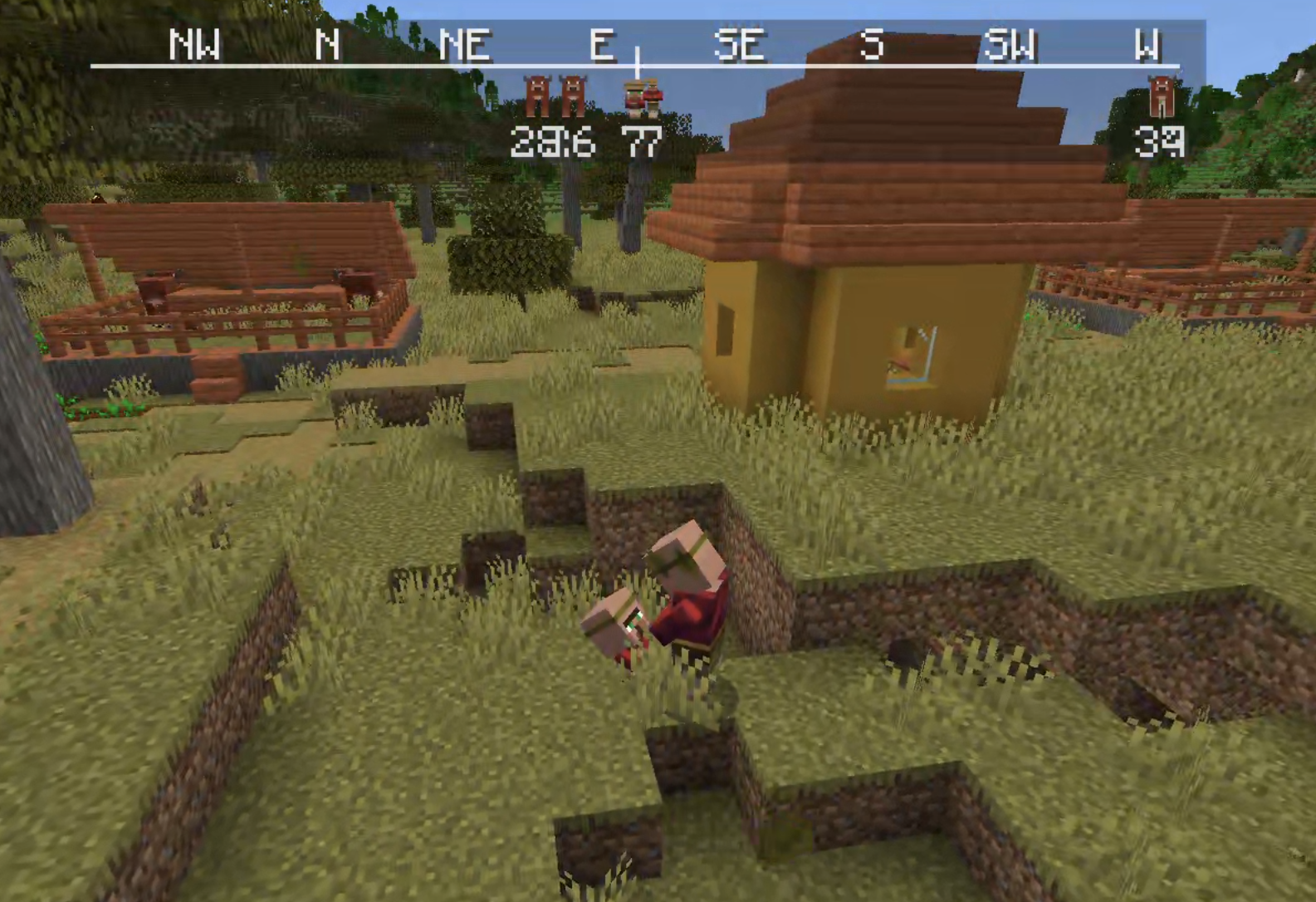
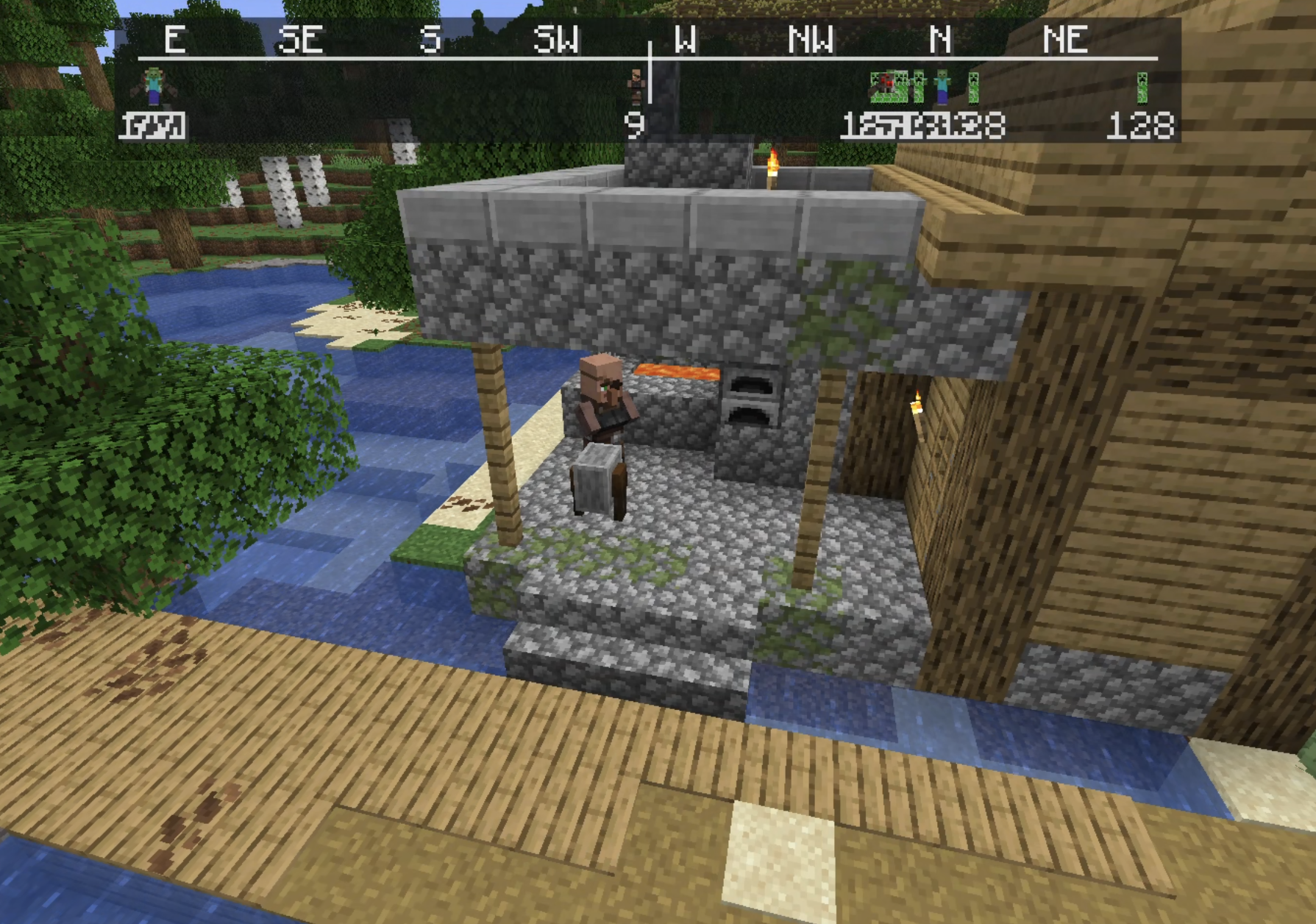
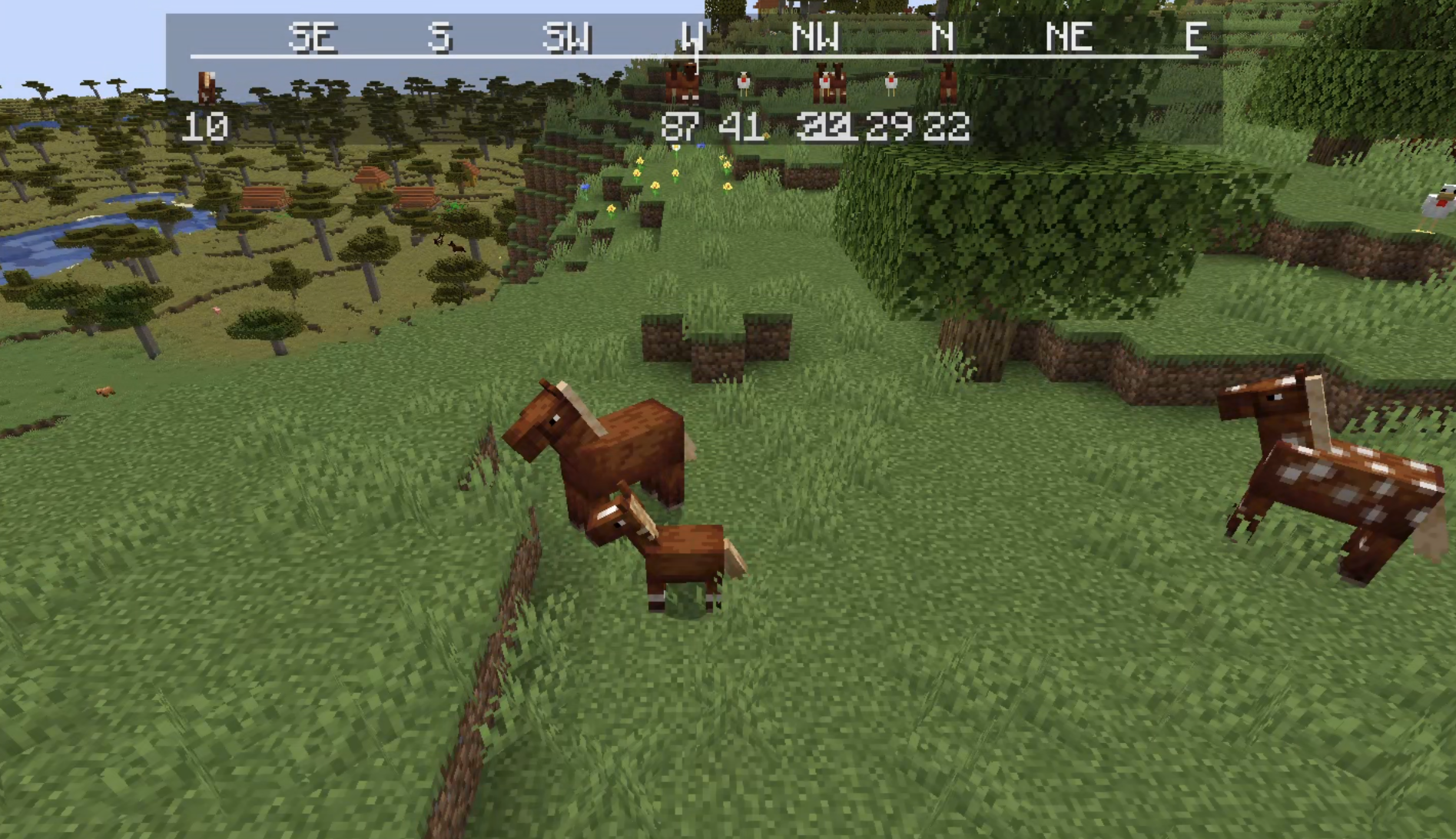
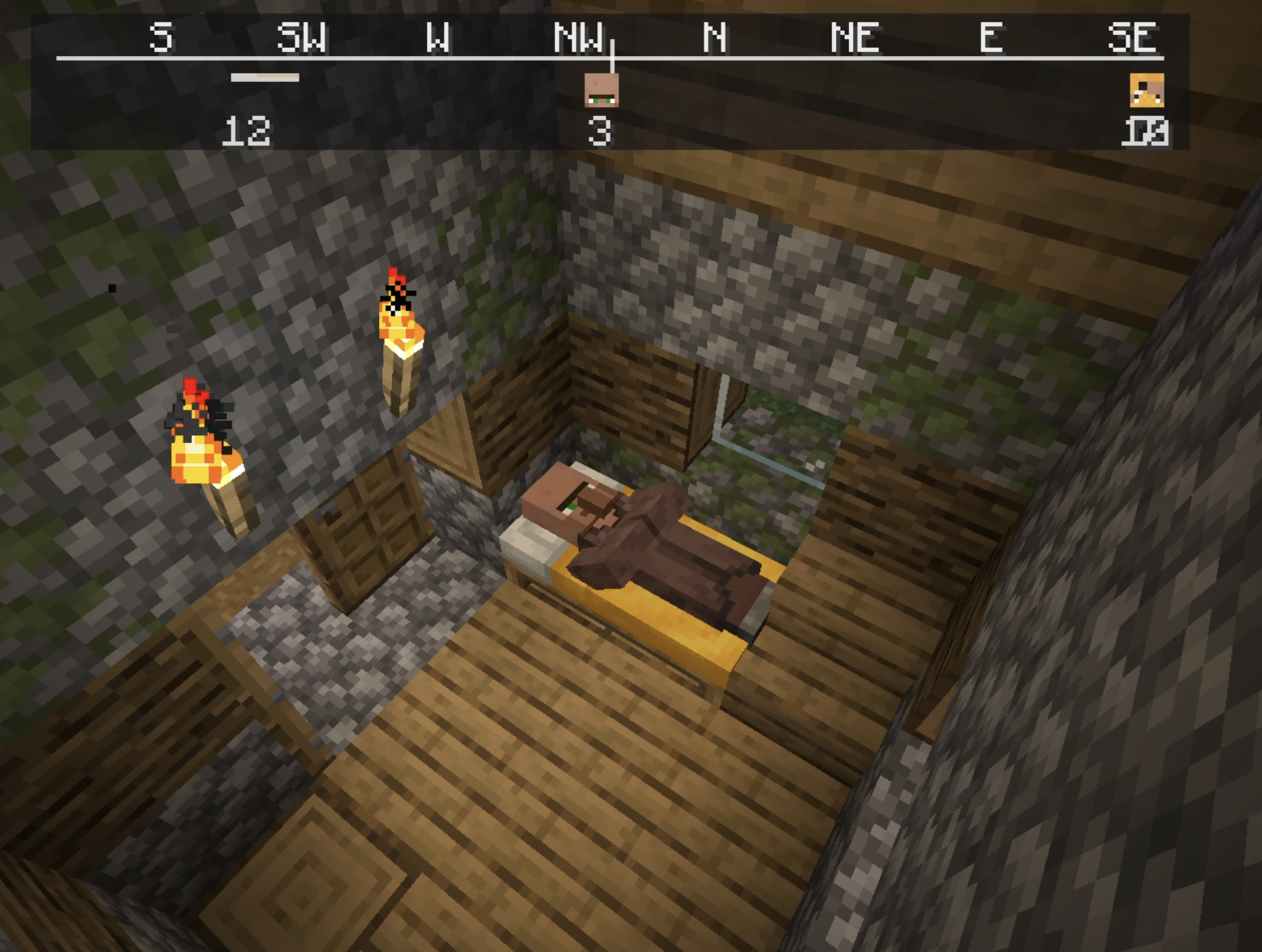
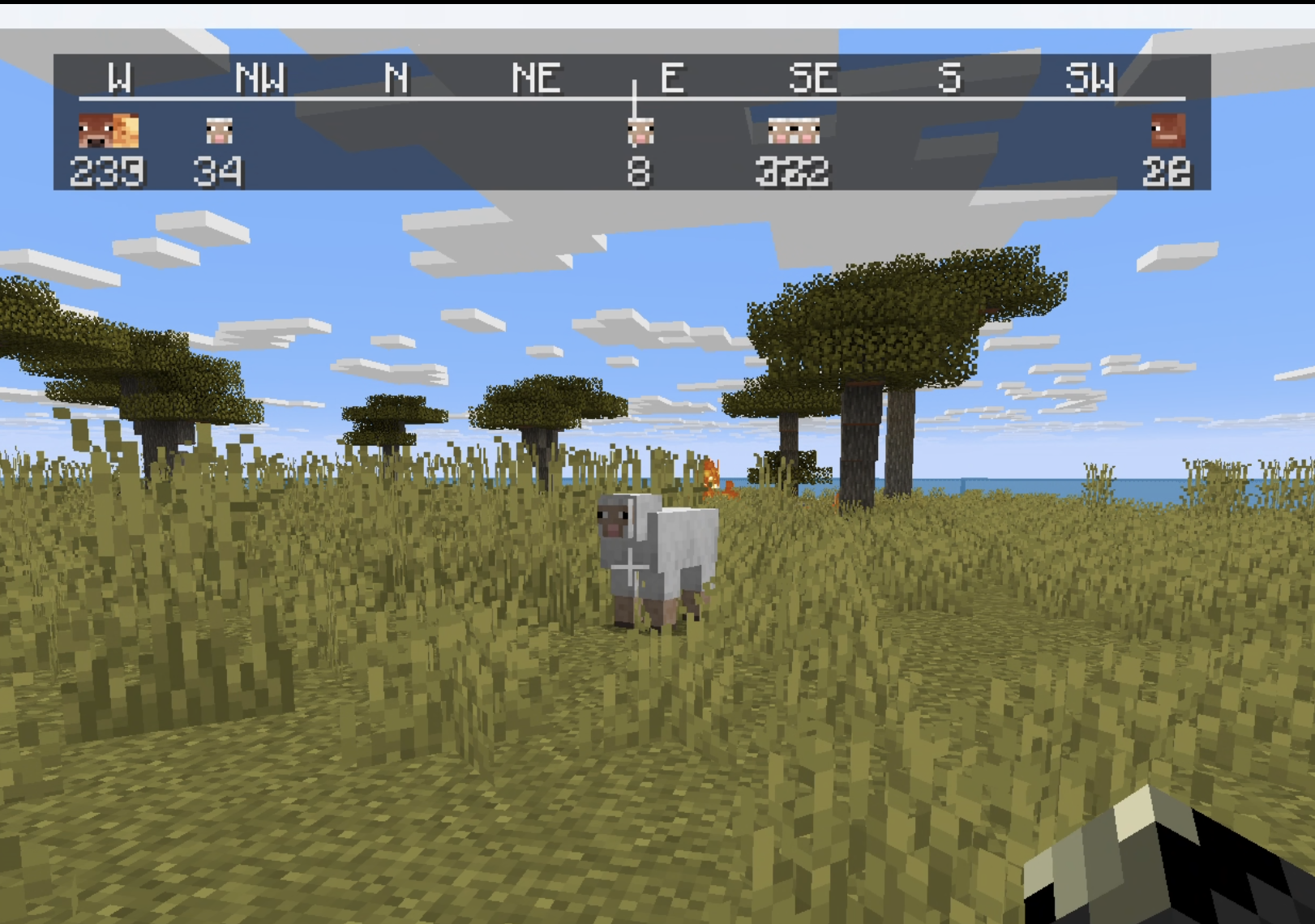
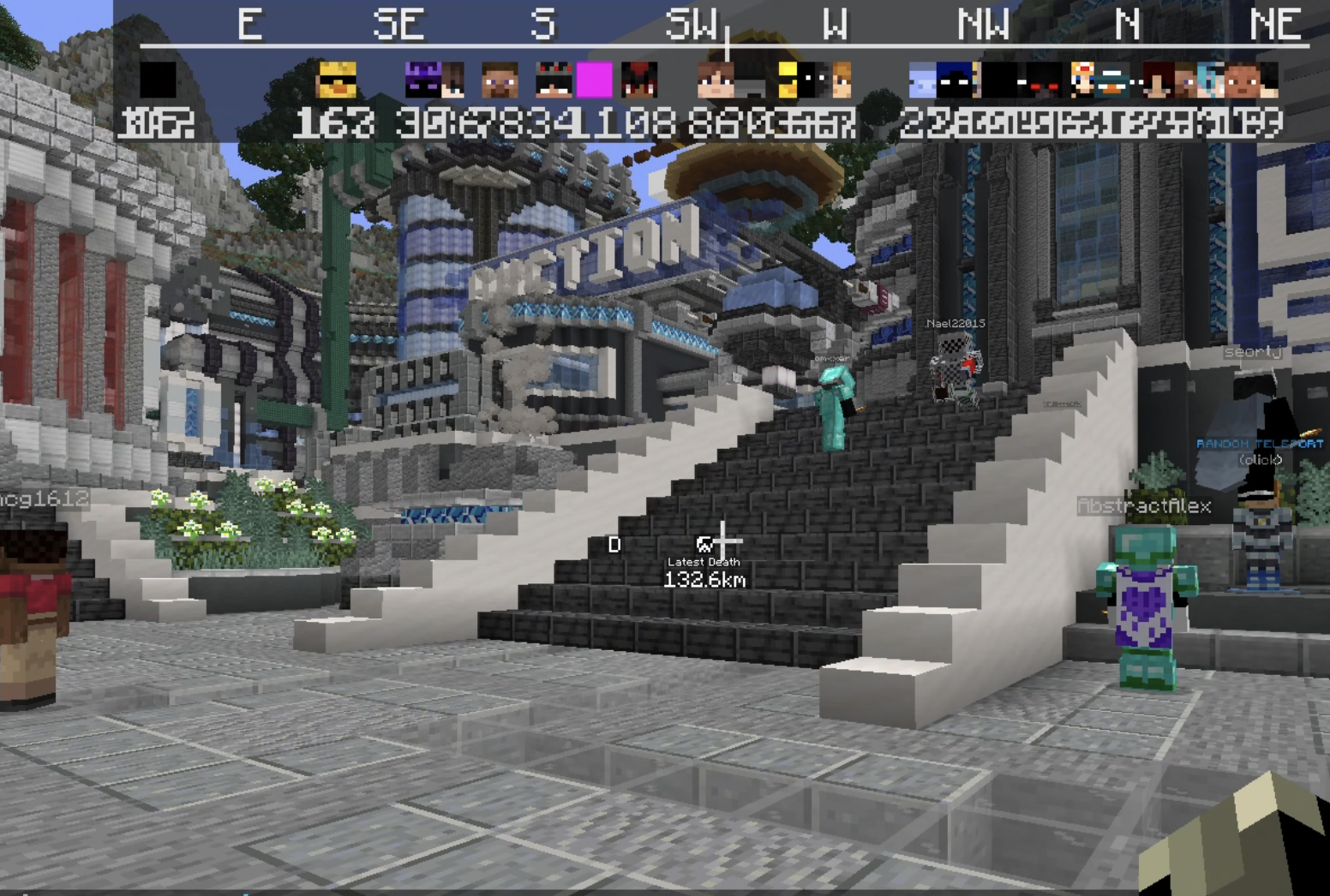
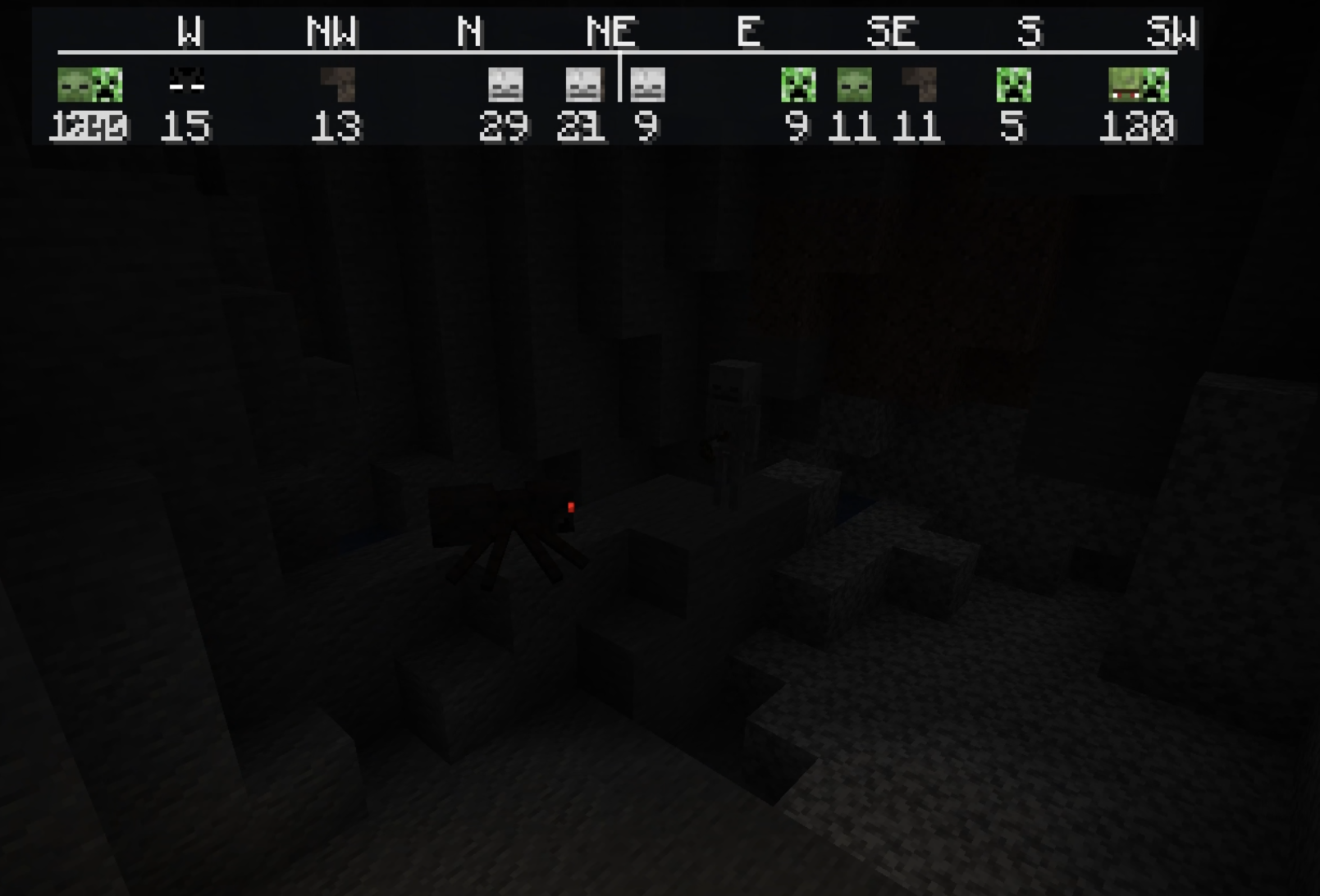
NSEW (North, South, East, West) Compass HUD adds a customizable QoL compass overlay that shows the direction of nearby players, passive mobs, and hostile mobs. It includes profile-style icons, per-mob filters, separate distance controls, and an in-game
截图
介绍
NSEW (North, South, East, West) Compass HUD adds a customizable QoL compass overlay that shows the direction of nearby players, passive mobs, and hostile mobs. It includes profile-style icons, per-mob filters, separate distance controls, and an in-game settings menu!
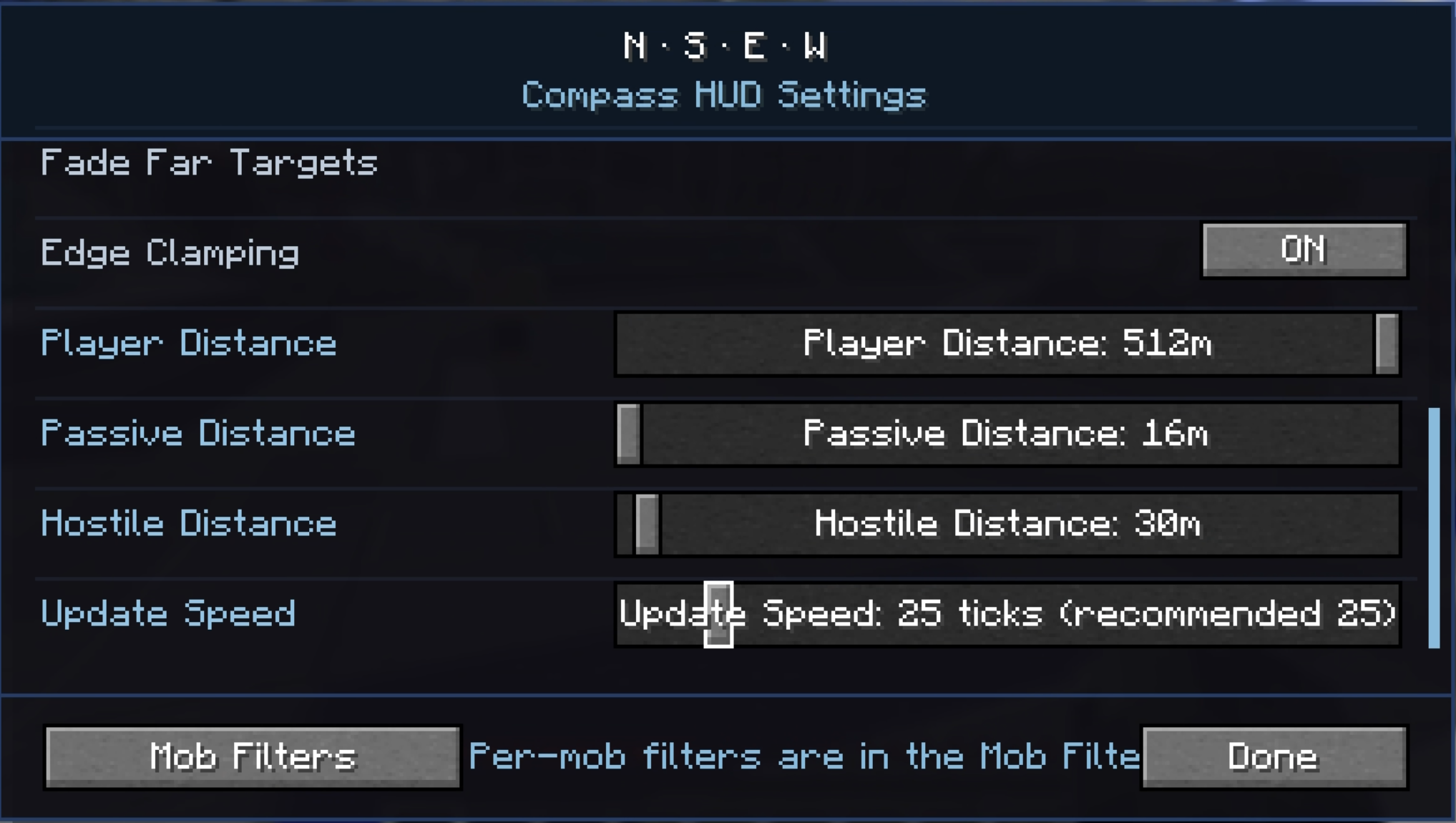
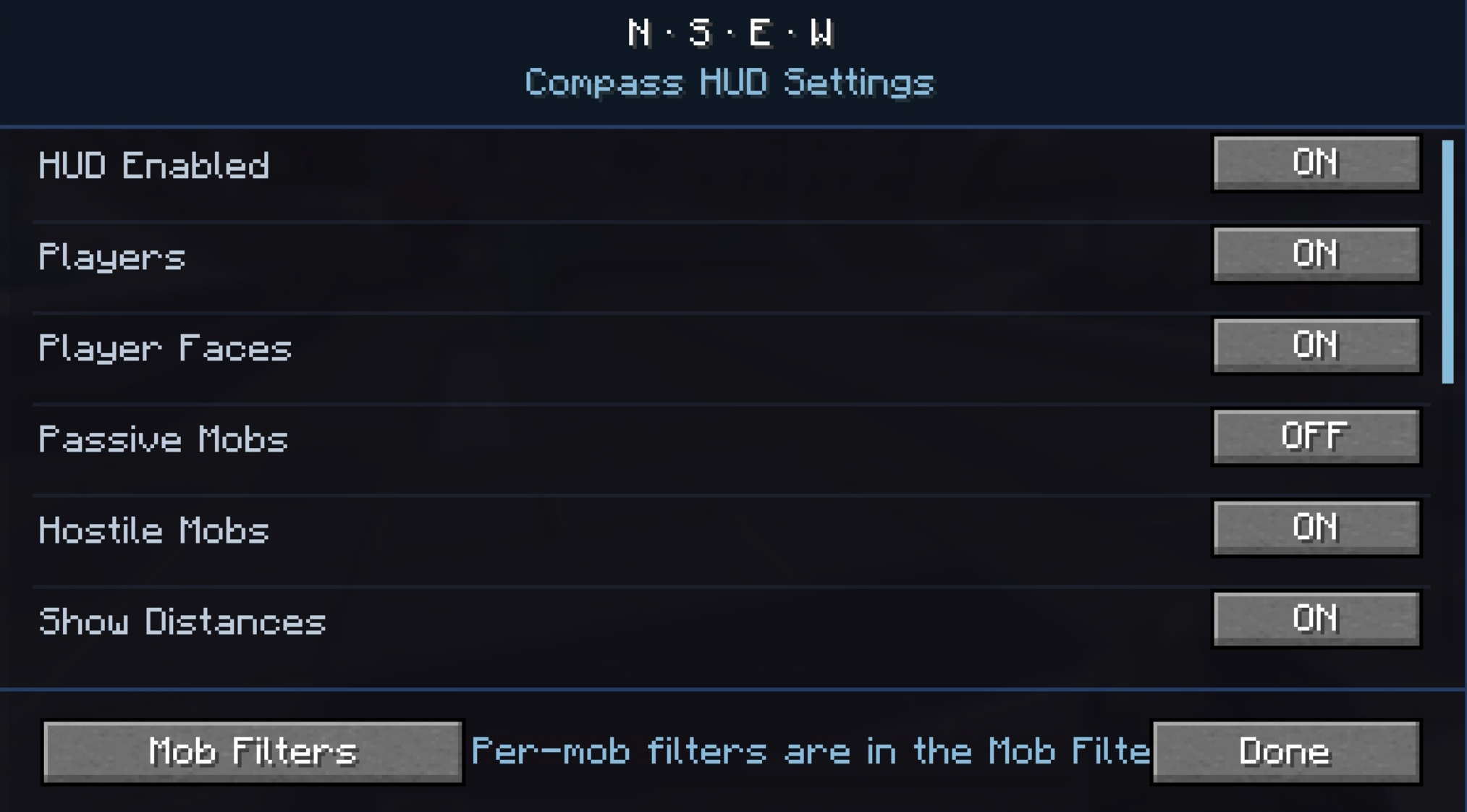
To get to settings, click Esc, Options, and lastly NSEW!
Settings:
HUD Enabled = Turns the compass HUD on or off.
Players = Shows nearby players on the compass.
Player Faces = Replaces the normal player marker with that player’s face icon.
Passive Mobs = Shows passive mobs on the compass.
Hostile Mobs = Shows hostile mobs on the compass.
Show Distances = Shows the number of blocks away under each marker.
Fade Far Targets = Makes markers fade more as they get closer to the edge of your tracking distance.
Edge Clamping = Keeps markers pinned inside the compass instead of letting them disappear off the sides.
Player Distance = Sets how far away players can be and still show on the compass.
Passive Distance = Sets how far away passive mobs can be and still show on the compass.
Hostile Distance = Sets how far away hostile mobs can be and still show on the compass.
Update Speed = Controls how often the mod refreshes nearby entities.
1 = updates very often
25 = recommended
200 = updates less often, but uses fewer refresh checks
Mob Filters = Opens the mob list where you can choose exactly which mobs are allowed to appear on the compass.
Search Mobs = Lets you search the mob filter list by mob name or ID.
[x] / [ ] in Mob Filters = Enables or disables that specific mob from showing on the compass.
Green Mob Names = Passive mob entries.
Red Mob Names = Hostile mob entries.
Done = Saves settings and closes the menu.
Problems?? Post it on the official NSEW discord
Fabric Api is required!
常见问题
NSEW Compass HUD 支持哪些 Minecraft 版本?
NSEW Compass HUD 支持 Minecraft Java 版 1.21.11–26.2,共 3 个版本,可用的加载器:Fabric。下载时注意选择和你游戏版本一致的文件。
NSEW Compass HUD 怎么安装?
先用 PCL2 或 HMCL 启动器安装对应版本的 Fabric,再把下载的 .jar 文件放进游戏目录的 mods 文件夹,重新启动游戏即可。开启了版本隔离的,mods 文件夹在 versions/版本名 下面。运行环境:仅客户端。
评论
登录后评论和评分