
截图


介绍
Dye leather horse armor only where it is meant to be dyed!
Something isn’t quite right!
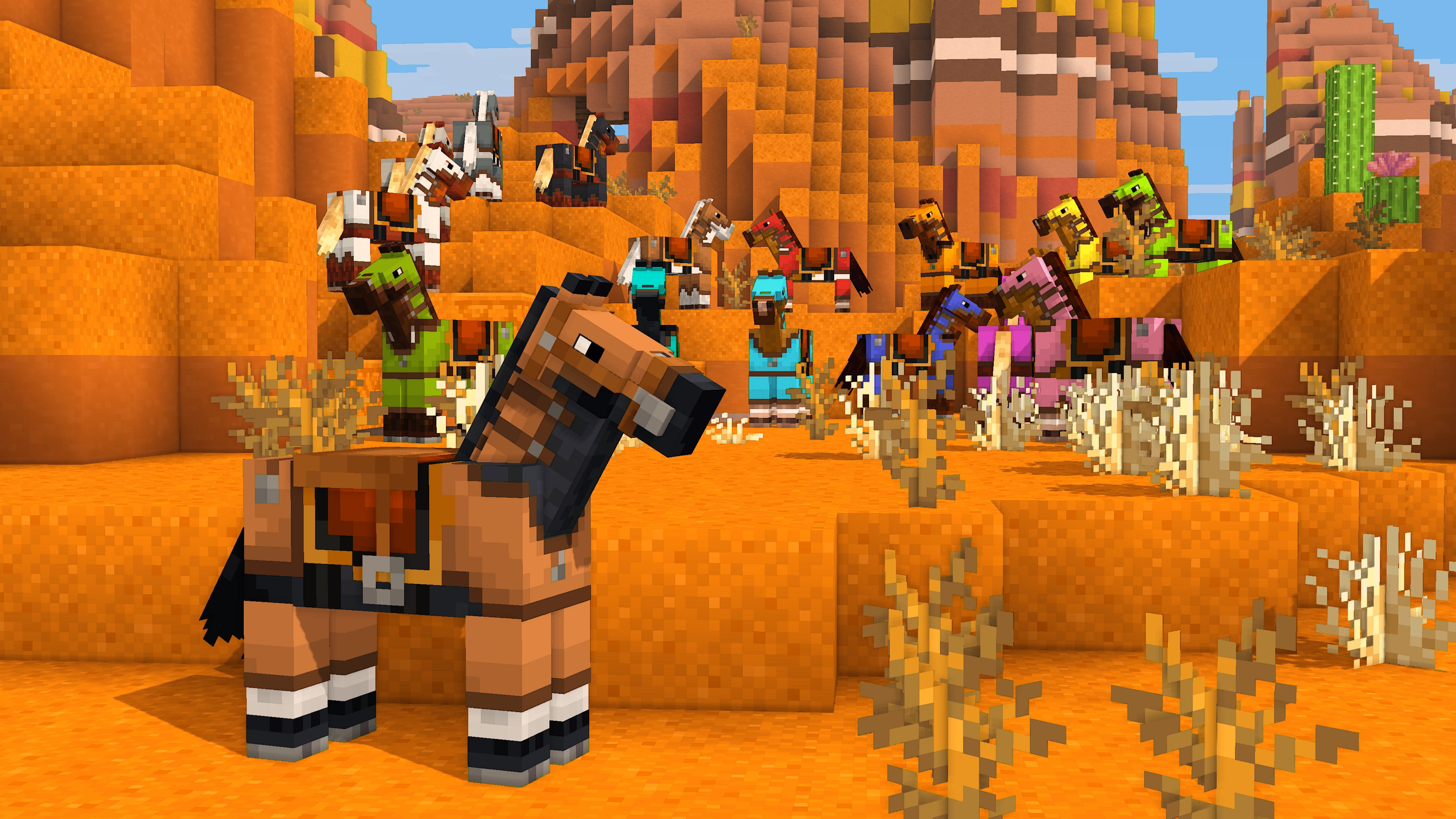
Has suiting up your prized horse in leather horse armor ever caught your eye as queer? Something is dreadfully off with leather horse armor in Minecraft. Unlike the player armor, the colored details of leather horse armor get dyed! Dyed fixes this mistake so your horses can wear their leather armor with pride!
What is wrong?
Originally an exclusive feature of Pocket Edition, when ported to Java Edition the leather horse armor textures were flattened into a single texture, causing both the colored details and monochrome base texture to be dyed. As well, any code that would have allowed for a separate overlay was lost, meaning this was not as simple to fix as adding a texture. You may think that because this already existed with the leather armor for the player, how could it have possibly gone awry for the leather horse armor? Such remains a mystery!
Give your horses some love!
Dyed cleaves the leather horse armor texture in two once again and fixes the model code to dye only the base texture! The item model for the leather horse armor is also replaced to fix the dyeing for the item as well!
Please note that this bug has finally been fixed in Minecraft 1.21.11, so while Dyed will still work, it is now unnecessary! It will no longer be marked as compatible starting with 1.21.11.
Get the goods!
You can find releases of Dyed on both [Modrinth] and [CurseForge] and also access development builds on [GitHub]!
Dyed supports Fabric 1.16+, Forge 1.16+, and NeoForge 1.20.2+.
Figure it all out!
You can delve into the [wiki] for details or submit a [bug report] if something isn’t quite right!
Still need something? Head on over to the [discussions] forum for support, to read announcements, or discuss anything about the mod!
常见问题
Dyed 支持哪些 Minecraft 版本?
Dyed 支持 Minecraft Java 版 1.16–1.21.10,共 34 个版本,可用的加载器:Fabric / Forge / NeoForge。下载时注意选择和你游戏版本一致的文件。
Dyed 怎么安装?
先用 PCL2 或 HMCL 启动器安装对应版本的 Fabric / Forge / NeoForge,再把下载的 .jar 文件放进游戏目录的 mods 文件夹,重新启动游戏即可。开启了版本隔离的,mods 文件夹在 versions/版本名 下面。运行环境:仅客户端。
yurisuika 的其他作品
查看全部 →
Raised
移动 HUD 元素,修复损坏的快捷栏选中指示器!

Blossom
Apples blossom upon leaves by the pollen from bees!

Compost
根据你投入堆肥箱的物品制作堆肥!

Endemic
Native trees from saplings!
评论
登录后评论和评分