
截图
介绍
Dual-Dye Shulkers

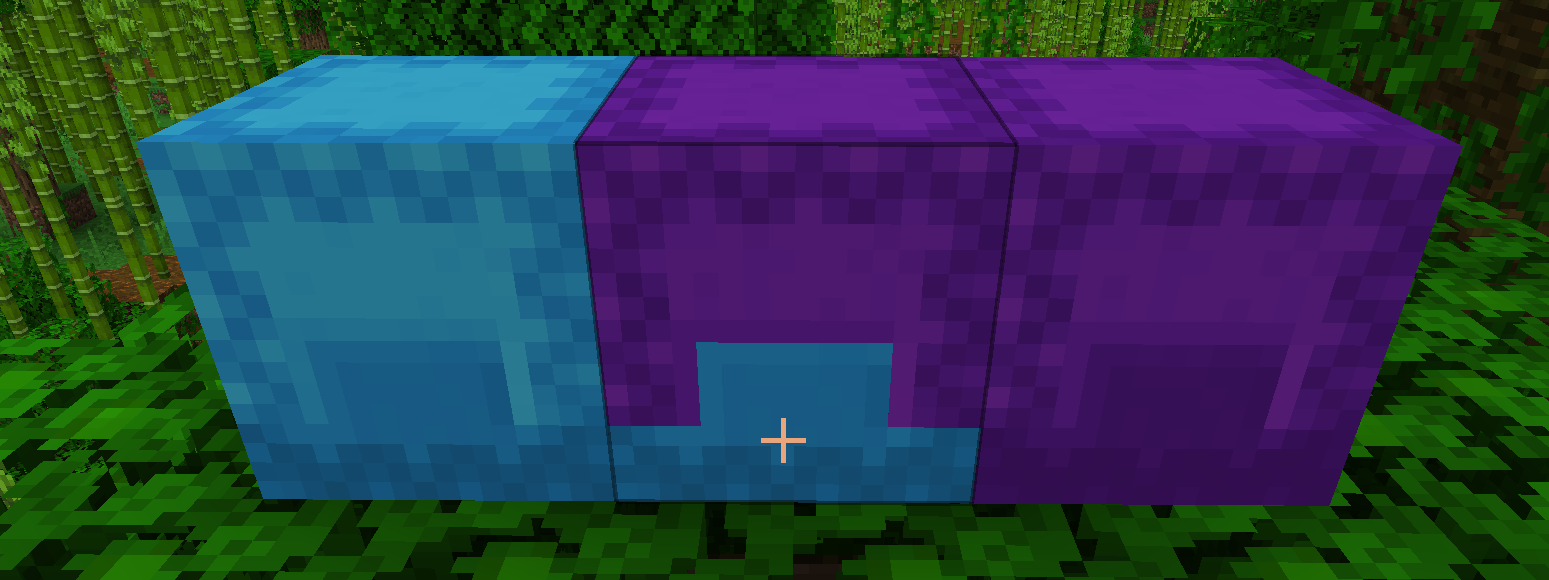
A Fabric mod for Minecraft 1.21.1 – 26.3 that lets you apply different colors to the top (lid) and bottom (base) of shulker boxes!
Features
- Dual-color shulker boxes – Apply one color to the lid, another to the base
- Configurable controls (default):
- Shift + right-click with dye → colors the top (lid)
- Ctrl + right-click with dye → colors the bottom (base)
- Crafting recipe – Dye above the shulker colors the lid, dye below colors the base
- Works with all 16 dye colors (256 combinations!)
- Colors persist through break/place cycles
- Creative pick-block copies the exact colors
- Cauldron washing – Remove custom colors with a water cauldron
- Tooltip display – See applied colors when hovering over items
- Full 3D rendering – Colors display correctly on placed blocks and items
Usage
- Place a shulker box
- Hold any dye and Shift+right-click the shulker to color the lid
- Hold any dye and Ctrl+right-click to color the base
- Or craft it: put the shulker box in a crafting grid with a dye above it (lid) and/or below it (base)
- To remove colors, use a water cauldron on the shulker box item
Configuration
Install Cloth Config and Mod Menu for an in-game config screen.
Options:
- Show Color Tooltip – Toggle tooltip display on shulker items
- Dye Top (Lid) – Customize key combo for coloring the top (default: Shift + Right Click)
- Dye Bottom (Base) – Customize key combo for coloring the bottom (default: Ctrl + Right Click)
Key combos can be any combination of two keys/mouse buttons.
Requirements
- Minecraft 1.21.1, 1.21.4 – 1.21.8, 26.2 or 26.3
- Fabric Loader 0.16.0+ (1.21.x) or 0.19.0+ with Java 25 (26.x)
- Fabric API
Optional:
- Cloth Config – For config screen
- Mod Menu – For config screen access
Installation
- Install Fabric Loader
- Download Fabric API
- Download this mod from Modrinth
- Place both mods in your
modsfolder
Building from Source
This project uses Stonecutter for multi-version support.
# Windows
# Build for the active version (manage active version with ./gradlew chiseled)
gradlew.bat build

# Linux/macOS
./gradlew build
The output JAR will be in versions/<mc-version>/build/libs/.
Minecraft 1.21.x is built from the master branch, 26.x from the 26.x branch.
Tests
End-to-end tests use Fabric GameTest and live in src/gametest.
# Server game tests (headless, also run by `build`)
./gradlew 26.3:runGameTest

# Client game tests: real client with simulated input and screenshot checks
./gradlew 26.3:runClientGameTest
Screenshots are saved to versions/<mc-version>/build/run/clientGameTest/screenshots/.
License
MIT License – see LICENSE for details.
常见问题
Dual-dye shulkers 支持哪些 Minecraft 版本?
Dual-dye shulkers 支持 Minecraft Java 版 1.21.1–26.3,共 8 个版本,可用的加载器:Fabric。下载时注意选择和你游戏版本一致的文件。
Dual-dye shulkers 怎么安装?
先用 PCL2 或 HMCL 启动器安装对应版本的 Fabric,再把下载的 .jar 文件放进游戏目录的 mods 文件夹,重新启动游戏即可。开启了版本隔离的,mods 文件夹在 versions/版本名 下面。
评论
登录后评论和评分