
Modern Player Ladder
Ride your friend(s) - with consent. Player Ladder mod inspired from ForwarD-NerN
截图
介绍
Modern Player Ladder

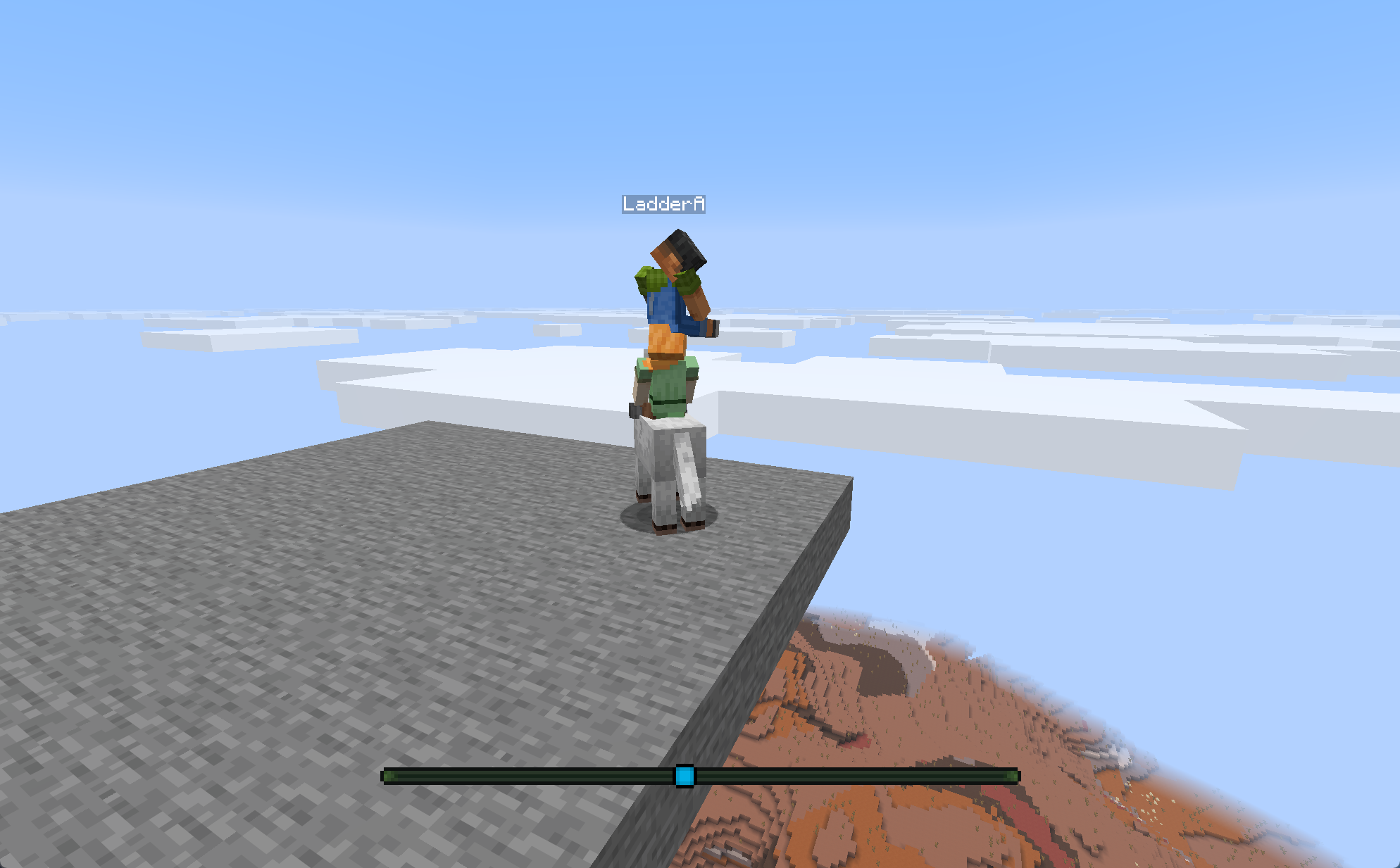
Ever wanted to stack players on top of each other? Modern Player Ladder lets you do exactly that. Everyone opts in first, then you right-click another player with an empty hand. That’s it.
Running a dedicated server? You only need the mod on the server. Players can join without installing it themselves.
🌟 Key Features
- Opt-In by Default: Nobody gets picked up unless both players have enabled the feature.
- Stack Up: Keep adding players to build a whole tower.
- Ride or Pick Up: Choose whether you climb onto the player you click or put them on top of you.
- Your Choice Sticks: Your toggle is saved across reconnects and death.
- Easy Dismounting: Sneaking, toggling off, changing game mode, logging out, and dying all clean up rides normally.
- Keep Playing Normally: Aim, attack, and fire projectiles through the players riding on you.
- Optional Mob Support: Let other entities join the fun, with a configurable exclusion list.
- Vanilla
/rideSupport: Server admins can use players as vehicles with the normal/ridecommand. - Server-Side Friendly: Players joining a dedicated server do not need to install the mod.
🪜 Consent & Usage
Player Ladder starts disabled for everyone. To use it:
- Each participating player runs either toggle command:
/ladder toggle
/playerladder toggle- Make sure your main hand is empty.
- Right-click another opted-in player.
- Keep adding friends until you hit the configured stack limit.
Run the command again whenever you want to opt out. Toggling off immediately dismounts you and anyone riding directly on you.
🔄 Interaction Modes
The server-wide rightClickMode decides who ends up on top.
| Mode | Behavior |
| :— | :— |
| RIDE | You climb onto the player you click—or onto the top of their existing stack. This is the default. |
| PICK_UP | The player you click gets placed on top of you or your existing stack. |
| DO_NOTHING | Player Ladder ignores right-clicks and leaves them to vanilla. |
🧍 Dismounting & Cleanup
- Riders can use the normal vanilla dismount control.
- A carrier standing on the ground can crouch to drop the first player riding on them.
- Toggling Player Ladder off dismounts you and your direct riders.
- Changing game mode drops your first direct rider.
- Logging out or dying clears the ride cleanly for everyone.
⚙️ Configuration
Configuration is created on first startup at:
config/modern-player-ladder.jsonRestart the server after editing the file. Invalid values fall back to their corresponding defaults.
| Option | Default | Description |
| :— | :—: | :— |
| rightClickMode | "RIDE" | Chooses who ends up on top: RIDE, PICK_UP, or DO_NOTHING. |
| pickUpLimit | 16 | How far PICK_UP can search through an existing stack. Must be at least 1. |
| stepUpLimit | 16 | How far RIDE can search through an existing stack. Must be at least 1. |
| allowLivingEntities | false | Lets non-player entities participate too. |
| allowPlayers | true | Master switch for player stacking. Players still need to opt in individually. |
| excludedLivingEntities | See below | Entity IDs or #tag IDs that cannot participate when entity support is enabled. |
| rideCommandExtension | true | Lets vanilla /ride commands use players as vehicles. Turn it off for vanilla behavior. |
| allowInteractions | true | Lets carriers aim, interact, and fire projectiles through the players riding on them. |
The default exclusions are:
[
  "minecraft:wither",
  "minecraft:ender_dragon",
  "minecraft:minecart",
  "#minecraft:boat",
  "#minecraft:dismounts_underwater"
]
Entries beginning with # are entity-type tags; other entries are entity-type IDs.
🛠️ Commands
/ladder toggle- Turns Player Ladder on or off for you.
/playerladder toggle- Does the same thing; this name is kept for compatibility.
Both commands are player-only. If rideCommandExtension is enabled, admins can also use the normal vanilla /ride command with a player as the vehicle. Normal /ride permissions still apply.
📦 Installation
For a dedicated server, install:
- Fabric Loader
0.19.3or newer compatible version - Fabric API
- Modern Player Ladder
Connecting players do not need Modern Player Ladder installed. Just add it to the dedicated server alongside Fabric API.
For singleplayer, install the mod and Fabric API in the client instance because the client hosts the integrated server.
📦 Building from Source
git clone https://github.com/justbecauseph/modern-player-ladder.git
cd modern-player-ladder
./gradlew build
The compiled mod JAR will be located in:
build/libs/Similar Projects
- Player Ladder – Lower version and Forge support (1.18x – 1.21.x)
📄 License
Modern Player Ladder is licensed under the Mozilla Public License 2.0 (MPL-2.0).
常见问题
Modern Player Ladder 支持哪些 Minecraft 版本?
Modern Player Ladder 支持 Minecraft Java 版 26.2–26.3,共 2 个版本,可用的加载器:Fabric。下载时注意选择和你游戏版本一致的文件。
Modern Player Ladder 怎么安装?
先用 PCL2 或 HMCL 启动器安装对应版本的 Fabric,再把下载的 .jar 文件放进游戏目录的 mods 文件夹,重新启动游戏即可。开启了版本隔离的,mods 文件夹在 versions/版本名 下面。运行环境:仅服务端。
JustBecause 的其他作品
查看全部 →
Distant Decorations
Distant Decorations is a high-performance Fabric framework that lets participating mods persist and render decorative block-entity visuals far beyond vanilla chunk distances.

Really Fast Paintings
Block-backed paintings for Minecraft on Fabric.
评论
登录后评论和评分