
SonicPulse
A professional, high-fidelity music player and reactive visualizer for Minecraft. Stream from any source with a premium, customizable HUD that pulses to your beats.
截图
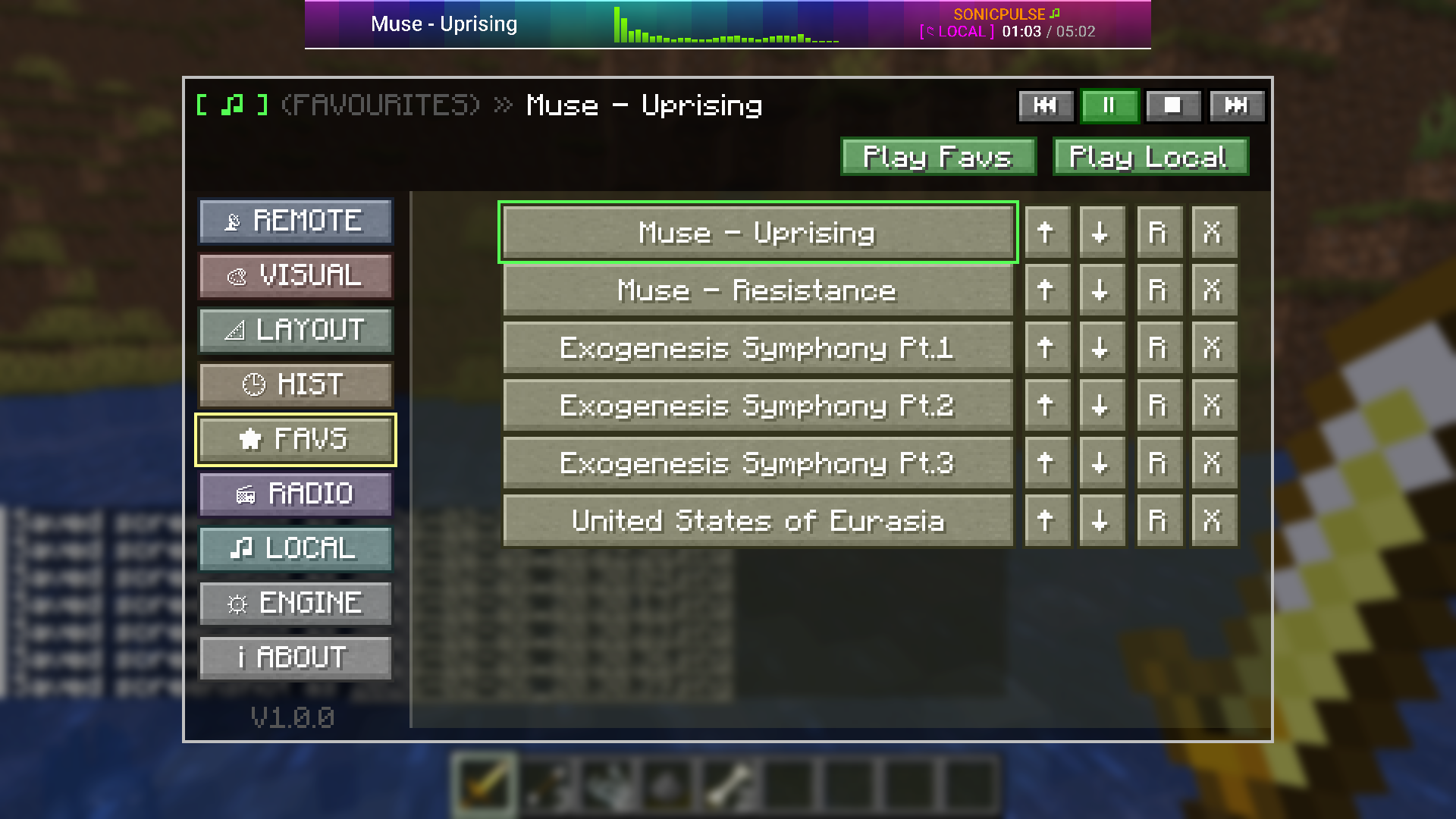
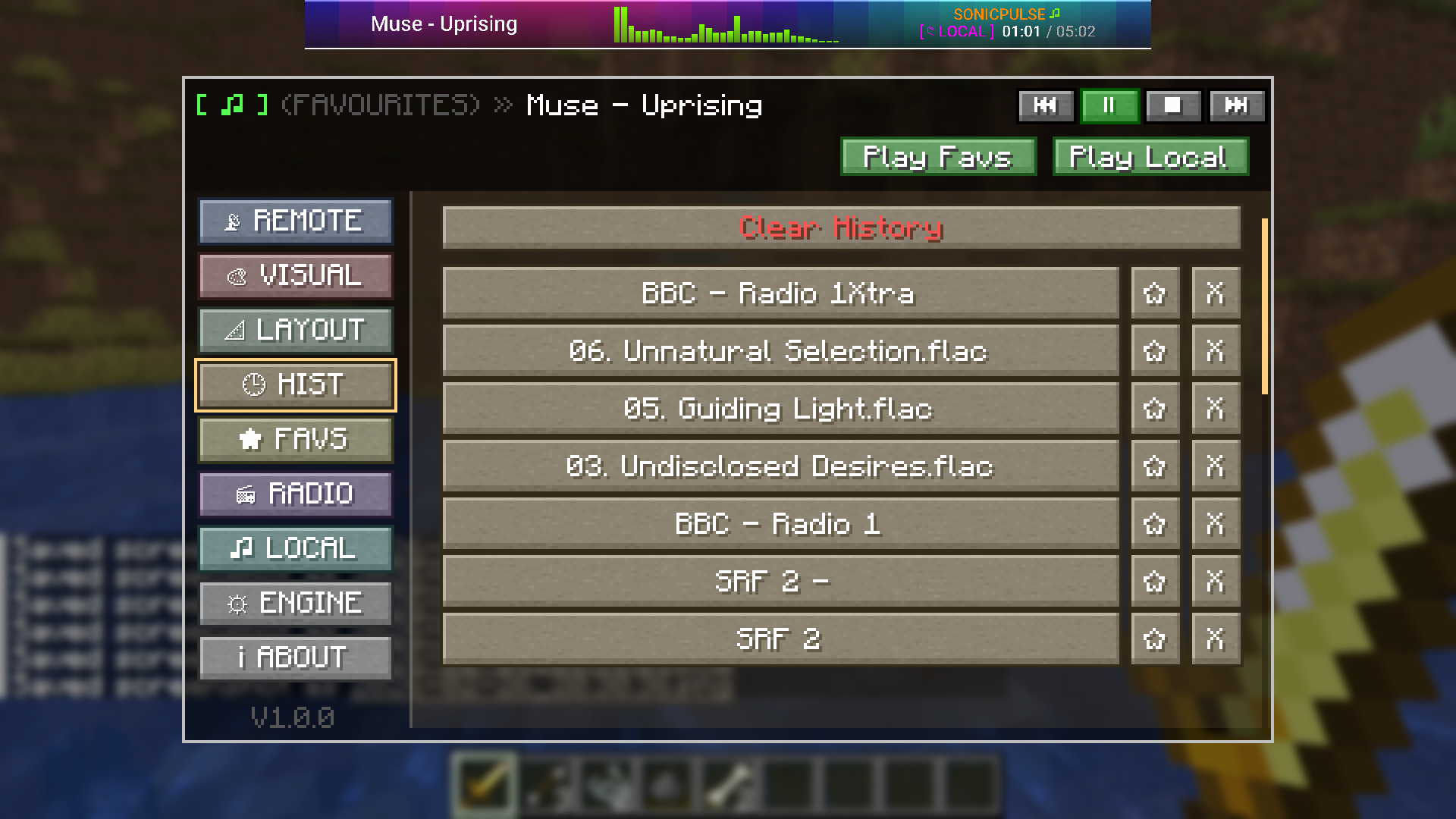
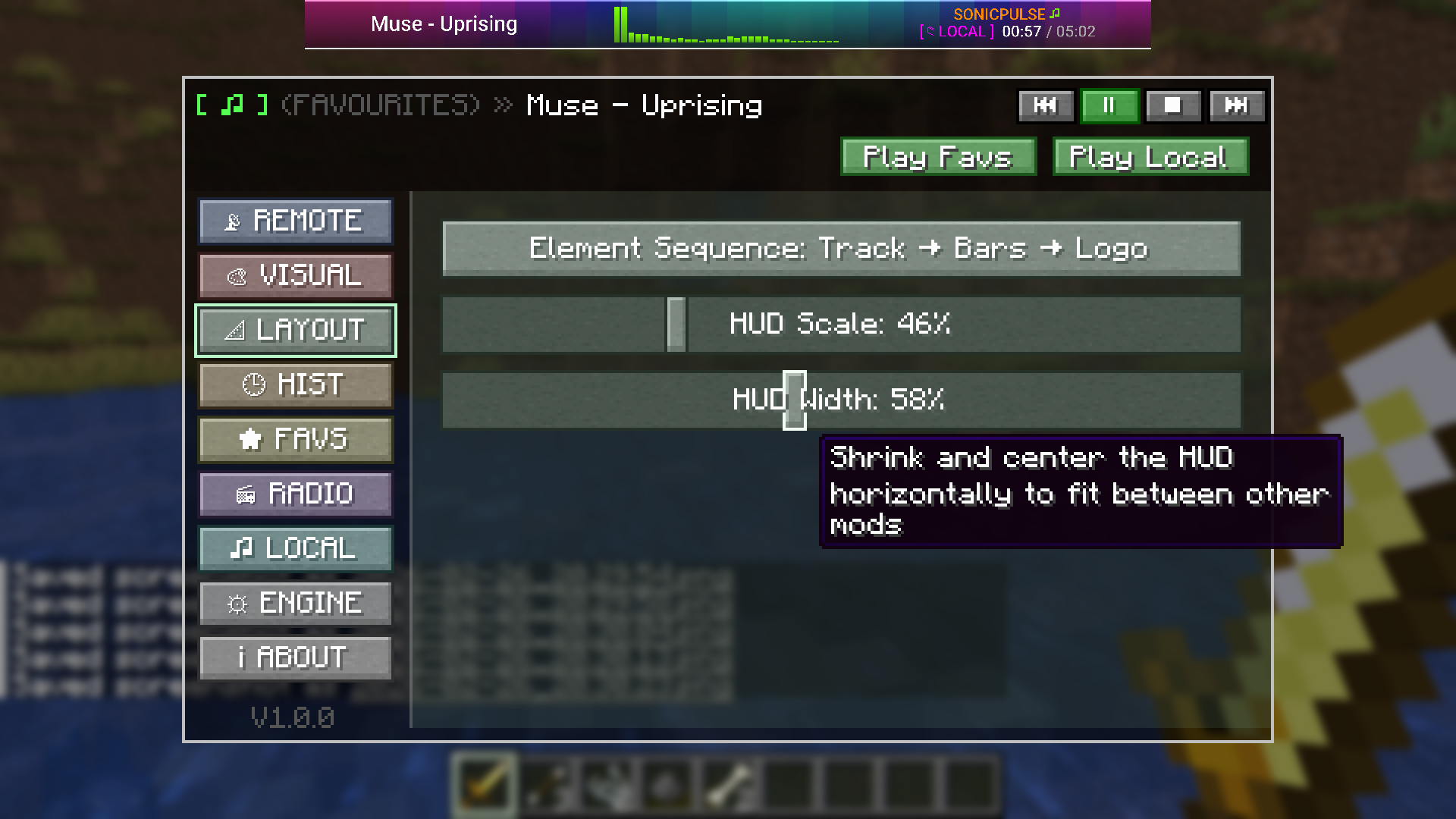
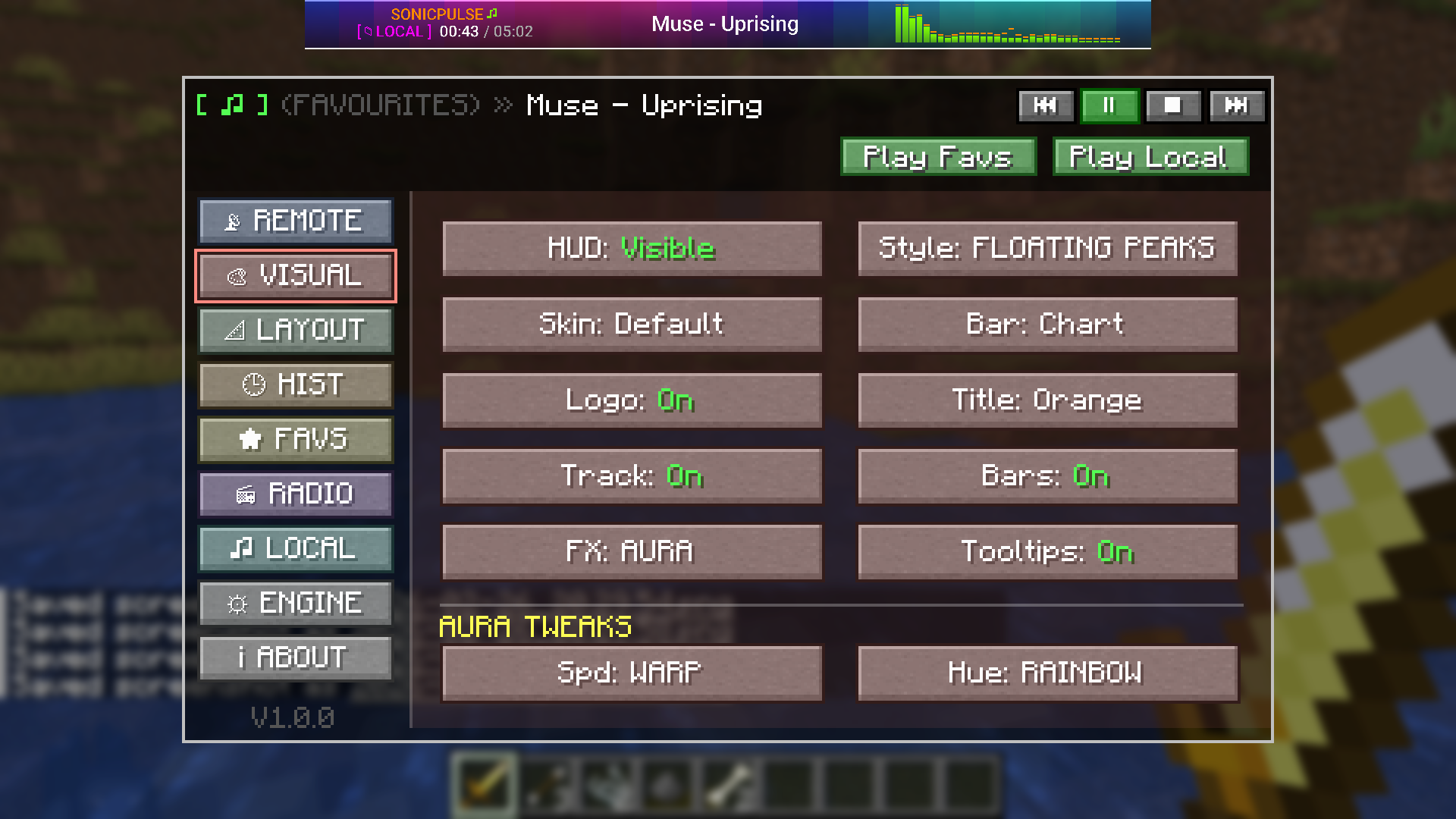
介绍
SonicPulse
A professional audio streaming and reactive visualizer mod for Minecraft Fabric, supporting Minecraft 26.3 (“Wilderness Bound”) and 1.21.4.
Stream music from YouTube, SoundCloud, Bandcamp, Vimeo, internet radio, and local files — all from inside Minecraft, with a stunning reactive HUD ribbon that pulses to the beat.
✨ Features
🎵 Audio Streaming
- YouTube Playback – Paste any YouTube link and it starts playing instantly
- SoundCloud / Bandcamp / Vimeo – Direct URL streaming for all major platforms
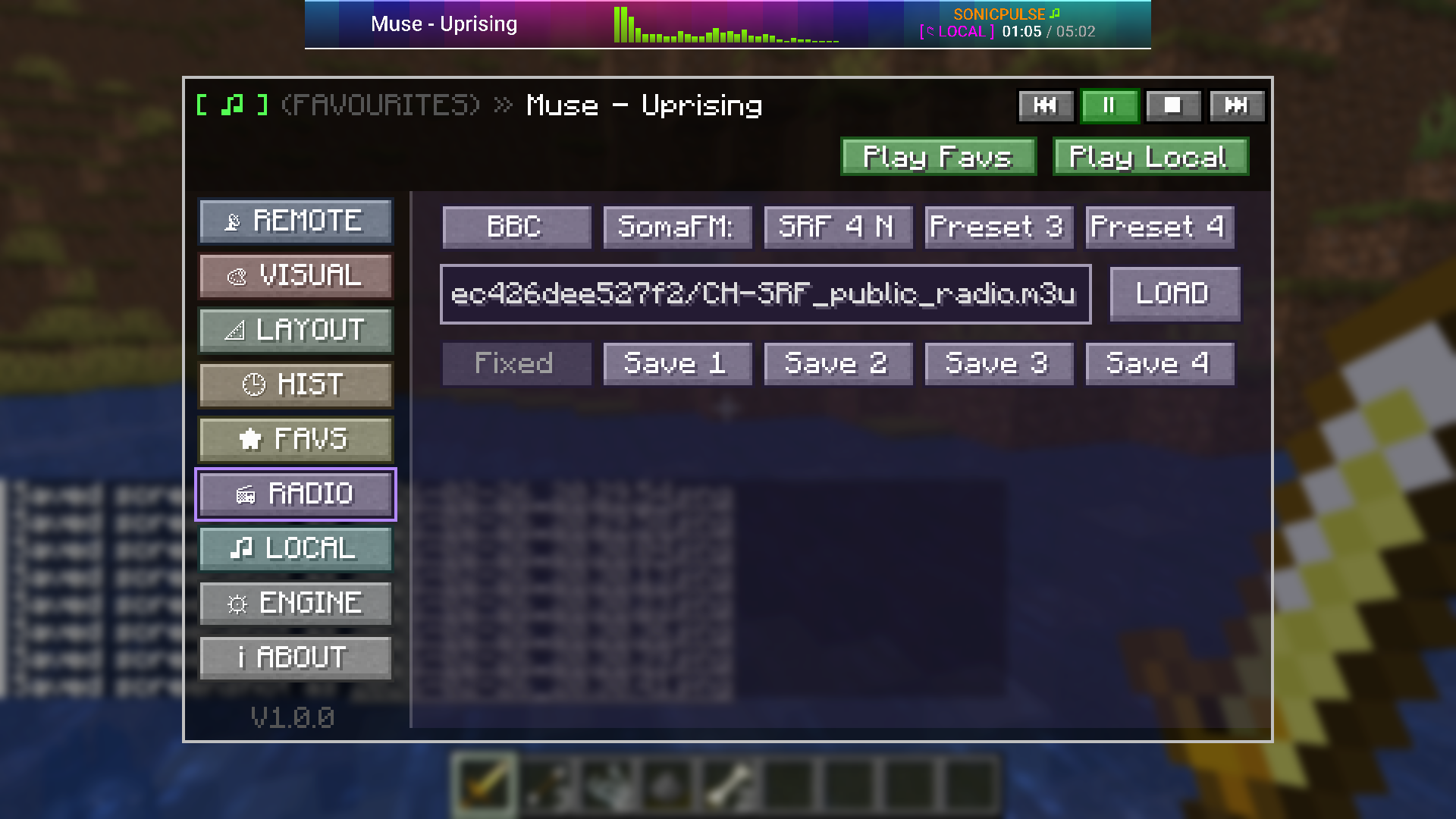
- Internet Radio (M3U) – Load and save M3U stream playlists with BBC presets built-in
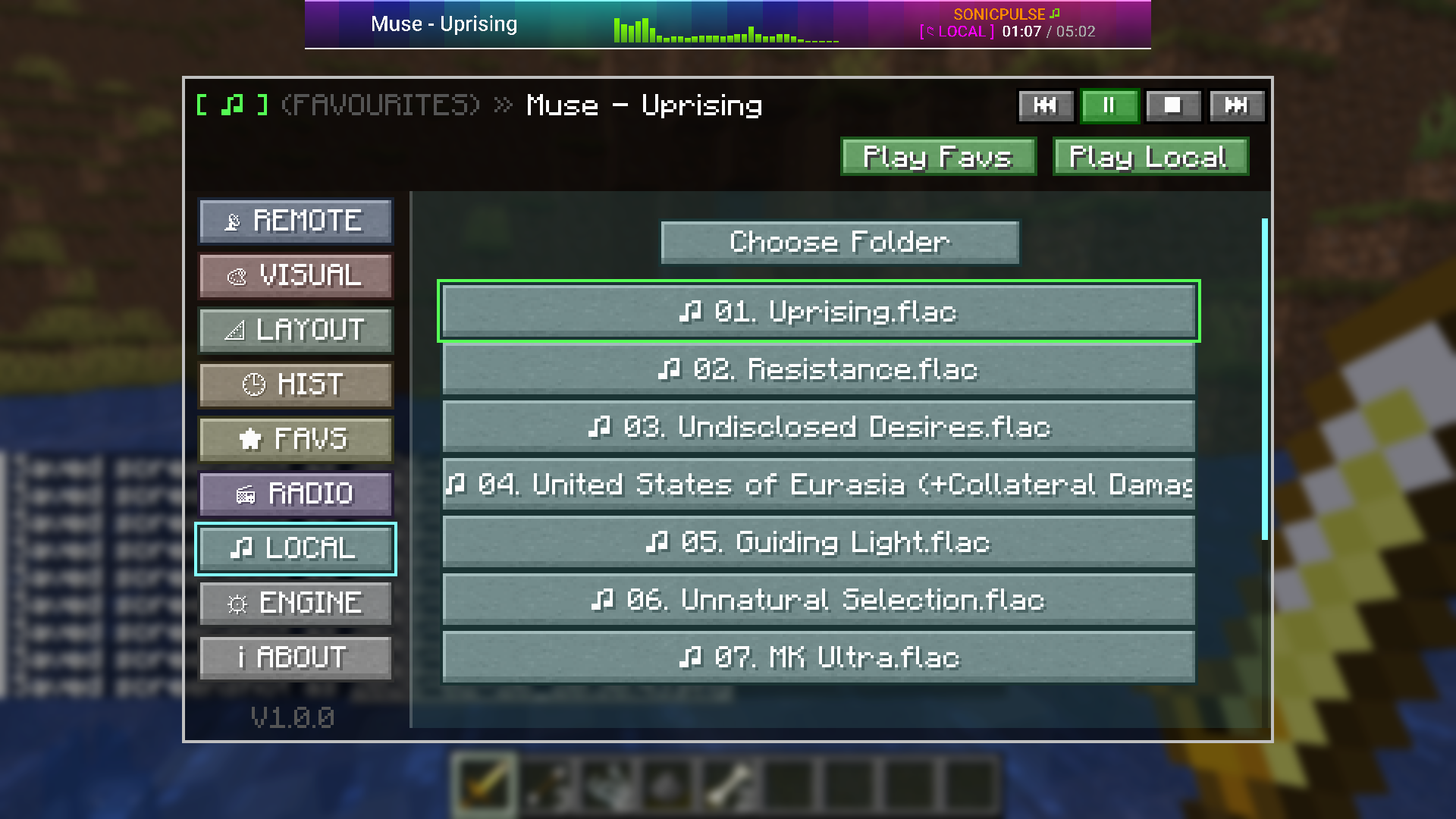
- Local File Playback – Browse and stream
.mp3,.flac, and.wavfiles from your computer - Favorites & History – Save, rename, reorder, and replay your tracks with one click
🌊 Reactive Visualizer HUD
- Real-time Equalizer Bars – Animated FFT frequency bars rendered directly on the HUD ribbon
- Multiple Visual Styles – Block, Line, Wave, Mirror, Peak, Dots, and more
- Background Effects – Pulse flash, Aura gradient drift, VHS glitch, Heatmap, and Starfield
- Audio-Reactive Skinning – HUD border and background react dynamically to the music
- Color Themes – 20+ curated palette colors for bars, title text, and accents
- SonicPulse Logo – Animated text logo with per-color customization
🎧 DSP Audio Engine
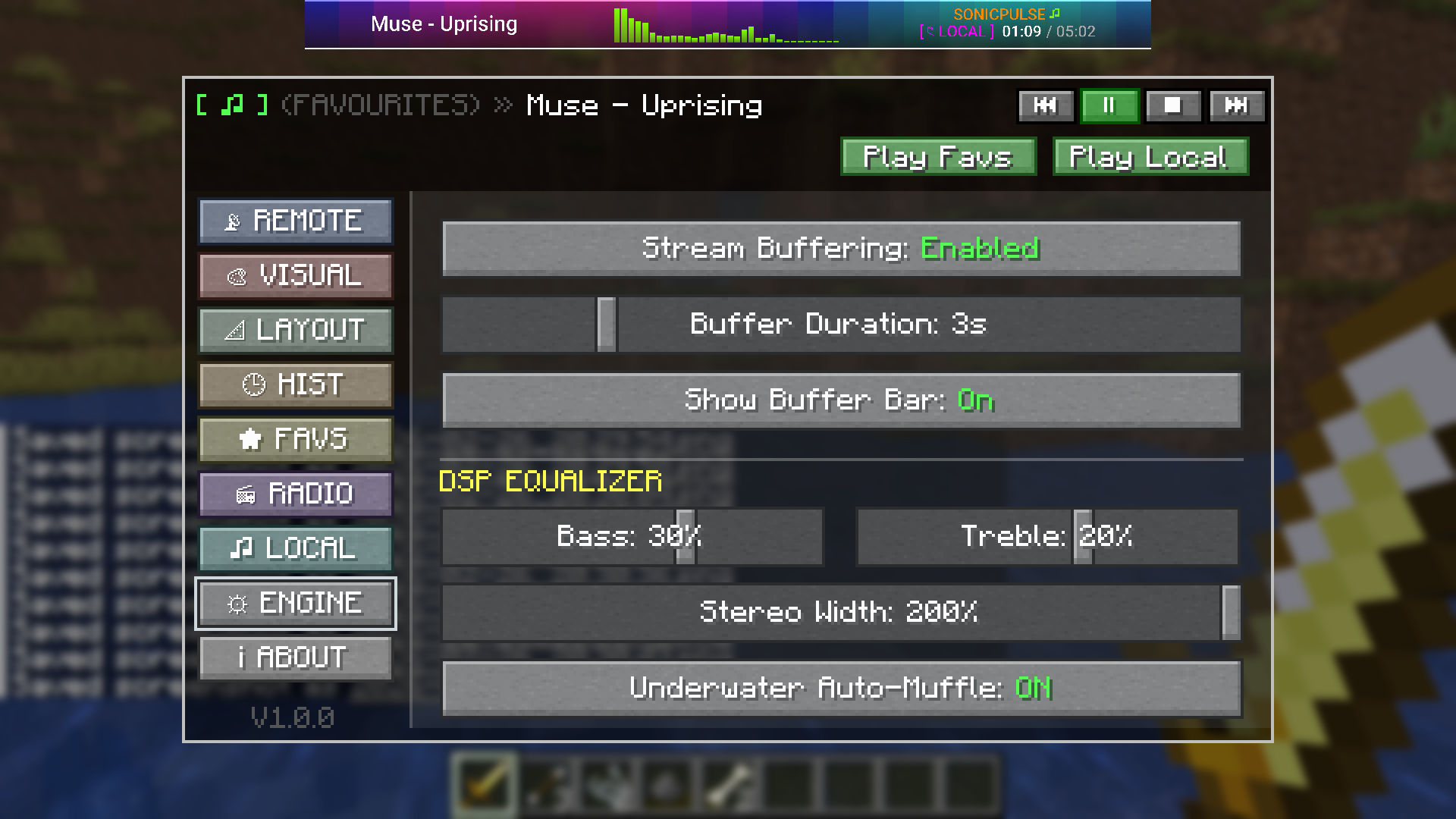
- Bass & Treble EQ – Frequency-specific gain sliders (–100% to +100%)
- Stereo Widening – Soundstage expansion from Mono (0%) to Super Wide (200%)
- Underwater Auto-Muffle – Automatic low-pass filter when submerged
- Stream Buffering – Configurable pre-load buffer (0–15s) to prevent stutter on slow connections
- Buffer Progress Bar – Live loading indicator at the bottom of the HUD
⚙️ Deck Controls
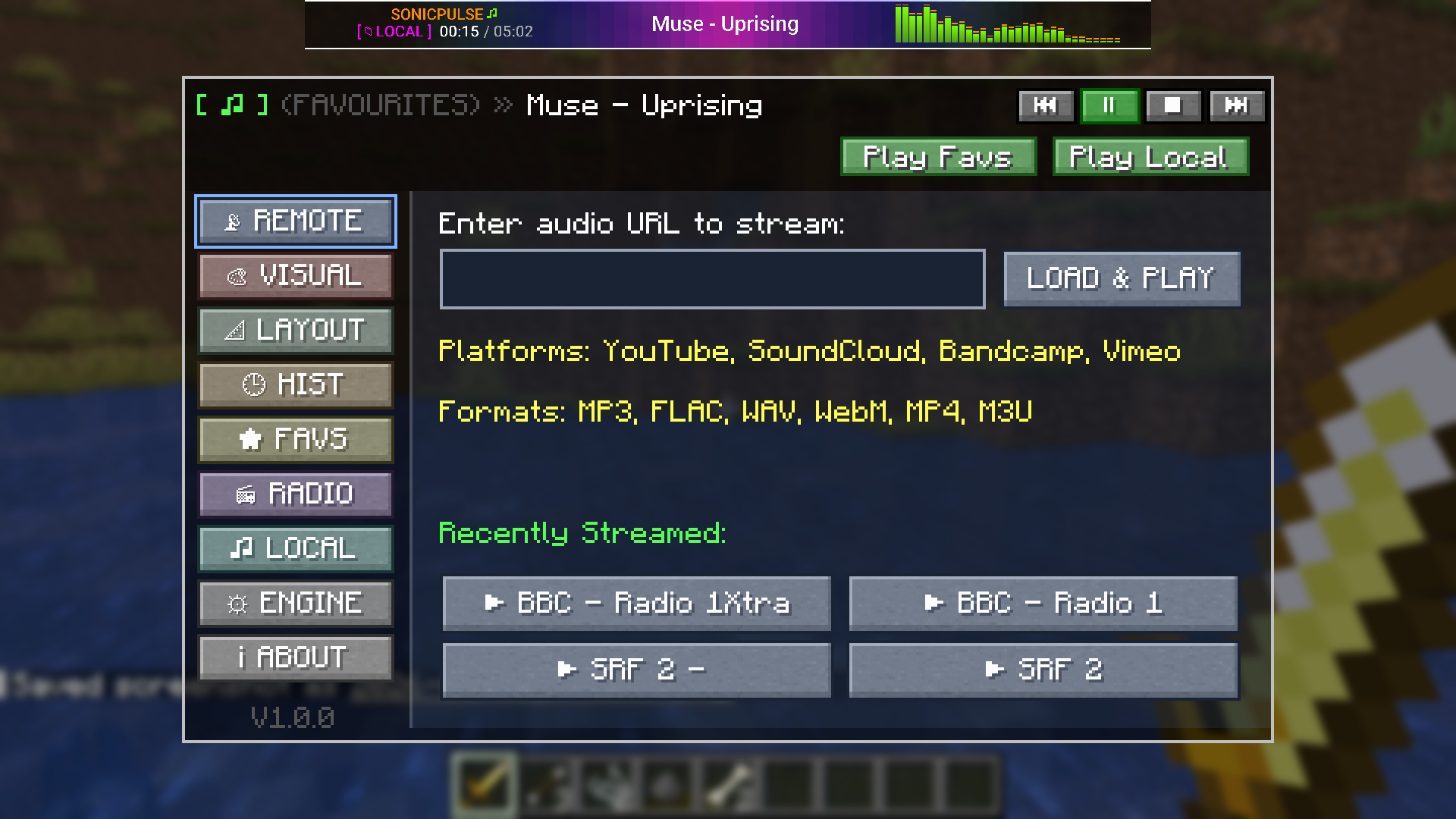
- In-config Transport Controls – ⏮ Previous, ▶/⏸ Play/Pause, ⏹ Stop, ⏭ Next directly in the config screen
- Quick-Play Shortcuts – One-click Play Favs and Play Local header buttons
- Session Modes – Remote, Radio, Favourites, History, and Local modes tracked per session
🎮 Default Keybindings
| Key | Action | Notes |
| :— | :— | :— |
| P | Open Config Screen | Opens the full SonicPulse control panel |
| ESC | Close Config Screen | Standard close when no text field is focused |
TIP: The config key is fully remappable in Options ➔ Controls ➔ Key Binds under the SonicPulse category.
📦 Installation & Compatibility
Choose the release file matching your Minecraft version:
For Minecraft 26.3 (v1.1.0)
- Minecraft:
26.3 - Fabric Loader:
>= 0.19.5 - Fabric API:
>= 0.161.0+26.3 - Java:
25 LTS
For Minecraft 1.21.4 (v1.0.0)
- Minecraft:
1.21.4 - Fabric Loader:
>= 0.16.9 - Fabric API:
0.119.4+1.21.4 - Java:
21
Steps
- Install Fabric Loader for your Minecraft version.
- Download Fabric API and place it in your
.minecraft/modsfolder. - Download the matching SonicPulse version (
SonicPulse-1.1.0.jarfor 26.3, orSonicPulse-1.0.0.jarfor 1.21.4). - Place the
.jarfile in your.minecraft/modsfolder. - Launch Minecraft using the Fabric profile.
- Press
Pin-game to open the SonicPulse config screen and start streaming!
Note: SonicPulse bundles its own audio engine (LavaPlayer) — no external server or companion app required.
⚙️ Configuration
Press P in-game to open the full configuration screen. Nine dedicated tabs put every setting at your fingertips:
| Tab | Contents |
| :— | :— |
| 📡 REMOTE | Paste YouTube / SoundCloud / direct URLs, recent stream shortcuts |
| 🎨 VISUAL | HUD visibility, skins, logo, track name, EQ bar style, background effects, colors |
| 📐 LAYOUT | Element sequence (Logo / Track / Bars order), HUD scale, HUD width |
| 🕒 HIST | Replay or delete your recently streamed tracks |
| ★ FAVS | Manage saved favorites — reorder, rename, and quick-play |
| 📻 RADIO | M3U internet radio with BBC presets and 4 custom save slots |
| ♫ LOCAL | Browse and play audio files from your computer |
| ⚙ ENGINE | Stream buffering, buffer bar, Bass EQ, Treble EQ, Stereo Width, Underwater muffle |
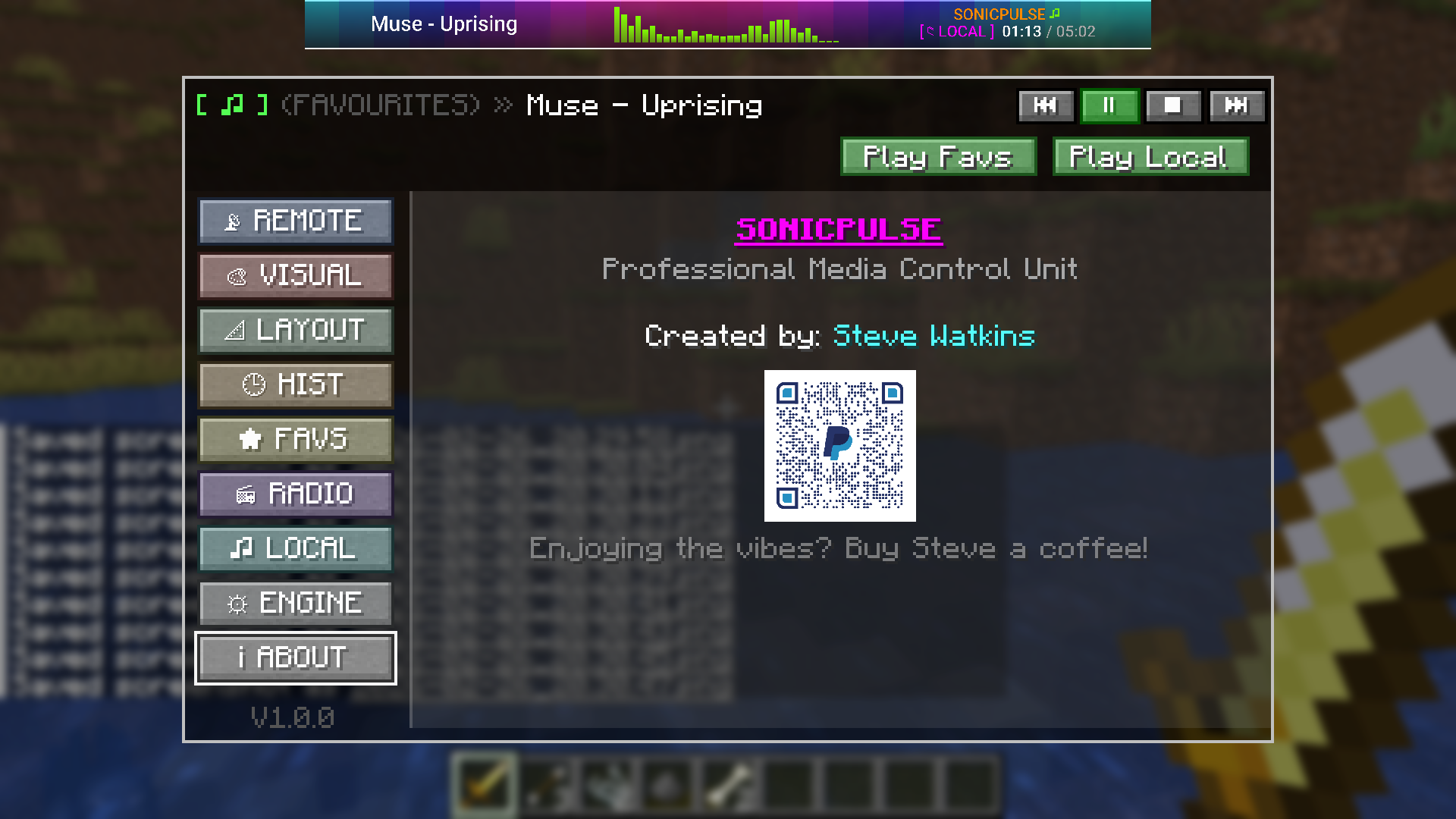
| i ABOUT | Version info, update checker, donation QR code |
Visual Effects Detail
| Effect | What It Does |
| :— | :— |
| PULSE | Beat-reactive flash overlay — intensity and decay configurable |
| AURA | Slowly shifting gradient; speed and hue palette adjustable |
| VHS | Pixel-split glitch on bass hits with optional CRT scanlines |
| HEATMAP | Thermal color gradient synced to frequency amplitude |
| STARFIELD | Spark particles ejected on bass hits — count and decay configurable |
📋 Roadmap
Under consideration for future updates:
- Environmental Reverb – Hall, Cave, and Large Room virtual presets
- Discord Rich Presence – Optional track title and artist status display
- Sync-Link Chat Sharing – Share stream URLs directly in Minecraft chat
- Server Radio – Server-wide broadcasting for multiplayer
- 3D Positional Audio – Distance-based fading linked to Jukebox blocks
- Dynamic Metadata Fetching – Auto-label raw URLs that lack embedded track info
- Redstone-Sync Visuals – Music-reactive Redstone triggers based on amplitude
🤝 Contributing
Contributions and feedback are always welcome!
- Report Bugs: Open an issue on GitHub with steps to reproduce and any relevant logs.
- Suggest Features: Share ideas in the GitHub issues section.
- Pull Requests: Fork, code, and submit a PR!
📄 License
This project is licensed under the MIT License.
📊 Version History
v1.1.0 – (October 2, 2026)
- NEW: Full compatibility with Minecraft 26.3 (“Wilderness Bound”)
- NEW: Updated toolchain to Java 25 LTS and Gradle 9.8.0 with Fabric Loom 1.18.2
- NEW: Modernized rendering engine to Minecraft 26.3’s
GuiGraphicsExtractorand JOMLMatrix3x2fStack - NEW: HUD registration updated to
HudElementRegistry.attachElementAfter(VanillaHudElements.CHAT, ...) - NEW: Network payload system migrated to
CustomPacketPayloadwithIdentifier.fromNamespaceAndPath - NEW: Underwater Auto-Muffle toggle in Engine tab
- NEW: Stereo Width DSP slider (0% Mono → 100% Normal → 200% Super Wide)
- NEW: Play Favs / Play Local quick-play buttons in the config header
- NEW: Donation button on About tab linking to PayPal via Minecraft’s built-in
ConfirmLinkScreen - NEW: Live version checker — polls Modrinth API and shows an update badge if a newer release exists
- FIXED: YouTube playback stall at 39% — upgraded to
dev.lavalink.youtube 1.18.2and stabilized Android client - FIXED: Buffer hang on stream load failure —
onTrackExceptionnow clears buffering state immediately - FIXED: About screen QR code rendering (corrected UV coordinates and border)
- CHANGED:
ConfigScreenwidgets migrated toButton,EditBox, andAbstractSliderButton
v1.0.0 – (December 2024 / January 2025)
- NEW: Initial release for Minecraft 1.21.4
- NEW: Professional audio streaming and reactive visualizer ribbon
- NEW: Remote audio playback powered by LavaPlayer and YouTube source provider
- NEW: In-game Config Screen with customizable color palettes, themes, and layouts
- NEW: Real-time audio DSP pipeline with EQ, stereo widening, and underwater muffling
- NEW: ModMenu integration and custom keybinding support
☕ Support
Enjoying SonicPulse? Consider buying Steve a coffee — there’s a QR code and button on the About tab in-game, or use the link below.
🙏 Acknowledgments
- Built with Fabric and LavaPlayer
- YouTube support via lavalink-devs/youtube-source
- Inspired by the Minecraft modding community
常见问题
SonicPulse 支持哪些 Minecraft 版本?
SonicPulse 支持 Minecraft Java 版 1.21.4–26.3,共 2 个版本,可用的加载器:Fabric。下载时注意选择和你游戏版本一致的文件。
SonicPulse 怎么安装?
先用 PCL2 或 HMCL 启动器安装对应版本的 Fabric,再把下载的 .jar 文件放进游戏目录的 mods 文件夹,重新启动游戏即可。开启了版本隔离的,mods 文件夹在 versions/版本名 下面。运行环境:客户端和服务端都要装。

评论
登录后评论和评分