
截图
介绍
中文介绍正在准备中,下面暂时显示原文。
Easy Modpack
The Ultimate Tool for Creating and Fixing Modpacks
Are you tired of different mods repeating elements or unbalancing your pack’s progression? Easy Modpack gives you the power to customize your experience by removing and replacing everything that doesn’t fit your vision.
Main Features
- Total Element Management:
- Items: Remove or replace duplicate or unwanted items.
- Recipes: Adjust, remove, or modify recipes. If you replace an item, the recipes will be updated to avoid breaking the mods.
- Blocks: Delete or substitute blocks to prevent conflicts and repetition.
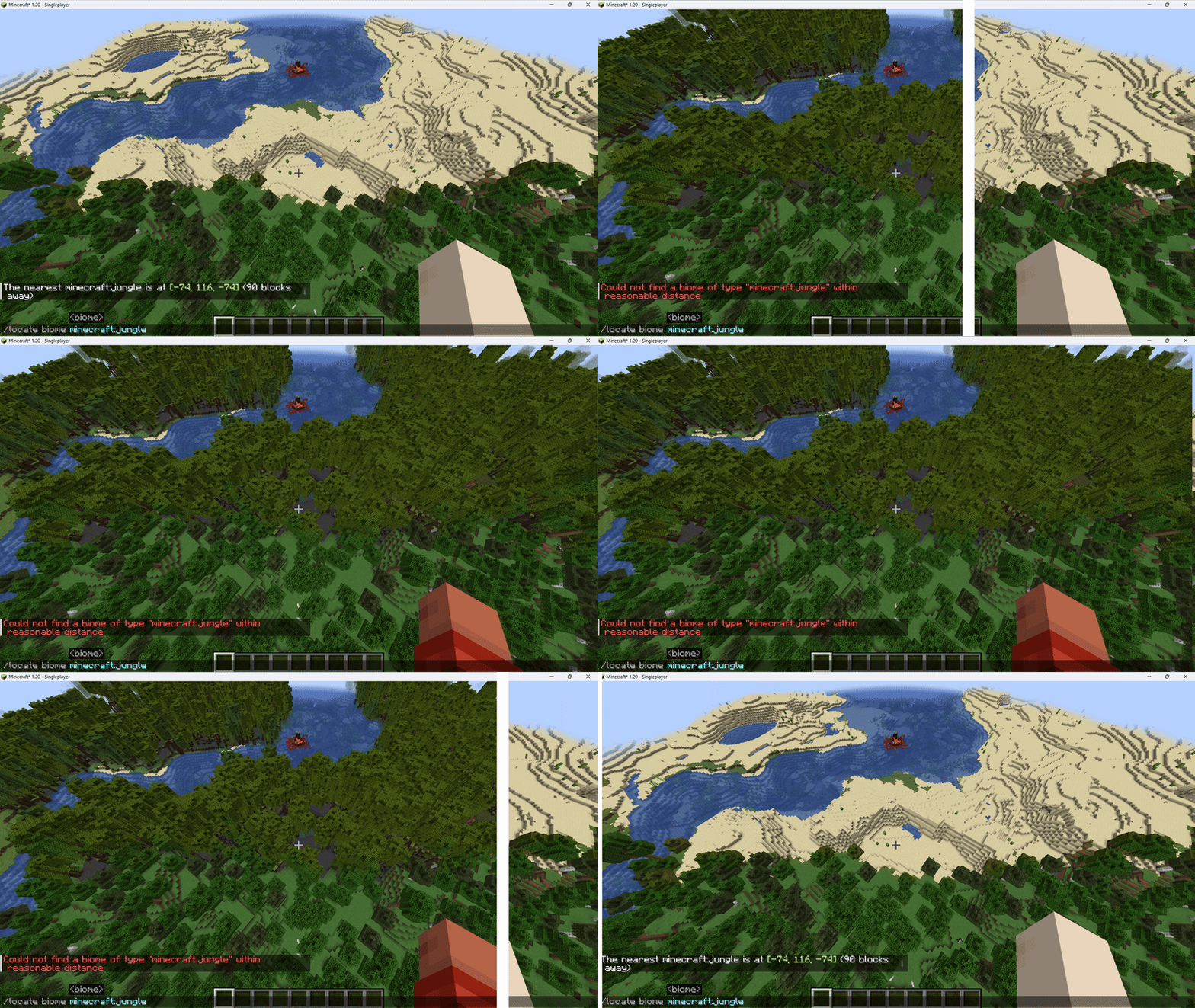
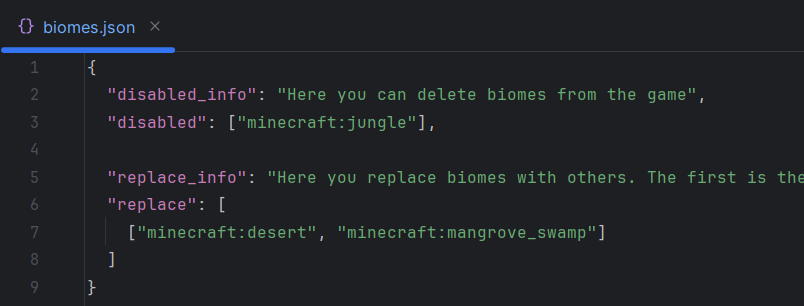
- Biomes: Control world generation by removing or modifying biomes that don’t match your style.
- Entities: Delete or replace entities easily.
- Compatibility:
- Works perfectly with JEI, REI, and EMI; removed elements will not be visible and the recipes will display correctly.
- For Creators and Players:
- Modpack Creator: Ideal for resolving conflicts between mods and maintaining balanced progression.
- Casual Player: Perfect for experimenting, imposing restrictions on servers, or creating unique challenges, such as turning water into lava or dirt into diamond blocks.
- Simple Configuration:
- All customization is managed through the
config/easy_modpack/folder, making configuration intuitive and accessible.
Support and Updates
- Compatibility: The compatible versions and loader depend on development and demand. If you have any questions, contact me!
- Collaboration and Ports: Do you want to contribute or need a port for another version? I am open to collaborating and keeping Easy Modpack updated. Contact me!
Check the branches to view the source code for each version and loader.
Incompatibilities
- TerraBlender: If this mod is installed you won’t be able to replace biomes (We are working on it, help needed!)
- Report any incompatibility here!
Demonstrations
Biome replacer
常见问题
Easy modpack 支持哪些 Minecraft 版本?
Easy modpack 支持 Minecraft Java 版 1.20.1,可用的加载器:Fabric / Quilt。下载时注意选择和你游戏版本一致的文件。
Easy modpack 怎么安装?
先用 PCL2 或 HMCL 启动器安装对应版本的 Fabric / Quilt,再把下载的 .jar 文件放进游戏目录的 mods 文件夹,重新启动游戏即可。开启了版本隔离的,mods 文件夹在 versions/版本名 下面。运行环境:客户端和服务端都要装。
Chaotic Loom 的其他作品
查看全部 →
Rain should extinguish campfires
by Chaotic Loom
Rain extinguish campfires if outside.
110万
5 个月前
Modrinth · CurseForge

Sneaky NameTag
by Chaotic Loom
Hides nametags until directly targeted
3.3万
1 年前
Modrinth

Memory manager
by Chaotic Loom
Utility mod to cleanup the memory
8,842
2 年前
Modrinth

Fancy Weather
by Chaotic Loom
Enchanced weather systems, polished vanilla and new custom additions.
2,656
11 个月前
Modrinth
评论
登录后评论和评分