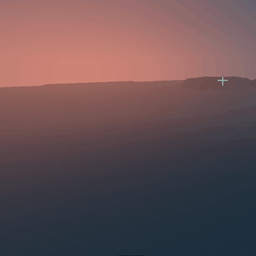
截图


介绍
中文介绍正在准备中,下面暂时显示原文。
Very light shaders:
Feature List
Water
- Procedural animated water waves
- Large and small wave layers
- Distance-based wave detail reduction
- Physically inspired water normals
- Fresnel reflections
- Sky, sun and moon reflections
- Dimension-specific reflections in the Nether and End
- Depth-based water color and transparency
- Rain ripples
- Wave foam and shoreline foam
- Underwater refraction effects
- Water caustics
- Underwater light rays
- Underwater fog and color absorption
Boat and Player Wake
- Persistent water wakes behind boats and moving players
- V-shaped Kelvin-style boat wakes
- Central turbulent wake trail
- Wake foam
- Wave propagation and gradual damping
- Teleport and invalid-movement protection
Boats
- Support for vanilla boats, chest boats and bamboo rafts
- Support for newer boat variants
- Boats visually follow larger water waves
Sky and Atmosphere
- Procedural Overworld sky
- Smooth day and night transitions
- Sunrise and sunset coloring
- Procedural sun and moon
- Procedural stars
- Atmospheric scattering
- Distance fog
- Weather-dependent sky and lighting changes
Clouds
- Procedural layered clouds
- Dynamic day, sunset and moon lighting
- Adjustable cloud quality
Lighting
- Dynamic ambient lighting
- Hemisphere-based sky lighting
- Warm block and torch lighting
- Weather-dependent lighting
- Lighting support for terrain, entities, held items and translucent objects
- Wet surface reflections
- Dimension-specific lighting
Shadows
- Dynamic sunlight shadows
- Soft filtered shadows
- Angle-dependent shadow bias
- Shadows for terrain, entities, weather and translucent objects
- Wider and softer underwater shadows
- Configurable shadow quality
Ambient Occlusion
- Support for vanilla vertex ambient occlusion
- Optional screen-space ambient occlusion
- Distant Horizons compatibility for AO processing
Godrays
- Sun and moon godrays
- Screen-space light-ray occlusion
- Weather-dependent godray intensity
- Separate underwater light-ray system
Bloom and HDR
- HDR bloom
- Dimension-specific bloom adjustments
- Highlight protection
Nether
- Custom procedural Nether sky
- Dark ambient lighting
- Strong lava emission and bloom
End
- Procedural space sky
- Multiple star layers
- Galactic bands and dust clouds
- Procedural nebulae
- Star clusters
- Multi-directional colored lighting
- End-specific fog reflections
Performance and Compatibility
- Multiple performance profiles
- Adjustable quality for shadows, clouds, water and End sky effects
- Minecraft Java support from 1.16.5 to 1.21.x
- Iris, Oculus and OptiFine compatibility
- Support for older and newer block ID systems
- Separate rendering pipelines for the Overworld, Nether and End
- Compatibility fallback for modded dimensions
- Support for translucent materials and per-buffer blending
Not Included (Some planned)
- Ray tracing or path tracing
- Screen-space reflections of blocks and entities
- PBR or LabPBR resource-pack support
- Parallax occlusion mapping
- Temporal anti-aliasing
- Motion blur
- Depth of field
- Chromatic aberration
- Dynamic colored lighting from individual blocks
- Physically simulated water flow or buoyancy
- Fully raymarched volumetric clouds
常见问题
Lumen 支持哪些 Minecraft 版本?
Lumen 支持 Minecraft Java 版 1.12.2–1.21.11,共 47 个版本,可用的加载器:Iris / OptiFine。下载时注意选择和你游戏版本一致的文件。
Lumen 怎么安装?
光影需要先装 Iris / OptiFine。把下载的 .zip 文件(不用解压)放进游戏目录的 shaderpacks 文件夹,进游戏后在「选项 → 视频设置 → 光影包」里选中它。光影对显卡要求较高,卡顿可以调低光影设置或渲染距离。

评论
登录后评论和评分