
chatqalc
作者:vlad2305m
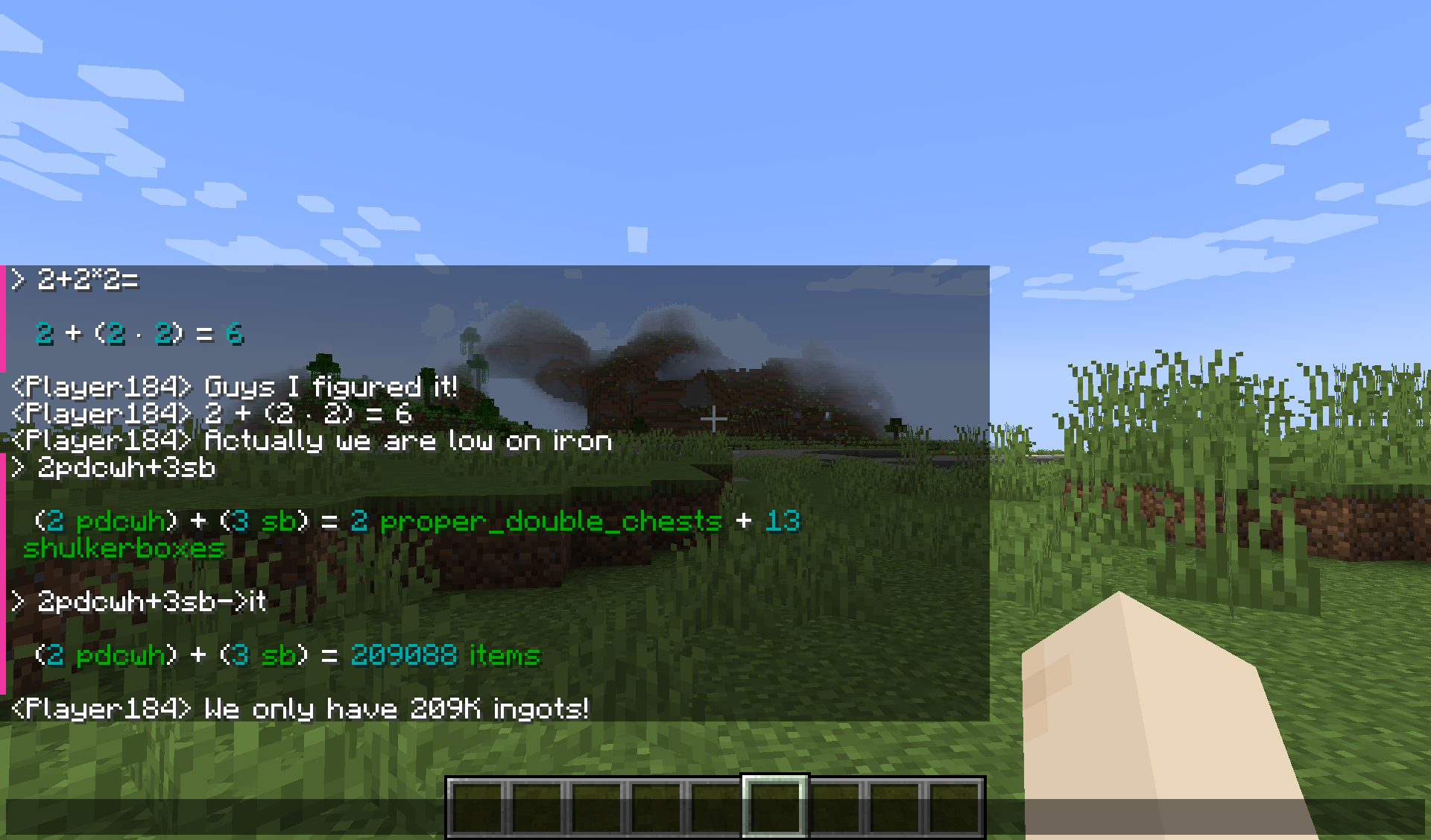
The best overfeatured cli calculator is now in chat. Ctrl+Enter to execute, Tab+Enter to substitute
截图

介绍
中文介绍正在准备中,下面暂时显示原文。
ChatQalc
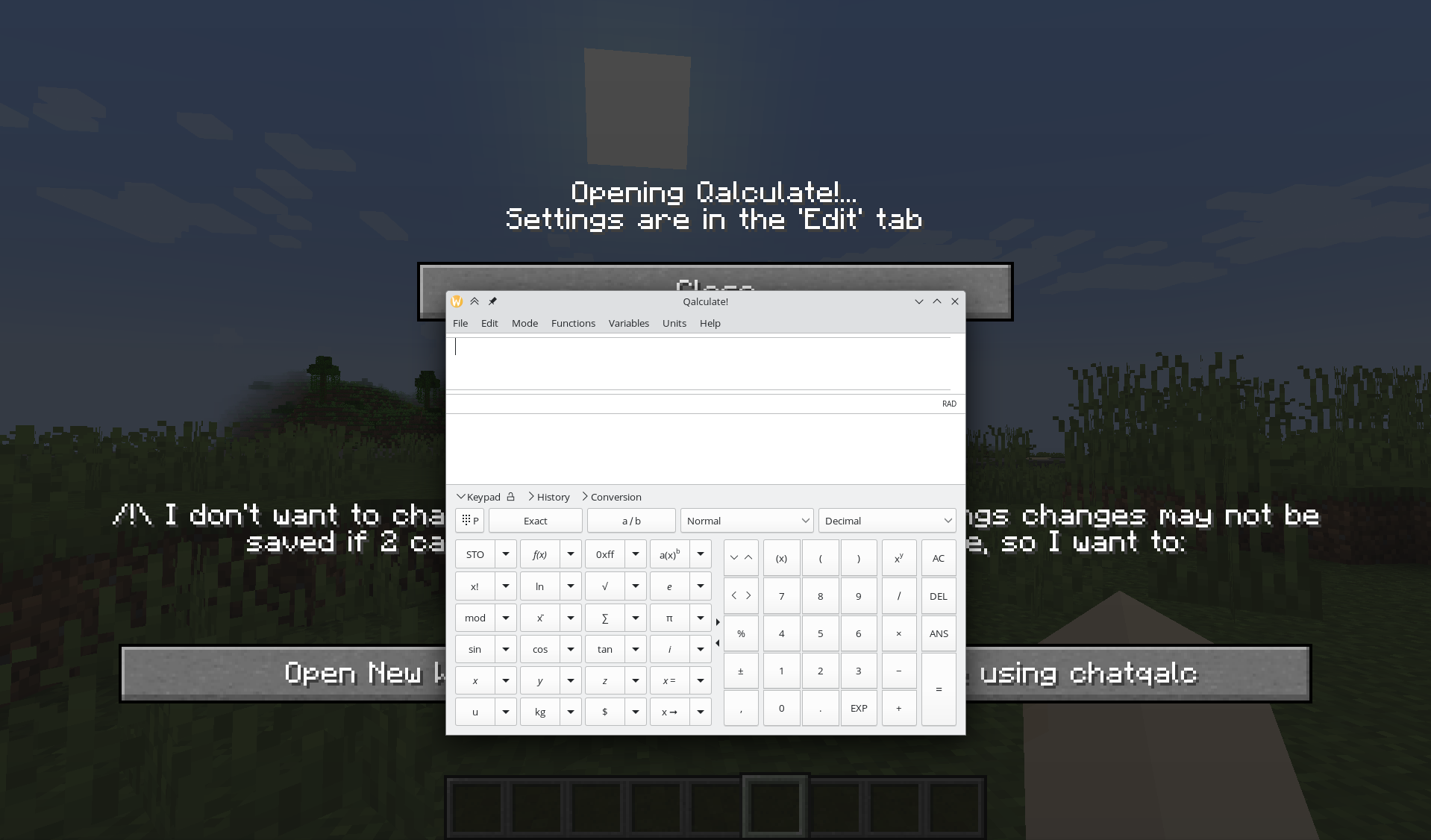
An interface to Qalculate! qalc – the best cli calculator. (Included for Windows/Linux)
Features
- Installs and runs portable interactive
qalccli calculator when you start Minecraft - Operates in chat screen (
Tor/) NumPadEnterorCtrl+Enter= Send message to qalc instead of chatCtrl+Tab= Convert last expression without spaces to calculated result (escape spaces with\)Shift+Enter= Send message to qalc and replace chat field with last line of the result (You can look at the result and decide to share it with everybody by pressingEnter)Ctrl+Shift+Enter= Same asCtrl+Enter, but result is broadcast from your name to the whole server. And without colors. (Use when you want to share multiple lines)Shift+Tab= Get completions- Chat history of your queries. Very helpful.
- Open config in ModMenu to get a graphical interface. All settings are there. (
Edittab) - Some Minecraft-related units and variables (
100it = 1 stack + 36 items)itstsbpdcpdcwhgtiphhs,ch|chunk|chunks
Qalculate! features
https://qalculate.github.io/features.html
Manual: https://qalculate.github.io/manual/qalc.html
Most notably:
/helpthenCtrl+Enter- Use
->for unit conversion (1km->m = 1000 m) - Fault-tolerant parsing of strings (almost natural language)
- Ability to disable functions, variables, units or unknown variables for less confusion: e.g. when you do not want (a+b)^2 to mean (are+barn)^2 but (“a”+”b”)^2
- Verbose error messages, Arbitrary precision
- Symbolic calculation
- Functions, Units, Variables, Constants (persistent between restarts)
- Gnuplot (opens a new window with plot, you have to install GNUplot separately for it to work)
- Comments start with
#
You can get a 30KB noinstall version if you install or link Qalculate to ./minecraft/config/chatqalc/ manually or run the full version once.

常见问题
chatqalc 支持哪些 Minecraft 版本?
chatqalc 支持 Minecraft Java 版 1.20–1.20.4,共 5 个版本,可用的加载器:Fabric。下载时注意选择和你游戏版本一致的文件。
chatqalc 怎么安装?
先用 PCL2 或 HMCL 启动器安装对应版本的 Fabric,再把下载的 .jar 文件放进游戏目录的 mods 文件夹,重新启动游戏即可。开启了版本隔离的,mods 文件夹在 versions/版本名 下面。运行环境:仅客户端。
vlad2305m 的其他作品
查看全部 →
Akashic Tome of Tools Fabric
by vlad2305m
一本能将放进去的任何东西变形的书,效果做得相当到位。
17.8万
3 年前
CurseForge

Sound Physics Fabric
by vlad2305m
你听过的音效最出色的模组。为声音加入光线追踪效果。
6.8万
3 年前
CurseForge

Proper Mobcap Modifier Fabric
by vlad2305m
调整原版枚举中的生物生成上限等内容(兼容性很高)。
2.6万
2 年前
CurseForge

Fabric per player spawns
by vlad2305m
每位玩家都拥有独立的生物数量上限(默认 70)。
2.1万
1 个月前
Modrinth · CurseForge
评论
登录后评论和评分