
Elite TierTagger
作者:EliteStorm
Simple mod that displays the tiers of users who have been tested on EliteStorm.
截图

介绍
中文介绍正在准备中,下面暂时显示原文。
Elite TierTagger
Official TierTagger of the Elite Storm Tierlist.
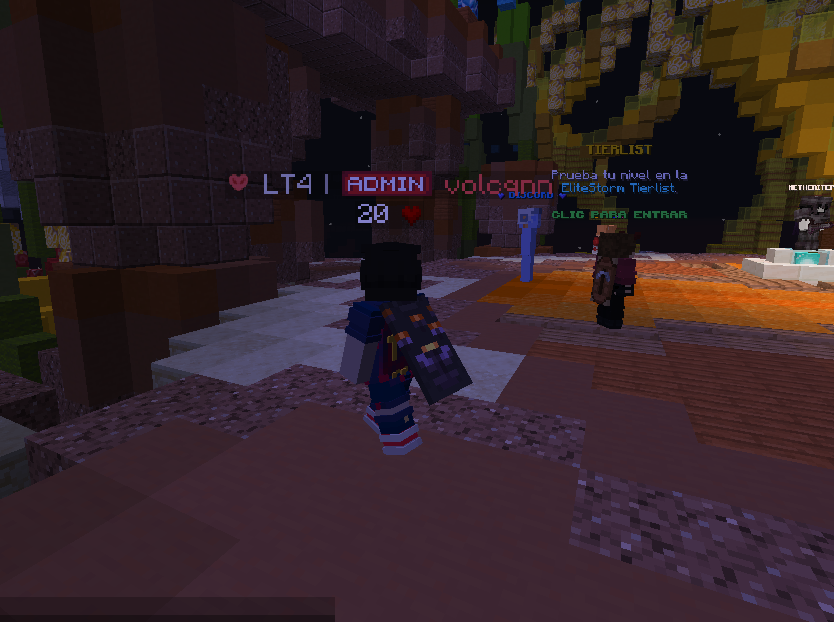
A Minecraft Mod that displays EliteStorm player tiers directly on nametags, in chat, and in the player tab list.


Features
- Nametag tiers: Shows the player’s tier rank (e.g.
⚔ HT2 | Player) above their head. - Chat tiers: Displays the tier next to the player name in chat messages.
- Tab list tiers: Shows the tier in the player list (Tab).
- Text display support: Compatible with nametags that use
TextDisplayentities. - 8 game modes: UHC, Axe, Sword, Diamond Pot, Netherite Pot, SMP, Mace, and Vanilla.
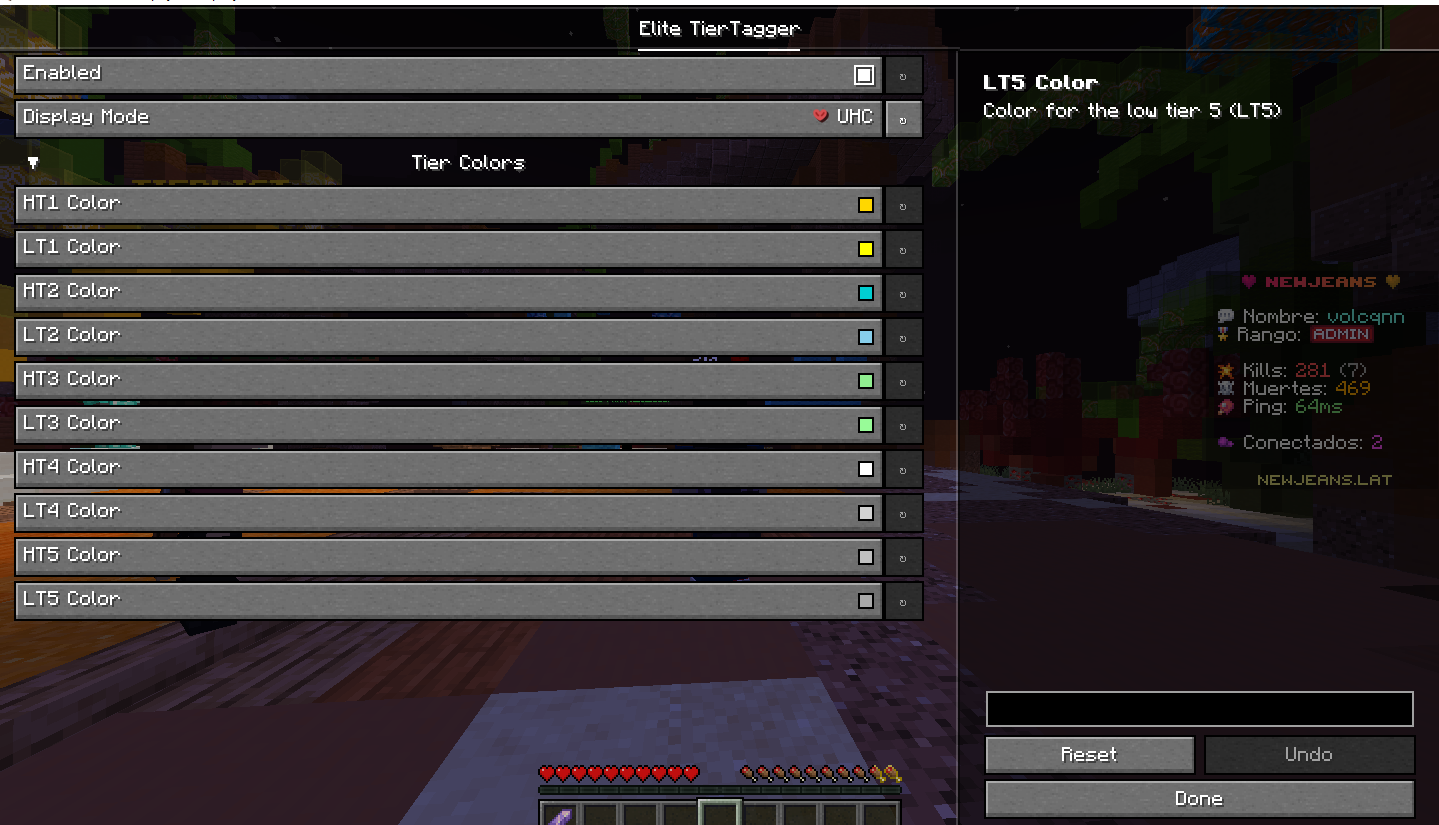
- 10 tiers: HT1–HT5 and LT1–LT5, each with a customizable color.
- Display mode: Show the player’s highest tier or a specific game mode’s tier.
- In-game config: Settings screen via ModMenu + YACL to toggle the mod, choose display mode, and customize tier colors.
Requirements
- Minecraft 1.21.6
- Fabric Loader ≥ 0.19.3
- Fabric API
- Yet Another Config Lib (YACL) v3
- ModMenu (Optional)
Installation
- Install Fabric Loader.
- Place the mod
.jarin themodsfolder. - Make sure Fabric API, YACL, and ModMenu are installed.
Configuration
Run /config or open Mods menu → Elite TierTagger. From there you can:
- Enable/disable the mod.
- Choose whether to show the highest tier (
HIGHEST) or a specific game mode. - Customize each tier’s color (HT1–LT5).
常见问题
Elite TierTagger 支持哪些 Minecraft 版本?
Elite TierTagger 支持 Minecraft Java 版 1.21.1–26.1.2,共 5 个版本,可用的加载器:Fabric。下载时注意选择和你游戏版本一致的文件。
Elite TierTagger 怎么安装?
先用 PCL2 或 HMCL 启动器安装对应版本的 Fabric,再把下载的 .jar 文件放进游戏目录的 mods 文件夹,重新启动游戏即可。开启了版本隔离的,mods 文件夹在 versions/版本名 下面。运行环境:仅客户端。
评论
登录后评论和评分