
ExpressCart
Minecarts faster than an elytra: never derail, link into trains, stop with redstone signals. Pure data pack.
截图


介绍

 ExpressCart
High-speed minecarts that outrun an elytra and never derail. You can link them into trains and stop them in an instant.
ExpressCart is a pure data pack: no mods, no plugins, and no resource pack needed. Craft an Express Minecart, put it on your rails and ride. Players and vanilla minecarts work exactly as before. Only Express Minecarts get the upgrade.
Works on Minecraft Java 1.21.11 and 26.1 – 26.3 (singleplayer, vanilla, Paper-based and Fabric servers)
Available in
English (default) and
German: download the file that matches your language.
 Features
| | |
|—|—|
|  Faster than an elytra | 60 blocks/s by default (an elytra with rockets reaches about 33, a vanilla minecart 8). Admins can set the limit anywhere from 1 to 500. |
|  Never derails, never gets stuck | The cart follows the real rail geometry every tick, through curves, slopes and drops. Mobs and blocks can’t stop it. At the end of the track it simply halts. |
|  Link carts into trains | Use the Coupler to link carts. Linked carts drive as one train with fixed spacing, even through curves. |
|  Set your own speed | W/S raise or lower your target speed. Powered rails then push you up to that speed as fast as they can. |
|  Instant stops | Space is an emergency brake. An unpowered powered rail works as a stop signal you can control with redstone, so you can build stations. |
|  Mobs can ride along | Empty Express Minecarts pick up mobs they drive past, just like vanilla carts. |
|  OP Express Minecart | Admins only: it accelerates anywhere, needs no powered rails and can’t be broken in survival. |
|  In-game admin menu | One clickable chat menu for max speed, powered rail boost, friction, autopilot and a server-wide STOP ALL button. |
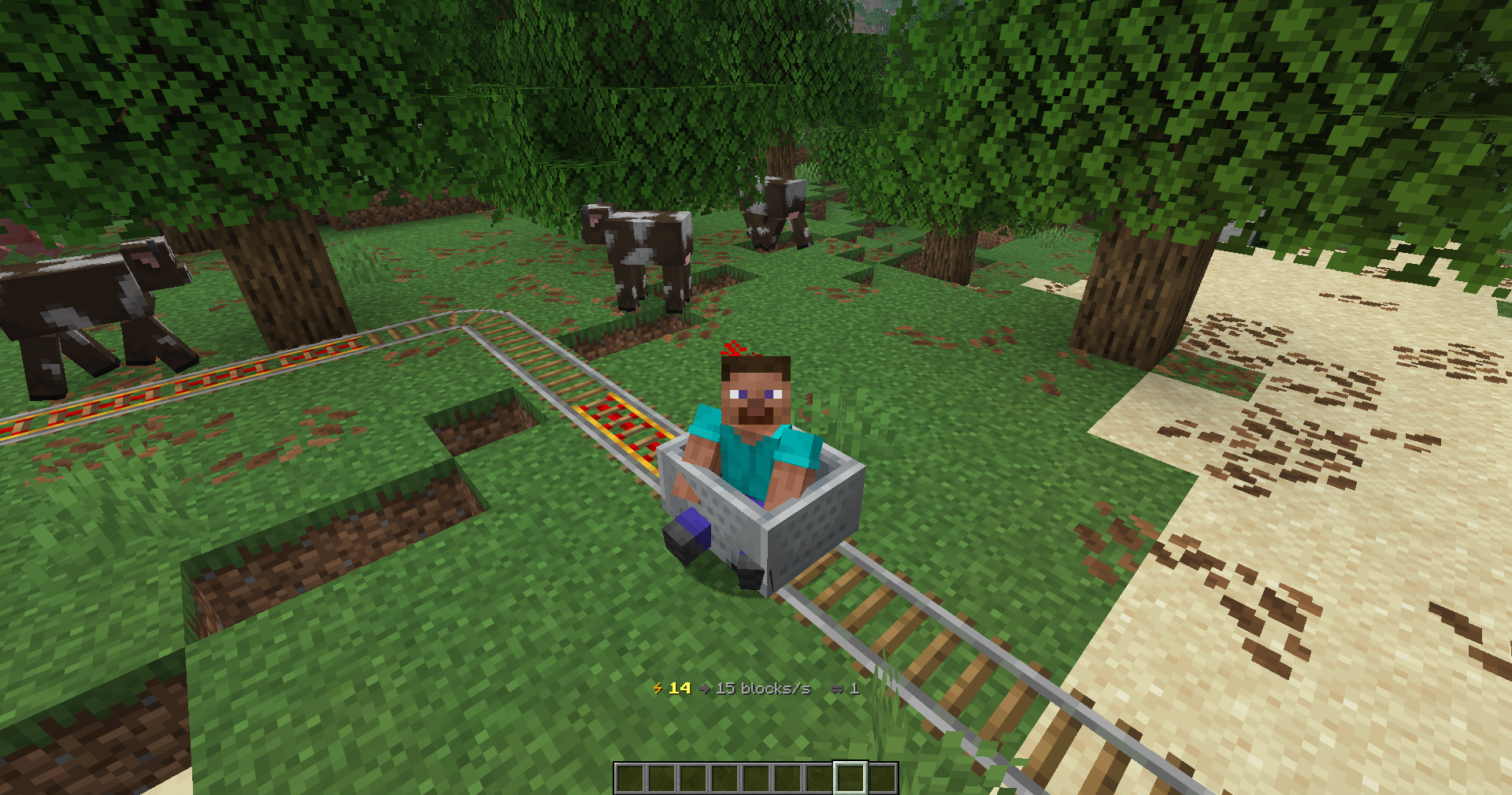
 How to ride
| Key | Action |
|—|—|
| W (looking forward) | Raise the target speed |
| S | Lower the target speed / brake |
| W (looking backward, while stopped) | Turn the train around |
| Space | Emergency brake: stop instantly |
| Shift | Get out (vanilla) |
The action bar shows your current speed → target speed and how many carts your train has.
Powered rails matter: a normal Express Minecart only speeds up on powered powered rails. Away from them it slowly rolls to a stop. When you’re standing still, W pushes you at walking speed (8 blocks/s) so you can reach the next powered rail. Lay a few powered rails at the start of a line and a single one now and then to hold your speed.
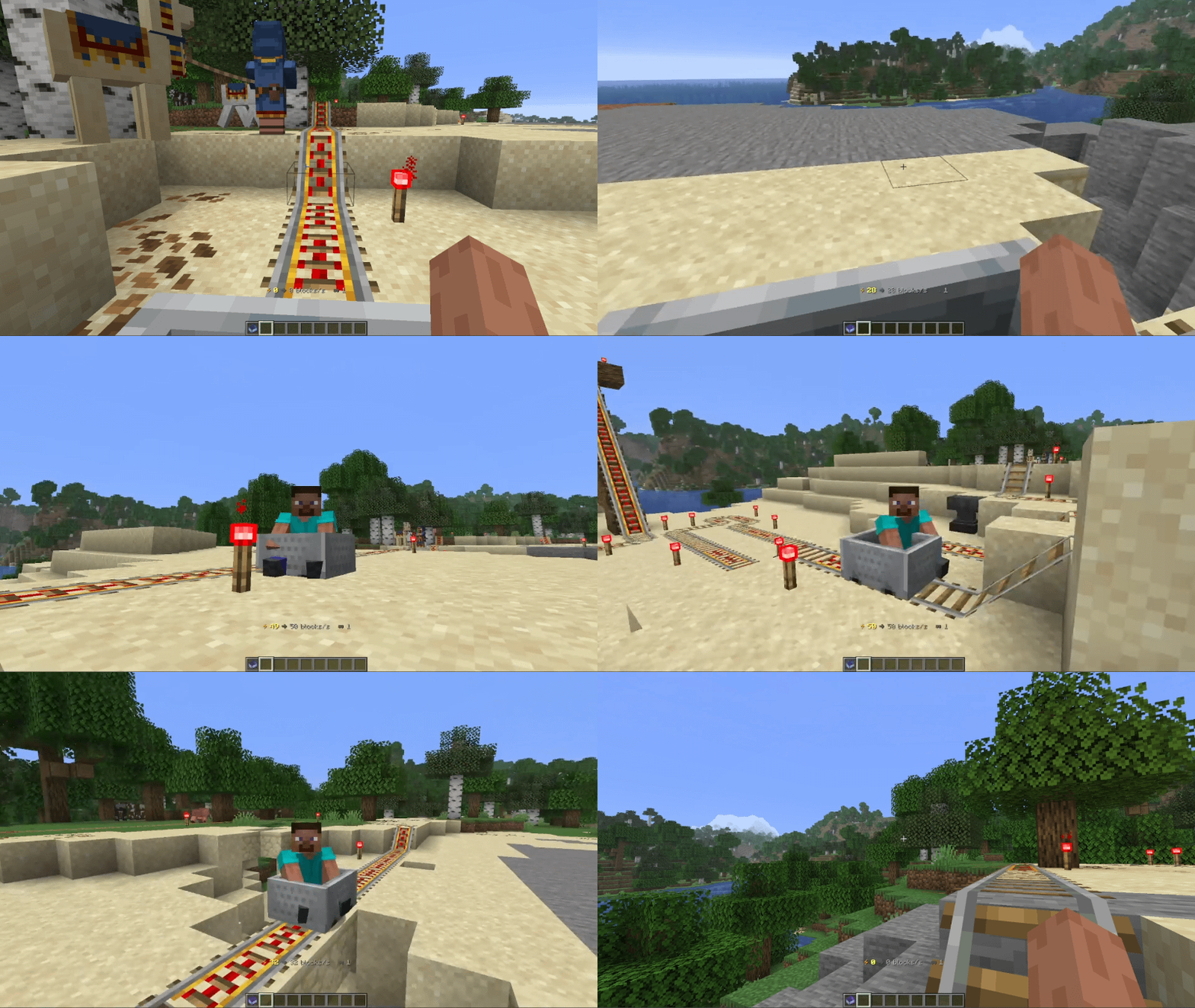
Linking trains
- Hold the Coupler and right-click the first Express Minecart. It starts glowing.
- Right-click the second cart. It has to be on the same track, at most 8 blocks away along the rail.
- Done! Both carts now drive as one train in the same direction.
Click the same cart twice to unlink it. Both trains have to be stopped while you link them.
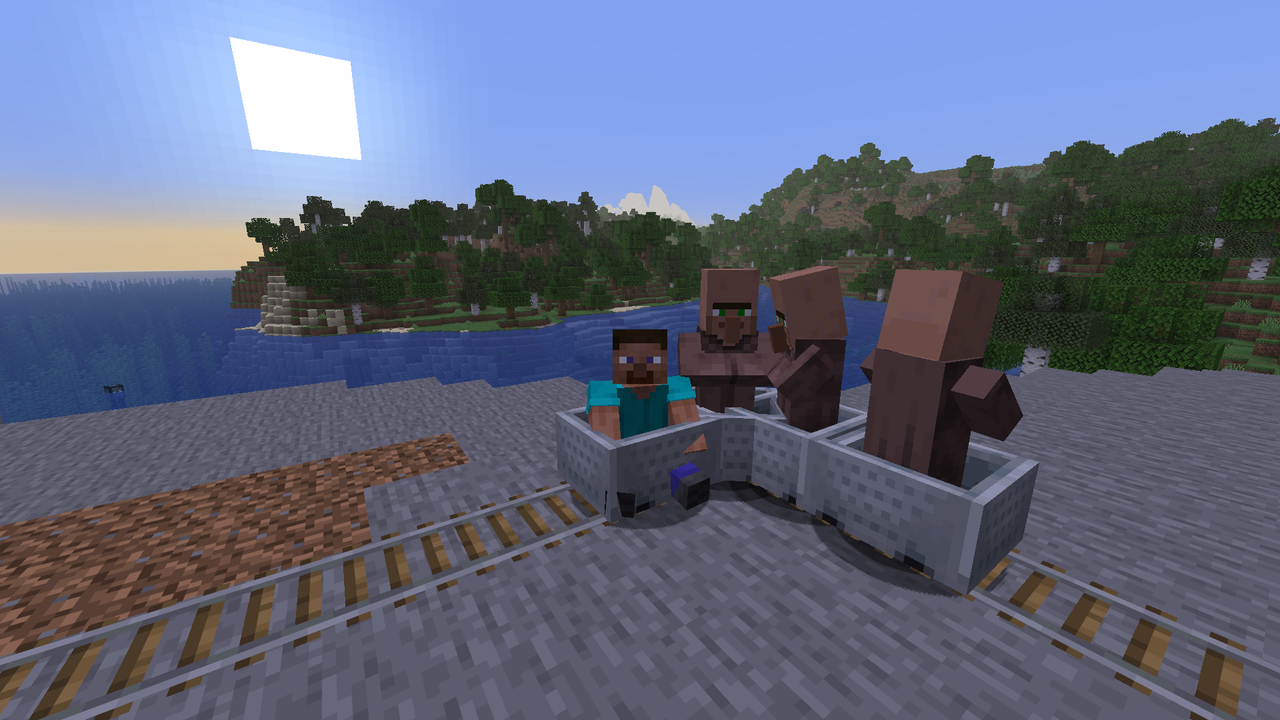
Stations and signals
An unpowered powered rail stops every Express train right in front of it, at any speed. Power it with a lever, button or redstone clock and the train drives on. That’s all you need for stations, crossings and timed departures.
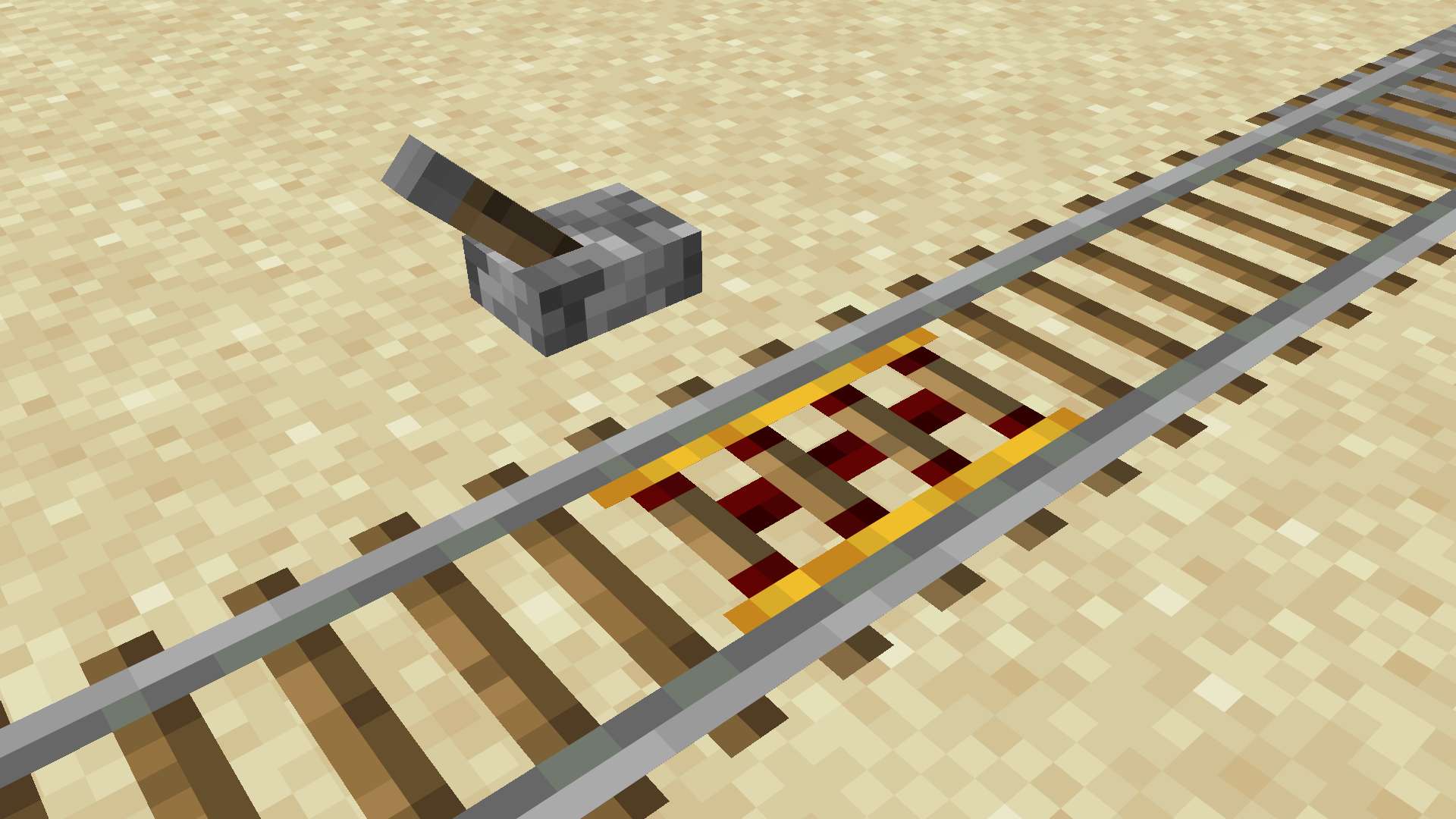
 Crafting
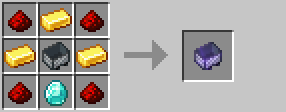
Express Minecart: a minecart surrounded by gold, redstone and a diamond.
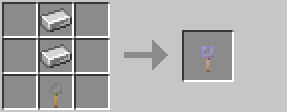
Coupler: shapeless, 1 tripwire hook + 2 iron ingots.
The OP Express Minecart can’t be crafted. Admins get it from the menu.
Admin commands
All admin features are in one clickable menu:
/function expresscart:menuAll commands
| Command | What it does |
|—|—|
| /function expresscart:menu | Opens the admin menu |
| /function expresscart:admin/speed {bps:80} | Sets the max speed (1 – 500 blocks/s) |
| /function expresscart:admin/boost {value:150} | Sets how strongly powered rails accelerate |
| /function expresscart:admin/fric {value:3} | Sets rolling friction off powered rails (0 = none) |
| /function expresscart:admin/accel {value:30} | Sets the acceleration of the OP minecart |
| /function expresscart:admin/stopall | Instantly stops every train on the server |
| /function expresscart:admin/autopilot | Toggles autopilot on the nearest cart (it shuttles between track ends) |
| /function expresscart:give | Gives an Express Minecart and a Coupler |
| /function expresscart:admin/give_op | Gives an OP Express Minecart |
| /function expresscart:admin/uninstall | Cleans everything up before you remove the pack |
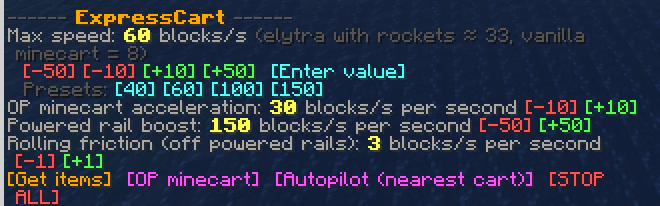
 Installation
- Download the file for your language:
ExpressCart-x.x.x-en.ziporExpressCart-x.x.x-de.zip. - Put the zip into your world’s
datapacksfolder:
- Singleplayer:
.minecraft/saves/<world>/datapacks/ - Server:
<server>/world/datapacks/
- Run
/reloador restart the world/server.
Only install one language version at a time.
FAQ
Do players need to install anything?
No. Everything runs on the server, and vanilla clients can join.
Does it change normal minecarts?
No. Only Express Minecarts (and OP Express Minecarts) are affected.
Is there a speed limit for chunk loading?
Above roughly 150 blocks/s, chunks often can’t load fast enough. The train then waits for a moment instead of derailing.
Can I use it on Paper/Spigot?
Yes, it works like any vanilla data pack on Paper-based servers.
How do I remove it?
Run /function expresscart:admin/uninstall, delete the zip from the datapacks folder and /reload.
 Found a bug or have an idea? Let me know in my Discord: https://discord.gg/AtbYGvQWp8. Enjoy the ride!
常见问题
ExpressCart 支持哪些 Minecraft 版本?
ExpressCart 支持 Minecraft Java 版 1.21.11–26.3,共 6 个版本。下载时注意选择和你游戏版本一致的文件。
ExpressCart 怎么安装?
新建世界时在「数据包」里把下载的 .zip 拖进去;已有的存档,把文件放进存档目录下的 datapacks 文件夹,进游戏输入 /reload 即可生效。服务器同样放在世界目录的 datapacks 里。

评论
登录后评论和评分