
Building Copy
Client-side copy/paste for builds between worlds & servers — select, copy, rotate, preview as a hologram, then paste via /setblock & /fill.
截图
介绍
Building Copy
Client-side mod that lets you select a region of blocks, copy it, and paste it into another world or server — no server-side mod needed.
Features
Select & copy — stand in one corner, then the other, and copy the region into a clipboard (block entities like chests and signs included).
Works across worlds/servers — the clipboard survives disconnecting and joining a different world or server in the same game session, and auto-saves to disk so it survives a game restart too.
Menu-driven, no keybinds required — press Esc, then “Building Copy”, for every action. Keybinds are also available (unbound by default) for players who want them.
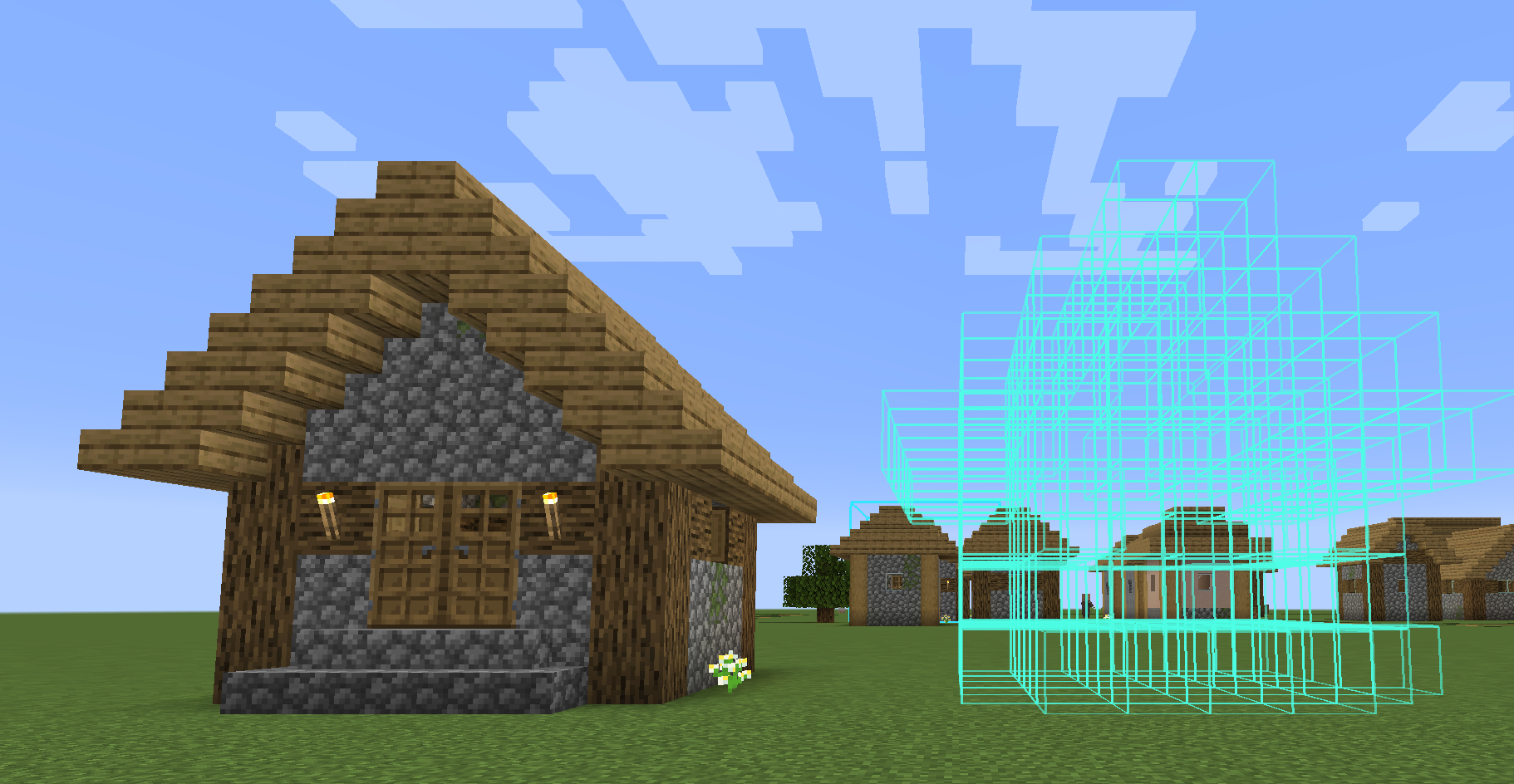
Hologram preview — see a movable, wireframe preview of the build before committing to a paste. It’s pure client-side rendering, so only you ever see it.
Rotate — rotate the clipboard 90, 180, or 270 degrees around the vertical axis before pasting; facing/axis blockstate properties (stairs, logs, torches, etc.) rotate correctly.
Undo — undo the last few pastes; the mod snapshots what was there before overwriting it.
Save/load multiple schematics — name and browse saved builds instead of being limited to one clipboard slot.
How it works
Copying reads blocks directly from your client’s already-loaded world. Pasting sends /setblock and /fill commands to the server — the same commands available to any operator. This means you need permission to run /setblock and /fill on the destination server (permission level 2, operator). Being in creative mode alone isn’t enough if the server has a permissions plugin restricting commands.
Because pasting only uses vanilla commands, this mod works on any Forge or vanilla server — nothing needs to be installed server-side.
Controls
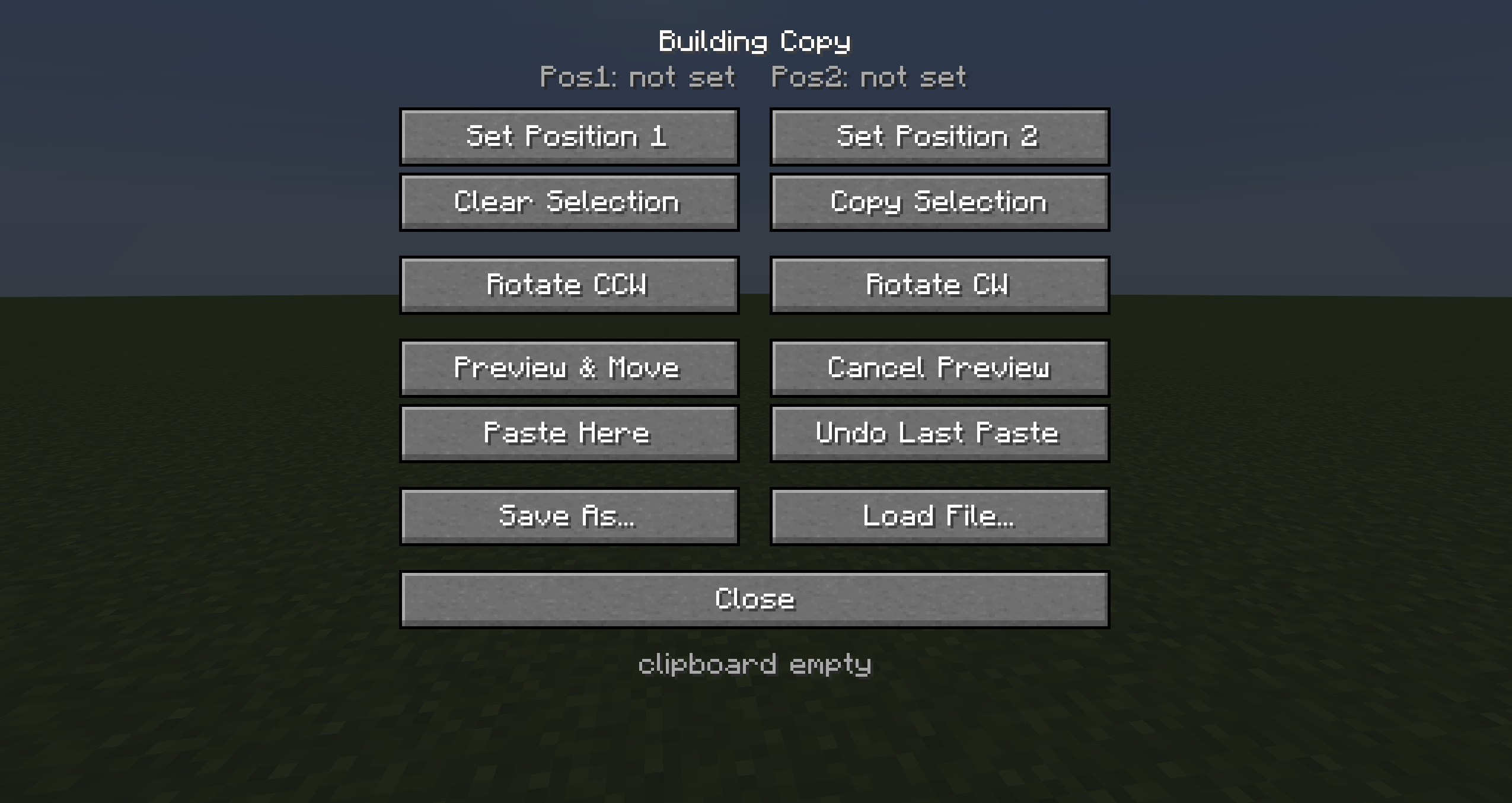
Open the menu with Esc, then click “Building Copy”.
Set Position 1 / 2 — marks a selection corner at your position
Copy Selection — copies the selected region to the clipboard
Rotate 90 degrees left/right — rotates the clipboard before pasting
Preview & Move (hologram) — shows a movable preview; scroll to nudge X/Y/Z (Shift/Ctrl + scroll for X/Z)
Paste Here — pastes at your position (or the hologram’s position)
Undo Last Paste — reverts the last paste
Save As… / Load From File… — manage multiple saved schematics
**Requirements
**
Minecraft Forge
Permission to run /setblock and /fill on whatever server you’re pasting into
常见问题
Building Copy 支持哪些 Minecraft 版本?
Building Copy 支持 Minecraft Java 版 1.16.5–1.20.1,共 2 个版本,可用的加载器:Forge。下载时注意选择和你游戏版本一致的文件。
Building Copy 怎么安装?
先用 PCL2 或 HMCL 启动器安装对应版本的 Forge,再把下载的 .jar 文件放进游戏目录的 mods 文件夹,重新启动游戏即可。开启了版本隔离的,mods 文件夹在 versions/版本名 下面。运行环境:仅客户端。
needyimanbka 的其他作品
查看全部 →
Skybreaker
Removes the Overworld's vertical build limit — build up to Y=2032 (Y=512 on 1.16.5).

Subaru stairs
Green tint, particles and music while climbing stairs, plus a custom endless spiral tower dimension with a lit green portal.
评论
登录后评论和评分