截图

介绍
中文介绍正在准备中,下面暂时显示原文。
Things pack
A small datapack that adds fun, lightweight extras to your world — starting with a free custom barrel.
Features
- Auto-welcome message — shows an actionbar message confirming the pack has loaded, no setup required.
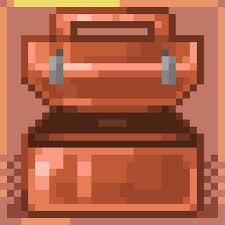
- Free Barrel — get a barrel renamed to
FreeBarrelwith a single command.
How to get the barrel
Run this command in-game:
/function things:free_barrel
You’ll receive a barrel with a custom name shown in its interface when opened.
Installation
- Download the file below.
- Place it in your world’s
datapacksfolder (saves/<world_name>/datapacks/). - Run
/reloadin-game, or restart your world/server. - Confirm it’s active with
/datapack list enabled.
Compatibility
Built for the modern data pack format (107), compatible with recent 1.21.x snapshots/releases using the min_format/max_format pack.mcmeta structure.
Notes
This is a simple, low-overhead datapack — it only runs a couple of commands and doesn’t add any recurring tick logic, so it has minimal impact on performance.
常见问题
Things pack 支持哪些 Minecraft 版本?
Things pack 支持 Minecraft Java 版 26.2–26.3,共 2 个版本。下载时注意选择和你游戏版本一致的文件。
Things pack 怎么安装?
新建世界时在「数据包」里把下载的 .zip 拖进去;已有的存档,把文件放进存档目录下的 datapacks 文件夹,进游戏输入 /reload 即可生效。服务器同样放在世界目录的 datapacks 里。


评论
登录后评论和评分