
截图
介绍
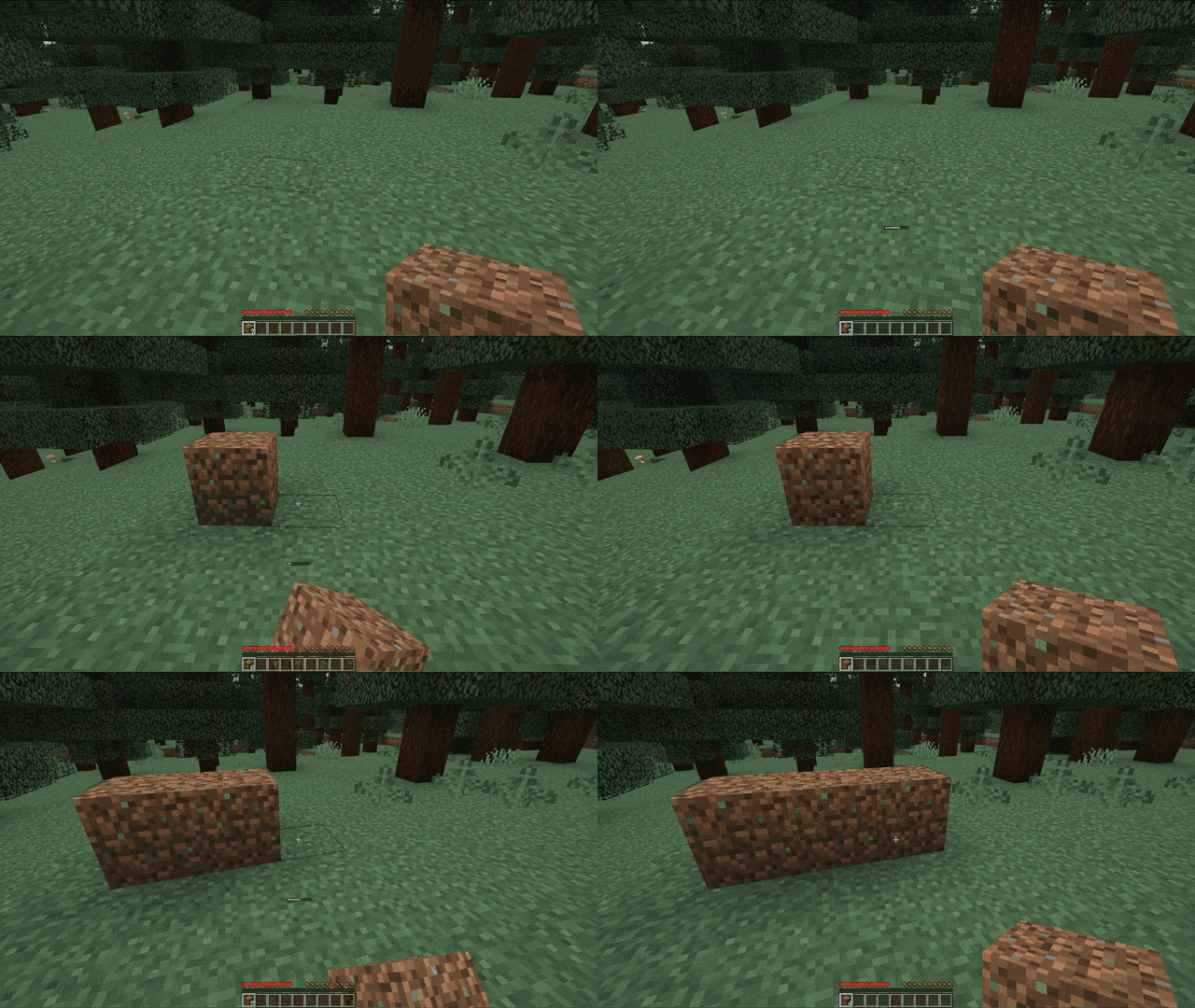
Lazy Placing
A Minecraft Fabric & Forge mod which changes one of the main mechanics in game – block placement timing.
In vanilla Minecraft, any block will be placed instantly, but now you’ll have to wait a bit before a block will be placed.

Info
By default, the time needed to place a block will be 0.6 seconds (see “configuration” section).
The mod
- works in singleplayer, LAN and dedicated server
- should be compatible with most of the other mods, it should work with all block-items, which do not have custom block placement mechanics
- affects only survival gamemode
Dependencies
This mod requires:
Fabric
- Minecraft Java Edition >=1.20.1 <=1.20.4
- Fabric Loader ^0.16.9
- Fabric API ^0.92.2
(Version resolution from Fabric Documentation)
Forge
- Minecraft Java Edition >=1.20.1 <=1.20.4
- Forge >47
Uninstallation
To uninstall the mod, remove it from the mods folder.
Configuration
When the game starts for the first time, the mod will generate a configuration file in config/lazyplacing.json (in root folder of Minecraft, not mods folder).
The file will have the following content:
{
  "stablePlacingDuration": 12,
  "maxRandomAdditionDuration": 0
}
You can create this file by hand if you want to change the default without starting the game.
If the configuration file was deleted, mod will generate a new one with default values.
Properties:
stablePlacingDuration– default value is12ticks (0.6 seconds). The minimum time needed to place a blockmaxRandomAdditionDuration– default value is0ticks (0 seconds). The maximum clamp for random time, which may to thestablePlacingDuration
常见问题
Lazy Placing 支持哪些 Minecraft 版本?
Lazy Placing 支持 Minecraft Java 版 1.20.1–1.20.4,共 4 个版本,可用的加载器:Fabric / Forge。下载时注意选择和你游戏版本一致的文件。
Lazy Placing 怎么安装?
先用 PCL2 或 HMCL 启动器安装对应版本的 Fabric / Forge,再把下载的 .jar 文件放进游戏目录的 mods 文件夹,重新启动游戏即可。开启了版本隔离的,mods 文件夹在 versions/版本名 下面。运行环境:客户端和服务端都要装。

评论
登录后评论和评分