
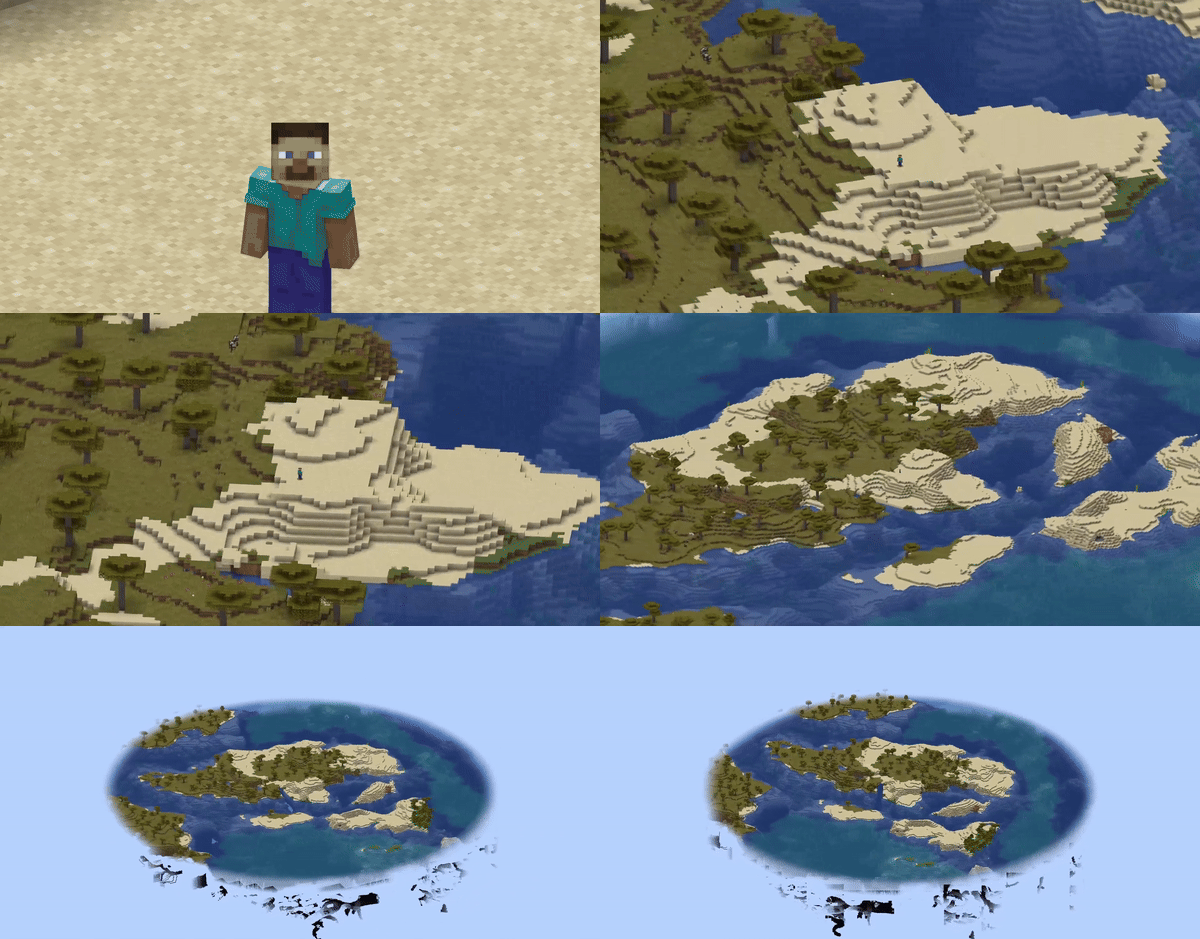
截图


介绍
OrthoCamera
Minecraft Fabric client-side mod. Adds Toggleable & configurable orthographic view mode.
What is this
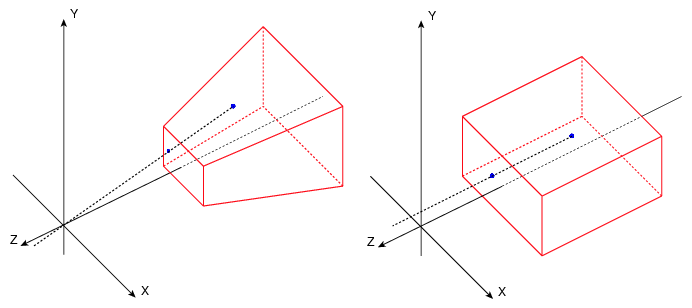
In the perspective view (the default), objects which are far away are smaller than those nearby. In the orthographic view, all objects appear at the same scale.
Minecraft uses perspective view to draw the world. It gives a first-person feel.
This mod allows you to enable orthographic view and configure frustum in detail.
Use
You can open config screen from ModMenu or by the hotkey. You can configure:
- Saving enabled state between client restarts
- X and Y camera scale
- Minimum and maximum view distance (Position of frustum’s near and far plane)
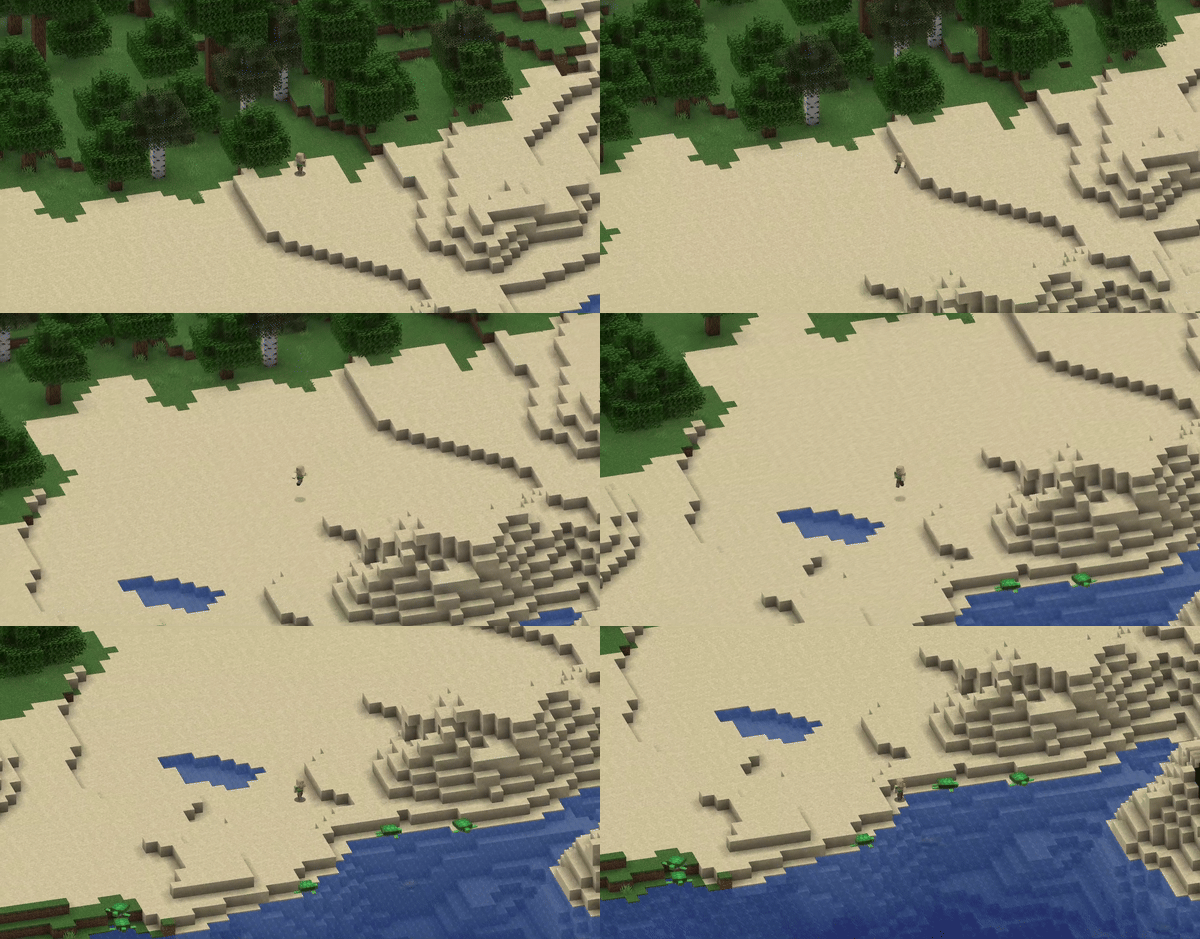
- Fix camera (Lock mouse rotation. Allows to play the game normally, but with an orthographic view)
- Fixed camera rotation
- Fixed camera rotation speed (when rotating using hotkeys)
There are also 8 hotkeys for:
- Toggle orthographic view
- Increase scale
- Decrease scale
- Fix camera
- Rotate fixed camera
Fixed camera demonstration:
Compatibility
- Using Sodium mod, you have to disable “Use Block Face Culling” in “Performance” tab. Otherwise, some block faces will not render with big scale
- However, Nvidium mod force enables this sodium feature. So you have to disable Nvidium mod, if you have it.
- After disabling, you probably need to press F3 + T to apply change
常见问题
OrthoCamera 支持哪些 Minecraft 版本?
OrthoCamera 支持 Minecraft Java 版 1.19.2–26.3,共 25 个版本,可用的加载器:Fabric。下载时注意选择和你游戏版本一致的文件。
OrthoCamera 怎么安装?
先用 PCL2 或 HMCL 启动器安装对应版本的 Fabric,再把下载的 .jar 文件放进游戏目录的 mods 文件夹,重新启动游戏即可。开启了版本隔离的,mods 文件夹在 versions/版本名 下面。运行环境:仅客户端。
DimasKama 的其他作品
查看全部 →
Voice Messages
Voice messages in minecraft chat

SchematicPreview
3D schematic previews & other utilities for litematica

VisualKeys
Utility mod that adds screen keyboard with all keybindings

VisualKeys
Utility mod that adds screen keyboard with all keybindings
评论
登录后评论和评分