
截图
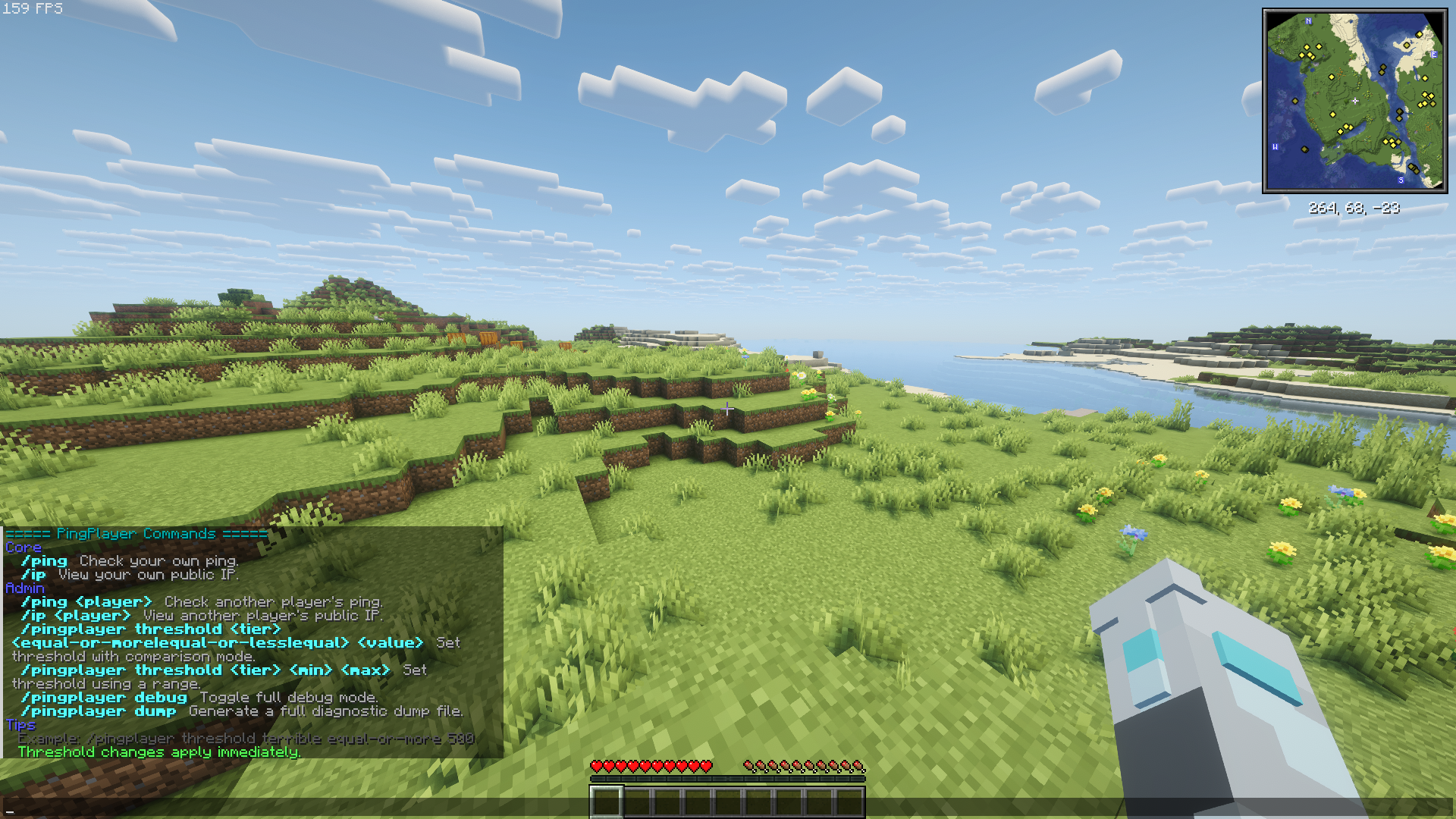

介绍
PlayerPing Mod
A server-side port of the original PlayerPing plugin by HoneyBerries, now available for Fabric and NeoForge modded servers.
For Fabric servers, Fabric API is required.
🆕 What’s New in 1.1.1
- Fixed the critical admin-permission glitch from 1.1.0 that could block
/pingplayercommands in-game. - Fixed the critical glitch causing crashes on multiple versions of fabric servers (1.21.5 to 1.21.11).
- Added support for modern admin permission setups:
- Vanilla OP users
- Permission node:
playerping.admin - LuckPerms weight fallback (
minLuckPermsWeight, default:8) - Added
/ip(self lookup) for all players. - Added
/pingplayer debugto toggle full server-side diagnostics. - Added
/pingplayer dumpto generate a full diagnostic report. - Improved in-game help UI with cleaner formatting and readability.
- Added config header warnings and safer config parsing.
✨ Features
- 🔍 Ping Check – Use
/pingfor self,/ping <player>for admin checks. - 🌐 IP Lookup – Use
/ipfor your own public IP,/ip <player>for admin lookup. - 📋 Tablist Ping Display – Ping values shown directly in the tab list with quality colors.
- 🎛️ Live Threshold Management – Edit ping tiers in-game with
/pingplayer threshold .... - 🚦 Quality Colors – Clear ping quality indicators (Excellent → Terrible).
- 🛠️ Debug + Dump Tools – Built-in diagnostics for troubleshooting and crash investigation.
Commands
| Command | Description | Permission |
|——–|————-|————|
| /ping | Get your own ping | All players |
| /ping <player> | Check another player’s ping | Admins |
| /ip | Get your own public IP | All players |
| /ip <player> | Get another player’s public IP | Admins |
| /pingplayer help | Show admin command help | Admins |
| /pingplayer debug | Toggle full debug mode on/off | Admins |
| /pingplayer dump | Generate a full diagnostic dump report | Admins |
| /pingplayer threshold <excellent\|good\|fair\|poor\|terrible> | Show current threshold for a tier | Admins |
| /pingplayer threshold <tier> equal-or-more <value> | Set tier to >= value | Admins |
| /pingplayer threshold <tier> equal-or-less <value> | Set tier to <= value | Admins |
| /pingplayer threshold <tier> equal <value> | Set tier to exact value | Admins |
| /pingplayer threshold <tier> <min> <max> | Set tier to a range interval | Admins |
Examples
/pingplayer threshold terrible equal-or-more 500/pingplayer threshold fair 101 250/pingplayer debug/pingplayer dump
🧪 Diagnostics
When you run /pingplayer dump, the mod creates a full diagnostic report at:
config/player-ping/crash_reports/
Fabric file naming format:
pingplayer_crash_MMddyyyy_fabric.txt
🎨 Ping Quality Indicators
- 🟢 Green — Excellent
- 🟡 Yellow — Good
- 🟠 Gold — Fair
- 🔴 Red — Poor
- 🟥 Dark Red — Terrible
(Default ranges are configurable.)
💻 Installation
- Download the
.jarfor your loader. - Place it in your server
/modsfolder. - Restart the server.
🔖 Compatibility
- Minecraft: 1.21.x
- Loaders: Fabric, NeoForge
- Side: Server-side
- Java: 21
常见问题
PlayerPing 支持哪些 Minecraft 版本?
PlayerPing 支持 Minecraft Java 版 1.21–1.21.11,共 12 个版本,可用的加载器:Fabric / NeoForge。下载时注意选择和你游戏版本一致的文件。
PlayerPing 怎么安装?
先用 PCL2 或 HMCL 启动器安装对应版本的 Fabric / NeoForge,再把下载的 .jar 文件放进游戏目录的 mods 文件夹,重新启动游戏即可。开启了版本隔离的,mods 文件夹在 versions/版本名 下面。运行环境:仅服务端。
评论
登录后评论和评分