
Challenge Timer
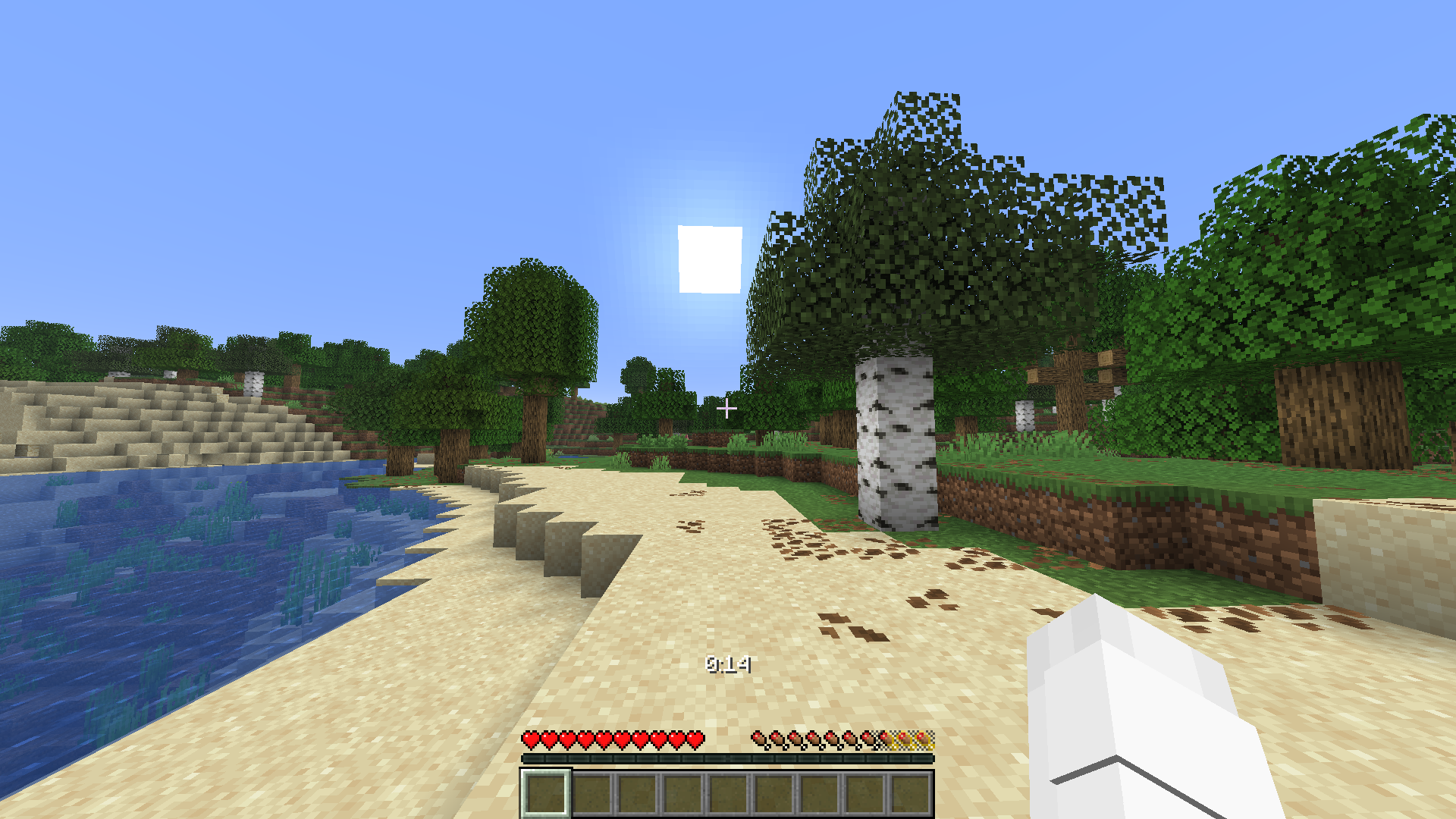
A simple stopwatch and countdown timer displayed as a small white number above the hotbar. Start, Stop, Resume, and Reset via command—ideal for speedruns and time-limit challenges.
截图
介绍
Timer – Stopwatch & Countdown
A minimalist datapack that displays the time right in the game—no mods, no additional software required—simply as a small white MM:SS or H:MM:SS number above the hotbar.
Features
Two modes: Stopwatch (counts up) or Countdown (counts down)
Automatic hour format: MM:SS for less than 1 hour, automatically switches to H:MM:SS for 1 hour or more
Start / Stop / Resume / Reset – full control via chat commands
Countdown end: red title screen + sound as soon as the time runs out
No mods required; works in any vanilla world with datapacks enabled
Commands
Command Effect
/function timer:start_stopwatch Starts the stopwatch at 00:00
/scoreboard players set Timer timerCountdownSeconds Set countdown duration (default: 300 = 5 min)
/function timer:start_countdown Starts the countdown with the set duration
/function timer:stop Pauses the timer
/function timer:resume Resumes the timer from where it was paused
/function timer:reset Resets the timer to 00:00
Installation
Place the datapack file in saves//datapacks/
Load the world (or run /reload)
Get started with /function timer:start_stopwatch or /function timer:start_countdown
Note
The timer runs globally for the entire world (not separately for each player).
常见问题
Challenge Timer 支持哪些 Minecraft 版本?
Challenge Timer 支持 Minecraft Java 版 26.2。下载时注意选择和你游戏版本一致的文件。
Challenge Timer 怎么安装?
新建世界时在「数据包」里把下载的 .zip 拖进去;已有的存档,把文件放进存档目录下的 datapacks 文件夹,进游戏输入 /reload 即可生效。服务器同样放在世界目录的 datapacks 里。
_crafter__ 的其他作品
查看全部 →
Random effect every 30 seconds
A simple Minecraft datapack that gives you a new random effect every 30 seconds. The effect automatically changes every 30 seconds, making your Minecraft experience unpredictable and chaotic. Features Random effect every 30 seconds Automatically changes

Heart Roulette – Random Hearts Every Time You Take Damage
Every time you take damage, your maximum hearts are randomly changed from 1 to 20. Can you survive the Heart Roulette?

Traffic Light Challenge
Minecraft whit traffic light. 🟢 Green: Move freely, random 20–90s 🟡 Yellow: 4-second warning 🔴 Red: Don’t move — movement gets you killed! Works in the Overworld, Nether & End with no mods or command blocks required.
评论
登录后评论和评分