
Who Is My Friend (WIMF)
作者:ITExpy
Client-side friend management tool designed to help you remember everyone you meet on your Minecraft adventures.
截图
介绍
中文介绍正在准备中,下面暂时显示原文。
Interface Integration
- Complete removal of chat commands. All management has been moved to the Graphical User Interface (GUI).
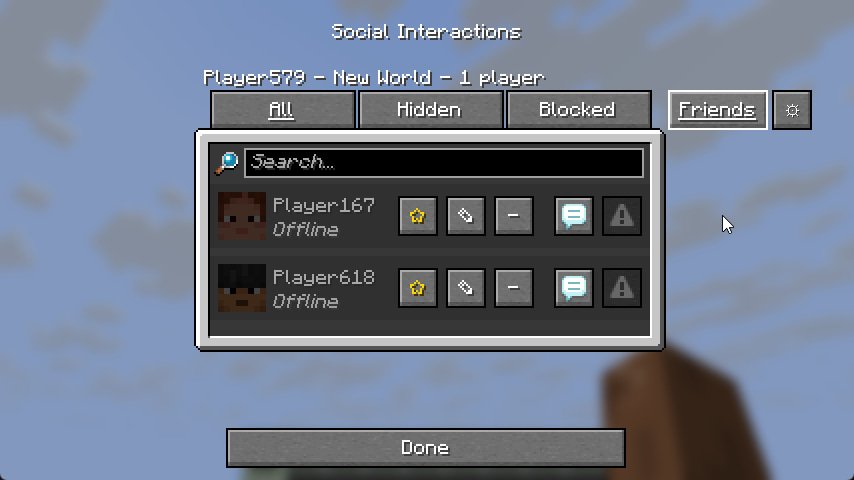
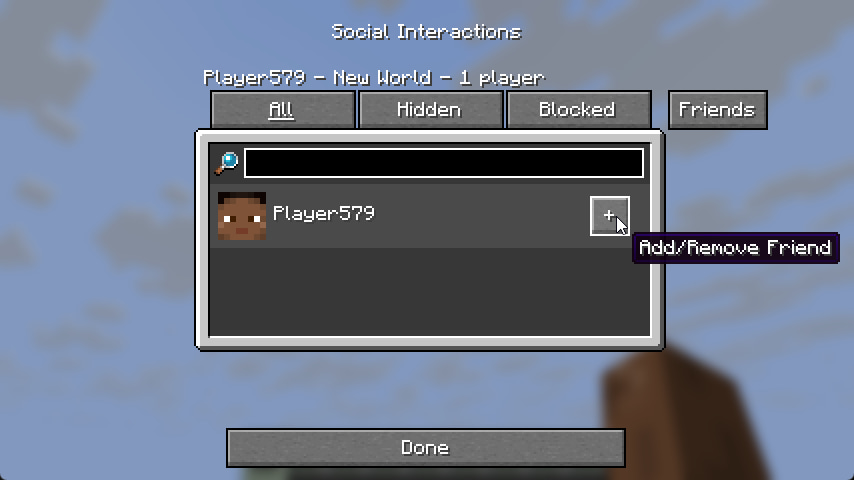
- Added a “Friends” tab to the standard “Social Interactions” menu (Key P).
- Added a “Settings” button (gear icon) inside the Friends tab.
Friend List
- Offline Mode: Players remain in the list after leaving the server.
- Statuses: Visual distinction between online and offline players (customizable nickname colors).
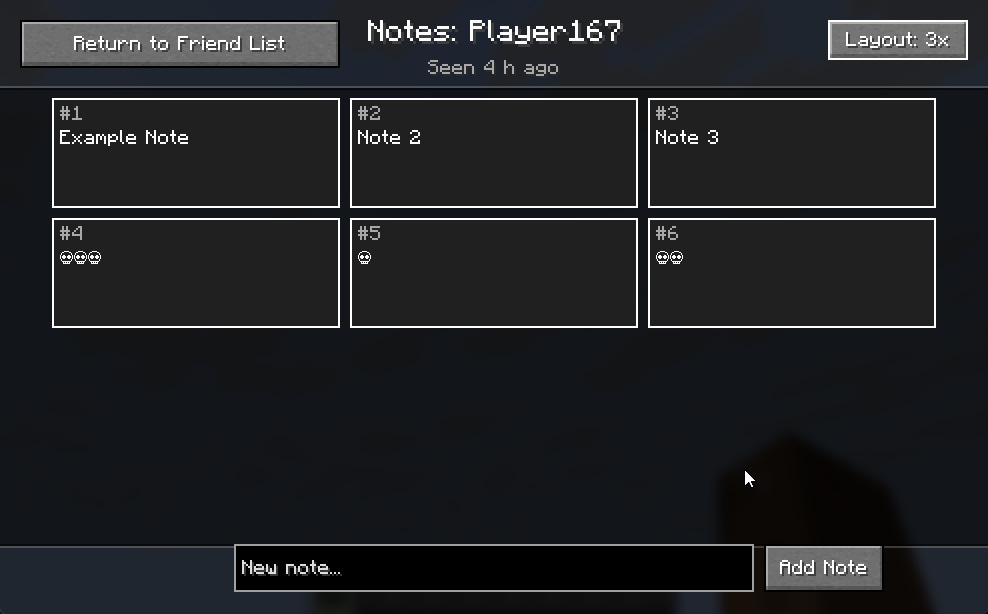
- Activity Tracking: Added “Last Seen” status with a time counter.
- Favorites: Ability to mark a friend with a “Star” to pin them at the top of the list during sorting.
- Control Buttons: Add/Remove, Favorite, and Open Notes buttons added to each player entry.
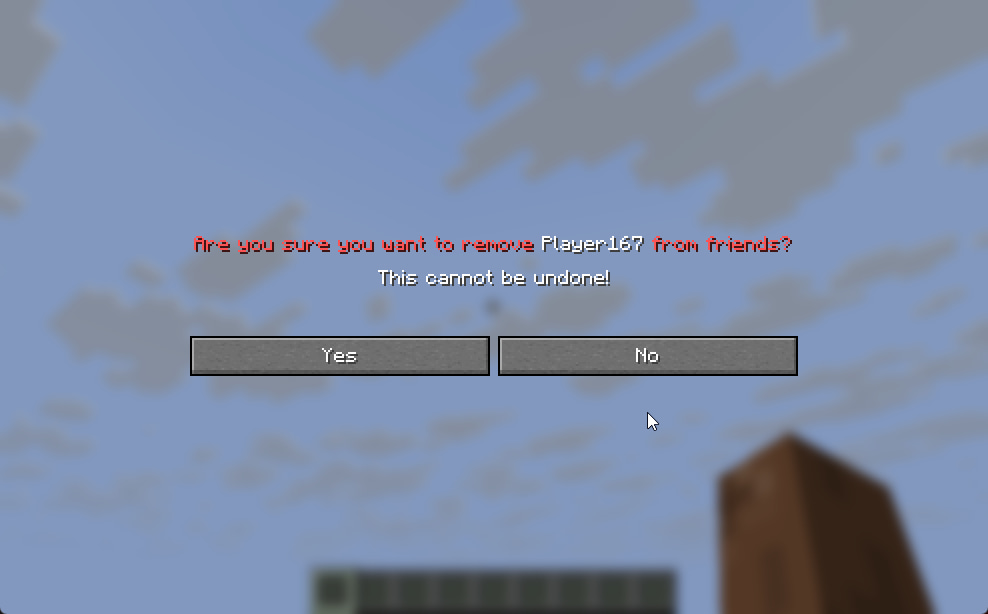
- Action Confirmation: Added a confirmation screen when removing a friend.
Notes System
- Completely new GUI for note management.
- Grid View: Ability to switch note display modes (1, 2, or 3 columns).
- Inline Editing: Note text editing happens directly within the list entry, without opening additional windows.
- Bulk Deletion: Added checkboxes for selecting multiple notes and a button to delete selected items.
- Visualization: Added borders for notes, a proper scrollbar, and enlarged input fields.
Settings and Configuration
- Settings menu for changing status colors (Online/Offline) via HEX codes.
- Reworked data saving system: switched to UUID storage for correct offline player handling.
Removed
- All text commands (/friend add, /friend list, etc.).
常见问题
Who Is My Friend (WIMF) 支持哪些 Minecraft 版本?
Who Is My Friend (WIMF) 支持 Minecraft Java 版 1.21.7–1.21.8,共 2 个版本,可用的加载器:Fabric。下载时注意选择和你游戏版本一致的文件。
Who Is My Friend (WIMF) 怎么安装?
先用 PCL2 或 HMCL 启动器安装对应版本的 Fabric,再把下载的 .jar 文件放进游戏目录的 mods 文件夹,重新启动游戏即可。开启了版本隔离的,mods 文件夹在 versions/版本名 下面。运行环境:仅客户端。

评论
登录后评论和评分