
截图
介绍
🏓 PingHud — Ping, Always in Sight
Know your connection at a glance — no guessing, no tab-hunting.
📡 What it does:
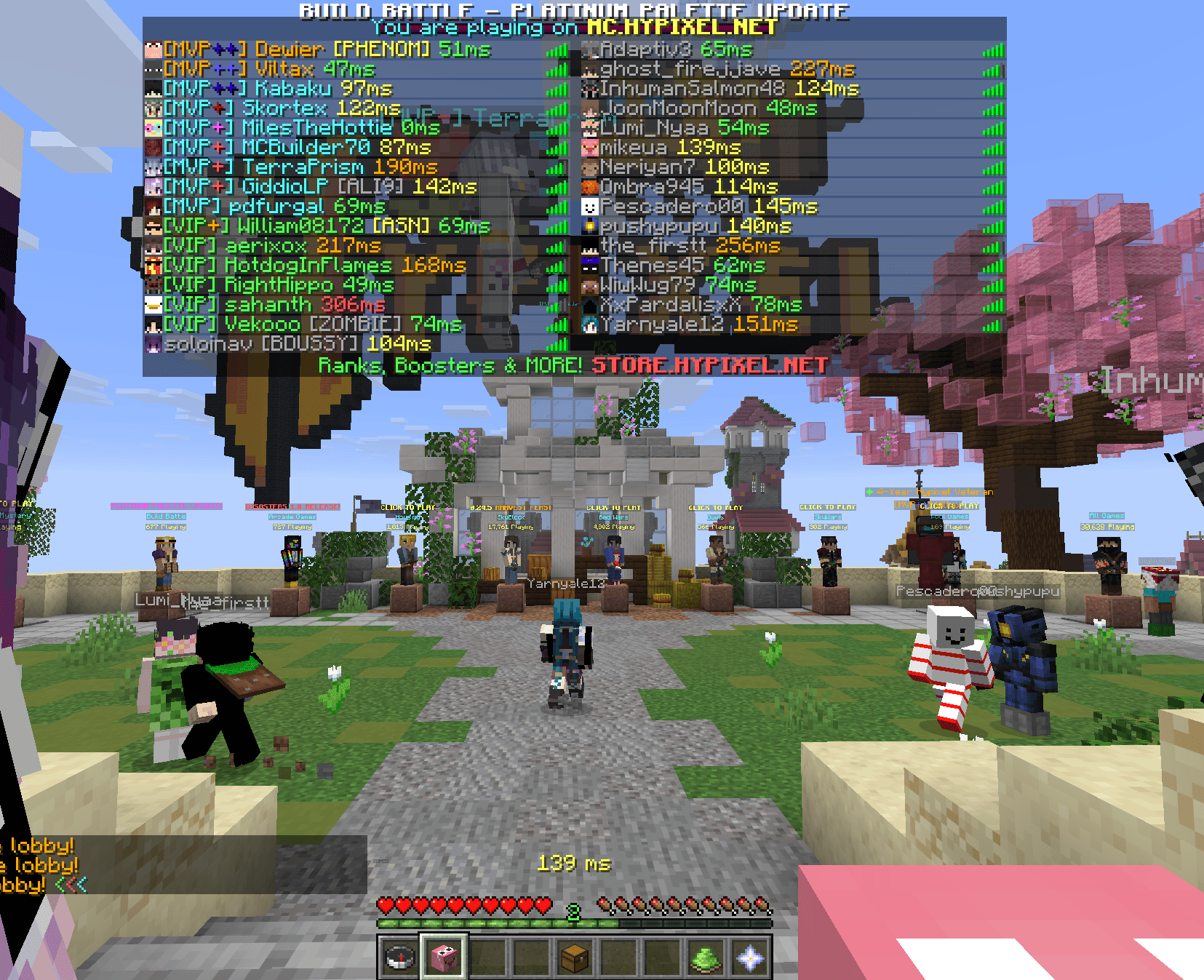
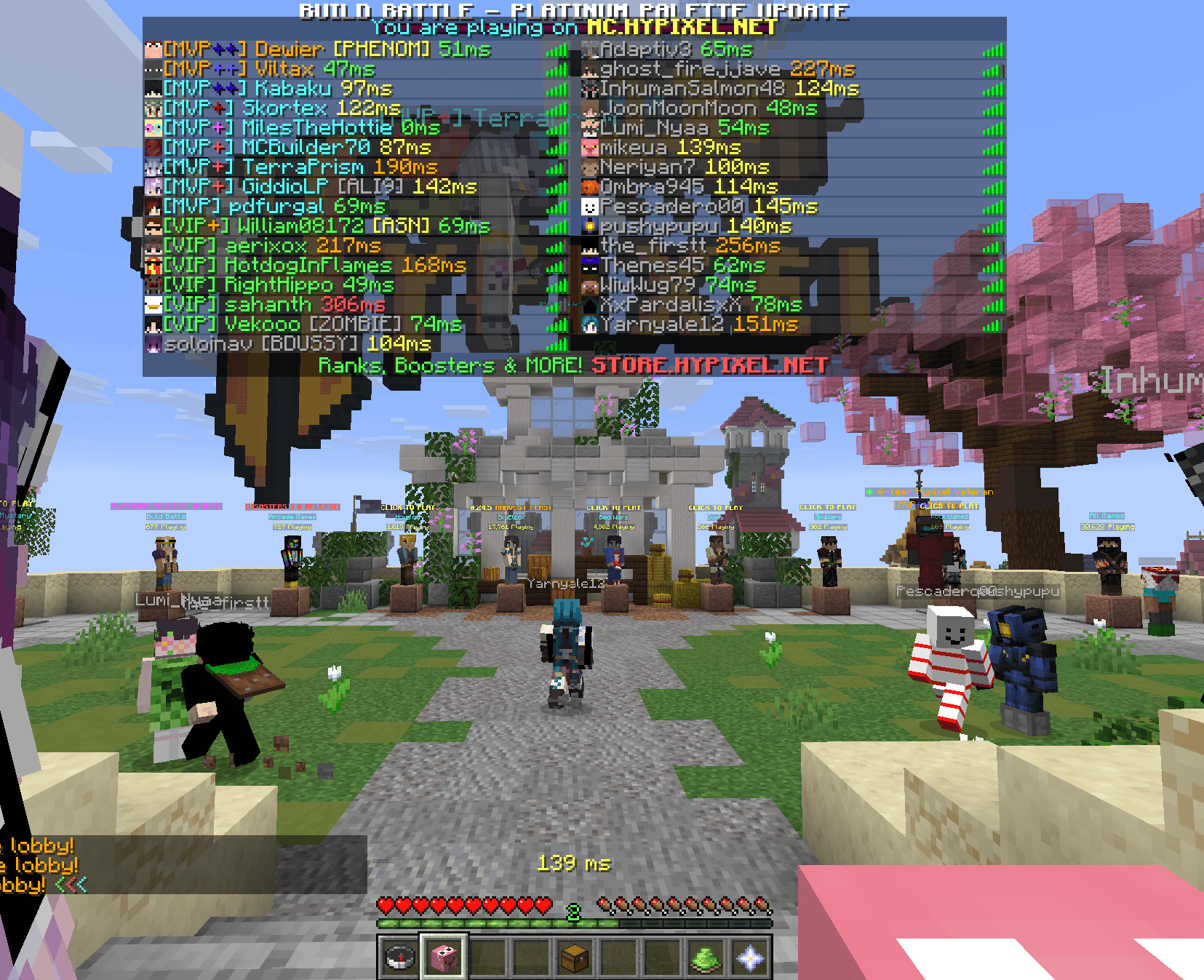
• Shows your ping (ms) right above the armor bar
• Appends ping next to every player name in the tab list
• Updates every second automatically
🎨 Fully customizable:
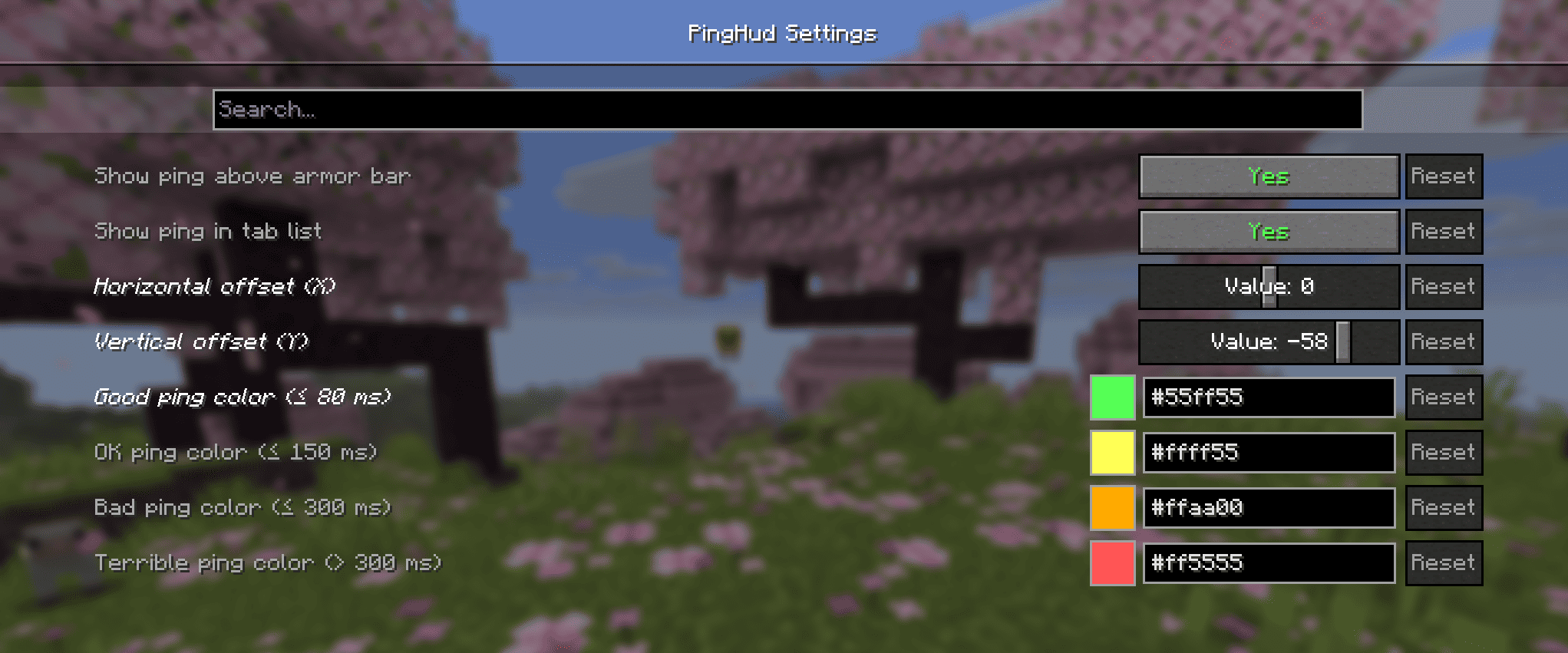
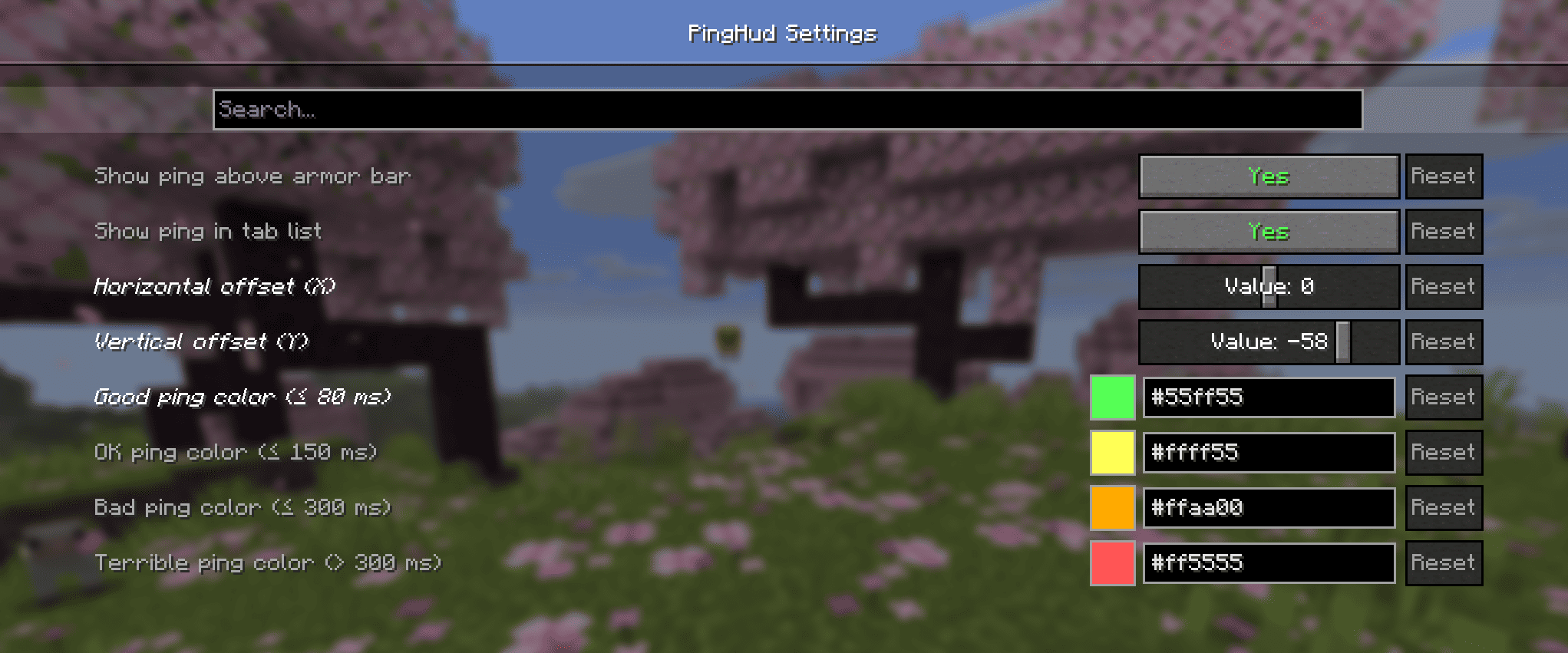
• Toggle HUD ping and tab ping independently
• Drag sliders to reposition the HUD anywhere on screen
• Pick custom colors for each ping tier:
🟢 Good ≤ 80 ms
🟡 OK ≤ 150 ms
🟠 Bad ≤ 300 ms
🔴 Terrible > 300 ms
⚙️ Settings via Mod Menu:
All options are accessible through the Mod Menu config screen — no config file editing needed.
📦 Requirements:
• Fabric Loader
• Fabric API
• Cloth Config
• Mod Menu
常见问题
Newgen Ping Hud 支持哪些 Minecraft 版本?
Newgen Ping Hud 支持 Minecraft Java 版 26.1.2–26.2,共 2 个版本,可用的加载器:Fabric。下载时注意选择和你游戏版本一致的文件。
Newgen Ping Hud 怎么安装?
先用 PCL2 或 HMCL 启动器安装对应版本的 Fabric,再把下载的 .jar 文件放进游戏目录的 mods 文件夹,重新启动游戏即可。开启了版本隔离的,mods 文件夹在 versions/版本名 下面。运行环境:仅客户端。
raskajanie 的其他作品
查看全部 →
Ping Items
Lets you mark items in containers!

Borsch instead of lava
Famous Ukrainian borsch instead of lava,flowing lava and lava bucket!

Visualified
Ultimate Performance & Immersion

Slowness Gamble
Every time you break a block, there's a chance you'll become slower.
评论
登录后评论和评分