介绍
Emotecraft+
Thanks to everyone that Downloaded my modpack Emotecraft+ because we just HIT 12,000 downloads!!!!
 What the modpack offers!
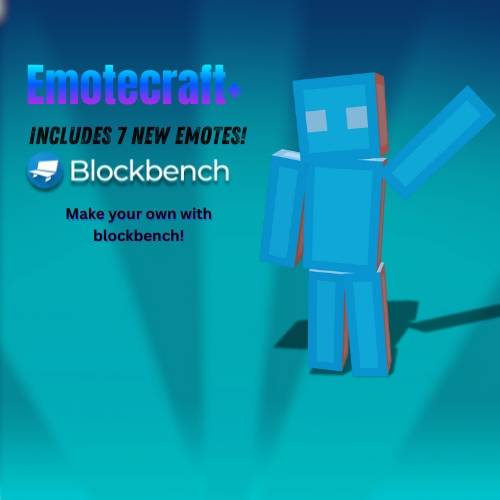
“Bored of the same old emotes? This modpack upgrades Emotecraft by adding a fresh set of expressive, fun, and sometimes hilarious emotes. Whether you’re celebrating a victory, throwing a tantrum, or just vibing with friends, there’s an emote for every moment. Dive in and make your Minecraft experience more animated than ever!”
How to play!
🕹️ How to Use Emotes in This Modpack
To use emotes, make sure you have the modpack installed. Once you’re in Minecraft:
-
Press the
Bkey to open the Emote Wheel. -
At the bottom of the wheel, click the tab labeled “All Emotes”.
-
You’ll now see a list of all available emotes.
-
To equip an emote:
-
Click on the “Config Emotes” tab.
-
Select the emote you want.
-
Then, click on one of the slots in the emote wheel to assign it.
-
-
Once equipped, just press
Bwhile playing and select your emote from the wheel—your character will perform it!
How to use Essentials Emotes!
To use Essentials Emotes, follow these steps:
-
From the Minecraft home screen, look at the left side of the screen — you’ll see your character.
-
Click the “Wardrobe” tab below to your character.
-
This will open a new menu where you’ll find:
-
Emotes
-
Cosmetics
-
And more customization options!
-
-
To equip an emote:
-
Browse through the available emotes — some are free, while others may require purchase.
-
Click on an emote to equip it to your character.
-
-
In-game, hold the
Rkey to open the Essentials Emote Wheel. -
Click on the emote you want, and your character will perform it!
I am planning on adding more Emote soon so please follow me so you can be ready for new updates!
Oh and please check out my channel!! https://www.youtube.com/@dreamNIT_YT
常见问题
Emotecraft+ 支持哪些 Minecraft 版本?
Emotecraft+ 支持 Minecraft Java 版 1.18.2–1.21.8,共 7 个版本,可用的加载器:Fabric / Forge / NeoForge。下载时注意选择和你游戏版本一致的文件。
Emotecraft+ 怎么安装?
点本页「前往下载」拿到整合包文件(Modrinth 的是 .mrpack,CurseForge 的是 .zip),在 PCL2 或 HMCL 启动器里选择「导入整合包」,启动器会自动装好 Minecraft、加载器和全部模组。建议在启动器里给游戏分配 4–6 GB 内存。
Emotecraft+ 开服需要多大内存?
推荐服务器内存 12 GB。在线人数多、或者建了大量机器和区块加载器时,可以再加 2–4 GB。
怎么和朋友一起玩 Emotecraft+?
点本页的「一键开服」,选好配置后会自动安装 Emotecraft+ 的服务端,几分钟就能开好。把服务器地址发给朋友,大家用同一个版本的整合包连进去就行。
DreamNIT 的其他作品
查看全部 →
Spiderman1
Time to swing through the city like Spiderman with endless adventures!

All the furniture.
This modpack adds many of the furniture mods to make your decorations more fun!! 🤩
Isle Of Burke+
"This pack serves as an enhancement to the Isle of Berk mod, introducing a range of new features and improvements to enrich the overall gameplay experience."
Hunting simulator ultra.
Cold, hot, beautiful but you will still hunt this modpack gives you guns and animals to hunt your heart out even in Survival!
评论
登录后评论和评分