
Bruno the CameraMan
Bruno is a cinematic camera api for ingame interactions or cutscenes!
截图
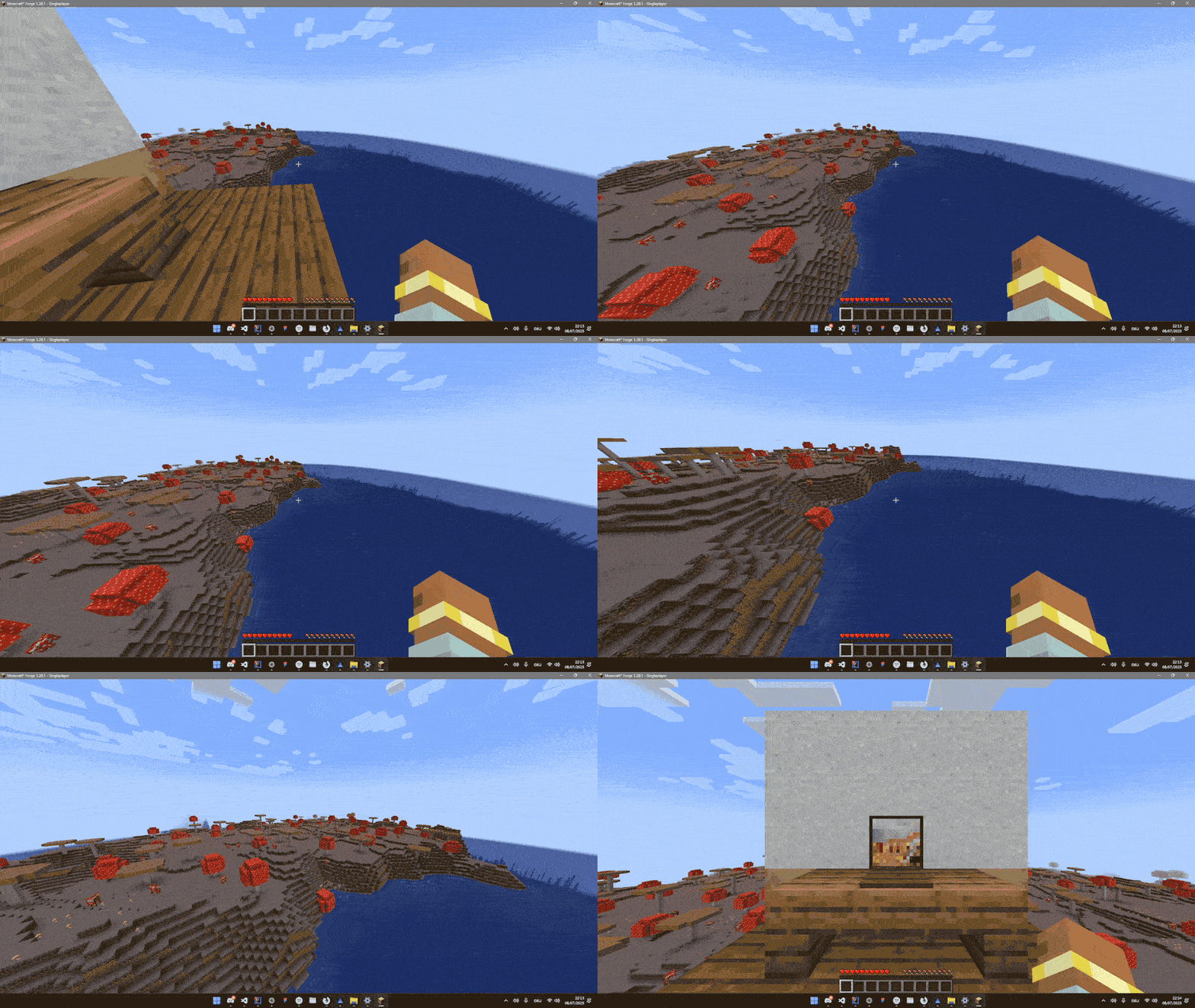
介绍
Bruno is a cinematic camera manager that can be used for interactions or cinematic scenes
To create a custom camera you need to register a CustomPoint
Here is an example how to register a CameraPoint
// registration
@Mod.EventBusSubscriber(modid = YourMod.MODID, bus = Mod.EventBusSubscriber.Bus.FORGE, value = Dist.CLIENT)

public class register {

public static CameraPointAccessor POINT;
@SubscribeEvent

public static void onCameraManagerSetup(CameraManagerSetupEvent event) {

POINT = event.manager.registerPoint("point", CameraPoint.of(

new Vec3(

0,              // x

100,            // y

0               // z

),

0,                      // yaw

0,                      // pitch

0.5f,                   // fov

1000,                   // duration

Easing::easeInOutQuad,  // Easing function

false                   // renderPlayer

));

}

}
as soon as the CameraPoint is registered you can transition to the point on client like this
com.smibii.cameraman.listeners.Camera.manager.transitionToPoint(POINT_NAME)and on server like this
com.smibii.cameraman.network.NetworkHandler.sendToClient(
new CameraToPointPacket(POINT_NAME),

player);
If you want to get back to the player can eather transition back to the player
// Client
com.smibii.cameraman.listeners.Camera.manager.transitionToPlayer()
// Server

NetworkHandler.sendToClient(

new CameraToPlayerPacket(),

player);
or abruptly exit the camera with
// Client
com.smibii.cameraman.listeners.Camera.manager.setInUse(false);
// Server

NetworkHandler.sendToClient(

new CameraSetInUsePacket(false),

player);
Feel free to use the api in ur mod, modpack or modify it BUT make sure to mention me.
Thanks.
常见问题
Bruno the CameraMan 支持哪些 Minecraft 版本?
Bruno the CameraMan 支持 Minecraft Java 版 1.20.1–1.20.6,共 6 个版本,可用的加载器:Forge。下载时注意选择和你游戏版本一致的文件。
Bruno the CameraMan 怎么安装?
先用 PCL2 或 HMCL 启动器安装对应版本的 Forge,再把下载的 .jar 文件放进游戏目录的 mods 文件夹,重新启动游戏即可。开启了版本隔离的,mods 文件夹在 versions/版本名 下面。运行环境:客户端和服务端都要装。

评论
登录后评论和评分