
ItemFinderV2
Instantly search and locate any item across nearby chests. Press a key, pick an item, and get guided straight to it with coordinates, a particle trail, and a world highlight.
截图
介绍
Item Finder
Never dig through a wall of chests again. Item Finder lets you search for any item by name and instantly find every nearby container that has it — no more manual searching.
✨ Features
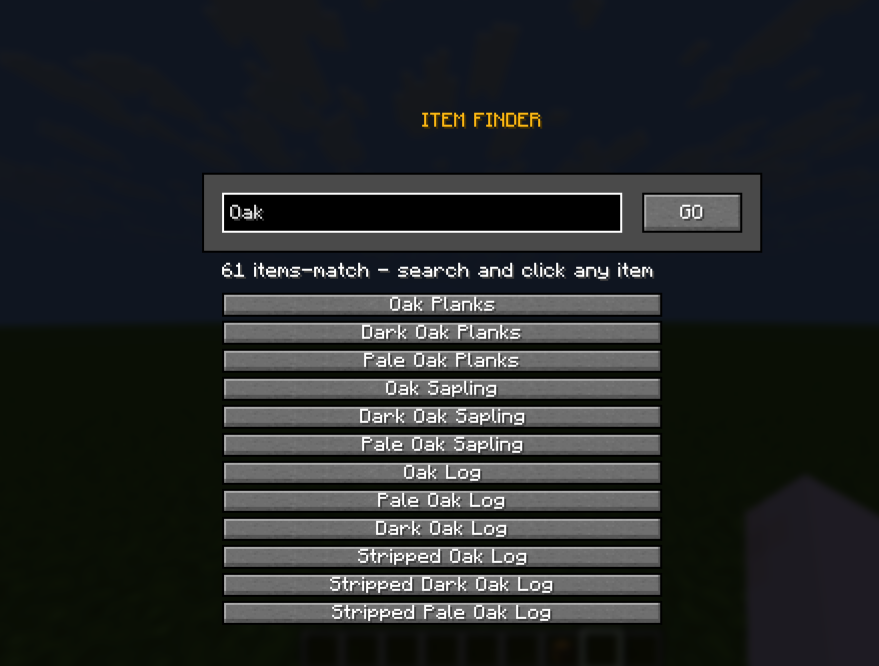
- Instant search UI — press a key, type an item name, and see every matching item (vanilla or modded) filtered live.
- Real container scanning — accurately reads chest and shulker box contents nearby, even containers you haven’t opened yet, using proper client-server networking.
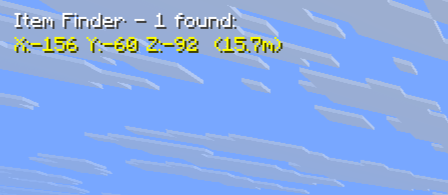
- Chat results — get a clean list of matching containers with exact coordinates.
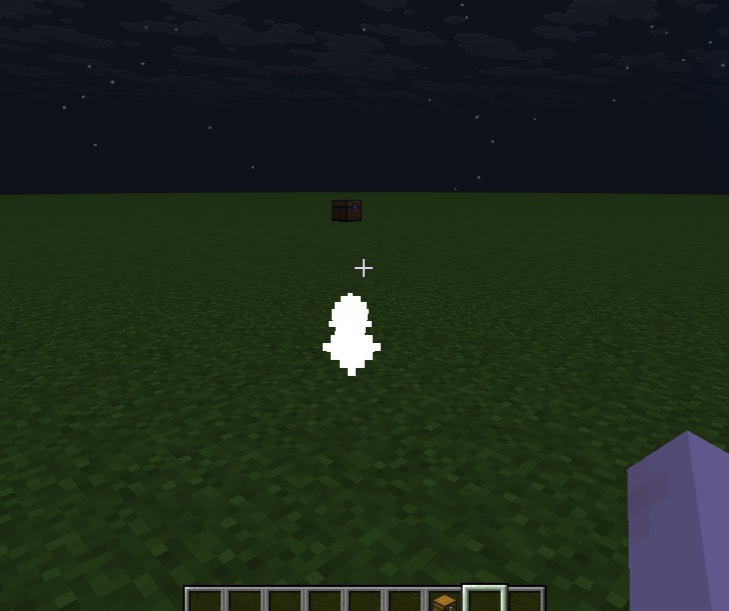
- World highlight — matching chests are outlined in green when in your line of sight. (Through-wall/X-ray highlighting is under construction — coming in a future update.)
- Particle trail — follow a trail of particles straight to the nearest match.
- On-screen HUD — see found containers and their distance from you at all times.
- Auto-detect pickup — the moment you pick up the item you were looking for, the mod detects it, sends a confirmation message, and automatically stops the search.
🚧 Coming Soon
- Through-wall (X-ray style) chest highlighting
- Highlighting the exact slot inside a chest once you open it
- Item icons in the search list
- Support for more container types (barrels, hoppers, ender chests)
🎮 How to Use
- Press O (rebindable in Options → Controls) to open the search screen.
- Type the item name.
- Click it from the list — the screen closes and scanning begins.
- Follow the chat coordinates, particle trail, or highlight to the chest.
- Pick it up — you’ll get a confirmation and the search ends automatically.
📋 Requirements
- Fabric Loader
- Fabric API
🔗 Source
Source code is available on GitHub.
常见问题
ItemFinderV2 支持哪些 Minecraft 版本?
ItemFinderV2 支持 Minecraft Java 版 26.2,可用的加载器:Fabric。下载时注意选择和你游戏版本一致的文件。
ItemFinderV2 怎么安装?
先用 PCL2 或 HMCL 启动器安装对应版本的 Fabric,再把下载的 .jar 文件放进游戏目录的 mods 文件夹,重新启动游戏即可。开启了版本隔离的,mods 文件夹在 versions/版本名 下面。运行环境:客户端和服务端都要装。
SubhamGaming123_ 的其他作品
查看全部 →
Stable FPS (Pojav + PC)
A client-side modpack for Minecraft focused on boosting FPS and improving performance on both PC and Pojav launcher/mojo launcher

Stable Fps (Forge)+(NeoForge)
StableFps is a lightweight performance optimization mod designed for both Forge and NeoForge modloaders in Minecraft. Its main purpose is to stabilize FPS

Lightweight_FPS
This Modpack Made for Low end devices. In this Modpack no extra qulity of life mods only Fps increase mods are added. This Modpack is very Lightweight

Quality Of Life plus (QoL+)
This Modpack Forced on Enhanced the Quality of game
评论
登录后评论和评分