
DropGuard
Prevent important items from being accidentally dropped with configurable item protection that follows them between inventory slots.
截图
介绍
Drop Guard
Drop Guard is a client-side Fabric mod that prevents you from accidentally dropping important items. Protect your tools, weapons, armor, building materials or any other items you want to keep safe.
Features
- Prevents protected items from being dropped with the drop key
- Blocks dropping protected items from inventory screens
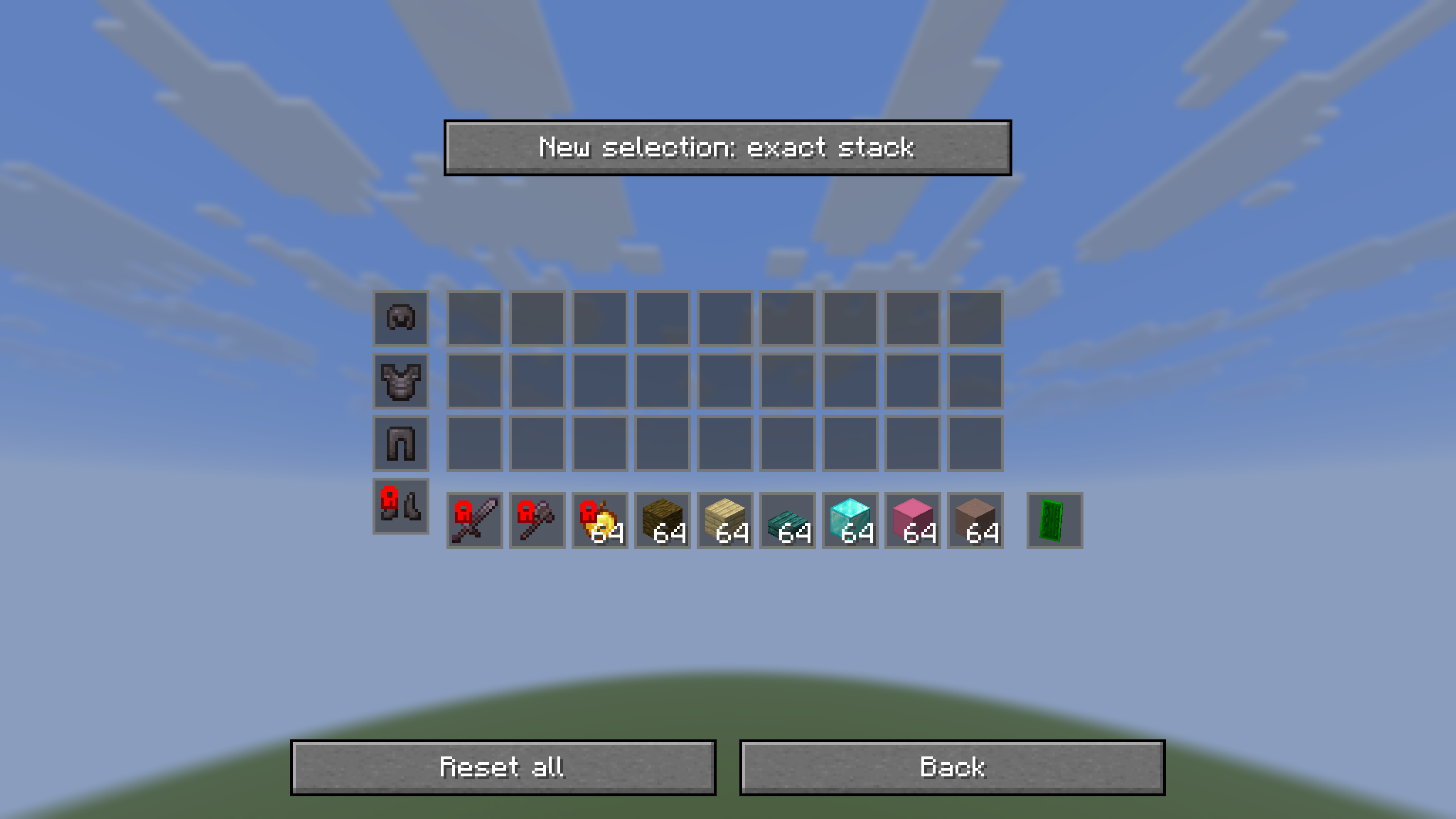
- Protect an exact stack or an entire item type
- Configure items directly through your inventory, hotbar, armor and offhand slots
- Browse and search the complete item list
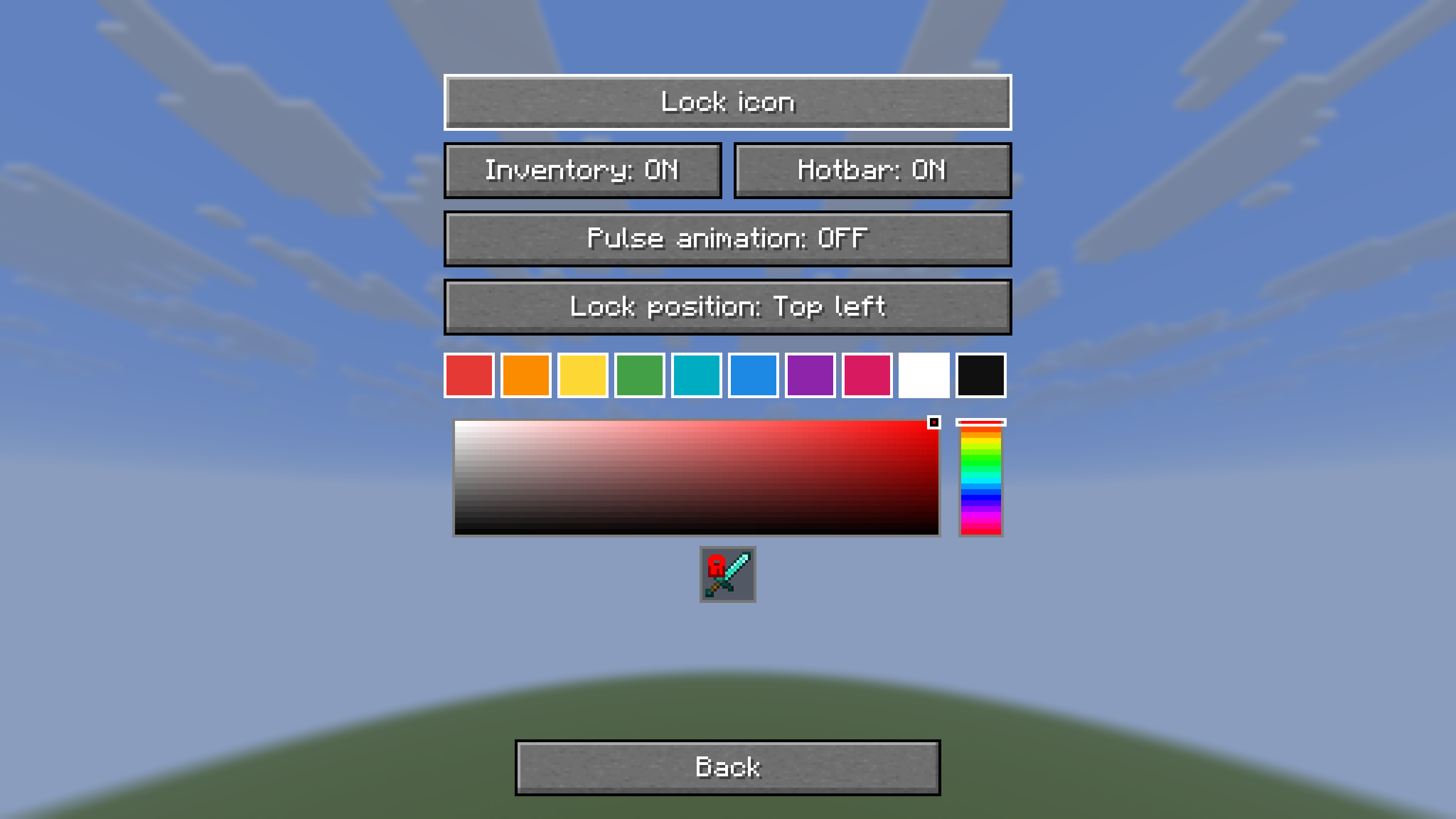
- Display protection using a lock icon or a customizable color
- Customize the lock color, position and pulse animation
- Quickly remove protection rules using reset buttons with confirmation
- First-launch welcome screen and visual walkthrough, replayable with How it works
- A Protected items list with item icons and individual removal buttons
- One configurable two-key combination to intentionally drop a protected item; both inputs must be held together
- Opens through the configurable Open menu keybind
- Optional integration with Mod Menu
- Saves your settings between game sessions
How to use
- Press I to open the Drop Guard menu. The key can be changed under Minecraft’s Controls settings. Existing installations keep their saved keybind.
- Choose Configure inventory to click items currently in your inventory, hotbar, armor or offhand slots.
- Open Choose individual items to search through all available items.
- Click an item to enable or disable drop protection.
- Open Settings to customize how protected items are displayed.
Selection modes
- Exact stack: protects the selected item variant, including identical copies, while ignoring stack size and durability changes.
- Entire item type: protects every stack of that item type.
Since version 2.8.2, protection follows the matching item between inventory slots. A different item placed in its former slot is not automatically protected. Existing slot-based rules are migrated automatically.
Requirements
- Minecraft 1.21–1.21.11, 26.1–26.1.2 or 26.2 (use the matching download)
- Fabric Loader
- Fabric API
- Mod Menu is optional
Compatibility
Drop Guard is completely client-side. It works in singleplayer and on multiplayer servers without requiring the server to install the mod.
Drop Guard prevents manual item dropping. It does not prevent items from being lost through death, lava, commands or other server-side actions.
常见问题
DropGuard 支持哪些 Minecraft 版本?
DropGuard 支持 Minecraft Java 版 1.21–26.3,共 17 个版本,可用的加载器:Fabric。下载时注意选择和你游戏版本一致的文件。
DropGuard 怎么安装?
先用 PCL2 或 HMCL 启动器安装对应版本的 Fabric,再把下载的 .jar 文件放进游戏目录的 mods 文件夹,重新启动游戏即可。开启了版本隔离的,mods 文件夹在 versions/版本名 下面。运行环境:仅客户端。
评论
登录后评论和评分